

A platform dedicated to providing unbiased reviews of newly launched applications, analyzing everything from their features to their full potential.
info@scoutforge.net© 2026 Scoutforge. All rights reserved.
A platform dedicated to providing unbiased reviews of newly launched applications, analyzing everything from their features to their full potential.
info@scoutforge.net© 2026 Scoutforge. All rights reserved.
A platform dedicated to providing unbiased reviews of newly launched applications, analyzing everything from their features to their full potential.
info@scoutforge.net© 2026 Scoutforge. All rights reserved.
Cycling through all six. Tap any point to stop.
Measured on six things
Turn data into video-ready animations in seconds, no edit...
Very new (Feb 2026 launch, PH in April). Small Instagram presence; zero review-platform footprint or community signals yet.
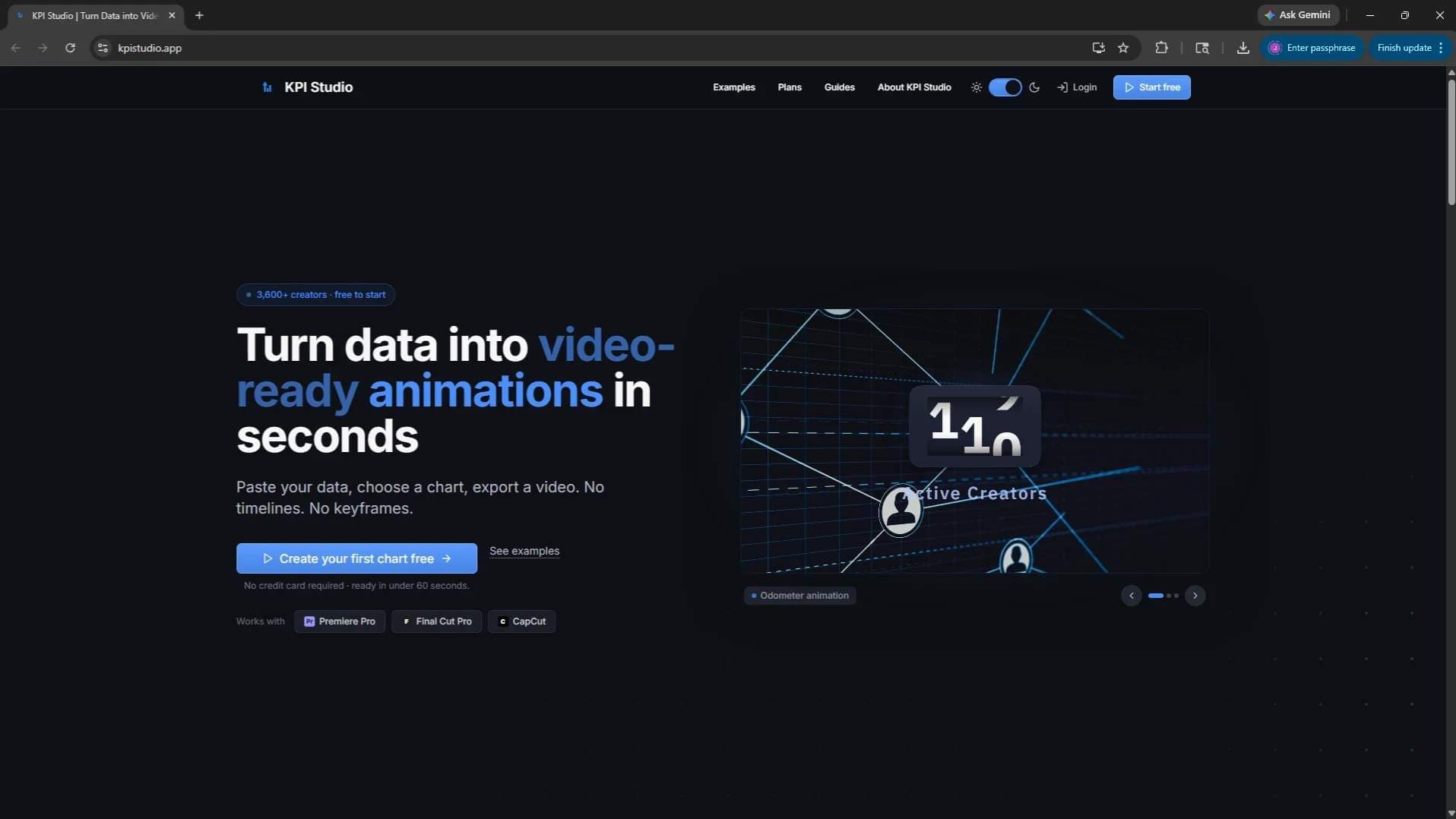
KPI Studio is a game-changer for content creators, marketers, and data analysts who need to present data visually in videos. Instead of spending hours in After Effects or manually animating charts, you simply paste your data, choose a chart type, and export a video-ready animation that works seamlessly with Premiere Pro, Final Cut, and CapCut. No timelines, no keyframes—just clean, professional data visualizations ready for your next explainer, report, or social clip. I’ve been using it for my YouTube channel, and it’s cut my production time by half. The best part? It’s web-based, so there’s no software to install. If you regularly feature KPIs, statistics, or any chart in your videos, this tool is a no-brainer. Highly recommended for anyone looking to streamline their data storytelling workflow.
Drawn from the product itself, not from a survey.
Demographic
YouTube content creators and social media influencers
Pain points
Creating data-driven videos is time-consuming and requires complex animation software.
Primary needs
Quick, easy, and professional-looking chart animations for video content.
Demographic
Video editors and motion designers
Pain points
Manually animating charts in After Effects is repetitive and delays project turnaround.
Primary needs
Automated chart animation that integrates directly into their editing workflow.
Demographic
Data analysts and business intelligence professionals
Pain points
Struggling to present data in engaging video formats for reports or presentations.
Primary needs
A simple tool to convert data into animated visuals without learning animation software.
Written by AI from measured evidence, scored out of 100.
KPI Studio solves a real pain point for data-driven video creators by turning raw numbers into export-ready animations without After Effects. The product is young, the performance and growth signals are still developing, and a few polish items remain, but the core workflow and documentation are already better than most indie tools at this stage.
Three-step process, live preview, and extensive guides make onboarding fast. Free tier lowers the barrier; Pro pricing details are light on the site.
Dark theme with strong blue accents and live demo panel deliver immediate visual proof. Consistent styling but minor layout disconnects and low-contrast logos hold it back.
Lighthouse mobile 45/100 with 19.6s LCP drags real-world feel. Desktop fares better at 69/100; no user complaints surfaced yet.
Solid header hygiene (HTTPS, HSTS, CSP, SPF/DMARC) for a young SaaS. No third-party audits or security page published.
Automated score 91/100 is strong, but three specific failures (button names, touch targets, SVG alts) need fixes. Responsive and multi-ratio support helps.
Very new (Feb 2026 launch, PH in April). Small Instagram presence; zero review-platform footprint or community signals yet.
KPI Studio's dark UI with glowing blue demo panel gives instant credibility for video creators. The three-step flow (paste data, pick template, export) is straightforward and backed by solid guides covering every chart type and editor workflow. Minor visual nits like tiny integration logos and an awkward headline break keep design from feeling fully polished, while the free tier and live preview make usability genuinely approachable for non-designers.
Performance is the clear weak spot: Lighthouse shows a painful 19.6s LCP on mobile. Security headers are respectable for a young product, but the absence of any SOC 2, pen-test mentions, or dedicated security page leaves enterprise users wanting more proof. At this stage the basics are covered, yet nothing stands out as exceptional.
Accessibility scores well automatically but has concrete gaps in button labeling and touch targets that should be quick wins. Growth is exactly what you'd expect from a February 2026 launch: Product Hunt debut, tiny social following, and zero third-party reviews. Trajectory matters more than absolute numbers right now, and the focused niche plus clean docs give it a fighting chance.
Conclusion
If you're making YouTube explainers or social clips that need quick chart animations, KPI Studio is worth testing the free tier today. Just don't expect enterprise-grade compliance or lightning speed until they ship a few more updates.
Named competitors, point by point. Nobody paid to appear here or to be left out.
 KPI Studio KPI Studio |  Flourish Flourish |  Datawrapper Datawrapper |  Animaker Animaker | |
|---|---|---|---|---|
| Video export formats (MP4/GIF/transparent MOV) | MP4, GIF, transparent MOV/WebM | Web embed focus; limited video export | Static/interactive web images only | Full video export but general animation tool |
| Specialized animated chart templates for video | 10 video-native templates (bar race, odometer, map path, etc.) | Interactive web charts; manual video setup needed | Static charts; no animation focus | General animations; steeper learning curve |
| Editor integration (Premiere/FCP/CapCut) | Transparent exports designed for direct timeline drop-in | Web-first; not optimized for NLE timelines | Web publishing focus; no video workflow | Exports video but not specialized for editors |
Flourish
A data visualization platform that allows creating interactive charts and maps, but requires more manual setup for video export.
Datawrapper
Focused on static and interactive charts for web publishing, less suited for video animation workflows.
Animaker
A general animation tool that can create chart animations but has a steeper learning curve and slower output.
Comparing options? See KPI Studio alternatives, scored side by side
What the review was written against. A verdict with no sources is an opinion.

An AI-powered interior and exterior design tool that tran...

Frame-perfect video-to-GIF maker that runs entirely in yo...

BeartIMAGE is a free, web-based image processing platform engineered for fast, bulk photo editing and conversion directly in your browser.

A free online AI-powered tool that instantly converts ima...

AI-powered personalized face swap art platform creating c...

macOS app for App Store screenshots: 3D mockups, auto-tra...

An AI-powered photo restoration app that brings old, blur...

A massive collection of free printable coloring pages for...

Design And Animate QR Codes People Want to Scan

AI face swap for photos, videos, GIFs with free trial.

Try on a tattoo on your own body photo before you book.

Private, local-first image texture workbench.
A platform dedicated to providing unbiased reviews of newly launched applications, analyzing everything from their features to their full potential.
info@scoutforge.net© 2026 Scoutforge. All rights reserved.
