
A platform dedicated to providing unbiased reviews of newly launched applications, analyzing everything from their features to their full potential.
info@scoutforge.netProduct
© 2025 Scoutforge. All rights reserved.
A platform dedicated to providing unbiased reviews of newly launched applications, analyzing everything from their features to their full potential.
info@scoutforge.net© 2025 Scoutforge. All rights reserved.
A platform dedicated to providing unbiased reviews of newly launched applications, analyzing everything from their features to their full potential.
info@scoutforge.net© 2025 Scoutforge. All rights reserved.
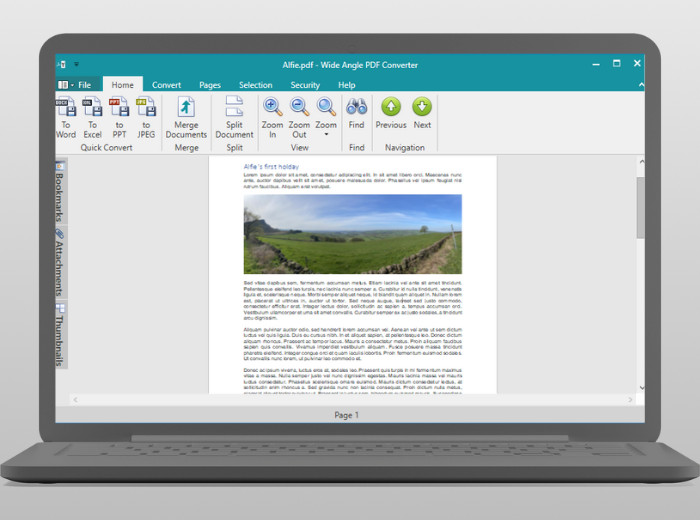
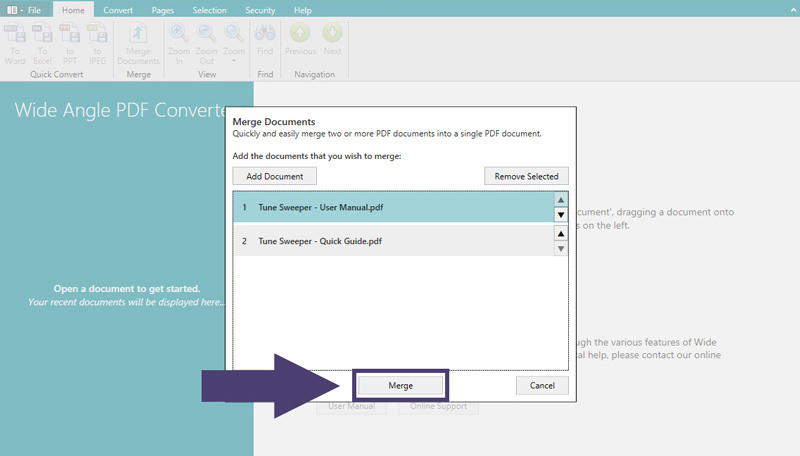
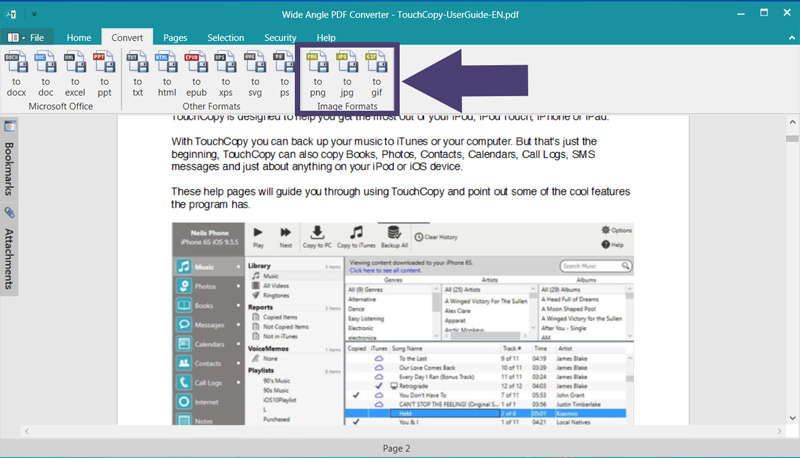
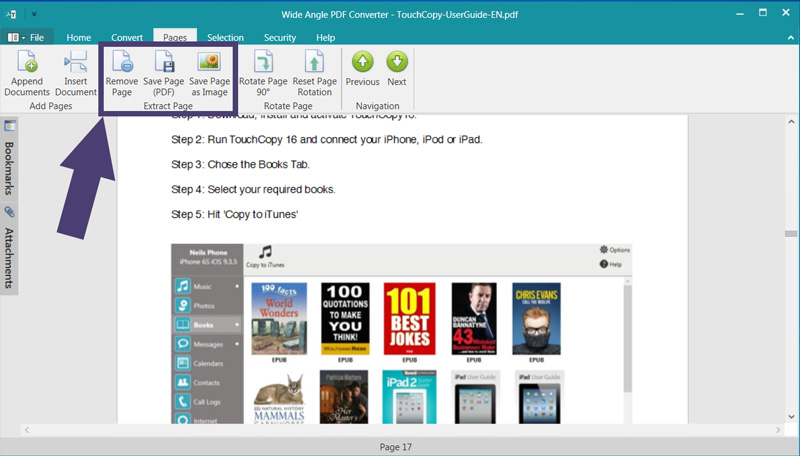
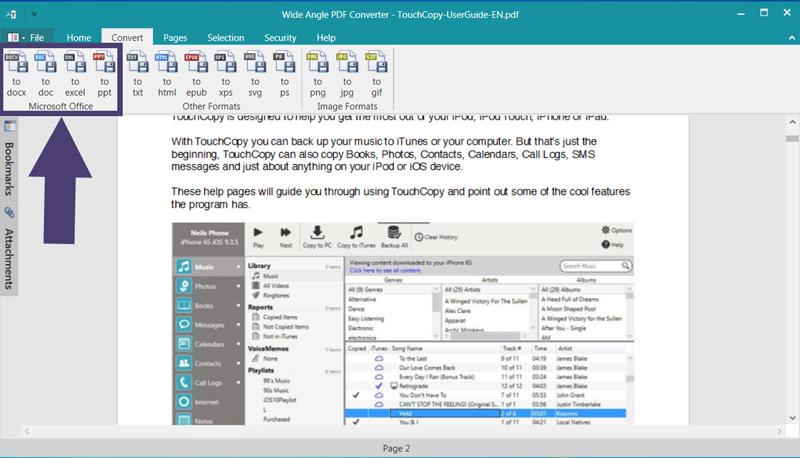
Wide Angle PDF Converter is a robust Windows application that lets you convert, merge, split, and secure PDF files entirely on your local machine—no internet or cloud uploads required. As someone who's tested various PDF tools, I appreciate how it handles sensitive documents with ease, converting to formats like Word, Excel, and JPG while preserving quality. It's perfect for office professionals, freelancers, and privacy-conscious users who need reliable, offline functionality without subscription fees. With features like password protection, watermarking, and batch processing, it's a solid choice for everyday PDF tasks, though the interface could use a modern touch. Overall, it's a dependable tool that prioritizes security and simplicity.
Scout Review
0Feedbacks

While Adobe offers robust features, it requires cloud uploads and subscription fees, unlike Wide Angle's local processing and one-time purchase model.

SmallPDF operates entirely online with file size limits, whereas Wide Angle provides unlimited local processing without internet dependency.
This popular web tool offers similar conversion features but stores files temporarily on servers, making Wide Angle preferable for confidential documents.
Wide Angle PDF Converter excels at its core mission: providing secure, offline PDF conversion without compromising your data privacy. It's a workhorse rather than a showhorse - reliable, straightforward, and trustworthy for handling sensitive documents. The local processing and one-time purchase model make it particularly valuable for office professionals, freelancers, and privacy-conscious users who need dependable PDF tools without ongoing costs.
| Features |  Wide Angle PDF Converter Wide Angle PDF Converter |  Adobe Acrobat Online Adobe Acrobat Online |  SmallPDF SmallPDF |  iLovePDF iLovePDF |
|---|---|---|---|---|
| Processing Method | Local processing only | Cloud-based processing | Cloud-based processing | Cloud-based processing |
| Pricing Model | One-time purchase | Subscription-based | Freemium with subscriptions | Freemium with subscriptions |
| Internet Required | No internet required | Internet required | Internet required | Internet required |
| File Size Limits | No limits (hardware dependent) | Cloud storage limits apply | Free tier has file size limits | Free tier has file size limits |
A platform dedicated to providing unbiased reviews of newly launched applications, analyzing everything from their features to their full potential.
info@scoutforge.net© 2025 Scoutforge. All rights reserved.