Cycling through all six. Tap any point to stop.
Measured on six things
Free board to run multiple AI coding agents in parallel w...
Accessibility
56Lighthouse 86/100 but fails contrast, lang attribute, touch targets, main landmark, and accessible names. No a11y statement or WCAG mention.
Screenshots
1 / 1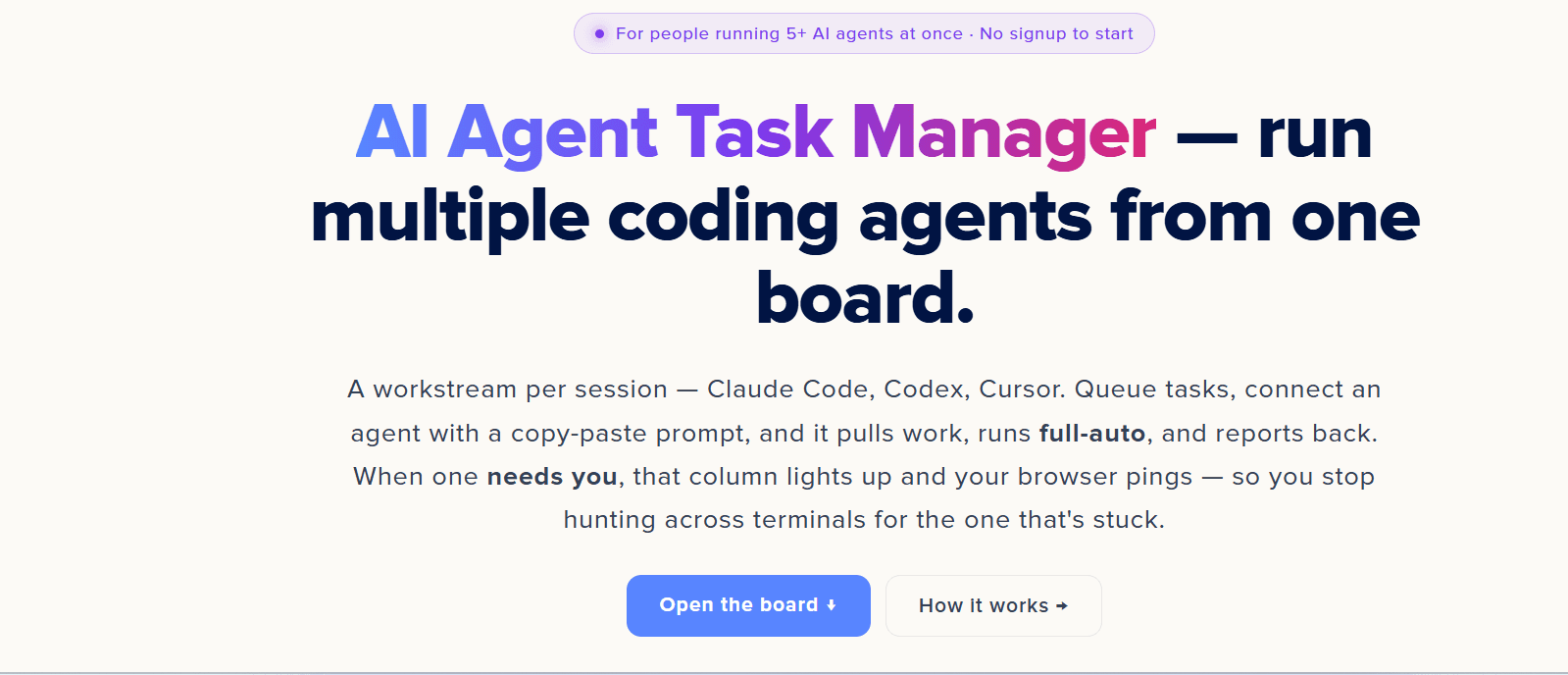
About this app
The AI Agent Task Manager is a free, browser-based kanban board designed for developers who juggle multiple AI coding agents (like Claude Code, Codex, or Cursor) at once. Instead of managing scattered terminals, you create a workstream per agent session, queue tasks with detailed instructions, and connect each agent via a copy-paste bootstrap prompt. Agents autonomously pull tasks, work on them, and report back—only pinging you when they need a human decision. The board provides a clear visual overview: columns light up amber when an agent needs attention, and you get browser notifications. It's built for both manual use and full automation, with a simple REST API for custom integrations. No signup is required to start; sign in to sync across devices and generate an API key for agent connections. This tool is a game-changer for solo developers and small teams running parallel AI workflows, reducing the cognitive load of tracking multiple autonomous agents.
Key features
- 1Workstream per agent session (Claude Code, Codex, Cursor) with up to 24 parallel columns
- 2Copy-paste bootstrap prompt to connect agents; REST API (pull/attention/resume/complete) with personal API key
- 3Amber column highlight and browser notifications when an agent needs human decision
Target customer profile
Drawn from the product itself, not from a survey.
Demographic
Solo developers and indie hackers
Pain points
Managing multiple AI coding agent sessions simultaneously leads to confusion about status and which agent is stuck.
Primary needs
A centralized dashboard to track agent progress, queue tasks, and get notified when intervention is needed.
Demographic
Small engineering teams
Pain points
Coordinating parallel AI agents across team members is chaotic; existing project tools like Jira are not designed for agent workflows.
Primary needs
A lightweight, agent-friendly task board that integrates with AI coding tools and provides clear visibility for the whole team.
Demographic
Tech leads and architects
Pain points
Need to triage and delegate tasks to AI agents efficiently while focusing on high-level design and review.
Primary needs
A tool to prioritize work, assign tasks to agents, and monitor progress without constant manual check-ins.
Scout Review
Written by AI from measured evidence, scored out of 100.
AI Agent Task Manager is a promising tool for developers juggling multiple AI coding agents. It offers a clean, functional kanban board with agent-specific features like the REST protocol and copy-paste bootstrap. The free tier and no-signup start are great for adoption. However, mobile performance is slow, accessibility has gaps, and the docs are thin. It's a solid early-stage product with clear potential, but it needs polish and community traction to compete with established tools.
Measure by measure
Usability
68No signup to start, clear CTA, numbered steps, and walkthrough video aid onboarding; but docs are just a blog index, no dedicated help center.
Design
70Polished, consistent UI with clear hierarchy and gradient hero; but Codersera freelance nav clashes with product branding and video placeholder is generic.
Speed
58Desktop performance perfect (100), but mobile LCP 7.0s and FCP 3.2s are slow; TBT 111ms is fine. Likely heavy JS on mobile.
Security
74Strong header security (12/13) with HSTS, CSP, DMARC; missing Permissions-Policy and no published compliance reports. Solid for a small tool.
Accessibility
56Lighthouse 86/100 but fails contrast, lang attribute, touch targets, main landmark, and accessible names. No a11y statement or WCAG mention.
Growth
62Real problem, clear differentiator (agent-specific REST protocol), but niche early adopters and no traction signals yet. Room to grow if it nails the workflow.
Improvement areas
- Mobile performance: LCP 7.0s needs optimization (code splitting, lazy loading)
- Accessibility: fix contrast, lang attribute, touch targets, and main landmark
- Documentation: create dedicated product docs instead of blog index
Design & Usability
The design is clean and modern with a strong gradient hero and consistent card styling, but the Codersera freelance nav and generic video placeholder dilute the product's identity. Usability is solid: no signup to start, clear CTA, and numbered steps make onboarding easy. However, the docs are just a blog index, not a real help center, which could frustrate users needing specifics. The 60-second walkthrough video is a placeholder, not actual product footage.
Speed & Security
Speed is a mixed bag: desktop performance is perfect, but mobile LCP of 7.0s is a dealbreaker for on-the-go devs. Security is strong for a small tool with 12/13 headers, but missing Permissions-Policy and no published compliance reports leave room for improvement. The lack of a privacy policy link on the homepage is a minor red flag for a tool that handles API keys.
Accessibility & Growth
Accessibility is below par with several WCAG failures, but the site is responsive and keyboard-navigable. Growth potential is real: the problem of managing multiple AI agents is growing, and the REST protocol is a differentiator. However, the niche audience and lack of traction signals mean it's early days. The free tier and no-signup start lower the barrier, but it needs community and reviews to gain trust.
Conclusion
If you're running multiple AI agents and tired of terminal chaos, this board is worth a try. It's free, easy to start, and the agent-specific workflow is genuinely useful. Just be prepared for slow mobile loads and a learning curve with the docs. With some polish and community building, it could become a go-to tool for AI-powered development. For now, it's a promising work in progress.
Suggestions for improvement
- Add a dedicated product documentation page with API reference and troubleshooting.
- Optimize mobile performance by reducing initial JS bundle and lazy-loading non-critical resources.
- Publish an accessibility statement and fix WCAG failures like contrast and touch targets.
- Create a community forum or Discord to build trust and gather user feedback.
Alternatives comparison
Named competitors, point by point. Nobody paid to appear here or to be left out.
 AI Agent Task Manager |  Notion |  Trello |  Linear | |
|---|---|---|---|---|
| Agent-specific task management | Dedicated workstreams per agent, REST protocol for agents to pull tasks | Generic kanban, no agent-specific automation or API for agents | Human-centric kanban, no autonomous agent pull or notification | Issue tracking for humans, lacks agent-specific features |
| No-signup start | Yes, start using board without signup | Requires signup to create workspace | Requires signup to create boards | Requires signup to create workspace |
| REST API for agent integration | Simple REST protocol (pull/attention/resume/complete) with personal API key | API available but not designed for agent task pulling | API exists but requires human workflow setup | API available but not agent-specific |
| Browser notifications for agent attention | Yes, column turns amber and browser pings when agent needs human | No agent-specific notifications | Notifications for human activity, not agent needs | Notifications for human issues, not agent-specific |
Notion
A flexible workspace that can be used as a task board, but lacks the automation and API integration for agents.
Trello
A popular kanban board for human workflows, but not designed for AI agents to pull tasks autonomously.
Linear
A modern issue tracking tool with a clean UI, but still built for human assignees and lacks agent-specific features.
Comparing options? See AI Agent Task Manager alternatives, scored side by side
More Productivity apps
View all Productivity
Qamarero
92An all-in-one hospitality software for restaurants and ba...

Puzzly – B2B Lead Generation & Sales Intelligence Platform
92Puzzly is an all-in-one B2B lead generation platform that...

The Stack Newsletter
92A weekly newsletter delivering curated tech jobs, intervi...

StoryPad
92Privacy-first open source journal app with a continuous t...

Vibe Coding Agent Skills
92A free, open-source platform offering 110 AI agent skills...

Notion
92All-in-one AI workspace for docs, projects, and knowledge...

EmbedMyReviews
92White-label reputation management software for agencies s...

QRBliss
91Branded QR codes with AI Brand Sync, 15 free dynamic code...

Strukchad Property Management
91Property management for Kenyan letting agents: rent invoices raised every month, M-Pesa rent prompts to tenants, arrears tracking and landlord statements.

CC Switch
91Open-source desktop app for switching AI coding providers...

Gerty
91Private, local AI assistant for Mac that runs offline

BACKLNK
90Backlnk is a free SEO and AI visibility website: 15 website checks, a full audit as a PDF report, and guides to get found in search and AI answers.


A platform dedicated to providing unbiased reviews of newly launched applications, analyzing everything from their features to their full potential.
info@scoutforge.net© 2026 Scoutforge. All rights reserved.
