Cycling through all six. Tap any point to stop.
Measured on six things
Seamlessly migrate AWS S3 buckets to SharePoint with fold...
Design
58Competent, conventional software-listing layout with a consistent blue card system and a legible manual-vs-tool comparison table. Undone by a chat bubble overlapping the H1, three competing hero CTAs, and dense low-contrast body text.
Screenshots
1 / 1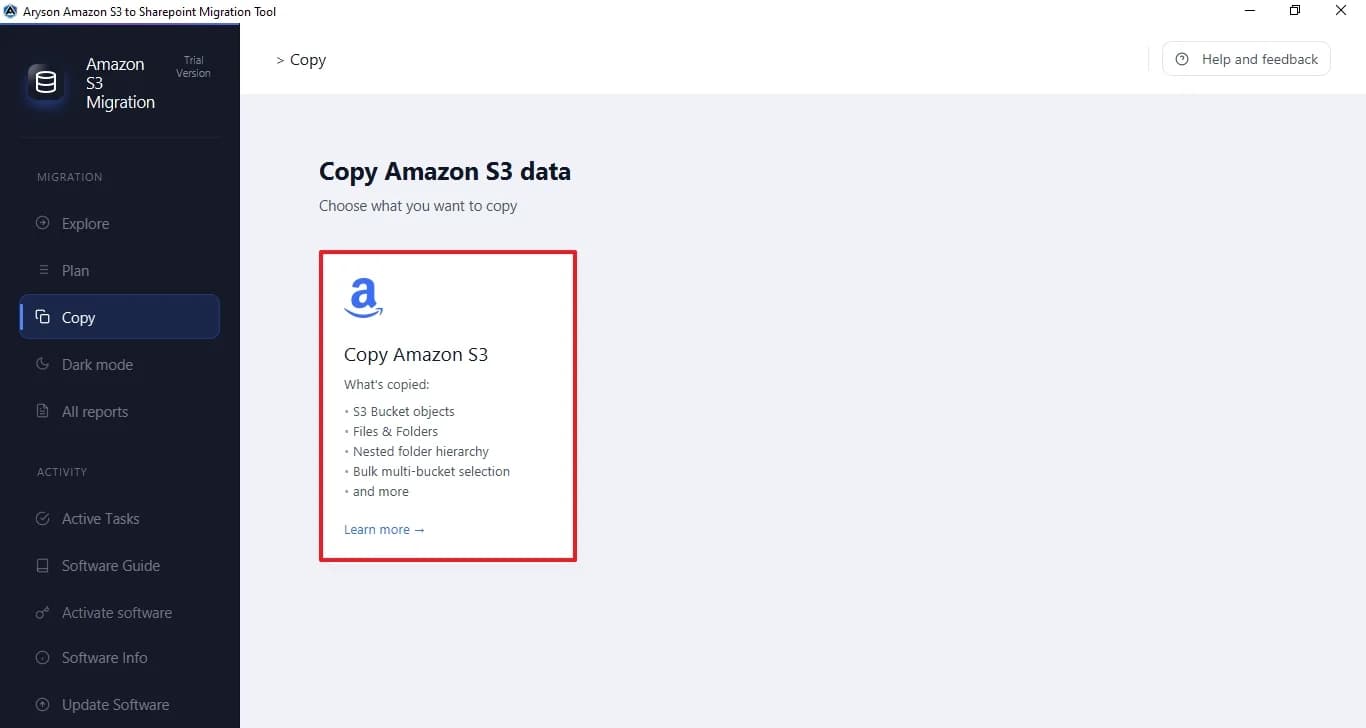
About this app
The Aryson Amazon S3 to SharePoint Migration Tool is a specialized utility that simplifies the complex task of moving data from Amazon S3 buckets to Microsoft SharePoint Document Libraries. It supports bulk multi-bucket migration, preserves original folder hierarchies, and offers advanced filtering by date, file type, and size. The tool ensures zero local disk footprint by streaming files in-memory via Microsoft Graph APIs, and it includes features like skip migrated files, live progress tracking, and comprehensive reporting. Ideal for IT administrators, compliance officers, and businesses migrating to Microsoft 365, it provides a secure, efficient, and user-friendly solution for cloud-to-cloud data migration.
Key features
- 1Bulk multi-bucket Amazon S3 to SharePoint migration with preserved nested folder hierarchy.
- 2In-memory streaming via Microsoft Graph APIs — zero local disk footprint for migrated content.
- 3Advanced filtering by folder, file type, date and size, plus skip-migrated-files for incremental runs.
- 4Live progress dashboard with processed/success/failed/skipped counts and detailed audit reports.
Target customer profile
Drawn from the product itself, not from a survey.
Demographic
IT Administrators and Consultants
Pain points
Manual migration is time-consuming and error-prone for large S3 buckets.
Primary needs
Bulk migration with preserved folder hierarchy and zero data loss.
Demographic
Compliance Officers
Pain points
Lack of audit trail and documentation for regulatory compliance.
Primary needs
Detailed migration logs and reports for verification and audits.
Demographic
Business Users
Pain points
Difficulty in mapping S3 data to specific SharePoint sites and libraries.
Primary needs
Flexible destination mapping and selective migration based on criteria.
Scout Review
Written by AI from measured evidence, scored out of 100.
Aryson's Amazon S3 to SharePoint Migration Tool is a Windows desktop utility wrapped in a fast, technically well-secured marketing site. The measured evidence is genuinely good on two axes: Lighthouse mobile performance at 96/100 with a 1.8s LCP, and a clean 12/12 security header and DNS sweep with SPF and DMARC configured. The product claims are specific and match the pain — bulk multi-bucket migration, preserved folder hierarchy, in-memory streaming via Microsoft Graph APIs with zero local disk footprint, skip-migrated-files, and detailed audit reports. Those are the right features for IT admins and compliance officers. Where it falls short is presentation and proof: the hero is overloaded with fourteen bullets and three competing CTAs, a chat bubble collides with the headline, five accessibility audits fail, and there is no published SOC 2, ISO or pen-test documentation to back the 'enterprise-grade security' claim. Against ShareGate and Metalogix it wins on price and simplicity; against AWS DataSync it wins on SharePoint-native destination mapping. A competent, fairly priced niche tool that needs to tighten its storefront and publish its compliance story.
Measure by measure
Usability
62Full tab set — Features, Specifications, Screenshots, Video, FAQs, Guide, EULA — plus an above-the-fold Windows download path. But the hero is a 14-bullet wall, and no free trial terms are visible in the fetched content.
Design
58Competent, conventional software-listing layout with a consistent blue card system and a legible manual-vs-tool comparison table. Undone by a chat bubble overlapping the H1, three competing hero CTAs, and dense low-contrast body text.
Speed
88Lighthouse mobile 96/100 with LCP 1.8s, CLS 0.001 and TBT 138ms; desktop 99/100. Genuinely fast for a page carrying screenshots, a video embed and a comparison table.
Security
76Full 12/12 header and DNS checklist: HSTS, CSP, frame protection, Referrer-Policy, Permissions-Policy, SPF and DMARC all present. Site states it stores no credentials or org data. No SOC 2, ISO or pen-test report published.
Accessibility
68Lighthouse 90/100 but five real failures: insufficient contrast, non-sequential headings, undersized touch targets, no main landmark, and role=presentation conflicts. No WCAG statement found; Windows-only, English-only.
Growth
58Real, specific problem — bulk S3-to-SharePoint with hierarchy preservation and audit trails — and a genuine wedge against ShareGate and Metalogix on price and setup. But it's a one-way utility in a crowded migration niche.
Improvement areas
- No published SOC 2, ISO 27001 or penetration test documentation to support the enterprise security claim.
- Hero overloaded with 14 bullets and three competing CTAs; chat bubble overlaps the H1.
- Five Lighthouse accessibility failures: contrast, heading order, touch targets, main landmark, role conflicts.
- No visible free trial or sample migration report for pre-purchase verification.
Design & Usability
The homepage is a textbook vendor listing page: boxed product render on the left, bold H1 and tagline on the right, trust badges and a review count underneath. It reads quickly and the blue card system holds together across the advantage, persona and feature sections. The comparison table is the strongest design asset — cross and check icons make the manual-versus-tool argument in about four seconds. What drags it down is execution detail: a floating orange chat bubble sits on top of the final word of the H1, three primary CTAs compete in a single row, and the persona and feature copy runs in small grey blocks that are hard to scan. Usability is better than the design: the tab set covers Features, Specifications, Screenshots, Video, FAQs, Guide and EULA, and the download path is above the fold with a Windows badge for self-selection. The weakness is density — a fourteen-bullet hero list and no visible free-trial terms in the fetched content.
Speed & Security
Speed is the standout measured result. Lighthouse mobile performance lands at 96/100 with an LCP of 1.8s, CLS of 0.001 and TBT of 138ms; desktop hits 99/100. For a page carrying product screenshots, a video embed and a full comparison table, that is a well-built marketing site, not a heavy SPA. Security is similarly solid on the technical layer: the HTTP probe returned a clean 12/12 — HTTPS enforced, HSTS, CSP, frame protection, X-Content-Type-Options, Referrer-Policy and Permissions-Policy all present, with SPF and DMARC configured on the domain. The site also states plainly that it does not store user credentials, mailbox content or organisational data, which matters for a tool handling AWS IAM and Azure AD credentials. The gap is documentation: no SOC 2, ISO 27001, penetration test summary or bug bounty program appears in the fetched content, so buyers in regulated environments have to take the security claim on faith.
Accessibility & Growth
Accessibility is the weakest measured dimension. Lighthouse scores 90/100, but the failing audits are substantive rather than cosmetic: insufficient background/foreground contrast, headings that skip levels, touch targets too small or tightly spaced, no main landmark, and role=presentation conflicts. Those are exactly the issues that break screen-reader navigation and mobile tapping. There is no WCAG conformance statement on the site, and the product is Windows-only and English-only, which limits reach. Growth is a judgement on the idea rather than traction. The problem is real and specific — moving large S3 buckets into SharePoint libraries while keeping folder hierarchy and producing an audit trail is genuinely painful to do by hand. The wedge against the listed alternatives is credible: ShareGate and Metalogix are expensive enterprise tools, and AWS DataSync needs extra configuration to land in SharePoint. Aryson's pitch is a cheaper, simpler, in-memory path. The limit is that migration is a one-time purchase in a crowded niche, with no recurring hook once the data has moved.
Conclusion
If you are an IT admin staring down a multi-terabyte S3 bucket and a SharePoint deadline, this is a reasonable shortlist entry — the feature list maps to the actual job, the price undercuts ShareGate, and the site loads faster than most tools twice its size. Before you buy, ask the vendor directly for a security questionnaire response, a sample migration report, and confirmation of how AWS IAM and Azure AD credentials are handled in memory. Test on a small bucket first and verify folder hierarchy and metadata survive the trip. The tool's own claims are coherent; what is missing is third-party validation. Fix the hero, publish the compliance page, and this moves from 'worth a look' to 'easy recommendation'.
Suggestions for improvement
- Publish a security page with SOC 2 status, pen-test summary and credential-handling detail to back the 'enterprise-grade security' claim.
- Cut the hero to one primary CTA and 4-5 bullets; move the rest into a features section below the fold.
- Fix the five Lighthouse accessibility failures: contrast, heading order, touch targets, main landmark, role conflicts.
- Add a free trial or a downloadable sample migration report so buyers can verify output quality before purchase.
Alternatives comparison
Named competitors, point by point. Nobody paid to appear here or to be left out.
 Aryson Amazon S3 to SharePoint Migration Tool |  ShareGate |  Metalogix |  AWS DataSync | |
|---|---|---|---|---|
| Primary focus | Dedicated Amazon S3 to SharePoint migration utility | Broad Microsoft 365 migration and management platform | Enterprise content migration suite with automation | General-purpose AWS data transfer service |
| Native SharePoint destination mapping | Yes — map each S3 bucket to a specific SharePoint site, library and folder | Yes — deep SharePoint and Teams destination support | Yes — enterprise-grade SharePoint mapping and automation | No — requires additional configuration or tooling for SharePoint |
| Zero local disk footprint | Yes — streams in-memory via Microsoft Graph APIs | Cloud-to-cloud transfer supported; not the headline claim | Agent-based; staging varies by deployment | Transfers via agent or endpoint; not SharePoint-native |
| Audit trail and migration reporting | Detailed logs and reports for migrated, skipped and failed files | Comprehensive reporting and migration analytics | Advanced reporting and automation built for enterprise audits | Task-level logs and CloudWatch metrics; not migration-audit oriented |
| Typical cost positioning | Low-cost single-purpose utility | Premium subscription pricing | Enterprise licensing, highest tier | Pay-per-GB transfer pricing |
| Setup complexity | Windows installer; AWS IAM and Azure AD credentials, guided workflow | Desktop app with guided migration wizards | Enterprise deployment and configuration required | Agent/endpoint setup plus custom SharePoint integration |
ShareGate
ShareGate is a popular migration tool that supports S3 to SharePoint migration, offering robust features but at a higher cost.
Metalogix
Metalogix provides enterprise-level migration solutions, including S3 to SharePoint, with advanced automation and reporting.
AWS DataSync
AWS DataSync automates data transfer between AWS and on-premises or other cloud storage, but requires additional configuration for SharePoint.
Comparing options? See Aryson Amazon S3 to SharePoint Migration Tool alternatives, scored side by side
More Productivity apps
View all Productivity
Qamarero
92An all-in-one hospitality software for restaurants and ba...

Puzzly – B2B Lead Generation & Sales Intelligence Platform
92Puzzly is an all-in-one B2B lead generation platform that...

The Stack Newsletter
92A weekly newsletter delivering curated tech jobs, intervi...

StoryPad
92Privacy-first open source journal app with a continuous t...

Vibe Coding Agent Skills
92A free, open-source platform offering 110 AI agent skills...

Notion
92All-in-one AI workspace for docs, projects, and knowledge...

EmbedMyReviews
92White-label reputation management software for agencies s...

QRBliss
91Branded QR codes with AI Brand Sync, 15 free dynamic code...

Strukchad Property Management
91Property management for Kenyan letting agents: rent invoices raised every month, M-Pesa rent prompts to tenants, arrears tracking and landlord statements.

CC Switch
91Open-source desktop app for switching AI coding providers...

Gerty
91Private, local AI assistant for Mac that runs offline

username.md
90One verified handle for your online identity, readable by...


A platform dedicated to providing unbiased reviews of newly launched applications, analyzing everything from their features to their full potential.
info@scoutforge.net© 2026 Scoutforge. All rights reserved.
