Cycling through all six. Tap any point to stop.
Measured on six things
Repair corrupted MBOX/MBX files and export emails to PST,...
Design
58Standard software-vendor template: tidy icon grid and clear CTA hierarchy, but a 10-line hero bullet list, unreadable screenshots, and a dated Office-2007-era app UI drag it to average.
Screenshots
1 / 1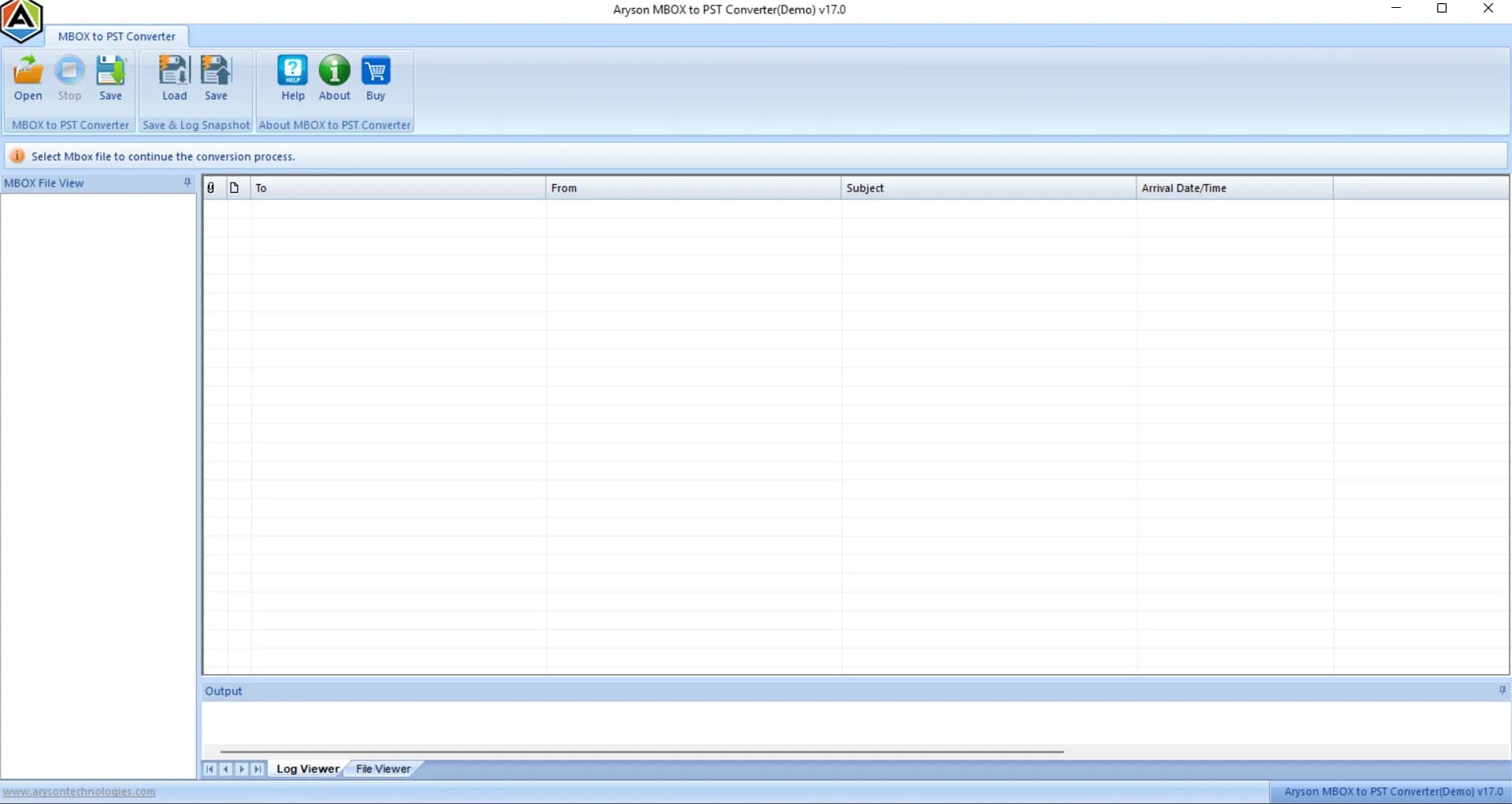
About this app
Aryson MBOX Recovery Tool is a Windows-based utility designed to repair and recover data from damaged or inaccessible MBOX and MBX files without requiring any email client installation. It supports over 20 MBOX-based email clients including Thunderbird, Apple Mail, SeaMonkey, Entourage, Opera Mail, Postbox, Eudora, and Google Takeout/Google Vault exports. The tool scans corrupted mailboxes, recovers emails, contacts, calendars, tasks, notes, and attachments, and preserves original folder hierarchy, metadata, and email properties. Users can preview recoverable items before exporting to PST, EML, MSG, RTF, HTML, or PDF. Standout features include batch recovery of multiple MBOX files, handling oversized files without size limits, a snapshot feature that saves scan progress to avoid re-scanning, and a clean interface compatible with all Windows versions including Windows 11. The free demo allows previewing recovered data, while the licensed version ($49) enables full recovery and export...
Key features
- 1Repairs corrupted .MBOX and .MBX files from 20+ clients including Thunderbird, Apple Mail, and Google Takeout/Vault exports.
- 2Snapshot feature saves scan progress so large archives don't need re-scanning; no file-size limit on oversized MBOX files.
- 3Preview recovered emails, attachments, and folder hierarchy before exporting to PST, EML, MSG, RTF, or HTML.
Target customer profile
Drawn from the product itself, not from a survey.
Demographic
IT administrators and system administrators in enterprises
Pain points
Corrupted or oversized MBOX files from system crashes or hardware failures; need batch recovery and minimal downtime.
Primary needs
Reliable batch recovery of multiple large MBOX files, export to PST/EML for migration, and preservation of folder structure.
Demographic
Email migration specialists and consultants
Pain points
Migrating MBOX data from various email clients to Outlook or other platforms without data loss or compatibility issues.
Primary needs
Support for 20+ MBOX clients, multiple export formats (PST, EML, MSG), and preview before export to ensure accuracy.
Demographic
Small business owners and individual professionals using Thunderbird or Apple Mail
Pain points
Accidental corruption of MBOX files, inability to access important emails, and lack of technical expertise for manual recovery.
Primary needs
Simple, guided interface to repair MBOX files independently, preview recovered emails, and export to accessible formats like PST or HTML.
Demographic
Records and compliance officers managing email archives
Pain points
Need to regularly repair and export MBOX archives for legal or compliance purposes while maintaining data integrity.
Primary needs
Preservation of email metadata and folder hierarchy, support for Google Takeout/Vault MBOX files, and secure export to standard formats.
Scout Review
Written by AI from measured evidence, scored out of 100.
Aryson MBOX Recovery is a workmanlike utility from a long-established vendor, wrapped in a marketing site that's technically excellent and visually forgettable. The speed is genuinely best-in-class — a perfect mobile Lighthouse score is rare — and the security headers are complete. The product claims are specific and credible: 20+ MBOX clients, snapshot resume, no size limits, five export formats, preview before export. Where it stumbles is presentation and trust: a dated app UI, unreadable screenshots, a hidden price, vague demo limits, and an accessibility audit with real failures. Against Stellar, SysTools, and Kernel it's on par, not ahead.
Measure by measure
Usability
61Numbered how-to steps, FAQs, video, and a demo make the workflow legible, but the price is hidden behind 'Purchase Now' and demo-vs-paid limits are only vaguely stated.
Design
58Standard software-vendor template: tidy icon grid and clear CTA hierarchy, but a 10-line hero bullet list, unreadable screenshots, and a dated Office-2007-era app UI drag it to average.
Speed
90Lighthouse mobile 100/100 (LCP 1.1s, CLS 0.001, TBT 76ms) and desktop 96/100. Genuinely fast, well-optimized marketing site with no lag complaints found.
Security
76Full header stack (HSTS, CSP, frame protection, Permissions-Policy), SPF and DMARC configured, 12/12 probe points. No published SOC 2, ISO, or pen-test report found.
Accessibility
58Lighthouse 82/100 with real failures: low contrast, non-sequential headings, missing alt text, unnamed links, small touch targets, no main landmark. No WCAG statement published.
Growth
58Real, specific pain (corrupted/oversized MBOX files) with genuine differentiators — snapshot resume, no size cap, 20+ clients — but the category is crowded with near-identical peers.
Improvement areas
- Price ($49) and demo-vs-paid limits are hidden; surface them on the homepage with a clear comparison.
- Dated app UI and unreadable screenshots undercut credibility; refresh the interface captures.
- Accessibility failures (alt text, contrast, heading order, link names) and no WCAG statement.
- No published SOC 2/ISO/pen-test documentation despite targeting compliance-sensitive buyers.
Design & Usability
The homepage is a competent vendor template that gets the job done without ever feeling designed. The feature grid is the strongest part — consistent icons, disciplined two-column rhythm — but the hero drowns its own pitch in a ten-item bullet list, and the product screenshots are too small to actually show the tool. Worse, the one large app screenshot reveals a dated ribbon interface with an empty file list, which undercuts the modern framing. Usability is better: numbered how-to steps, FAQs, a video, and a demo make the workflow easy to follow. The gaps are the hidden $49 price and vague demo limits — you learn what you get only after clicking through.
Speed & Security
Speed is the standout. Lighthouse mobile scores a perfect 100 with a 1.1s LCP and near-zero layout shift; desktop lands 96. For a marketing site with embedded screenshots and a video tab, that's genuinely well-engineered. Security is strong on the technical side: HTTPS enforced, HSTS, CSP, frame protection, Permissions-Policy, plus SPF and DMARC — a clean 12/12 on the header probe. What's missing is the paperwork. No SOC 2, ISO 27001, pen-test summary, or bug bounty is published, which matters for a tool pitched at IT admins and compliance officers handling legal email archives.
Accessibility & Growth
Accessibility is the weak link: Lighthouse scores 82/100 with concrete failures — insufficient contrast, headings out of sequence, images without alt text, links with no discernible name, undersized touch targets, and no main landmark. There's no WCAG statement either, so there's no stated commitment to fix any of it. Growth is a judgment call on the idea. The problem is real and specific: corrupted or oversized MBOX files that Thunderbird and Apple Mail refuse to import, including Google Takeout and Vault exports. The differentiators are concrete — a snapshot feature that resumes scans, no file-size cap, batch recovery, 20+ client support. But the category is crowded: Stellar, SysTools, and Kernel all sell near-identical repair-and-export tools with the same PST/EML/MSG/HTML outputs. Aryson has longevity (domain since 2013) but no structural wedge the incumbents can't copy.
Conclusion
If you're an IT admin staring at a 12GB Thunderbird archive that won't import, this will likely do the job — the feature set is real and the demo lets you verify before paying $49. But shop the three competitors first; they offer the same exports at similar prices, and one of them may publish the compliance documentation your legal team will ask for. Aryson's edge is longevity and a fast, well-built site, not a capability the others lack.
Suggestions for improvement
- Put the $49 price and a clear demo-vs-paid comparison table on the homepage — hiding it behind 'Purchase Now' costs trust.
- Replace the dated ribbon screenshot with a modern, readable UI capture showing real recovered emails in the preview panel.
- Fix the accessibility failures: alt text, heading order, contrast, link names, touch targets — and publish a WCAG statement.
- Publish a security/compliance page (SOC 2 or ISO status, data-handling notes) — your buyers are IT admins and compliance officers.
Alternatives comparison
Named competitors, point by point. Nobody paid to appear here or to be left out.
 Aryson MBOX Recovery |  Stellar Repair for MBOX |  SysTools MBOX Repair |  Kernel for MBOX Repair | |
|---|---|---|---|---|
| Supported MBOX email clients | 20+ clients incl. Thunderbird, Apple Mail, SeaMonkey, Entourage, Opera Mail, Postbox, Eudora, Google Takeout/Vault | Multiple MBOX clients (Thunderbird, Apple Mail, etc.) | Multiple MBOX-based clients | Thunderbird, Apple Mail, and other MBOX clients |
| Export formats | PST, EML, MSG, RTF, HTML | PST, EML, MSG, HTML | PST, EML, MSG, HTML | PST, EML, MSG, HTML |
| Preview before export | Yes — built-in preview panel with folder hierarchy and attachments | Yes — preview feature | Yes — preview recovered items | Yes — preview recovered data |
| Batch recovery of multiple files | Yes — batch recovery of multiple MBOX files | Not explicitly stated | Yes — batch recovery supported | Not explicitly stated |
| Snapshot / resume scan progress | Yes — snapshot feature saves scan progress | Not stated | Not stated | Not stated |
| Free demo / trial | Yes — free demo for preview; $49 license for full recovery/export | Yes — free trial version available | Yes — demo version available | Yes — trial version available |
Stellar Repair for MBOX
A popular MBOX repair tool that fixes corrupted MBOX files and exports to PST, EML, MSG, and HTML. It supports multiple email clients and offers a preview feature.
SysTools MBOX Repair
A professional utility to repair damaged MBOX files and recover emails, attachments, and metadata. It supports batch recovery and exports to PST, EML, MSG, and HTML.
Kernel for MBOX Repair
A reliable tool to repair corrupted MBOX files from Thunderbird, Apple Mail, and other clients. It recovers emails, attachments, and folder structure, and saves to PST, EML, MSG, and HTML.
Comparing options? See Aryson MBOX Recovery alternatives, scored side by side
More Productivity apps
View all Productivity
Qamarero
92An all-in-one hospitality software for restaurants and ba...

Puzzly – B2B Lead Generation & Sales Intelligence Platform
92Puzzly is an all-in-one B2B lead generation platform that...

The Stack Newsletter
92A weekly newsletter delivering curated tech jobs, intervi...

StoryPad
92Privacy-first open source journal app with a continuous t...

Vibe Coding Agent Skills
92A free, open-source platform offering 110 AI agent skills...

Notion
92All-in-one AI workspace for docs, projects, and knowledge...

EmbedMyReviews
92White-label reputation management software for agencies s...

QRBliss
91Branded QR codes with AI Brand Sync, 15 free dynamic code...

Strukchad Property Management
91Property management for Kenyan letting agents: rent invoices raised every month, M-Pesa rent prompts to tenants, arrears tracking and landlord statements.

CC Switch
91Open-source desktop app for switching AI coding providers...

Gerty
91Private, local AI assistant for Mac that runs offline

BACKLNK
90Backlnk is a free SEO and AI visibility website: 15 website checks, a full audit as a PDF report, and guides to get found in search and AI answers.


A platform dedicated to providing unbiased reviews of newly launched applications, analyzing everything from their features to their full potential.
info@scoutforge.net© 2026 Scoutforge. All rights reserved.
