Cycling through all six. Tap any point to stop.
Measured on six things
Clean up voice recordings with AI noise reduction and spe...
Security
41HTTPS and SPF are in place and free processing stays on-device, but HSTS, CSP, frame protection, and DMARC are all missing — 3/12 on the header checklist, no published audits.
Screenshots
1 / 1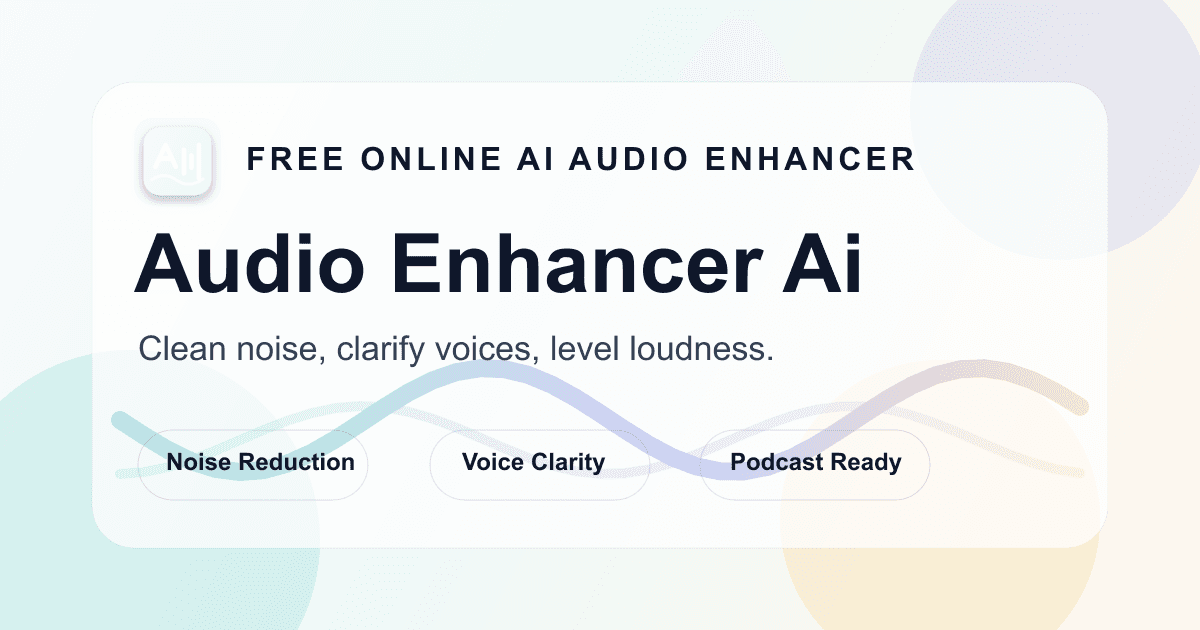
About this app
Audio Enhancer AI is a browser-based tool that makes spoken recordings sound noticeably cleaner without requiring a full audio workstation. You drop in an MP3, WAV, M4A, or AAC file, and the AI reduces background noise like fan hum, hiss, and room echo while boosting speech clarity. What I appreciate most is the side-by-side comparison — you can listen to the original and enhanced versions back to back before committing to a download, so your ears make the final call. The free tier handles recordings up to 10 minutes, which is realistically enough to test a voice memo or a short interview clip, while Pro unlocks longer files (up to 300 MB), video uploads in MP4 or MOV, and cloud processing tied to your account. It does not generate new voices; it just cleans what is already there, and the site is upfront that badly clipped or buried speech may stay unclear. For podcasters, voiceover artists, course creators, and anyone who records on a laptop microphone, it is a low-friction way to ...
Key features
- 1Free on-device audio enhancement up to 10 minutes per file, no account required.
- 2Side-by-side original vs. enhanced preview before download; exports WAV.
- 3One-time Pro time packs ($4.99–$39.99) that never expire; audio up to 300 MB, video MP4/MOV up to 2 GB.
Target customer profile
Drawn from the product itself, not from a survey.
Demographic
Podcasters and interview hosts recording remotely
Pain points
Fan noise, room echo, and inconsistent mic quality muddy episodes
Primary needs
Fast noise reduction and clearer speech without learning an audio editor
Demographic
Course creators and explainer video narrators
Pain points
Home recordings sound amateur and need a polished narration track
Primary needs
Clean voiceover audio ready to drop into video edits
Demographic
Remote workers and note-takers relying on voice memos
Pain points
Meeting recordings and quick voice notes are hard to revisit due to hiss
Primary needs
Quick enhancement with a preview before saving as WAV
Demographic
Freelance voiceover artists on tight budgets
Pain points
Cannot afford studio time or expensive plugins for every take
Primary needs
Free testing on short clips and affordable Pro for longer files
Scout Review
Written by AI from measured evidence, scored out of 100.
Audio Enhancer AI is a narrow, honest tool that does one thing: clean up spoken recordings without a DAW. The free tier is genuinely free — no account, on-device, up to 10 minutes — and the Pro pricing is one-time time packs that never expire, which is a real differentiator against subscription fatigue. The landing page is polished but leans on stock photography and a fake demo card instead of showing the product working. Speed is strong (89 mobile, 98 desktop), accessibility is middling (87 with contrast and alt-text gaps), and security is the weak spot (3/12 headers, no audits). Growth is plausible but the category is crowded by Adobe and Auphonic. Worth trying for a short clip; worth paying for if the preview convinces you.
Measure by measure
Usability
63Free tier needs no account and runs on-device up to 10 minutes, pricing is transparent one-time time packs, and the FAQ is honest about limits. Docs beyond FAQ are thin.
Design
58Cohesive cream/green/amber palette and clear hero workflow, but the demo card is a static mockup and stock photos carry the page instead of real product or before/after audio visuals.
Speed
70Lighthouse mobile 89/100 (LCP 2.1s, CLS 0) and desktop 98/100. On-device free processing avoids upload latency for short clips. Solid, not benchmark-leading.
Security
41HTTPS and SPF are in place and free processing stays on-device, but HSTS, CSP, frame protection, and DMARC are all missing — 3/12 on the header checklist, no published audits.
Accessibility
57Lighthouse a11y 87/100, but contrast failures, images without alt text, and unnamed links are real gaps. No accessibility statement or WCAG mention on the site.
Growth
58Real, broad need (clean voice recordings) with a genuine wedge: on-device free tier, no-expiry time packs, and side-by-side preview. Crowded by Adobe, Auphonic, Cleanvoice.
Improvement areas
- Security headers (HSTS, CSP, DMARC, frame protection) and a published security/trust page.
- Accessibility: contrast, alt text, and named links per Lighthouse failures.
- Replace stock photography and the static hero mockup with real product visuals and a live demo.
Design & Usability
The landing page is calm and coherent — cream, forest green, one amber accent, numbered feature rows, and a hero that shows the whole workflow at a glance. The problem is that hero card is a painted mockup, not a live tool, and everything below it is stock photography of people wearing headphones. Usability is where it earns its keep: the free tier needs no account, runs on-device up to 10 minutes, and the pricing page is refreshingly honest — one-time time packs from $4.99 to $39.99, no subscription, unused minutes never expire, failed jobs refunded. The FAQ even admits echo and clipping may not be fixable. Beyond the FAQ there's no real help center, but for a tool this narrow that's a minor gap.
Speed & Security
Speed is a genuine strength: Lighthouse mobile 89/100 with LCP 2.1s, CLS 0, and desktop 98/100, plus the free tier processes locally so short clips never touch a server. Security is the weak flank. HTTPS is enforced and SPF is set, but HSTS, CSP, frame protection, X-Content-Type-Options, Referrer-Policy, Permissions-Policy, and DMARC are all absent — 3/12 on the header probe. There's no SOC 2, ISO, or pen-test claim anywhere on the site. The on-device free tier is a real privacy plus, and Pro cloud processing is tied to an account, but a product handling user audio should ship at least the basic hardening headers.
Accessibility & Growth
Accessibility lands at 87/100 on Lighthouse with three concrete failures: insufficient color contrast on the light-grey body text, images missing alt attributes, and links without discernible names. No accessibility statement or WCAG claim exists, and there's no sign of multi-language support. Growth is a judgement on the idea: the need is real and broad — podcasters, course creators, voiceover artists, voice-memo users — and the wedge is specific. On-device free processing, one-time time packs with no expiry, and a side-by-side original/enhanced preview are genuine differentiators. But the category is crowded: Adobe Podcast Enhance is free and brand-backed, Auphonic is established, Cleanvoice AI owns the filler-word niche. The domain was registered in October 2026, so this is very early. The idea can grow; execution and distribution will decide whether it does.
Conclusion
If you record on a laptop mic and want a cleaner take without opening Audacity, the free tier costs you nothing but ten minutes of your time. The honest FAQ, the no-subscription pricing, and the on-device processing are the kind of choices that build trust. The gaps — thin docs, missing security headers, stock-photo marketing — are fixable and don't undermine the core offer. Try a voice memo, listen to the before/after, and decide with your ears. That's exactly what the product asks you to do.
Suggestions for improvement
- Replace the static hero mockup with a real embedded demo or a short before/after audio clip — the 'try it now' promise needs to be clickable.
- Ship the basic security headers: HSTS, CSP, X-Content-Type-Options, Referrer-Policy, and DMARC. They're cheap and they matter for a product handling user audio.
- Fix the three Lighthouse a11y failures: bump body-text contrast, add alt text to every image, and give unnamed links discernible labels.
- Add a real help center or docs section beyond the FAQ — file size limits, codec quirks, and Pro workflow deserve more than one page.
Alternatives comparison
Named competitors, point by point. Nobody paid to appear here or to be left out.
 Audio Enhancer AI |  Adobe Podcast Enhance |  Auphonic | Cleanvoice AI | |
|---|---|---|---|---|
| Free tier | Free, on-device, up to 10 min per file, no account | Free web tool, upload-based, Adobe account | Free tier with 2 hours/month processing | Limited free trial minutes |
| Pricing model | One-time time packs, never expire, no subscription | Free | Credit-based / subscription tiers | Subscription (minutes per month) |
| Before/after preview | Yes — side-by-side original vs. enhanced | Yes — A/B playback | Yes — preview before production | Yes — preview output |
| Video support | MP4/MOV up to 2 GB (Pro only) | Audio only | Audio only | Audio only |
| Filler-word removal | No — noise reduction and clarity only | No | No | Yes — core feature |
Adobe Podcast Enhance
Free web tool from Adobe that uses AI speech enhancement to make voice recordings sound studio-quality, with a similar quick-upload workflow.
Auphonic
Web-based audio post-production service that handles noise reduction, leveling, and loudness normalization for podcasts and lectures.
Cleanvoice AI
AI tool focused on removing filler words, mouth sounds, and background noise from podcast and voiceover recordings.
Comparing options? See Audio Enhancer AI alternatives, scored side by side
More Productivity apps
View all Productivity
Puzzly – B2B Lead Generation & Sales Intelligence Platform
92Puzzly is an all-in-one B2B lead generation platform that...

Qamarero
92An all-in-one hospitality software for restaurants and ba...

EmbedMyReviews
92White-label reputation management software for agencies s...

StoryPad
92Privacy-first open source journal app with a continuous t...

Notion
92All-in-one AI workspace for docs, projects, and knowledge...

The Stack Newsletter
92A weekly newsletter delivering curated tech jobs, intervi...

Vibe Coding Agent Skills
92A free, open-source platform offering 110 AI agent skills...

QRBliss
91Branded QR codes with AI Brand Sync, 15 free dynamic code...

Gerty
91Private, local AI assistant for Mac that runs offline

Strukchad Property Management
91Property management for Kenyan letting agents: rent invoices raised every month, M-Pesa rent prompts to tenants, arrears tracking and landlord statements.

CC Switch
91Open-source desktop app for switching AI coding providers...

username.md
90One verified handle for your online identity, readable by...


A platform dedicated to providing unbiased reviews of newly launched applications, analyzing everything from their features to their full potential.
info@scoutforge.net© 2026 Scoutforge. All rights reserved.
