Cycling through all six. Tap any point to stop.
Measured on six things
Convert Outlook PST files to Multiple Formats
Speed
46Lighthouse desktop 96/100 but mobile 56/100 with LCP 10.1s and FCP 4.5s — a heavy marketing page that punishes phone users. CLS is excellent at 0.005 and TBT is moderate at 349ms.
Screenshots
1 / 1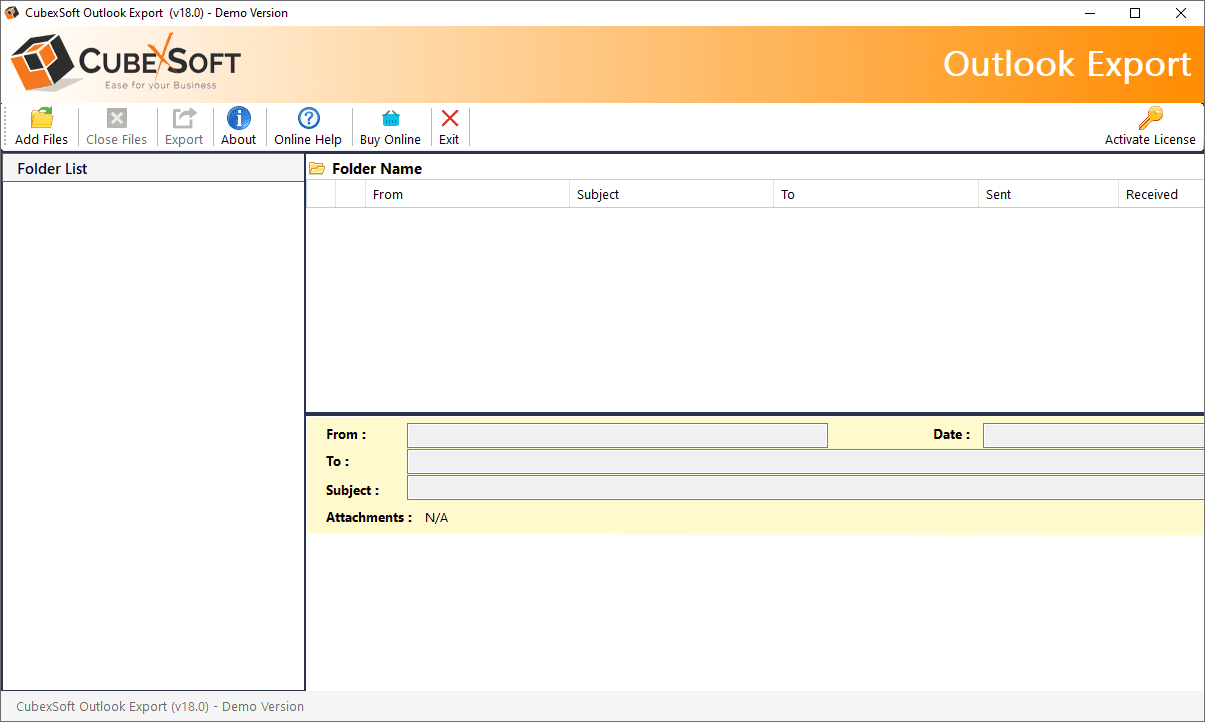
About this app
CubexSoft Outlook PST Converter is a professional desktop solution for Windows and Mac that helps users convert, export, back up, and migrate Outlook PST files efficiently. It supports batch processing, allowing multiple PST files to be handled in a single operation while preserving emails, attachments, contacts, calendars, tasks, notes, journals, formatting, and folder hierarchy. The software exports PST data into multiple formats, including EML, MSG, MBOX, PDF, HTML, MHT, XPS, RTF, DOC, CSV, ICS, VCF, and ZIP. Users can select specific folders, apply date and email-based filters, preview mailbox contents, and customize output file names for organized conversion. CubexSoft Outlook PST Converter also enables direct migration of Outlook data to platforms such as Office 365, Gmail, Outlook.com, Exchange Server, and IMAP. Its flexible options make it suitable for email backup, archiving, conversion, and migration requirements.
Key features
- 1Converts PST to 30+ formats including PDF, EML, MSG, MBOX, HTML, DOC, CSV, and image formats.
- 2Direct cloud migration to Office 365, Gmail, Outlook.com, Exchange, Google Workspace, Yahoo, and Zoho.
- 3Batch processing of multiple PST files with folder hierarchy, attachments, and metadata preserved.
- 4100% offline processing — data never leaves the user's machine; no Outlook installation required.
- 5Cross-platform apps for Windows (11/10/8/7) and macOS (10.14 and above).
Target customer profile
Drawn from the product itself, not from a survey.
Demographic
IT Administrators
Pain points
Managing large PST files, ensuring data integrity during migration.
Primary needs
Batch conversion, support for multiple formats, secure offline processing.
Demographic
Business Professionals
Pain points
Migrating emails to cloud services like Office 365 or Gmail.
Primary needs
Direct cloud migration, preservation of folder structure, advanced filters.
Demographic
Legal & Finance Professionals
Pain points
Archiving and sharing sensitive email data in accessible formats.
Primary needs
Conversion to PDF/EML, data privacy, date-based filtering.
Scout Review
Written by AI from measured evidence, scored out of 100.
CubexSoft Outlook PST Converter is a competent, mature desktop tool for a genuinely unglamorous problem: getting data out of Outlook PST files. The site is dense and dated but functional, with clear Windows/Mac paths, a free demo, and documentation. Security headers are strong (10/12) and the offline-processing pitch is a real differentiator for privacy-conscious buyers. The weak spots are mobile performance (LCP 10.1s), accessibility gaps (unnamed buttons, contrast, touch targets), and hidden pricing. Against Stellar and SysTools it's on par — not clearly ahead, not behind. If you need PST conversion and value offline processing, it's a reasonable pick; if you want a slick modern experience, look elsewhere.
Measure by measure
Usability
60Windows and Mac downloads, video demo, screenshots, software guide, and docs are all linked. Free demo available. No pricing shown on the homepage and no live in-browser trial, so signup-to-value requires a download.
Design
58Long-form marketing page with clear OS split, format grids, and a 14-point feature list. Functional and on-brand for the category, but visually dated and dense — screenshots and demo are linked rather than shown inline.
Speed
46Lighthouse desktop 96/100 but mobile 56/100 with LCP 10.1s and FCP 4.5s — a heavy marketing page that punishes phone users. CLS is excellent at 0.005 and TBT is moderate at 349ms.
Security
74HTTPS enforced with HSTS, CSP, frame protection, X-Content-Type-Options, Referrer-Policy, and SPF — 10/12 checklist points. Missing Permissions-Policy and DMARC. Site emphasizes 100% offline processing; no SOC 2 or ISO claim published.
Accessibility
58Lighthouse accessibility 85/100, but failing audits include prohibited ARIA attributes, unnamed buttons, insufficient color contrast, small touch targets, and mismatched labels. No accessibility statement or WCAG claim published.
Growth
58Real, specific problem (PST conversion/migration) with a clear wedge: 30+ formats, direct cloud migration, batch, offline, no Outlook required. Category is mature and crowded with Stellar and SysTools, so headroom is steady rather than expanding.
Improvement areas
- Pricing is not published on the homepage — buyers must click 'Buy Now' to see costs.
- Mobile Lighthouse performance is 56/100 with a 10.1s LCP; desktop scores 96/100.
- Accessibility gaps: unnamed buttons, insufficient color contrast, small touch targets, prohibited ARIA.
- Missing Permissions-Policy header and DMARC record; no published SOC 2 or ISO certification.
Design & Usability
CubexSoft's site is a textbook long-form software marketing page: hero, OS-split sections for Mac and Windows, format grids, a 14-item feature list, and links to screenshots, a video demo, and documentation. It's functional and clearly organized, but visually dated and dense — the kind of page that assumes you already know what a PST file is. Usability is decent on paper: downloads for both platforms, a free demo, a software guide, and docs are all reachable. The friction is that pricing is hidden behind 'Buy Now' links and there's no live in-browser trial, so evaluating the product means downloading a desktop app first. For a tool aimed at IT admins and legal/finance users, that's a normal pattern, but it's not a frictionless one.
Speed & Security
Speed is a tale of two devices. Lighthouse desktop scores 96/100, but mobile drops to 56/100 with an LCP of 10.1 seconds and FCP of 4.5 seconds — a heavy marketing page that punishes phone users. CLS is excellent at 0.005 and TBT is a moderate 349ms, so the layout is stable; it's just slow to paint on mobile. Security is a genuine strength: HTTPS enforced with HSTS, CSP, frame protection, X-Content-Type-Options, Referrer-Policy, and SPF — 10 of 12 checklist points. Missing Permissions-Policy and DMARC are the gaps. The product's core pitch — 100% offline processing, data never leaves your machine — is a real security differentiator for the legal and finance audience it targets, though no SOC 2 or ISO certification is published.
Accessibility & Growth
Accessibility lands at 85/100 on Lighthouse, but the failing audits matter: prohibited ARIA attributes, buttons without accessible names, insufficient color contrast, undersized touch targets, and visible labels that don't match accessible names. There's no accessibility statement or WCAG conformance claim on the site. On growth, the idea is sound: PST conversion and migration is a real, recurring problem with a specific audience (IT admins, legal, finance) and a concrete wedge — 30+ export formats, direct cloud migration to Office 365/Gmail/Exchange, batch processing, and offline operation with no Outlook required. The category is mature and crowded with Stellar and SysTools, so this is a steady niche rather than an expanding one. The 10-year-old domain suggests staying power, not breakout momentum.
Conclusion
CubexSoft isn't trying to be the flashiest tool in the email migration space, and that's fine — it's trying to be the one that doesn't lose your data. The offline-processing guarantee, broad format support, and cross-platform apps are the right priorities for IT admins and legal teams handling sensitive mailboxes. What holds it back is polish: a slow mobile site, accessibility gaps, and pricing you have to hunt for. None of those are dealbreakers for the target buyer, but they're the difference between a solid tool and a great one. If you're evaluating PST converters, download the free demo, test it on a real mailbox, and compare it head-to-head with Stellar and SysTools before you commit.
Suggestions for improvement
- Publish pricing on the site instead of hiding it behind 'Buy Now' links — buyers compare before they commit.
- Fix the mobile LCP (10.1s) by compressing hero images and deferring non-critical scripts.
- Add accessible names to buttons and raise color contrast to clear the failing Lighthouse audits.
- Publish a Permissions-Policy header and a DMARC record to close the two security checklist gaps.
Alternatives comparison
Named competitors, point by point. Nobody paid to appear here or to be left out.
 CubexSoft Outlook PST Converter |  Stellar Converter for PST |  SysTools Outlook PST Converter | |
|---|---|---|---|
| Platform support | Windows and macOS desktop apps | Windows (Mac via separate product) | Windows and macOS |
| Export formats | 30+ formats including PDF, EML, MSG, MBOX, HTML, DOC, CSV, images | Multiple formats including PDF, EML, MSG, MBOX, HTML, RTF | Multiple formats including PST, EML, MSG, MBOX, PDF, HTML |
| Cloud migration targets | Office 365, Gmail, Outlook.com, Exchange, Google Workspace, Yahoo, Zoho | Office 365, Exchange, Gmail, IMAP | Office 365, Exchange, Gmail, IMAP, Outlook.com |
| Batch conversion | Yes — multiple PST files in one operation | Yes — batch conversion supported | Yes — batch conversion supported |
| Offline processing | Yes — 100% offline, data never leaves the machine | Yes — desktop-based processing | Yes — desktop-based processing |
| Free demo / trial | Free demo available for Windows and Mac | Free trial version available | Free demo version available |
Stellar Converter for PST
A popular tool for converting PST files to various formats with a user-friendly interface.
SysTools Outlook PST Converter
Offers conversion of PST files to multiple formats and cloud platforms with advanced features.
Comparing options? See CubexSoft Outlook PST Converter alternatives, scored side by side
More Productivity apps
View all Productivity
StoryPad
92Privacy-first open source journal app with a continuous t...

The Stack Newsletter
92A weekly newsletter delivering curated tech jobs, intervi...

Qamarero
92An all-in-one hospitality software for restaurants and ba...

Vibe Coding Agent Skills
92A free, open-source platform offering 110 AI agent skills...

Puzzly – B2B Lead Generation & Sales Intelligence Platform
92Puzzly is an all-in-one B2B lead generation platform that...

Notion
92All-in-one AI workspace for docs, projects, and knowledge...

EmbedMyReviews
92White-label reputation management software for agencies s...

QRBliss
91Branded QR codes with AI Brand Sync, 15 free dynamic code...

CC Switch
91Open-source desktop app for switching AI coding providers...

Strukchad Property Management
91Property management for Kenyan letting agents: rent invoices raised every month, M-Pesa rent prompts to tenants, arrears tracking and landlord statements.

Gerty
91Private, local AI assistant for Mac that runs offline

username.md
90One verified handle for your online identity, readable by...


A platform dedicated to providing unbiased reviews of newly launched applications, analyzing everything from their features to their full potential.
info@scoutforge.net© 2026 Scoutforge. All rights reserved.
