Is this your app?
Claim Daily App to manage its page, add your badge and see your traffic — free, and it stays free.
Cycling through all six. Tap any point to stop.
Measured on six things
A minimalist task manager focused on mental clarity and efficient daily planning for Apple users.
Accessibility
60Limited accessibility features with no mentioned screen reader support, voice control, or language options beyond English.
Screenshots
1 / 4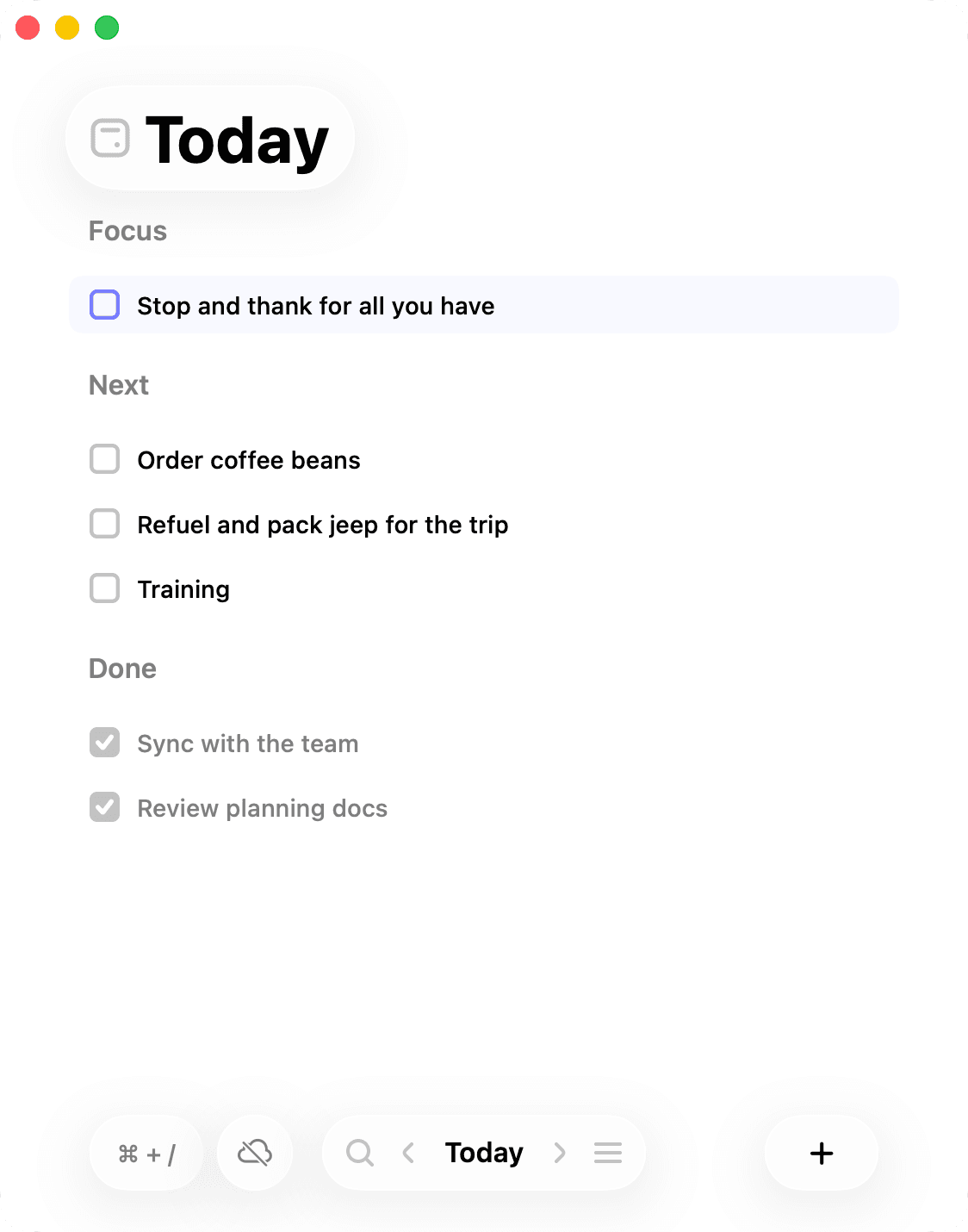
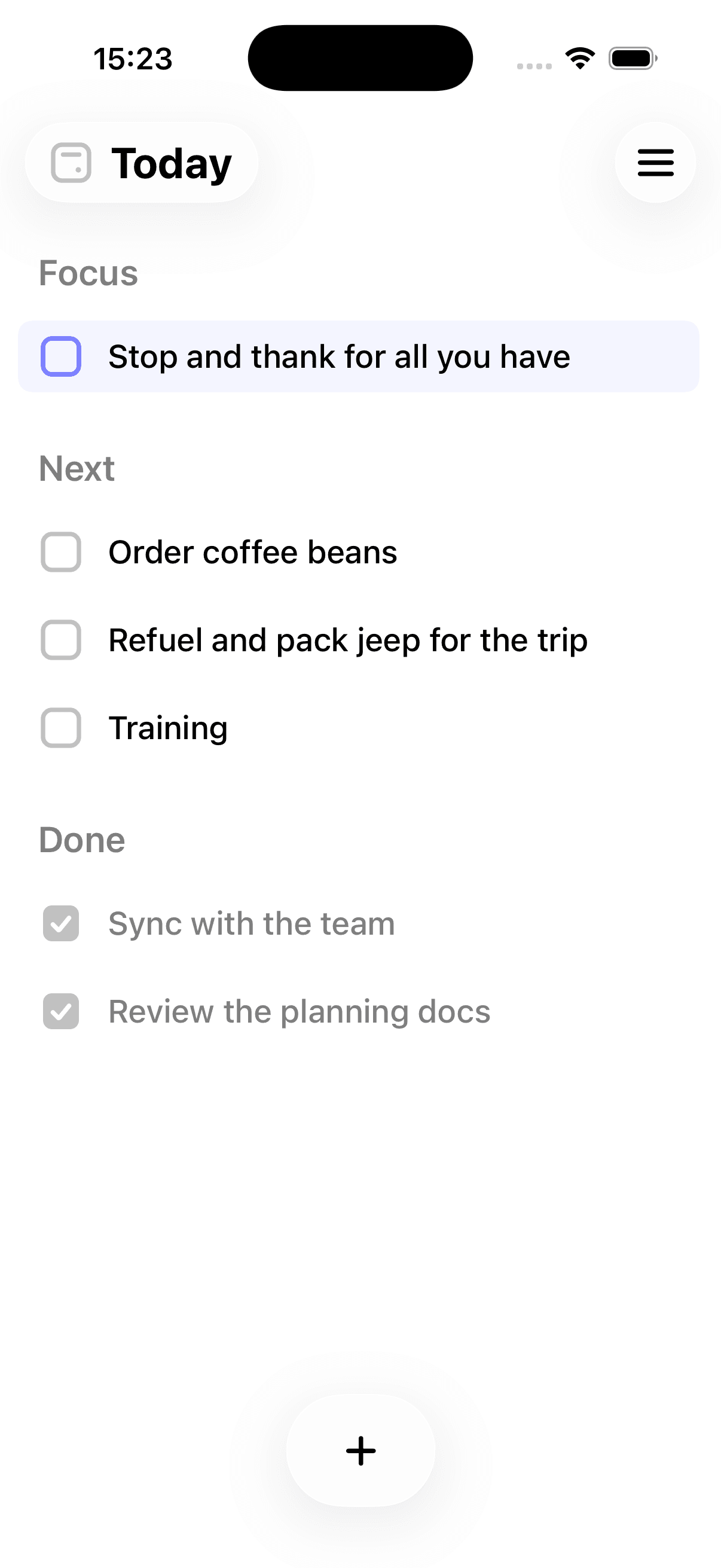
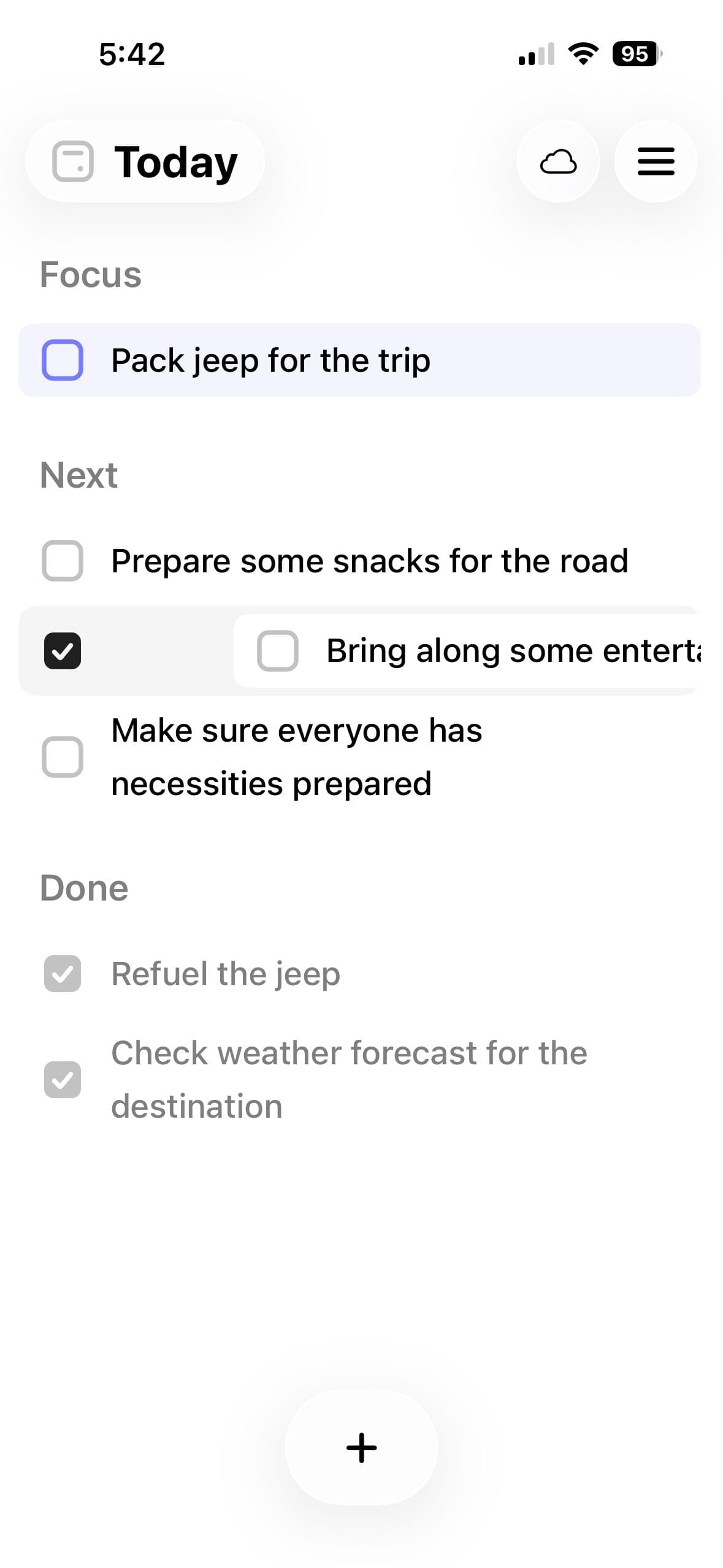
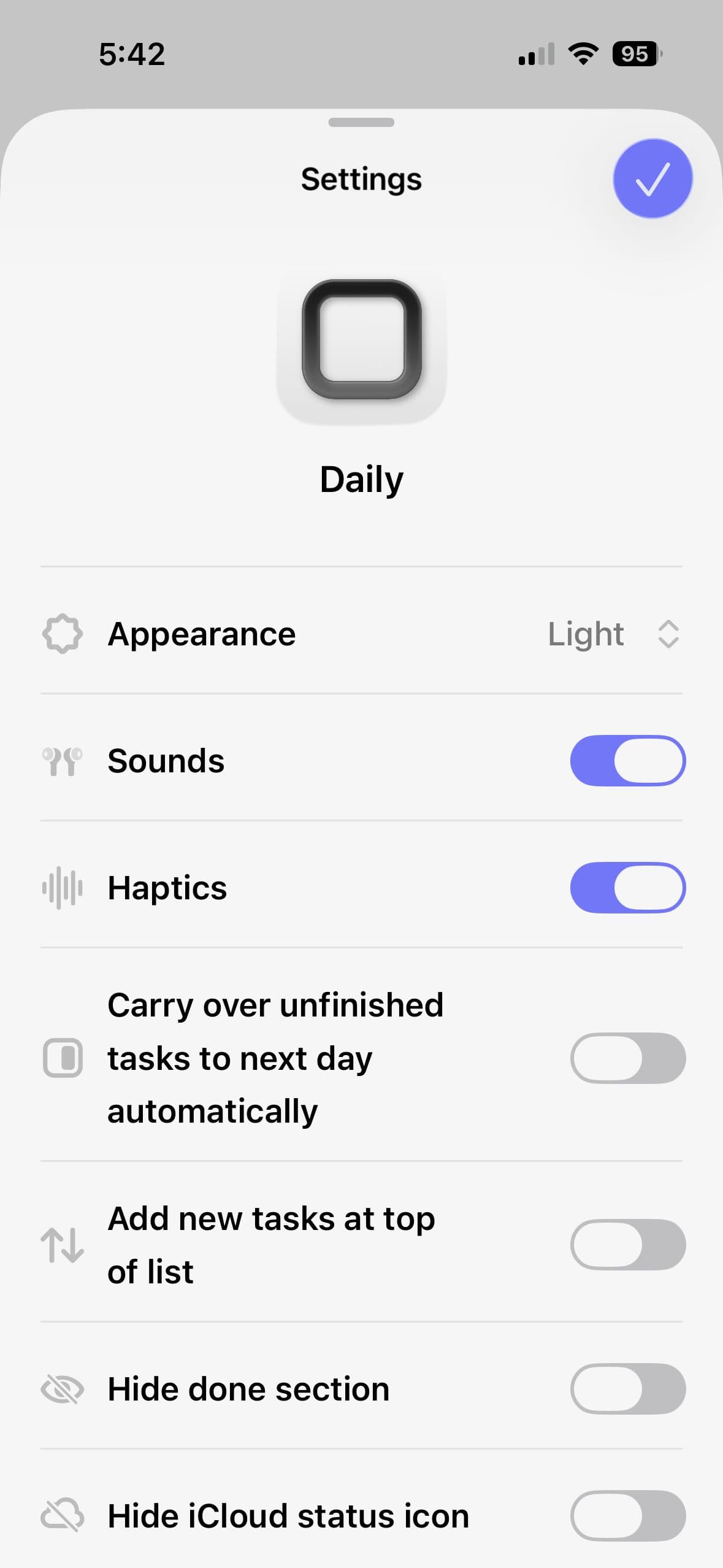
About this app
Daily App by DSCP is a refreshing take on task management that prioritizes mental well-being over sheer productivity. As someone who's tried countless to-do list apps, I appreciate how it creates a peaceful space to collect tasks and schedule your day without the overwhelm. The keyboard-first flow makes it incredibly efficient for quick entries, and the uncluttered interface eliminates distractions. What excites me most is the upcoming AI companion that promises to help unload tasks and suggest focus areas, a feature that could truly set it apart. Available exclusively on Apple's App Store for macOS and iOS, it's built for anyone who feels bogged down by complex task managers and craves simplicity. With a clean design, responsive performance, and a focus on daily clarity, Daily App stands out in the crowded productivity space, though it could improve in areas like accessibility and cross-platform support.
Key features
- 1Keyboard-first workflow for rapid task entry and navigation
- 2Minimalist interface designed to reduce cognitive overload
- 3Daily-focused planning that prioritizes current tasks
- 4Upcoming AI companion for intelligent task suggestions
Target customer profile
Drawn from the product itself, not from a survey.
Demographic
Busy professionals and students
Pain points
Feeling overwhelmed by complex task managers, difficulty prioritizing daily tasks, stress from productivity pressure
Primary needs
Simple, calm task management, mental clarity, efficient daily scheduling
Demographic
Tech-savvy individuals who prefer keyboard shortcuts
Pain points
Inefficient mouse-driven apps, cluttered interfaces that cause distraction
Primary needs
Fast input methods, minimalist design, keyboard-first workflow
Demographic
Apple ecosystem users seeking mental wellness tools
Pain points
Lack of integration with daily routines, apps that add to stress rather than reduce it
Primary needs
Seamless Apple device integration, tools that promote focus and reduce anxiety
Scout Review
Written by AI from measured evidence, scored out of 100.
Daily App excels at its core mission: providing a stress-free task management experience that prioritizes mental clarity over feature overload. It's the antithesis of complex productivity tools that often create more work than they save. The keyboard-first approach combined with minimalist design creates an environment where you can actually get things done without the cognitive burden of learning intricate systems.
Measure by measure
Usability
90Keyboard-first workflow enables lightning-fast task entry and navigation, making it incredibly efficient for power users who prefer shortcuts over clicking.
Design
80Clean minimalist interface with ample whitespace and subdued colors that create a calm, distraction-free environment perfect for focused task management.
Speed
80Responsive performance with quick task entry and smooth navigation, benefiting from lightweight design and optimized input methods.
Security
70Basic App Store security standards assumed with data encryption, but lacks detailed privacy policy transparency and specific security documentation.
Accessibility
60Limited accessibility features with no mentioned screen reader support, voice control, or language options beyond English.
Growth
80Strong potential with upcoming AI companion features and platform expansion plans showing promising development trajectory.
Improvement areas
- Limited accessibility features and language support
- No detailed privacy policy or security documentation
- Apple ecosystem exclusivity limits user base
- Minimal integration with other productivity tools
Design & Usability
Daily App's design philosophy centers on mental clarity through intentional simplicity. The interface features generous whitespace with a muted color palette that immediately reduces visual noise. Navigation follows a logical daily focus pattern, keeping today's tasks front and center while future planning remains accessible but secondary. The keyboard-first approach isn't just a feature—it's the core interaction model. I found myself adding tasks faster than with any mouse-driven competitor, using intuitive shortcuts that become second nature. This combination of clean aesthetics and efficient workflow creates an environment where you can actually focus on your work rather than learning the app.
Speed & Security
Performance-wise, Daily App delivers responsive task management without the bloat that plagues many productivity tools. The lightweight architecture ensures quick launches and instant task updates, while the keyboard optimization eliminates UI lag during data entry. Security follows Apple's App Store standards with implied data encryption, though the lack of explicit privacy documentation leaves questions about data handling practices. The app's exclusive Apple ecosystem integration provides some security benefits through platform-level protections, but users seeking detailed privacy assurances may want more transparency about how their task data is stored and processed.
Accessibility & Growth
Accessibility represents the app's most significant limitation, with minimal mention of screen reader compatibility, voice control, or visual customization for users with different needs. The keyboard-centric design does benefit motor-impaired users who prefer typing over touch, but broader inclusivity features appear underdeveloped. However, the upcoming AI companion shows exciting growth potential, promising intelligent task suggestions and focus area recommendations that could revolutionize daily planning. The development roadmap suggests strong forward momentum, though expanding beyond the Apple ecosystem would significantly increase its market reach and user base.
Conclusion
If you're an Apple user overwhelmed by feature-bloated task managers and crave a simple, efficient way to organize your day without the productivity pressure, Daily App delivers exactly what it promises. The upcoming AI features suggest this is just the beginning of its evolution. Give it a try if you want to reclaim mental space while staying productive—it might just become your go-to daily companion.
Suggestions for improvement
- Implement comprehensive VoiceOver support and high contrast modes for visual accessibility
- Publish detailed privacy policy explaining data storage and security measures
- Expand beyond Apple ecosystem with Android and web versions
- Add calendar integrations and cross-platform sync capabilities
Alternatives comparison
Named competitors, point by point. Nobody paid to appear here or to be left out.
 Daily App Daily App |  Todoist Todoist |  Apple Reminders Apple Reminders |  Asana Asana | |
|---|---|---|---|---|
| Platform Availability | Apple ecosystem only (iOS/macOS) | Cross-platform (Web, iOS, Android, Desktop) | Apple ecosystem only | Cross-platform (Web, iOS, Android, Desktop) |
| Interface Complexity | Minimalist, distraction-free design | Feature-rich, can feel overwhelming | Basic, integrated but limited | Complex, designed for teams |
| Input Efficiency | Keyboard-first optimized workflow | Balanced mouse/keyboard input | Touch/mouse focused | Mouse-driven with some shortcuts |
| Mental Wellness Focus | Core design principle | Productivity focused | Basic functionality | Team productivity oriented |
Todoist
A feature-rich task manager with cross-platform support, but can feel overwhelming for users seeking simplicity.
Apple Reminders
Built-in iOS app that's basic and integrated, but lacks advanced planning features and keyboard optimization.
Asana
Powerful project management tool that can be used personally, but may be too complex for daily task tracking.
Comparing options? See Daily App alternatives, scored side by side
More Productivity apps
View all Productivity
Vibe Coding Agent Skills
92A free, open-source platform offering 110 AI agent skills...

Puzzly – B2B Lead Generation & Sales Intelligence Platform
92Puzzly is an all-in-one B2B lead generation platform that...

Qamarero
92An all-in-one hospitality software for restaurants and ba...

StoryPad
92Privacy-first open source journal app with a continuous t...

The Stack Newsletter
92A weekly newsletter delivering curated tech jobs, intervi...

Notion
92All-in-one AI workspace for docs, projects, and knowledge...

EmbedMyReviews
92White-label reputation management software for agencies s...

QRBliss
91Branded QR codes with AI Brand Sync, 15 free dynamic code...

CC Switch
91Open-source desktop app for switching AI coding providers...

Gerty
91Private, local AI assistant for Mac that runs offline

username.md
90One verified handle for your online identity, readable by...

BACKLNK
90Backlnk is a free SEO and AI visibility website: 15 website checks, a full audit as a PDF report, and guides to get found in search and AI answers.


A platform dedicated to providing unbiased reviews of newly launched applications, analyzing everything from their features to their full potential.
info@scoutforge.net© 2026 Scoutforge. All rights reserved.
