

A platform dedicated to providing unbiased reviews of newly launched applications, analyzing everything from their features to their full potential.
info@scoutforge.net© 2026 Scoutforge. All rights reserved.
A platform dedicated to providing unbiased reviews of newly launched applications, analyzing everything from their features to their full potential.
info@scoutforge.net© 2026 Scoutforge. All rights reserved.
A platform dedicated to providing unbiased reviews of newly launched applications, analyzing everything from their features to their full potential.
info@scoutforge.net© 2026 Scoutforge. All rights reserved.
Cycling through all six. Tap any point to stop.
Measured on six things
Easily convert Outlook PST files to HTML format.
HTTPS enforced but 3/13 on security headers: no HSTS, CSP, frame protection, or DMARC. No SOC 2, ISO, or compliance page. Privacy and refund policies exist, which is the floor, not the ceiling.
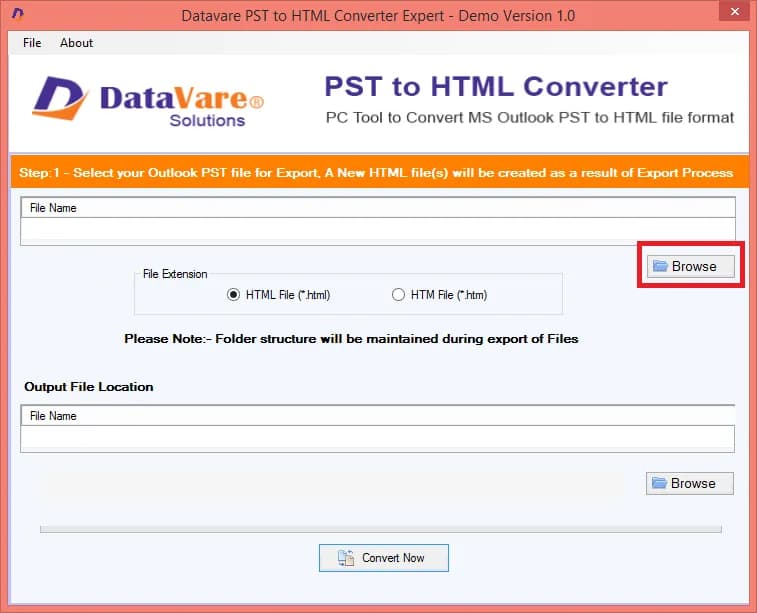
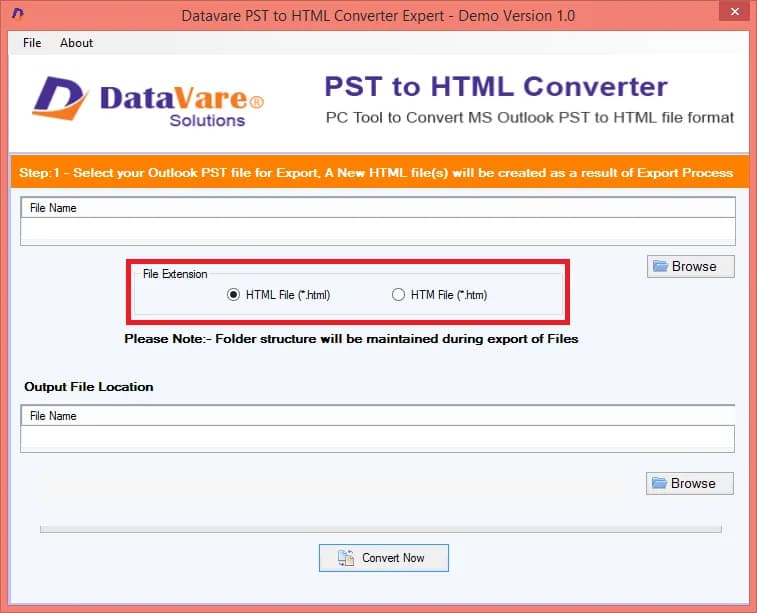
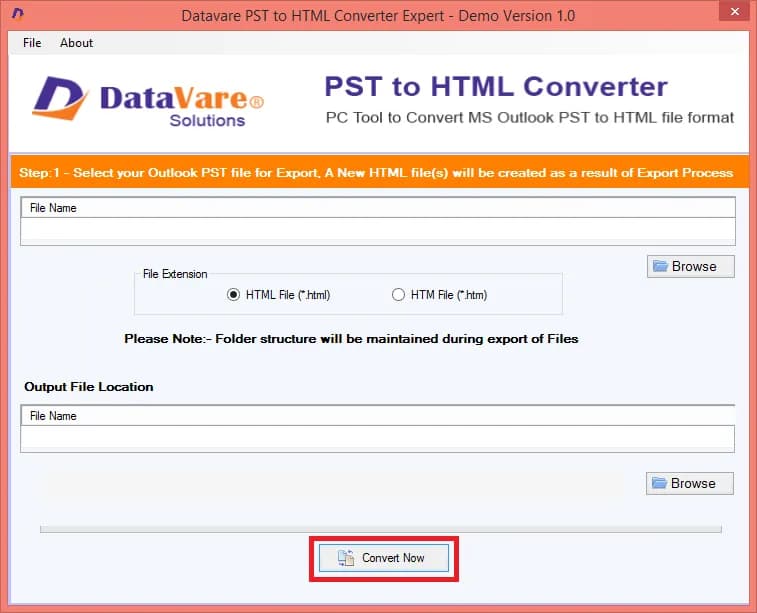
DataVare PST to HTML Converter is a simple and efficient software designed to convert Outlook PST files into HTML format with just a few clicks without requiring external assistance. It provides accurate results without damaging or corrupting data. It keeps the file quality intact and supports PST files of all sizes including files with non-English characters. The software allows users to export complete folder data from PST files to HTML and provides the option to convert only selected PST files as needed. It also supports automatic PST file conversion and offers advanced filtering options for performing deep file filtering and selecting specific data. The tool is compatible with all Windows operating systems including Windows 11, 10, 8, 7, Vista, XP and other versions. The application supports PST files from all Outlook versions including Outlook 2003, 2007, 2010, 2013, 2016 and other versions.
Drawn from the product itself, not from a survey.
Demographic
IT professionals and system administrators
Pain points
Need to migrate or archive Outlook data for compliance or backup
Primary needs
Efficient, accurate PST to HTML conversion without Outlook dependency
Demographic
Legal and forensic investigators
Pain points
Require access to email evidence in a readable, tamper-proof format
Primary needs
Convert PST files to HTML for easy review and presentation
Demographic
Small business owners and freelancers
Pain points
Limited budget for expensive conversion tools; need to share emails with clients
Primary needs
Affordable, user-friendly tool to convert PST to HTML for sharing
Demographic
Individuals migrating from Outlook to other platforms
Pain points
Need to preserve email content when switching email clients
Primary needs
Reliable conversion to HTML for importing into other systems
Written by AI from measured evidence, scored out of 100.
DataVare PST to HTML Converter is a functional-looking Windows utility from an 11-year-old vendor, wrapped in a marketing site that hasn't been updated since roughly the same era. The measured speed is genuinely good (Lighthouse 90 mobile, 99 desktop), and the accessibility audit lands at 94. But the docs are effectively empty, there's no free trial or demo, security headers are 3/13 with no compliance certifications, and the product is functionally interchangeable with three better-known competitors. For a tool aimed at forensic investigators and IT admins who need to trust the output, the site does almost nothing to earn that trust. It probably works. It just doesn't make a case for itself.
Docs page is a heading with no steps, FAQ has typos, no free trial or live demo, and support is email/chat/Skype with no visible widget. Onboarding relies entirely on the download button.
Dated 2015-era template with carousel screenshots, single-image 'interface' preview, and testimonials using single-letter avatars. Functional but visually behind SysTools and Stellar's cleaner product pages.
Lighthouse mobile 90/100 (LCP 3.0s, CLS 0, TBT 0ms) and desktop 99/100. Site loads snappily, though no benchmark exists for the actual conversion engine.
HTTPS enforced but 3/13 on security headers: no HSTS, CSP, frame protection, or DMARC. No SOC 2, ISO, or compliance page. Privacy and refund policies exist, which is the floor, not the ceiling.
Lighthouse a11y 94/100 with two failing audits: unnamed buttons and non-sequential headings. English-only interface, no WCAG statement, no keyboard-nav docs. Solid automated score, thin manual coverage.
Real niche (PST-to-HTML for IT, legal, and SMBs) but interchangeable with SysTools, Aryson, and Stellar. No wedge, no segment it serves better, no pricing differentiator visible on the page.
The DataVare PST to HTML Converter page is a competent but dated 2015-era template — carousel screenshots, a single static 'interface preview', and two testimonials signed with single-letter avatars that would make a compliance officer wince. The docs page is the bigger problem: it's titled 'STEPS TO CONVERT PST TO HTML VIDEO' and then contains no steps, just a footer. The FAQ has a typo ('Write now the program has been designed'), and there's no free trial or live demo — just Download and Buy buttons. For a tool aimed at IT pros and forensic investigators who want to evaluate before they pay, that's a real friction point. The product itself may work fine, but the site does very little to prove it.
Speed is the strongest measured dimension: Lighthouse mobile 90/100 with LCP 3.0s and zero layout shift, desktop 99/100. The marketing site is genuinely snappy. Security is the weak spot — HTTPS is enforced, but the header probe found only 3 of 13 checklist items: no HSTS, no CSP, no frame protection, no DMARC, no secure cookie flag. There's no SOC 2, ISO 27001, or GDPR compliance page, which matters for the legal and forensic investigators named as target customers. Privacy, cookie, legal, and refund policies do exist in the footer, which is the minimum. For a tool that handles email archives, the security posture is thin.
Accessibility scores 94/100 on Lighthouse, with two failing audits: buttons without accessible names and non-sequential heading order. The interface is English-only, and there's no WCAG conformance statement or keyboard-navigation documentation. Growth is the harder question. The PST-to-HTML niche is real — IT admins, legal teams, and SMBs do need to open Outlook archives without Outlook. But DataVare is the fourth name in a category where SysTools, Aryson, and Stellar already own the search results, and nothing on the page explains why a buyer should pick this one. The domain is 11 years old, which shows staying power, but staying power isn't a wedge.
Conclusion
If you already know DataVare from their other PST converters and just need a cheap HTML export, this will likely do the job. If you're evaluating from scratch, the lack of a trial, the empty docs page, and the missing compliance certifications make it hard to justify over SysTools or Stellar, which at least publish more about how their tools work. The 4.7/5 rating on the page is self-hosted with no link to a third-party platform — treat it as marketing, not evidence. Try the free versions of the competitors first, then come back here only if the price is meaningfully better.
Named competitors, point by point. Nobody paid to appear here or to be left out.
 DataVare PST to HTML Converter DataVare PST to HTML Converter |  SysTools PST to HTML Converter SysTools PST to HTML Converter |  Aryson PST to HTML Converter Aryson PST to HTML Converter |  Stellar Converter for PST Stellar Converter for PST | |
|---|---|---|---|---|
| Free trial or demo available | No — only Download and Buy buttons | Yes — free demo version with export limits | Yes — free trial version available | Yes — free trial with preview |
| Written documentation / help center | Docs page exists but contains no written steps | Detailed step-by-step guides and video tutorials | Documented user guide and FAQ section | Extensive help center with screenshots |
| Third-party review presence | Self-hosted 4.7/5 (447 ratings), no external link | Listed on G2, Trustpilot, and Capterra | Reviews on Trustpilot and software directories | Strong G2 and Trustpilot presence |
| Security / compliance certifications | None published; 3/13 security headers | ISO 27001 certified company | No public certification page found | ISO 27001 certified; GDPR compliance page |
| Supported output formats beyond HTML | HTML only (separate tools sold for MBOX, EML, PDF, etc.) | HTML only (separate tools for other formats) | HTML only (separate tools for other formats) | Multi-format: HTML, PDF, MSG, EML, RTF in one tool |
SysTools PST to HTML Converter
A popular tool to convert PST files to HTML with advanced features.
Aryson PST to HTML Converter
Convert Outlook PST to HTML with attachments and formatting.
Stellar Converter for PST
Convert PST to HTML and other formats with a user-friendly interface.
Comparing options? See DataVare PST to HTML Converter alternatives, scored side by side

An all-in-one hospitality software for restaurants and ba...

A weekly newsletter delivering curated tech jobs, intervi...

White-label reputation management software for agencies s...

Privacy-first open source journal app with a continuous t...

Puzzly is an all-in-one B2B lead generation platform that...

All-in-one AI workspace for docs, projects, and knowledge...

A free, open-source platform offering 110 AI agent skills...

Open-source desktop app for switching AI coding providers...

One verified handle for your online identity, readable by...

Frame-perfect video-to-GIF maker that runs entirely in yo...

White-label website audits that close deals for digital a...

Automated quote follow-up for trades and service businesses.
A platform dedicated to providing unbiased reviews of newly launched applications, analyzing everything from their features to their full potential.
info@scoutforge.net© 2026 Scoutforge. All rights reserved.
