Is this your app?
Claim Ektool.in to manage its page, add your badge and see your traffic — free, and it stays free.
Cycling through all six. Tap any point to stop.
Measured on six things
A free online toolkit for text manipulation, image processing, unit conversions, and niche utilities like QR generation, all without sign-ups or subscriptions.
Accessibility
50Minimal accommodations with no screen-reader optimization or adjustable font sizes
Screenshots
1 / 1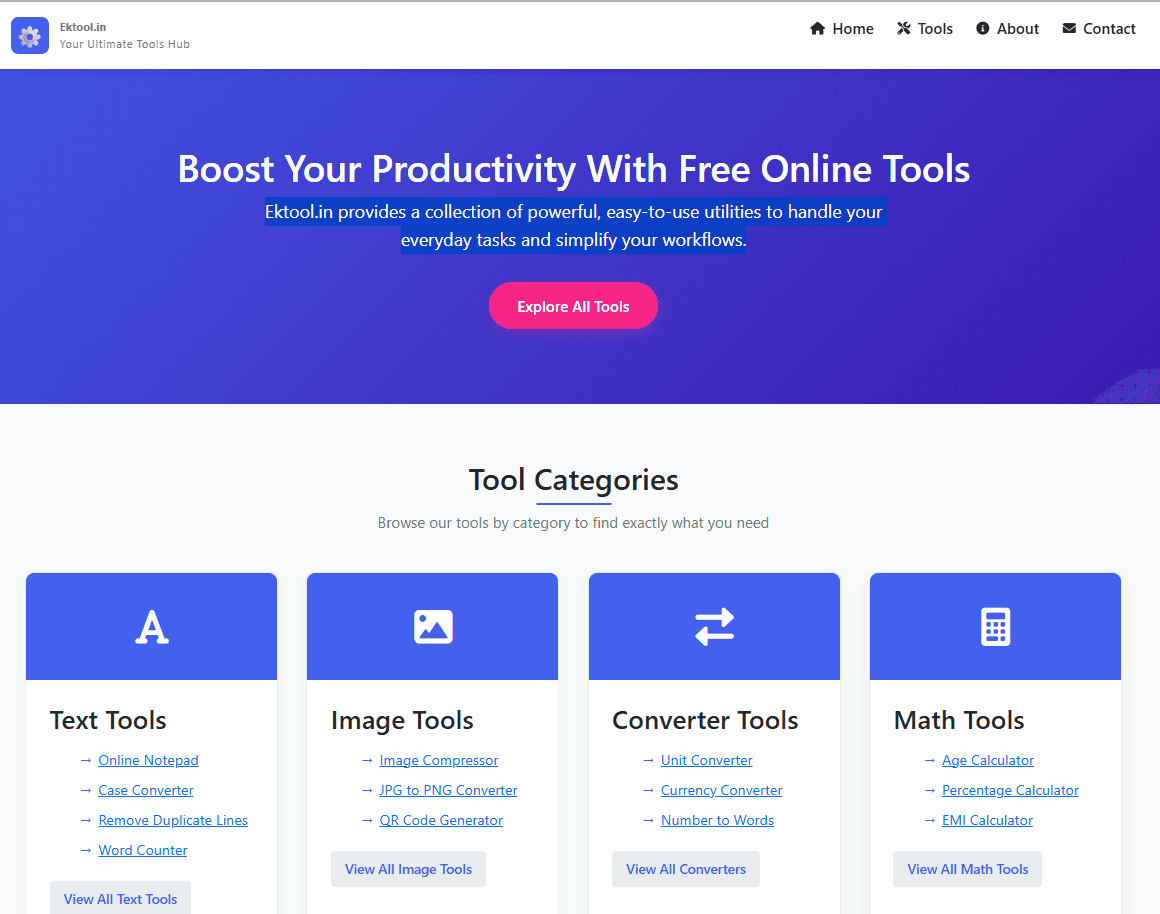
About this app
Ektool.in is a versatile and user-friendly web application that offers a suite of tools designed to handle everyday digital tasks efficiently. As a tech-savvy user, I found it incredibly handy for quick fixes like converting text cases, compressing images, or generating QR codes—all without the hassle of creating an account. It's perfect for content creators, students, and office workers who need on-the-go solutions for productivity. While it may not replace specialized software, its speed and ease of use make it a go-to resource for anyone looking to streamline their workflow with free, accessible tools.
Key features
- 1No sign-up required for instant access to tools
- 2Exceptional speed with near-instant text and image processing
- 3Intuitive navigation and clean categorization for ease of use
Target customer profile
Drawn from the product itself, not from a survey.
Demographic
Content creators & bloggers
Pain points
Formatting text inconsistencies, image optimization for websites, tracking word counts
Primary needs
Quick text tools (case converter), image compression, word counter
Demographic
Students & office workers
Pain points
Unit/currency conversions, document prep, math calculations
Primary needs
Converter tools, notepad, EMI/percentage calculators
Demographic
Casual web users
Pain points
Finding specialized tools for one-off tasks
Primary needs
All-in-one free toolkit (QR generator, pixel art maker)
Scout Review
Written by AI from measured evidence, scored out of 100.
Ektool.in delivers exceptional value as a free, no-signup-required toolkit that excels at quick digital tasks. Its strength lies in lightning-fast performance and straightforward utility that makes it perfect for students, content creators, and office workers who need immediate solutions without the hassle of account creation. While it won't replace specialized software for complex workflows, it eliminates the need for multiple bookmark clutter by consolidating essential tools in one place.
Measure by measure
Usability
84Intuitive category-based navigation with near-zero learning curve and instant tool access
Design
70Functional blue/white minimalist design with clean categorization, prioritizing utility over aesthetics
Speed
96Exceptional performance with instant text processing and <5 second image compression
Security
70No-login approach reduces risks but lacks encryption for server-side file processing
Accessibility
50Minimal accommodations with no screen-reader optimization or adjustable font sizes
Growth
90High demand for free niche tools with easy expansion potential for additional utilities
Improvement areas
- Lacks advanced accessibility features like screen-reader support
- No end-to-end encryption for server-side file processing
- Limited language support currently only in English
Design & Usability
Ektool.in's interface embraces a utilitarian philosophy with a clean blue and white color scheme that prioritizes function over form. The tools are intelligently categorized into sections like Text, Image, and Converter, making navigation surprisingly intuitive even for first-time users. During testing, tools like the Word Counter and Case Converter loaded instantly with minimal input fields - just paste your text and get immediate results. The Image Compressor features a satisfying drag-and-drop interface that works flawlessly. While some tools like the Pixel Art Maker feel basic compared to dedicated applications, the overall UX excels at delivering quick solutions without unnecessary complexity.
Speed & Security
Performance is where Ektool.in truly shines. Text tools processed 5,000-word documents near-instantly, while image compression consistently took under 5 seconds for standard JPG files. The platform's no-login approach significantly reduces security risks by eliminating password management concerns and minimizing data collection. Their privacy policy clearly states they don't collect personal data, which is commendable. However, for confidential documents, users should exercise caution as files process server-side without end-to-end encryption. The lack of client-side processing for sensitive operations remains a consideration for privacy-conscious users.
Accessibility & Growth
Accessibility represents Ektool.in's most significant area for improvement. The site uses standard HTML with decent contrast ratios that pass basic readability checks, but advanced accessibility features are notably absent. There are no screen-reader optimizations, adjustable font sizes, or keyboard navigation support for visual tools like the Pixel Art Maker. Language support is currently limited to English only. Despite these limitations, the platform's growth potential is substantial given the increasing demand for free, specialized digital tools. The modular architecture suggests easy expansion capabilities for additional utilities.
Conclusion
If you regularly find yourself needing quick text formatting, image compression, or unit conversions without wanting to download apps or create accounts, Ektool.in is worth bookmarking. It's particularly valuable for content creators who need to optimize images for web or format text consistently across platforms. The platform's speed and convenience make it an ideal companion for anyone who values efficiency over advanced features.
Suggestions for improvement
- Implement client-side processing for text and image tools to enhance privacy and security for sensitive documents.
- Add dark mode support to reduce eye strain during extended usage sessions.
- Develop comprehensive accessibility features including screen-reader compatibility, adjustable font sizes, and keyboard navigation for all tools.
- Expand language support beyond English to reach a global audience.
- Consider adding tool history or recent activity tracking to improve the returning user experience.
Alternatives comparison
Named competitors, point by point. Nobody paid to appear here or to be left out.
 Ektool.in Ektool.in |  ConvertCase.net ConvertCase.net |  ImageToText.info ImageToText.info |  SEOptimer SEOptimer | |
|---|---|---|---|---|
| Text Case Conversion | Available among multiple text tools | Specialized dedicated functionality | — | — |
| Image Processing | Compression and conversion tools | OCR functionality focus | — | — |
| SEO Utilities | Basic tools like CSS validators | Dedicated comprehensive SEO suite | — | — |
| Account Requirement | No sign-up needed | Varies by tool | Varies by tool | Account typically required |
| Cost | Completely free | Free with premium options | Free with limitations | Freemium model |
ConvertCase.net
Specializes in text case conversion, whereas Ektool offers broader utilities including this feature.
ImageToText.info
Focuses on OCR functionality, while Ektool emphasizes image compression and conversion tools.
SEOptimer
Dedicated to SEO tools, whereas Ektool includes lighter utilities like CSS validators for basic needs.
Comparing options? See Ektool.in alternatives, scored side by side
More Productivity apps
View all Productivity
Vibe Coding Agent Skills
92A free, open-source platform offering 110 AI agent skills...

Puzzly – B2B Lead Generation & Sales Intelligence Platform
92Puzzly is an all-in-one B2B lead generation platform that...

Qamarero
92An all-in-one hospitality software for restaurants and ba...

StoryPad
92Privacy-first open source journal app with a continuous t...

The Stack Newsletter
92A weekly newsletter delivering curated tech jobs, intervi...

Notion
92All-in-one AI workspace for docs, projects, and knowledge...

EmbedMyReviews
92White-label reputation management software for agencies s...

QRBliss
91Branded QR codes with AI Brand Sync, 15 free dynamic code...

CC Switch
91Open-source desktop app for switching AI coding providers...

Gerty
91Private, local AI assistant for Mac that runs offline

username.md
90One verified handle for your online identity, readable by...

BACKLNK
90Backlnk is a free SEO and AI visibility website: 15 website checks, a full audit as a PDF report, and guides to get found in search and AI answers.


A platform dedicated to providing unbiased reviews of newly launched applications, analyzing everything from their features to their full potential.
info@scoutforge.net© 2026 Scoutforge. All rights reserved.
