

A platform dedicated to providing unbiased reviews of newly launched applications, analyzing everything from their features to their full potential.
info@scoutforge.net© 2026 Scoutforge. All rights reserved.
A platform dedicated to providing unbiased reviews of newly launched applications, analyzing everything from their features to their full potential.
info@scoutforge.net© 2026 Scoutforge. All rights reserved.
A platform dedicated to providing unbiased reviews of newly launched applications, analyzing everything from their features to their full potential.
info@scoutforge.net© 2026 Scoutforge. All rights reserved.
Cycling through all six. Tap any point to stop.
Measured on six things
Free PDF editor and file converter that runs in your browser without uploading your files.
The no-upload architecture is a genuine security win — files never touch a server, so there's no retention risk. But the HTTP probe found 2/12 checklist points: no HTTPS enforcement, no HSTS, no CSP, no frame protection. SPF and DMARC are present.
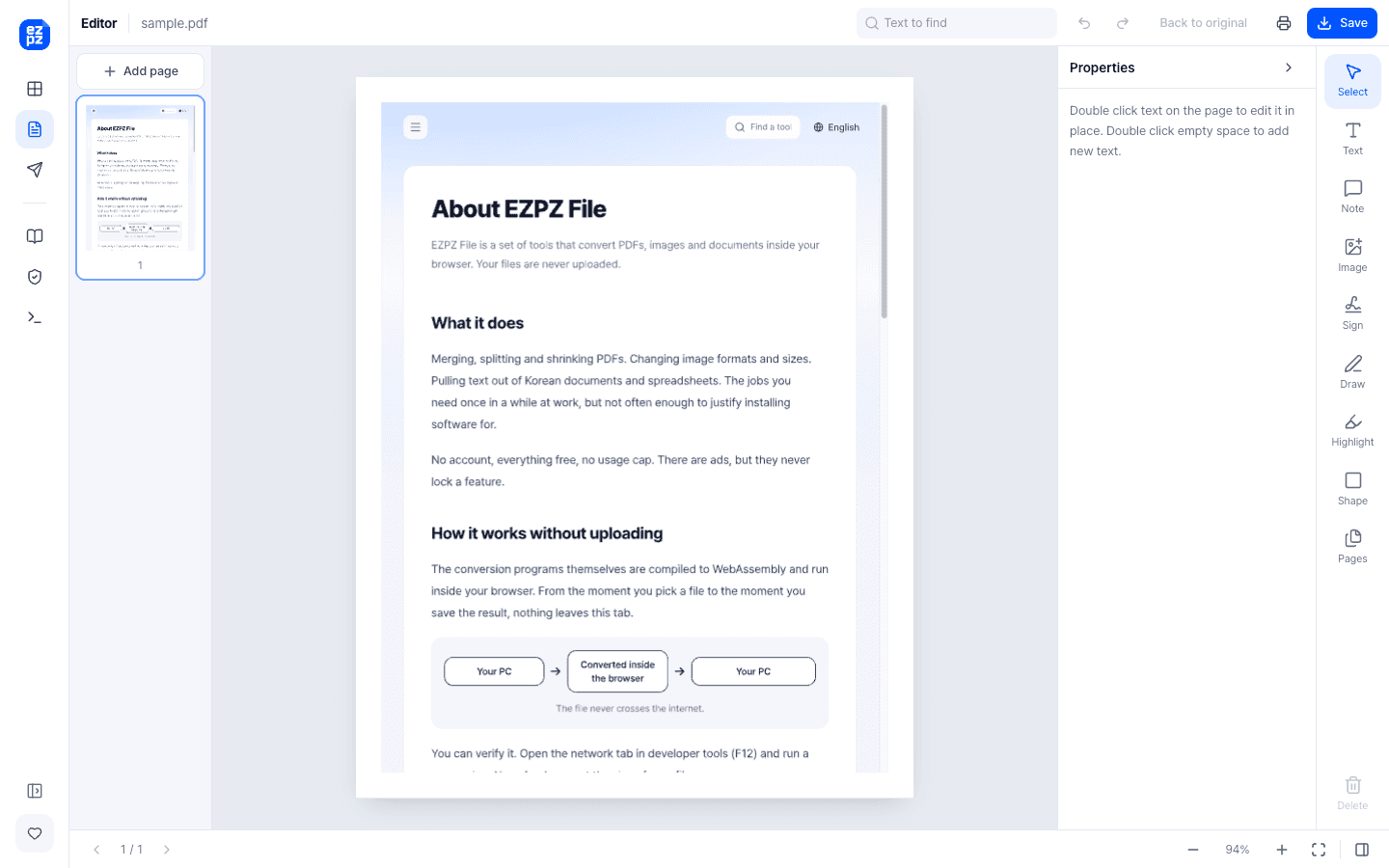
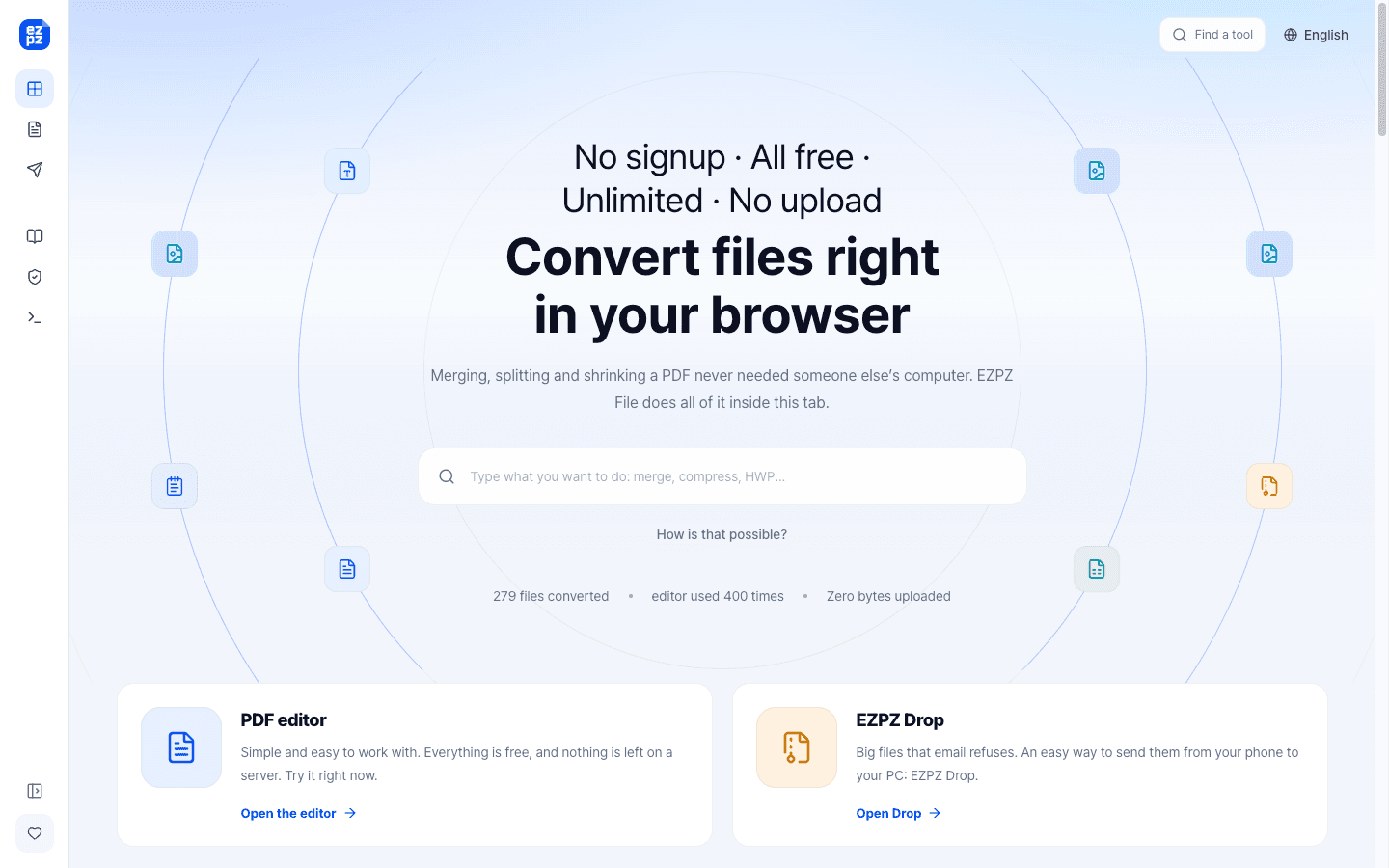
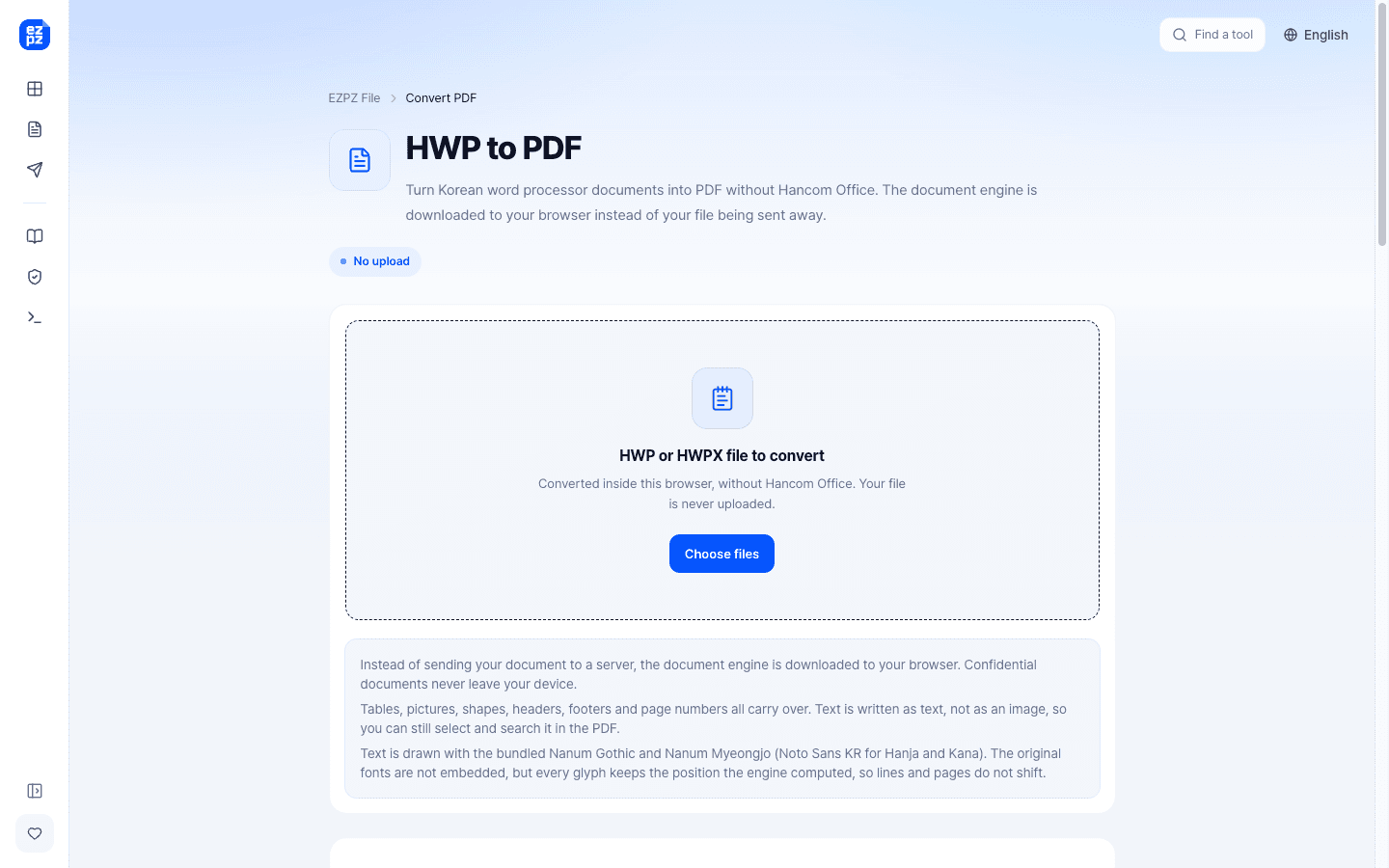
EZPZ File is a set of free file tools that run entirely in your browser. Your files are processed on your own device and are never uploaded to a server, so contracts, resumes and other private documents stay with you. What you can do: - Edit PDFs: change the existing text in place with the original font, add text, images, signatures and highlights, and reorder or delete pages - Merge, split, rotate, compress, password-protect and unlock PDFs - Convert PDF to Word, Excel, JPG and PNG, and images to PDF - Open Korean HWP and HWPX documents and convert them to PDF, or convert PDF back to HWP/HWPX - Convert HEIC and WebP images, resize and compress images, remove backgrounds and strip photo metadata - Extract ZIP files, open EML emails and convert XLSX to CSV No sign-up, no watermarks and no usage limits. Once the page has loaded, the tools keep working offline. Available in 20 languages.
Drawn from the product itself, not from a survey.
Written by AI from measured evidence, scored out of 100.
EZPZ File is a browser-based file tool suite with a genuinely strong architectural bet: everything runs client-side via WebAssembly, so your files never touch a server. That's a real differentiator in a category full of upload-and-pray converters. The tool list is broad — PDF editing, conversion, HWP/HWPX support, image tools, archive extraction — and the no-signup, no-limits model is exactly right for a utility. Usability is the standout: tools are organized by input format, the MCP one-liner is a smart hook for AI agents, and the friction-to-value ratio is near zero. But the product has real gaps. Mobile Lighthouse performance is 69/100 with an 11.3s LCP, which is a bad first impression. The security headers are nearly absent (2/12 checklist points) despite the privacy-first pitch. The design is functional but anonymous — no screenshots, no logo, no visual demonstration of the core claim. Accessibility is strong at 95/100 with minor fixable issues. Growth potential is real but the moat is thin. This is a competent, genuinely useful tool that needs to tighten its operational fundamentals and sharpen its visual storytelling.
Zero-friction model: no signup, no watermarks, no limits, tools grouped by 'what file do you have'. MCP one-liner for AI agents and a how-to column add real depth. Navigation is genuinely thoughtful.
Functional, text-dense directory layout organized by input format. No hero imagery, no product screenshots, no logo mark — reads more like a documentation index than a product landing page. Clean but visually anonymous.
Desktop Lighthouse 86/100 is solid, but mobile 69/100 with an 11.3s LCP is a real problem — that's four times past the 'good' threshold. CLS 0 and TBT 105ms show the layout is stable and JS isn't the bottleneck.
The no-upload architecture is a genuine security win — files never touch a server, so there's no retention risk. But the HTTP probe found 2/12 checklist points: no HTTPS enforcement, no HSTS, no CSP, no frame protection. SPF and DMARC are present.
Lighthouse 95/100 with only three failing audits: unnamed buttons, label mismatches, and table headers missing on a large table. 20-language support is a real accessibility win. No WCAG statement published.
Real problem, specific wedge: no-upload privacy plus HWP/HWPX support for the Korean market plus MCP for AI agents. Differentiated and aimed at a category with headroom, but the wedge is copyable and the moat is thin.
EZPZ File's design is functional but anonymous. The homepage is a dense directory of roughly 40 tools grouped by input format — 'what file do you have?' — which is a genuinely smart navigation model that beats the usual grid of icons. But there's no logo mark, no hero imagery, no product screenshots, and the live counters ('387 files converted', 'editor used 1,548 times') read as small numbers rather than social proof. Usability is where the product shines: no signup, no watermarks, no usage limits, and a one-line MCP install for AI agents. The how-to column adds real depth. The friction-to-value ratio is close to zero, which is exactly right for a utility tool. The gap is that the design doesn't communicate the product's strongest asset — the no-upload architecture — visually. It's all text, no demonstration.
Speed is a split verdict. Desktop Lighthouse performance is 86/100 with CLS 0 and TBT 105ms — the layout is stable and JavaScript isn't the bottleneck. But mobile performance drops to 69/100 with an 11.3s LCP, which is four times past the 'good' threshold. For a tool that runs entirely in the browser, mobile load time is the first impression, and 11.3 seconds is a bad one. Security is architecturally strong but operationally weak. The core claim — files never leave the device, WebAssembly runs in-browser, no server copy exists — is a genuine privacy win that most competitors can't match. But the HTTP probe found only 2/12 checklist points: no HTTPS enforcement, no HSTS, no CSP, no frame protection, no X-Content-Type-Options, no Referrer-Policy, no Permissions-Policy. SPF and DMARC are present. The architecture is paranoid; the headers are naked. For a product whose entire pitch is privacy, that's a credibility gap.
Accessibility scores 95/100 on Lighthouse with only three failing audits: buttons without accessible names, visible text labels not matching accessible names, and a large table missing <td> headers. These are fixable in an afternoon. The 20-language support is a real accessibility win that most indie tools skip. No WCAG conformance statement is published, which is a missed opportunity for a product targeting privacy-conscious users. Growth potential is solid but not spectacular. The problem is real and universal: converting files without uploading them to a stranger's server. The differentiators are concrete — no upload, no signup, no limits, HWP/HWPX support for the Korean market, and MCP integration for AI agents. The Korean document angle is genuinely underserved; Hancom Office is the only real player and it's not browser-based. The MCP hook is clever positioning for the AI-agent era. But the wedge is copyable: any competitor can add a WebAssembly build. The moat is thin, and the traction is minimal (387 files converted). The idea has room; the execution needs to earn it.
Conclusion
EZPZ File is the kind of tool you bookmark and forget you have until you need it — and then you're glad it exists. The no-upload architecture is the right bet, the tool coverage is impressive for a free product, and the Korean HWP support is a genuine niche advantage. But 'free and private' isn't enough on its own. The 11.3s mobile LCP will lose users before they see the value. The missing security headers undercut the privacy pitch. The anonymous design fails to demonstrate the one thing that makes this product different. None of these are hard problems. Enforce HTTPS, add HSTS and CSP, compress the mobile payload, name your buttons, and put a screenshot of the editor on the homepage. Do that and EZPZ File goes from 'useful bookmark' to 'the tool I recommend when someone asks how to edit a PDF without uploading it.' The foundation is there. The polish isn't. Yet.
Named competitors, point by point. Nobody paid to appear here or to be left out.
 EZPZ File EZPZ File |  | |
|---|---|---|
| Processing location | Entirely client-side via WebAssembly; files never uploaded | Not specified in provided data |
| Signup required | No — no signup, no watermarks, no usage limits | Not specified in provided data |
| Korean HWP/HWPX support | Yes — HWP/HWPX to PDF and back, HWPX to text, HWP to HWPX | Not specified in provided data |
| MCP / AI agent integration | Yes — one-line MCP install for Claude and Cursor | Not specified in provided data |
| Offline capability | Yes — tools keep working offline once the page has loaded | Not specified in provided data |
| Language support | 20 languages | Not specified in provided data |
Comparing options? See EZPZ File alternatives, scored side by side

An all-in-one hospitality software for restaurants and ba...

A weekly newsletter delivering curated tech jobs, intervi...

White-label reputation management software for agencies s...

Privacy-first open source journal app with a continuous t...

Puzzly is an all-in-one B2B lead generation platform that...

All-in-one AI workspace for docs, projects, and knowledge...

A free, open-source platform offering 110 AI agent skills...

Open-source desktop app for switching AI coding providers...

One verified handle for your online identity, readable by...

Frame-perfect video-to-GIF maker that runs entirely in yo...

White-label website audits that close deals for digital a...

Automated quote follow-up for trades and service businesses.
A platform dedicated to providing unbiased reviews of newly launched applications, analyzing everything from their features to their full potential.
info@scoutforge.net© 2026 Scoutforge. All rights reserved.
