Cycling through all six. Tap any point to stop.
Measured on six things
Extract attachments, contacts, calendars, and emails from...
Security
41HTTPS is enforced and SPF is set, but the header probe found no HSTS, CSP, frame protection, Referrer-Policy or DMARC — 3/13 checklist points. No SOC 2, ISO, pen-test or security page is published.
Screenshots
1 / 6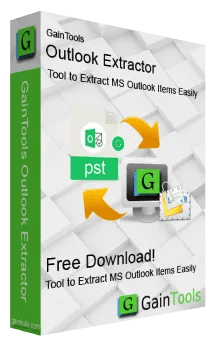
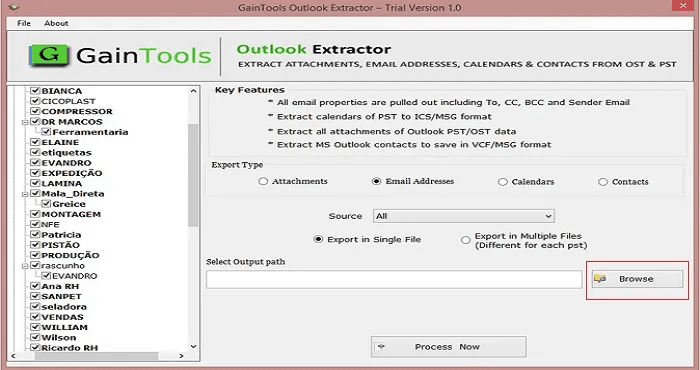
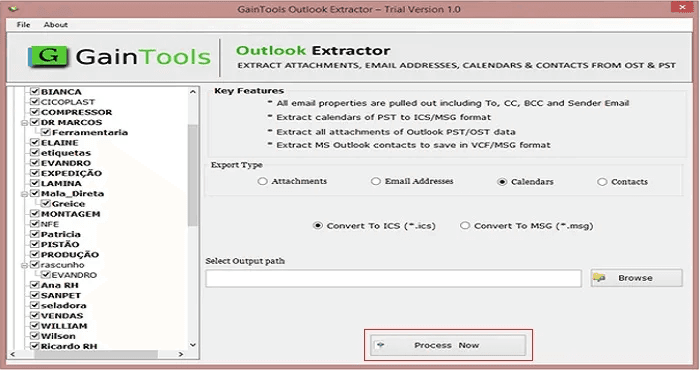
About this app
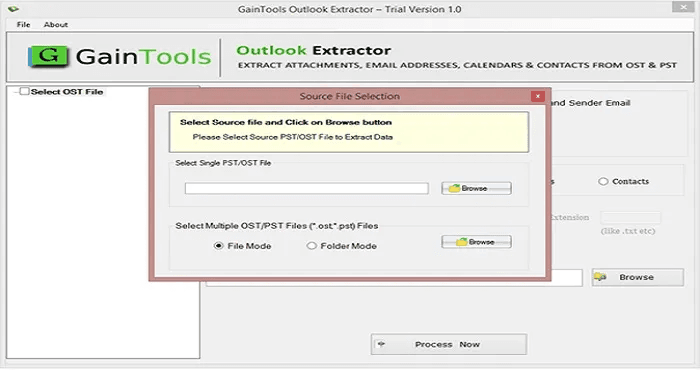
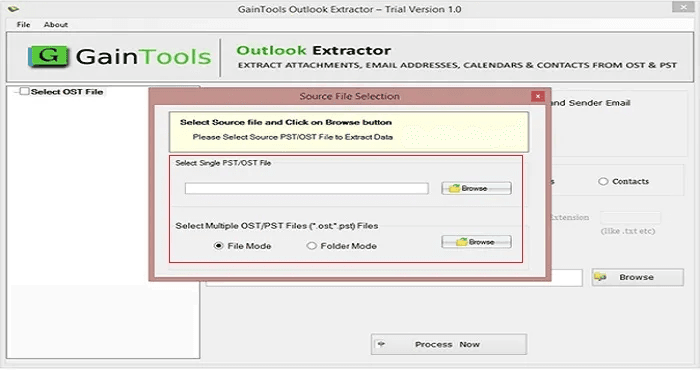
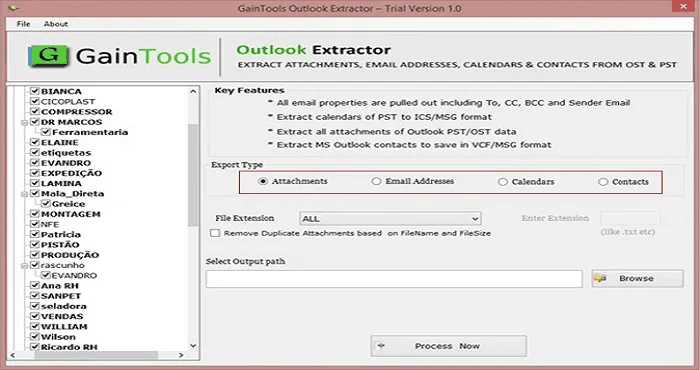
GainTools Outlook Extractor is one of the best solutions to extract crucial data from Outlook PST & OST files. Extract email attachments, contacts, calendars, and email accounts without downloading the Microsoft Outlook application. Users may choose individual folders and retain just the data they want. The program supports several file types that make extracting data easy and quick. Key Features: Extracts attachments, contacts, calendars & email addresses from PST & OST files No Outlook installed Saves contacts as VCF files and calendars as ICS files. Exports email addresses as a text file (.txt) Date, From, To, CC, BCC, and Subject Filter. Eliminate redundant attachments on extraction. Maintain the original folder structure. ANSI and Unicode PST file support A simple interface for any kind of user. Test a free demo. This software makes exporting Outlook data easy. Users can save crucial data from their email to user-friendly formats.
Key features
- 1Extracts attachments, contacts, calendars and email addresses from PST/OST without Outlook installed
- 2Exports contacts to VCF, calendars to ICS, and email addresses to TXT with folder hierarchy preserved
- 3Advanced filters by date, From, To, CC, BCC and Subject, plus duplicate-attachment removal
- 4Free trial with no registration; $49 one-time lifetime license; ANSI and Unicode PST support
Target customer profile
Drawn from the product itself, not from a survey.
Demographic
IT professionals and system administrators
Pain points
Need to extract data from PST/OST files without Outlook installed; handling large files; preserving folder structure.
Primary needs
Reliable extraction of attachments, contacts, and calendars; support for ANSI and Unicode; advanced filtering.
Demographic
Forensic analysts and legal teams
Pain points
Extracting email addresses and attachments for evidence; dealing with duplicate attachments; needing accurate data without corruption.
Primary needs
Forensic-sound extraction; duplicate removal; export to standard formats (VCF, ICS, TXT).
Demographic
Small business owners and office managers
Pain points
Migrating from Outlook to other platforms; backing up contacts and calendars; reducing PST file size.
Primary needs
Easy-to-use tool to export contacts and calendars; affordable one-time license; no Outlook dependency.
Scout Review
Written by AI from measured evidence, scored out of 100.
GainTools Outlook Extractor is a competent, fast-loading utility site for a genuinely useful job: pulling attachments, contacts, calendars and addresses out of PST/OST files without Outlook installed. The free trial needs no registration and the $49 lifetime price is honest. What holds it back is presentation and trust: a dated page that renames the product five times, repeated placeholder icons, blurry guide screenshots, and a security posture that stops at HTTPS. It will do the job for an IT admin who already knows what they want; it will not win over a cautious buyer comparing it to Stellar.
Measure by measure
Usability
58Clear above-the-fold CTAs and a no-registration free trial make the path to value obvious. But step screenshots are too blurry to follow, tabs repeat copy, and nine hero chips bury the actual value proposition.
Design
44Dated legacy-download-page aesthetic with a dark slate hero and grey feature chips. The product is named five different ways across one page and the same pencil icon fills all six feature cards, undercutting polish and trust.
Speed
88Lighthouse mobile 97/100 (LCP 2.5s, CLS 0, TBT 38ms) and desktop 96/100. The site is genuinely snappy, and the 2.77 MB installer keeps the download light. No lag complaints surfaced in collected evidence.
Security
41HTTPS is enforced and SPF is set, but the header probe found no HSTS, CSP, frame protection, Referrer-Policy or DMARC — 3/13 checklist points. No SOC 2, ISO, pen-test or security page is published.
Accessibility
79Lighthouse accessibility 95/100, but two failing audits: buttons lack accessible names and visible labels don't match accessible names. No WCAG statement, English-only, and small light-grey body text hurts readability.
Growth
58A real, recurring need — PST/OST extraction for migrations and forensics without Outlook — with a concrete wedge: no install, dedupe, VCF/ICS/TXT, $49 one-time. Niche but durable; interchangeable with Stellar and SysTools on paper.
Improvement areas
- Inconsistent product naming and repeated placeholder icons undermine credibility on the homepage
- No security page, HSTS, CSP or DMARC despite handling mailbox data
- Step-by-step guide screenshots are too low-resolution to follow without the video
- No accessibility statement or WCAG mention; two failing Lighthouse a11y audits
Design & Usability
GainTools Outlook Extractor looks and reads like a 2017 utility download page, and the visual audit backs that up: a dark slate hero, nine grey feature chips, and a product that is called 'Outlook Extractor', 'Outlook PST Extractor', 'Outlook Attachment Extractor' and 'Outlook Contact Extractor Tool' on the same scroll. The same pencil-in-square icon fills all six feature cards, and a 'Clients' views' heading sits above step screenshots rather than testimonials. Usability is better than design: the green trial and red buy buttons are above the fold, the trial needs no registration, and the Features/Guide/FAQ tabs give structure. But the step screenshots are too blurry to follow without the video, and the copy repeats itself across sections.
Speed & Security
Speed is the standout: Lighthouse mobile 97/100 with LCP 2.5s, CLS 0 and TBT 38ms, desktop 96/100, and a 2.77 MB installer. The site loads faster than most modern SaaS marketing pages. Security is the weak flank. HTTPS is enforced and SPF is present, but the probe found no HSTS, CSP, frame protection, Referrer-Policy, Permissions-Policy or DMARC — 3 of 13 checklist points. There is no SOC 2, ISO, pen-test or security page, and the reassurance on offer is a 'Virus Free' badge and a 30-day money-back line. For a tool that handles mailbox data, that is thin.
Accessibility & Growth
Accessibility scores 95/100 on Lighthouse, but two audits fail: buttons without accessible names and visible labels that don't match accessible names. There is no WCAG statement, the site is English-only, and the visual audit flags small light-grey body text on white cards. Growth is a judgement on the idea: PST/OST extraction without Outlook is a real, recurring need for IT admins, forensic teams and SMBs migrating off Outlook, and the wedge — no install, duplicate removal, VCF/ICS/TXT exports, $49 one-time — is concrete. But Stellar and SysTools sell the same capability with stronger brands, and the one-time license caps recurring revenue. Niche, durable, not explosive.
Conclusion
If you need PST/OST extraction and you already trust the category, the free trial costs nothing but a 2.77 MB download — try it on a sample file before paying. If you are choosing between vendors for a legal or forensic job, the missing security documentation and inconsistent branding are real reasons to look at Stellar or SysTools first. The tool itself is probably fine; the storefront around it is what needs work.
Suggestions for improvement
- Pick one product name and use it everywhere — the page currently cycles through five variants.
- Replace the repeated pencil icon with distinct icons per feature, and fix the 'Clients' views' heading over step screenshots.
- Publish a security page: HSTS, CSP, DMARC, and a plain statement of how mailbox data is handled.
- Re-shoot the step-by-step guide screenshots at readable resolution, or drop them and lean on the video.
Alternatives comparison
Named competitors, point by point. Nobody paid to appear here or to be left out.
 GainTools Outlook Extractor Tool |  Stellar Outlook PST Repair |  SysTools Outlook PST Recovery | |
|---|---|---|---|
| Extracts data without Microsoft Outlook installed | Yes — core selling point | Repair-focused; extraction is secondary | Recovery-focused; extraction is secondary |
| Primary purpose | Extraction of attachments, contacts, calendars, addresses | Repair corrupted PST files, then extract | Recover and export Outlook data from PST |
| Export formats | VCF, ICS, TXT, extracted attachments | PST, EML, MSG, PDF, HTML and more | PST, EML, MSG, PDF, HTML, MBOX |
| Duplicate attachment removal | Yes | Not a headline feature | Not a headline feature |
| Pricing model | $49 one-time lifetime license; free trial | Tiered paid licenses; free trial with limits | Tiered paid licenses; free trial with limits |
Stellar Outlook PST Repair
A comprehensive tool to repair and extract data from PST files, including emails, attachments, contacts, and calendars.
SysTools Outlook PST Recovery
Recovers and extracts Outlook data from PST files, with options to export to various formats.
Comparing options? See GainTools Outlook Extractor Tool alternatives, scored side by side
More Productivity apps
View all Productivity
StoryPad
92Privacy-first open source journal app with a continuous t...

The Stack Newsletter
92A weekly newsletter delivering curated tech jobs, intervi...

Qamarero
92An all-in-one hospitality software for restaurants and ba...

Vibe Coding Agent Skills
92A free, open-source platform offering 110 AI agent skills...

Puzzly – B2B Lead Generation & Sales Intelligence Platform
92Puzzly is an all-in-one B2B lead generation platform that...

Notion
92All-in-one AI workspace for docs, projects, and knowledge...

EmbedMyReviews
92White-label reputation management software for agencies s...

QRBliss
91Branded QR codes with AI Brand Sync, 15 free dynamic code...

CC Switch
91Open-source desktop app for switching AI coding providers...

Strukchad Property Management
91Property management for Kenyan letting agents: rent invoices raised every month, M-Pesa rent prompts to tenants, arrears tracking and landlord statements.

Gerty
91Private, local AI assistant for Mac that runs offline

username.md
90One verified handle for your online identity, readable by...


A platform dedicated to providing unbiased reviews of newly launched applications, analyzing everything from their features to their full potential.
info@scoutforge.net© 2026 Scoutforge. All rights reserved.
