Cycling through all six. Tap any point to stop.
Measured on six things
An online collaboration platform for structured brainstorming and decision-making with customizable templates.
Security
70SSL encryption and password protection available, but lacks SOC 2 compliance and enterprise-grade access controls for larger organizations.
Screenshots
1 / 5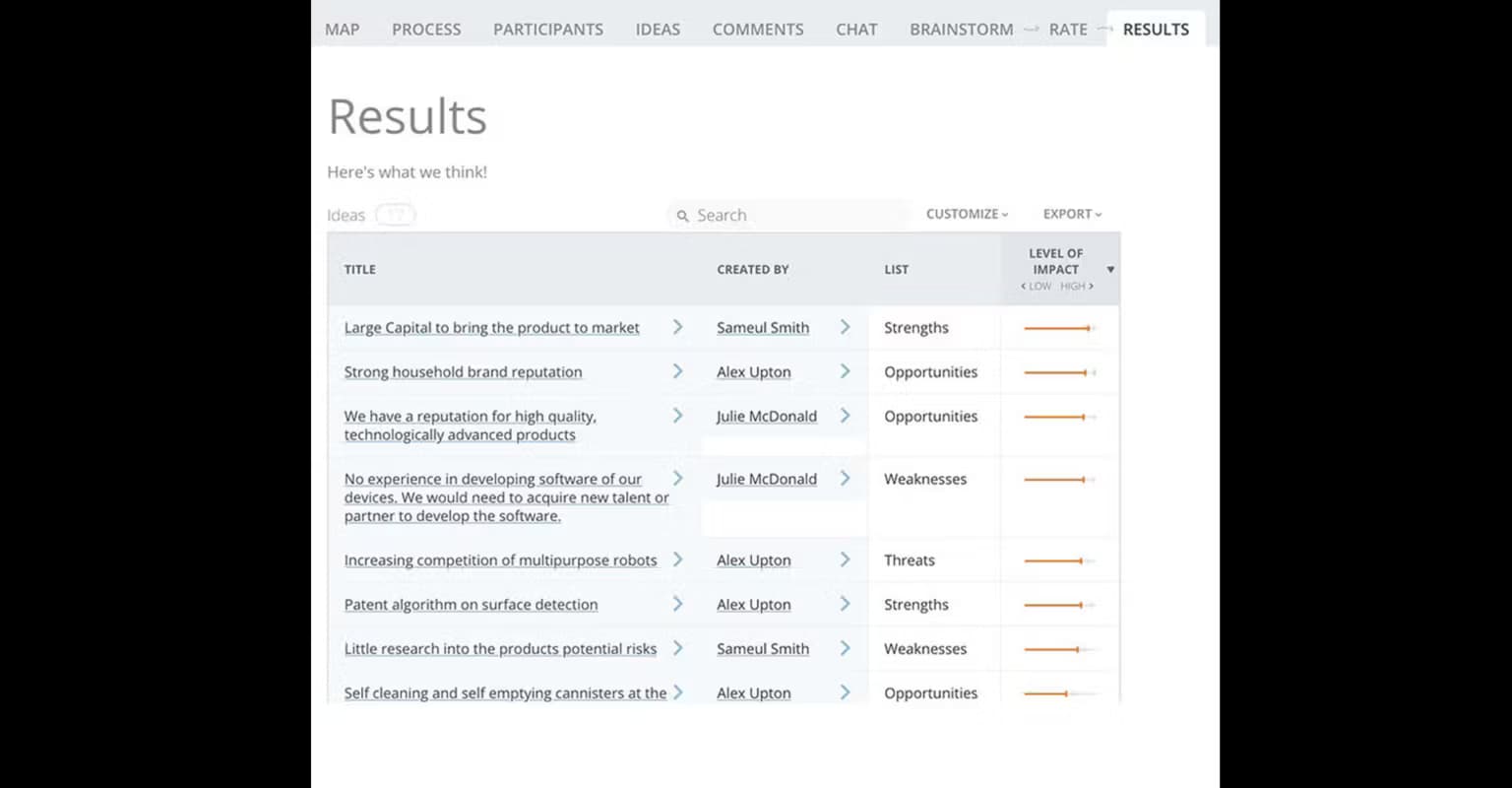
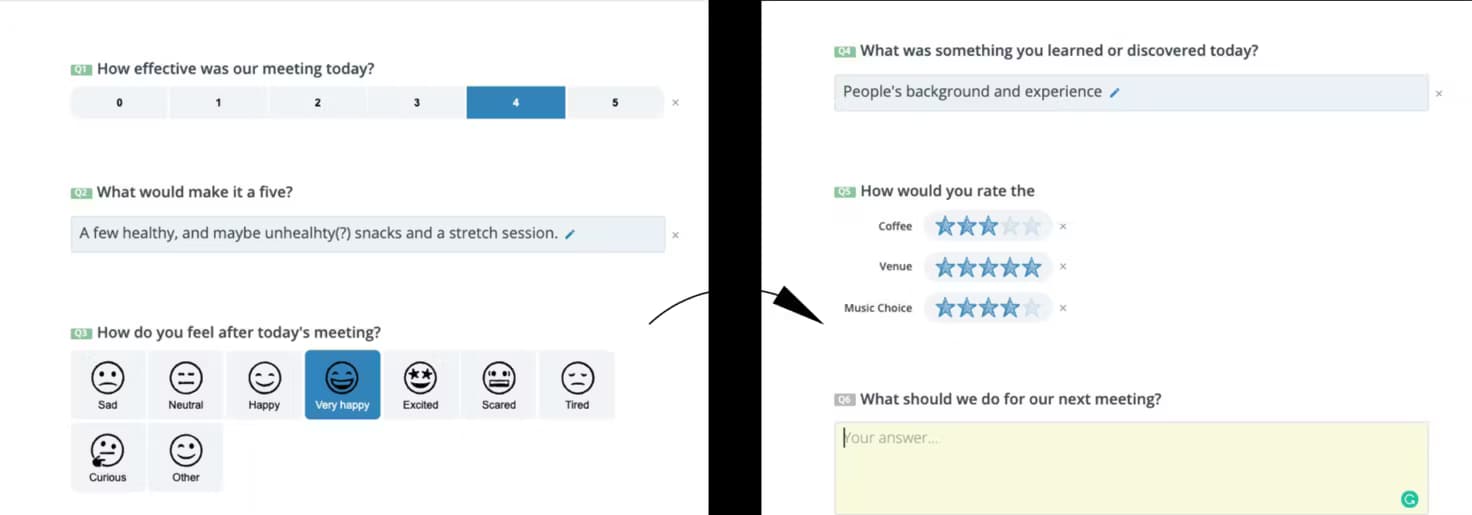
About this app
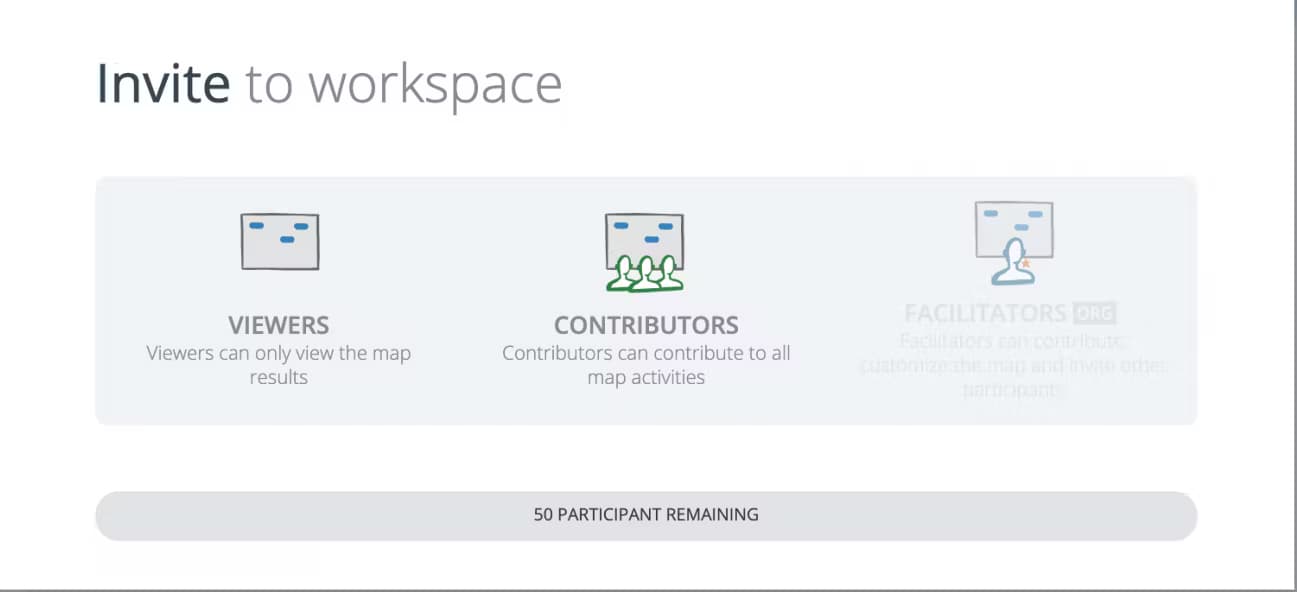
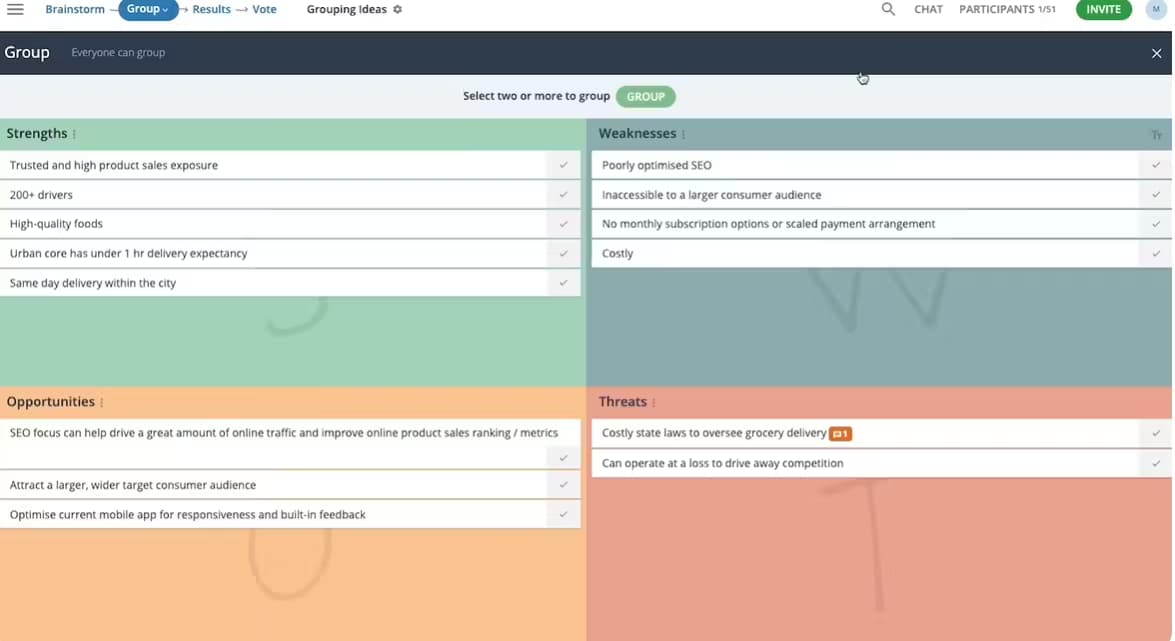
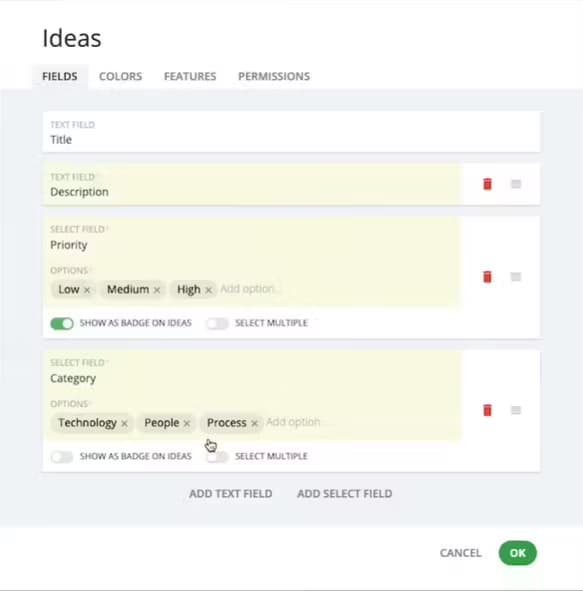
GroupMap is a powerful tool that transforms chaotic brainstorming sessions into productive outcomes. It offers over 80 structured templates like SWOT analysis and empathy maps, guiding discussions for teams, educators, and facilitators. Features include real-time collaboration, anonymous contributions, timed sessions, voting mechanisms, and exportable reports. It excels in remote and hybrid work environments, making it ideal for workshops and strategy meetings. While it has a clean, functional UI, it could improve in areas like onboarding and accessibility for color-blind users. Overall, it's a facilitator's secret weapon for turning ideas into actionable plans.
Key features
- 1Template-driven UI with over 80 structured frameworks like SWOT and empathy maps for guided brainstorming.
- 2Real-time collaboration features including drag-and-drop canvas, anonymous contributions, and voting mechanisms.
- 3Facilitator cockpit with participant activity heatmaps and tools to nudge engagement during sessions.
Target customer profile
Drawn from the product itself, not from a survey.
Demographic
Workshop Facilitators
Pain points
Unstructured discussions, difficulty capturing diverse input, time-consuming manual synthesis
Primary needs
Guided frameworks, real-time collaboration tools, automated idea grouping
Demographic
Educators (High Ed/Corporate)
Pain points
Student disengagement, uneven participation, tracking learning outcomes
Primary needs
Interactive templates, assessment features, anonymous contribution options
Demographic
Remote Team Leaders
Pain points
Zoom fatigue, decision paralysis, lack of visible progress
Primary needs
Visual progress tracking, timed activities, exportable action items
Scout Review
Written by AI from measured evidence, scored out of 100.
GroupMap excels at transforming chaotic brainstorming sessions into structured, productive outcomes through its template-driven approach. It's particularly valuable for facilitators, educators, and remote team leaders who need to guide discussions toward actionable results. The platform's strength lies in its methodological frameworks rather than visual polish, making it ideal for those who value process over aesthetics.
Measure by measure
Usability
90Template guidance reduces cognitive load, drag-and-drop canvas feels familiar, though subtle toolbar icons confuse first-time users.
Design
80Functional template-driven UI with clean blue/white scheme, prioritizes structure over visual polish but enhances focus during sessions.
Speed
80Responsive for 20-30 users, handles 50+ smoothly, but large events (100+) experience lag during simultaneous voting activities.
Security
70SSL encryption and password protection available, but lacks SOC 2 compliance and enterprise-grade access controls for larger organizations.
Accessibility
76Keyboard navigation and screen reader support available, WCAG-compliant contrast, but voting system challenges color-blind users and lacks multilingual interface.
Growth
90High demand for hybrid work tools with specialized templates, positioned well in growing remote collaboration market with unique structured approach.
Improvement areas
- Enhance accessibility with color-blind friendly voting systems and full multilingual interface support.
- Improve performance for large-scale events with 100+ users to reduce lag during simultaneous activities.
- Add enterprise-grade security features such as SOC 2 compliance and advanced access controls.
Design & Usability
GroupMap's interface takes a practical approach with its clean blue and white color scheme that prioritizes function over flash. The template-driven design displays options as thumbnail cards for quick selection, while the workspace uses a familiar drag-and-drop canvas that most users will find intuitive. What really stands out is how the constrained template structure actually enhances focus during sessions - participants can't wander off into random doodles like in freeform tools. The 'facilitator cockpit' view is particularly impressive, showing participant activity heatmaps and allowing you to nudge quiet attendees. However, the onboarding experience could be smoother, as first-time users often miss the subtle toolbar icons that aren't immediately obvious.
Speed & Security
Performance-wise, GroupMap handles typical workshop sizes of 20-30 participants with solid responsiveness. It scales reasonably well to 50+ users, though large-scale events with 100+ participants experienced slight lag during simultaneous voting activities. Export functions to PDF and Excel worked instantly in testing. On the security front, the platform uses standard SSL encryption and offers optional password-protected sessions. While adequate for most educational and corporate use cases, it lacks enterprise-grade features like SOC 2 compliance documentation and advanced access controls that larger organizations might require for sensitive strategic planning sessions.
Accessibility & Growth
Accessibility features include keyboard navigation support and screen reader compatibility for most template types, with color contrast meeting WCAG standards. The platform offers language localization for common workshop terms but lacks a full multilingual interface. The voting dot system presents challenges for color-blind users, and there are no integrated text-to-speech features. Despite these limitations, GroupMap has significant growth potential given the high demand for hybrid work tools. Its specialized template approach fills a unique niche in the market, positioned between freeform whiteboards and rigid presentation tools, making it well-suited for the growing remote collaboration sector.
Conclusion
If you're tired of workshops that generate more confusion than clarity, GroupMap provides the structure needed to turn ideas into actionable plans. The 14-day trial offers enough time to test drive templates relevant to your workflow - start with their Impact/Effort matrix for quick wins that demonstrate the platform's value immediately.
Suggestions for improvement
- GroupMap could significantly enhance its offering by adding a template customization marketplace for user-generated frameworks, implementing breakout room functionality for large workshops, and developing deeper integrations with Zoom and Teams for smoother meeting transitions.
- Introducing AI-assisted theme clustering for complex idea sets and creating color-blind friendly voting systems would address current accessibility gaps while adding smart features that competitors lack.
Alternatives comparison
Named competitors, point by point. Nobody paid to appear here or to be left out.
 GroupMap |  Miro |  Mentimeter |  SessionLab | |
|---|---|---|---|---|
| Template Structure & Methodology | 80+ structured templates (SWOT, empathy maps, business canvases) | Flexible whiteboard with limited structured templates | Live polling focused, weak multi-step workshop support | Strong agenda planning, weak real-time mapping |
| Real-time Collaboration Features | Anonymous contributions, timed sessions, voting, auto-clustering | Freeform collaboration, limited structured facilitation tools | Real-time polling, limited collaborative mapping | Agenda-focused, weaker real-time collaboration |
| Ideal Use Case | Structured workshops, strategy sessions, educational facilitation | Freeform brainstorming, design thinking, visual collaboration | Live presentations, quick polls, audience engagement | Workshop planning, session design, agenda management |
| Export & Reporting | PDF/Excel reports, actionable plans, organized outcomes | Image/PDF export, limited structured reporting | Poll results export, basic analytics | Agenda exports, session documentation |
Miro
More flexible whiteboard but lacks GroupMap's structured templates for specific methodologies
Mentimeter
Better for live polling but weaker in multi-step workshop facilitation
SessionLab
Stronger in agenda planning but less robust in real-time collaborative mapping
Comparing options? See GroupMap alternatives, scored side by side
More Productivity apps
View all Productivity
Vibe Coding Agent Skills
92A free, open-source platform offering 110 AI agent skills...

Puzzly – B2B Lead Generation & Sales Intelligence Platform
92Puzzly is an all-in-one B2B lead generation platform that...

Qamarero
92An all-in-one hospitality software for restaurants and ba...

StoryPad
92Privacy-first open source journal app with a continuous t...

The Stack Newsletter
92A weekly newsletter delivering curated tech jobs, intervi...

Notion
92All-in-one AI workspace for docs, projects, and knowledge...

EmbedMyReviews
92White-label reputation management software for agencies s...

QRBliss
91Branded QR codes with AI Brand Sync, 15 free dynamic code...

CC Switch
91Open-source desktop app for switching AI coding providers...

Gerty
91Private, local AI assistant for Mac that runs offline

username.md
90One verified handle for your online identity, readable by...

BACKLNK
90Backlnk is a free SEO and AI visibility website: 15 website checks, a full audit as a PDF report, and guides to get found in search and AI answers.


A platform dedicated to providing unbiased reviews of newly launched applications, analyzing everything from their features to their full potential.
info@scoutforge.net© 2026 Scoutforge. All rights reserved.
