Is this your app?
Claim InLabels to manage its page, add your badge and see your traffic — free, and it stays free.
Cycling through all six. Tap any point to stop.
Measured on six things
A Chrome extension that enhances LinkedIn for sales professionals with AI-powered labeling, note-taking, and reminders.
Security
60Functional but lacks documentation on encryption and specific data handling policies
Screenshots
1 / 4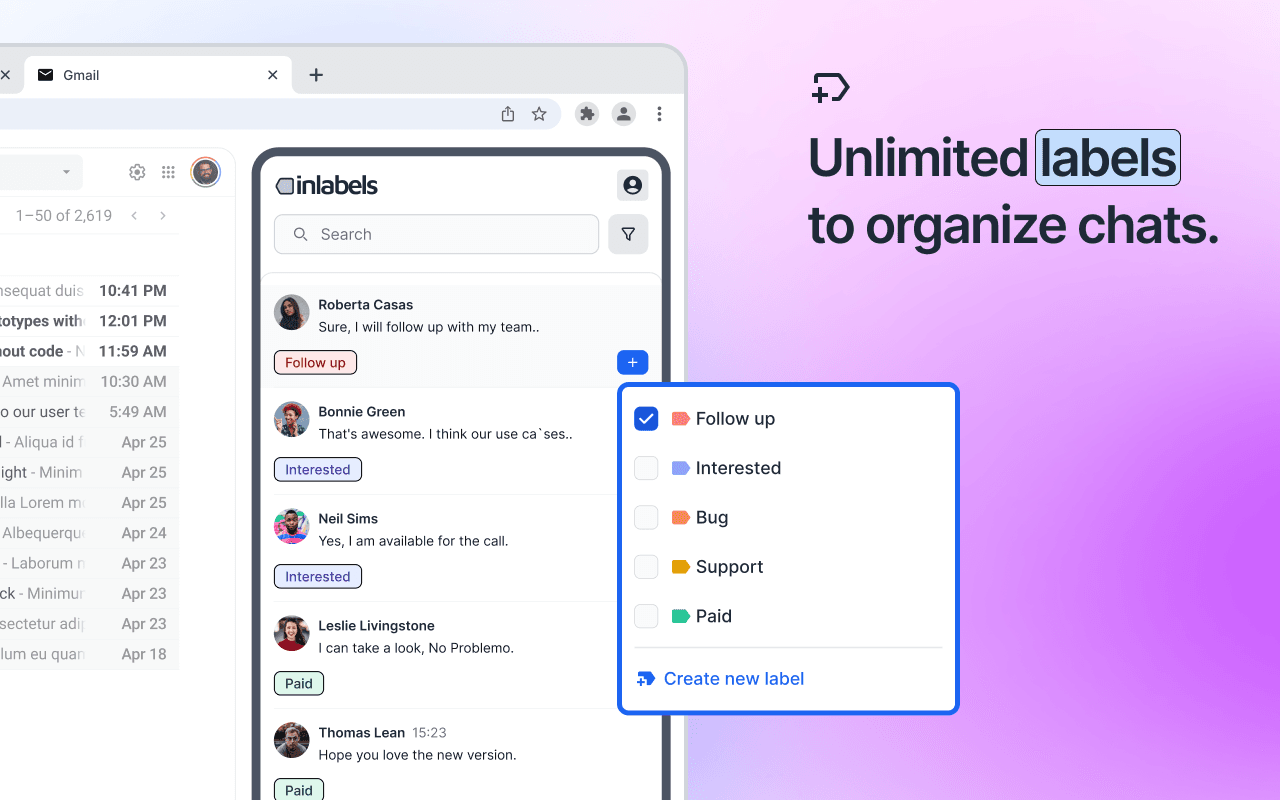
About this app
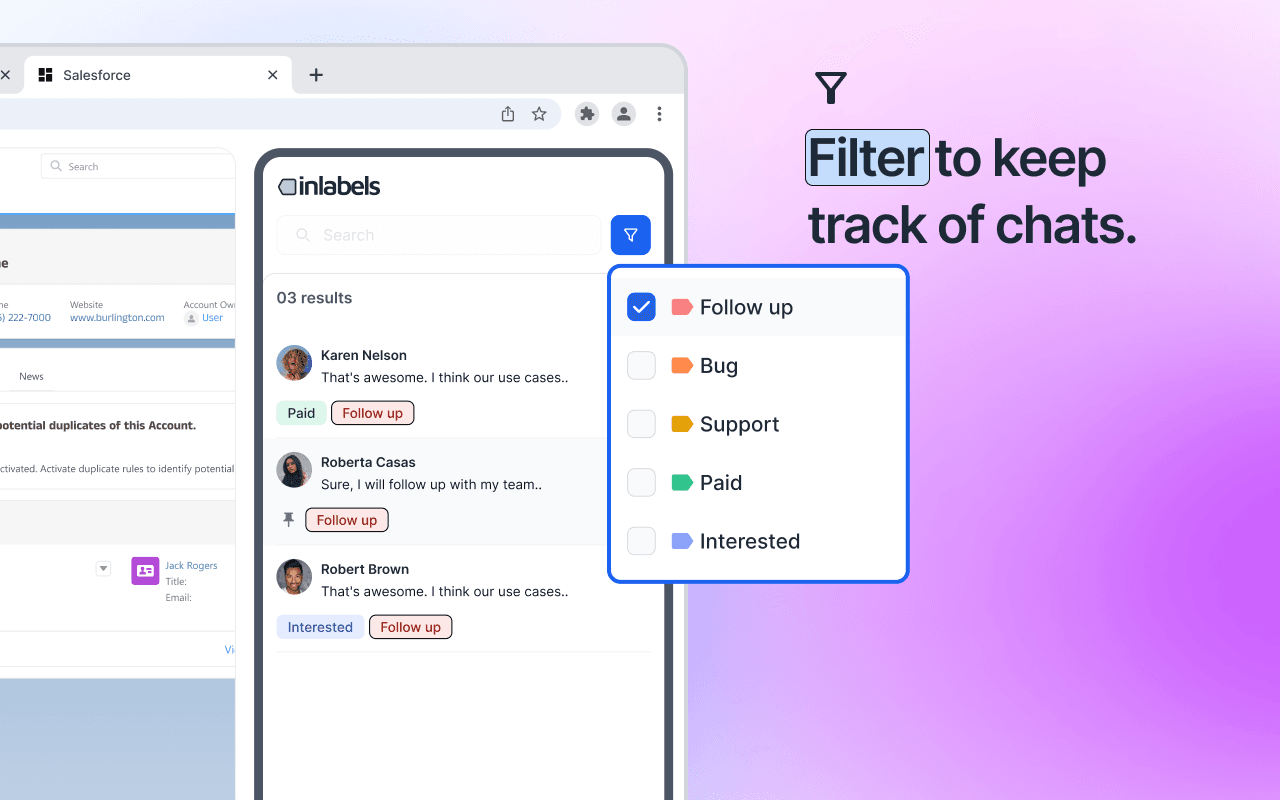
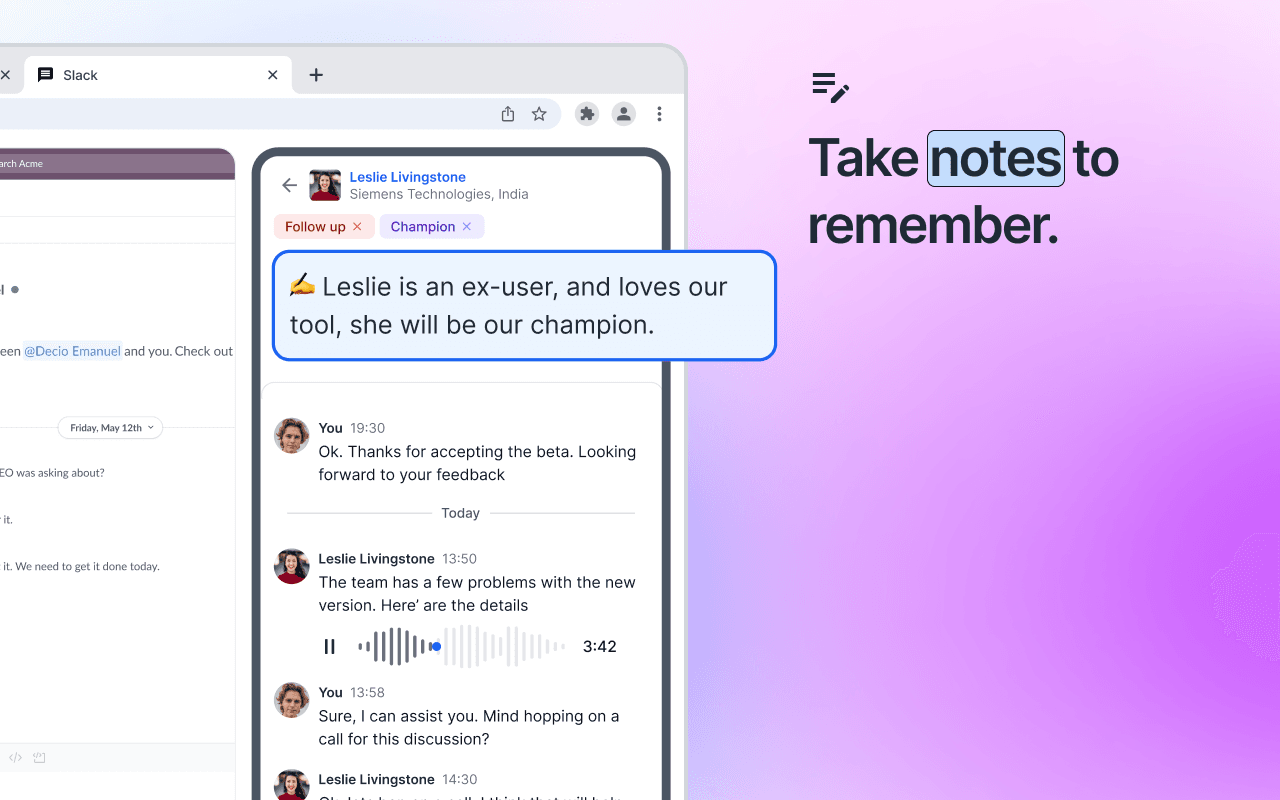
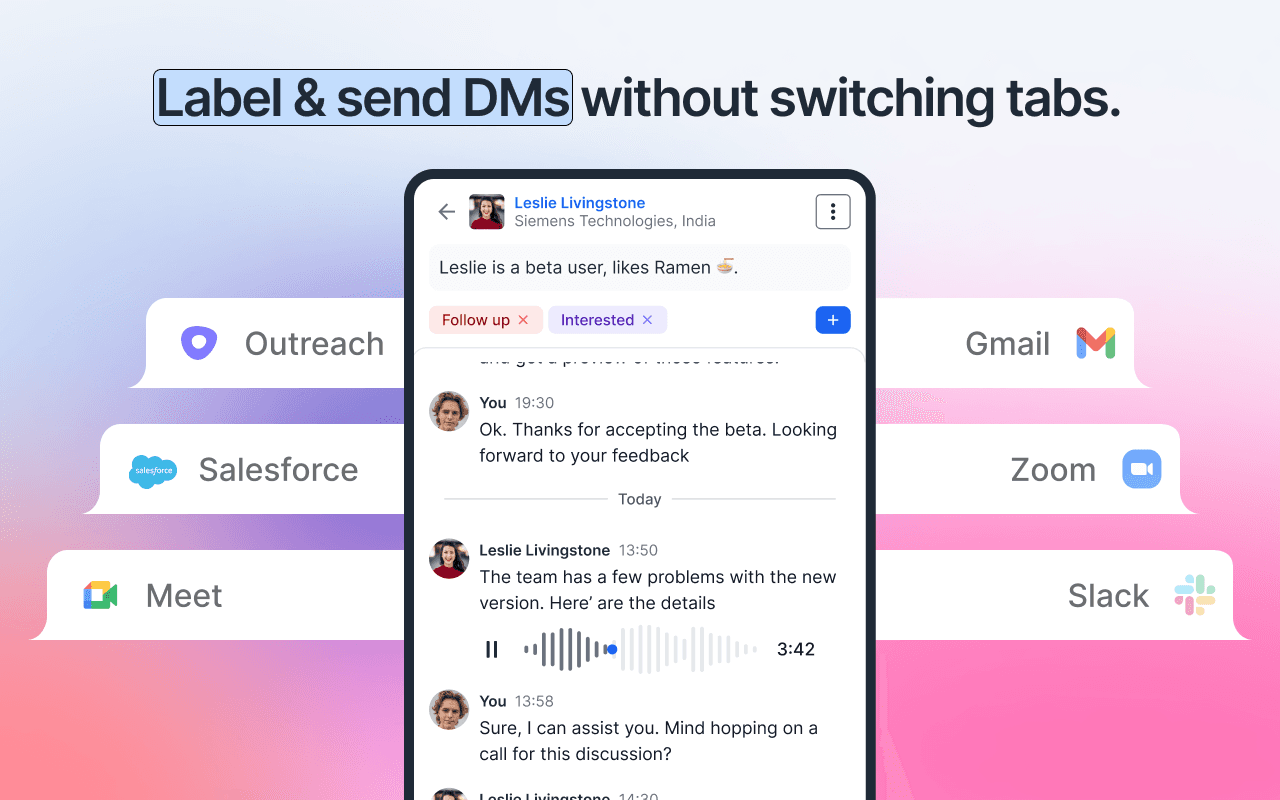
InLabels is a game-changer for sales teams drowning in LinkedIn messages. As a Chrome extension, it seamlessly integrates into LinkedIn's interface, offering features like AI-assisted labeling, a side-inbox for pipeline management, and reminder systems. It's designed to eliminate tab-switching and boost productivity for SDRs, AEs, and startup founders by organizing conversations and tracking responses without automation. With a free tier and intuitive design, it's a must-try for anyone serious about sales outreach on LinkedIn.
Key features
- 1Seamless LinkedIn integration with intuitive UI and natural extension feel
- 2Exceptional workflow design eliminating tab-switching with minimal learning curve
- 3Lightweight execution with near-zero lag and no impact on LinkedIn loading
Target customer profile
Drawn from the product itself, not from a survey.
Demographic
Sales Development Reps (SDRs)
Pain points
Drowning in unstructured LinkedIn messages, losing track of follow-ups, inefficient context-switching between tabs
Primary needs
Conversation organization, response tracking, time-saving message management
Demographic
Account Executives (AEs)
Pain points
Manual prospect tracking in spreadsheets, missed touchpoints, unpersonalized outreach
Primary needs
CRM-like functionality within LinkedIn, reminder systems, quick access to conversation history
Demographic
Startup Founders
Pain points
Limited sales resources, need for scalable but personal outreach, messy prospect management
Primary needs
Lightweight CRM alternative, visual pipeline management, integration with existing tools
Scout Review
Written by AI from measured evidence, scored out of 100.
InLabels transforms LinkedIn into a legitimate sales platform without the typical bloat of CRM overlays. It excels at its core mission of eliminating context-switching while maintaining the personal touch that makes LinkedIn outreach effective. The free tier offers substantial value, making it easy to test before committing.
Measure by measure
Usability
94Exceptional workflow design eliminates tab-switching friction with minimal learning curve
Design
90Seamless LinkedIn integration with intuitive visual organization and natural extension feel
Speed
86Lightweight execution with near-zero lag and no observable impact on LinkedIn loading
Security
60Functional but lacks documentation on encryption and specific data handling policies
Accessibility
64Meets basic contrast needs but lacks screen reader optimization and full keyboard navigation
Growth
86High demand for LinkedIn sales tools with clear expansion paths to CRM sync and team features
Improvement areas
- Lacks detailed security documentation on encryption and data handling policies
- Insufficient accessibility features like screen reader optimization and keyboard navigation
- Limited browser support beyond Chrome, needs expansion to Firefox and Edge
Design & Usability
InLabels delivers one of the most seamless LinkedIn integrations I've tested. The UI feels like a natural extension rather than a bolted-on overlay, with colorful label badges appearing beside names and a collapsible side-inbox that slides in smoothly. The visual hierarchy is thoughtfully designed - urgent reminders get orange flags while notes appear as subtle paper icons. The workflow truly shines during actual conversations where you can simply type #LabelName to auto-create and organize. The minimal learning curve makes this accessible even for non-technical sales teams, though the settings menu requiring exit from LinkedIn feels like a slight misstep in an otherwise brilliantly native experience.
Speed & Security
Performance is impressively snappy with near-zero lag during labeling or note-taking operations. As a Chrome extension, it maintains LinkedIn's loading times without noticeable impact. However, security documentation is concerningly light - while the site mentions data stays locally stored until sync, there are no specifics on encryption methods or detailed data handling policies. The permissions requested align with functionality needs (read/write LinkedIn data), but privacy-conscious organizations will want clearer transparency before scaling usage across teams. No security breaches were found during research, but the lack of detailed documentation leaves room for improvement.
Accessibility & Growth
Basic accessibility needs are met with clear contrast ratios and legible fonts, but the extension lacks screen reader optimization and full keyboard navigation support. Language options mirror LinkedIn's offerings without additional localization. The growth potential is substantial given the massive demand for LinkedIn sales productivity tools. Clear expansion paths exist for CRM integrations, team collaboration features, and mobile companion apps. The manual-first approach avoids the pitfalls of automation tools while addressing genuine pain points for sales professionals drowning in unstructured conversations.
Conclusion
If you're a sales professional spending hours daily in LinkedIn messages trying to track conversations, InLabels feels like discovering a secret productivity weapon. It won't replace your full CRM, but for teams that live in LinkedIn, it eliminates the brutal tab-switching that kills outreach momentum. Give it a week and you'll wonder how you managed with spreadsheets and manual tracking.
Suggestions for improvement
- Publish a detailed security whitepaper explaining data storage and encryption practices.
- Develop full keyboard navigation for accessibility compliance.
- Expand browser support beyond Chrome to Firefox and Edge.
- Create a mobile companion app for on-the-go access.
- Integrate the reminder system with calendar APIs for better workflow integration.
- Add basic team collaboration features for shared labeling systems and visibility.
Alternatives comparison
Named competitors, point by point. Nobody paid to appear here or to be left out.
 InLabels |  HubSpot Sales Chrome Extension |  Salesloft |  Dooly | |
|---|---|---|---|---|
| LinkedIn Native Integration | Seamless embedded experience | Basic overlay functionality | Platform switching required | Limited LinkedIn integration |
| AI-Powered Labeling | Yes, with auto-creation | No AI labeling | No AI labeling | No AI labeling |
| Side-Inbox Pipeline View | Collapsible native panel | No dedicated inbox view | Separate platform required | Note-focused without pipeline |
| Pricing Tier | Free tier available | Premium pricing | Enterprise pricing | Premium pricing |
HubSpot Sales Chrome Extension
Offers email tracking and basic CRM features but lacks LinkedIn-native labeling and the focused inbox approach.
Salesloft
Robust sales engagement platform but requires full platform switching rather than seamless LinkedIn integration.
Dooly
Note-taking focused solution without InLabels' AI labeling or LinkedIn-native workflow enhancements.
Comparing options? See InLabels alternatives, scored side by side
More CRM Software apps
View all CRM Software
Puzzly – B2B Lead Generation & Sales Intelligence Platform
92Puzzly is an all-in-one B2B lead generation platform that...

Notion
92All-in-one AI workspace for docs, projects, and knowledge...

NudgeWin
89Automated quote follow-up for trades and service businesses.

Vendor Space
88Vendor Space is an all-in-one vendor management platform ...

Ledgo CRM
88AI-powered CRM: every chat, call and inquiry in one place.

TempGuru
87Managed event staffing across the US and Canada with loca...

The Salon Ads Studio
87Salon Ads Studio builds and runs your Google Ads. Right now, people a few streets from your door are on Google looking for exactly what you do.

Nautis
87Nautis is an AI-native operating system that helps founders manage finance, fundraising, sales, teams, and operations with an AI Chief of Staff.

RouteRobin
87AI-powered lead generation calendar platform that capture...

FollowIncome
86Business workspace for solo founders and small teams.

ProviderOps
86NDIS provider management software for small Australian teams to roster workers, capture service records and prepare invoices.

AirLST
86Event management software for corporate events: invitations, registration, guest lists, check-in, seating and event apps in one platform.


A platform dedicated to providing unbiased reviews of newly launched applications, analyzing everything from their features to their full potential.
info@scoutforge.net© 2026 Scoutforge. All rights reserved.
