Is this your app?
Claim JMMG Tools to manage its page, add your badge and see your traffic — free, and it stays free.
Cycling through all six. Tap any point to stop.
Measured on six things
A free web-based toolkit with utilities like converters, calendars, and more for everyday tasks.
Design
60Minimalistic functional interface with basic colors and list-based layout, though visually dated compared to modern web standards.
Screenshots
1 / 1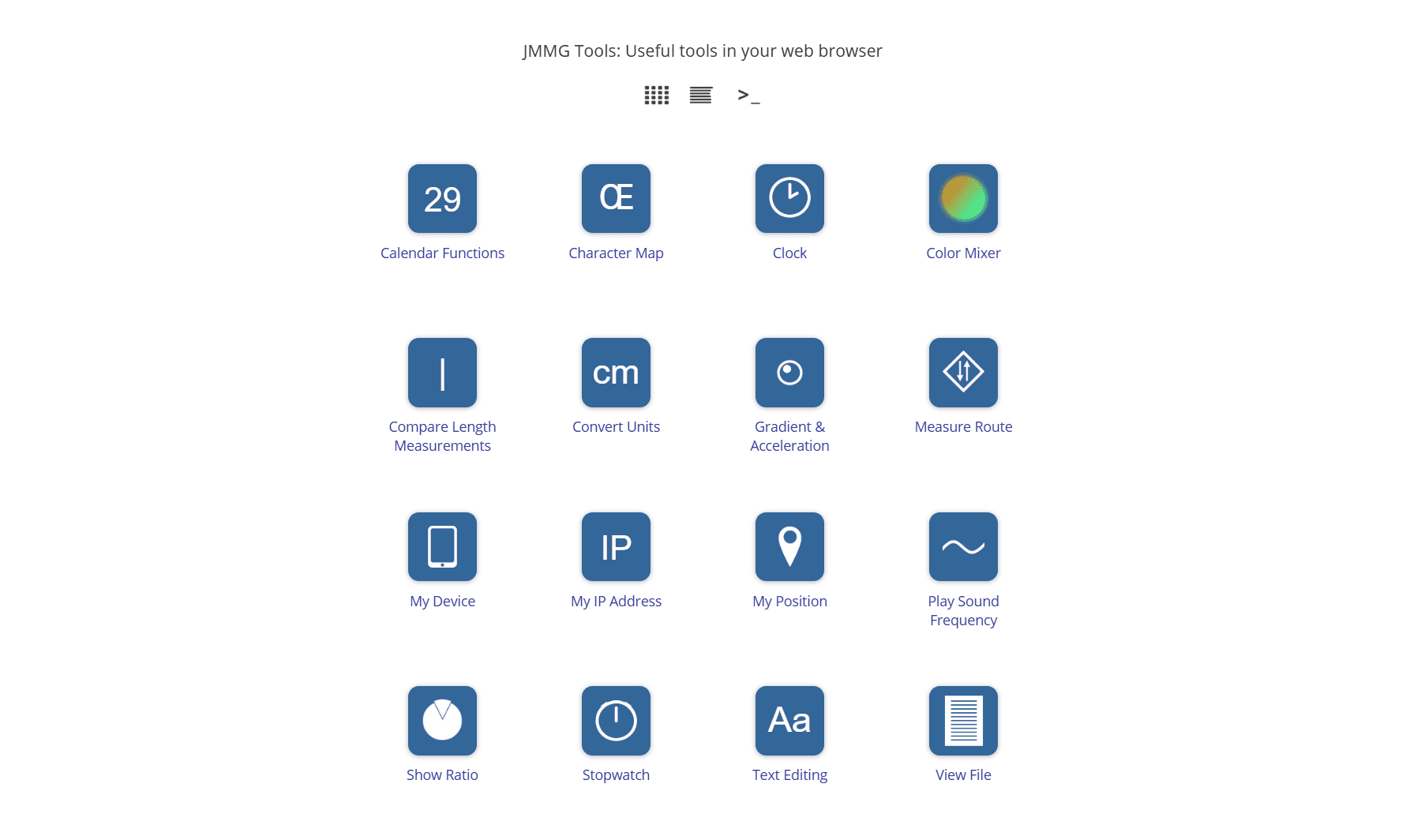
About this app
JMMG Tools is a versatile collection of web-based utilities that I've found incredibly handy for quick, no-download-needed tasks. As a tech enthusiast always on the lookout for efficient solutions, this app bundles tools like unit converters, calendars, stopwatches, route mappers, and even unique features like a gradient measurer and sound frequency player. It's designed for users who value simplicity and accessibility, targeting students, professionals, and anyone needing on-the-go productivity boosts without app clutter. The site loads fast and offers a straightforward experience, though the design could use a modern touch. Overall, it's a reliable digital Swiss Army knife for handling everyday chores, making it a go-to for free, web-based efficiency.
Key features
- 1Comprehensive unit converters for quick measurement calculations
- 2Integrated calendar and time management utilities
- 3Unique tools like gradient measurer and sound frequency player
Target customer profile
Drawn from the product itself, not from a survey.
Demographic
Students and Educators
Pain points
Need quick access to tools for assignments or classes without installing software; often work on shared or limited devices.
Primary needs
Free, easy-to-use utilities for calculations, time management, and text editing.
Demographic
Office Workers and Professionals
Pain points
Require efficient tools for daily tasks like unit conversion, scheduling, or IP checks; prefer web-based solutions to avoid app clutter.
Primary needs
Web-based access, no installation required, variety of tools for productivity.
Demographic
General Users and DIY Enthusiasts
Pain points
Seek quick solutions for personal projects or daily tasks without committing to downloads; want tools that are simple and fast.
Primary needs
Free, accessible utilities for home use, hobbies, and basic problem-solving.
Scout Review
Written by AI from measured evidence, scored out of 100.
JMMG Tools succeeds as a practical digital Swiss Army knife for everyday tasks, offering reliable performance and straightforward utility access. It's particularly valuable for users who need quick solutions without the overhead of app installations or complex interfaces.
Measure by measure
Usability
80Intuitive navigation with straightforward tool access and clear labels, making it easy for quick task completion.
Design
60Minimalistic functional interface with basic colors and list-based layout, though visually dated compared to modern web standards.
Speed
80Fast loading with responsive performance for most web-based tools, thanks to lightweight design and instant tool responses.
Security
70Minimal data handling with no login requirements reduces risks, though privacy policies aren't prominently highlighted.
Accessibility
60Basic English-only interface works on standard browsers but lacks screen reader support or adaptive features for diverse users.
Growth
70Solid foundation with potential for expansion through additional tools and user-centric updates in the growing web utility market.
Improvement areas
- Modern visual design and user interface refresh
- Enhanced accessibility and multi-language support
- User personalization and account features
Design & Usability
JMMG Tools takes a no-frills approach to design that prioritizes function over form. The interface features a straightforward list-based layout with basic color schemes that won't win any design awards but gets the job done efficiently. Navigation is intuitive - each tool opens in its own dedicated page with clear labeling, making it easy to jump between utilities without confusion. While the visual design feels dated compared to contemporary web applications, the simplicity actually works in its favor for quick task completion. The lack of visual hierarchy and icons might slow down users hunting for specific tools, but overall, it's a practical approach that serves its purpose well for on-the-go productivity.
Speed & Security
Performance-wise, JMMG Tools delivers where it counts - speed. The site loads quickly and most tools respond instantly, thanks to its lightweight web architecture. During testing, everything from unit converters to calendars operated smoothly without noticeable lag. Security is appropriately basic for this type of utility collection; since no personal data is stored and logins aren't required, the risk exposure is minimal. However, tools that display IP addresses and geographical information might raise privacy eyebrows for some users. The absence of prominently displayed privacy policies is a minor concern, though the nature of the tools themselves doesn't typically involve sensitive data processing.
Accessibility & Growth
Accessibility is where JMMG Tools shows its limitations. The English-only interface and text-based design work adequately for standard browser users but offer little for those requiring screen readers, multiple languages, or adaptive features. It's functional for basic web navigation but misses opportunities for broader inclusivity. Growth potential, however, is promising. The foundation of bundled utilities addresses a genuine need in the productivity space, and there's clear room for expansion through additional tools, user customization options, and mobile optimization. The free, web-based model positions it well for capturing users who prefer lightweight solutions over app downloads.
Conclusion
If you're a student, remote worker, or anyone who regularly needs quick conversions, timekeeping, or basic productivity tools without the fuss of downloads, JMMG Tools is worth bookmarking. It won't dazzle you with cutting-edge design, but it will reliably handle those everyday digital chores that pop up unexpectedly. For a free, no-commitment toolkit that gets straight to the point, this one delivers solid value.
Suggestions for improvement
- Modernize the UI with icons and visual categorization to improve tool discovery and navigation efficiency
- Implement multi-language support and screen reader compatibility to serve global and diverse user bases
- Add user accounts for saving favorite tools and preferences to enhance personalization
- Develop mobile-specific utilities and optimize the companion app for better on-the-go usage
Alternatives comparison
Named competitors, point by point. Nobody paid to appear here or to be left out.
 JMMG Tools JMMG Tools |  Online Tools Online Tools |  ConvertWorld ConvertWorld |  TimeAndDate TimeAndDate | |
|---|---|---|---|---|
| Tool Variety and Scope | Moderate collection with unique tools like gradient measurer | Extensive collection with 1000+ utilities including image editing | Specialized focus on conversion tools only | Time and date-focused utilities without broader tool range |
| Ease of Use and Learning Curve | Very low learning curve with straightforward interface | Higher learning curve due to extensive feature set | Simple interface focused on single task type | Moderate complexity with specialized time tools |
| Design Modernity and Visual Appeal | Basic, dated interface prioritizing function over form | More modern design with better visual organization | Clean, functional design optimized for conversion tasks | Professional, well-designed interface for time utilities |
Online Tools
A comprehensive platform with over 1000 utilities for image editing, text manipulation, and more, though it may have a steeper learning curve.
ConvertWorld
Specialized site offering individual tools like converters, but lacks the bundled convenience of JMMG Tools.
TimeAndDate
Focused on time and date-related utilities, providing similar tools but without the all-in-one approach.
Comparing options? See JMMG Tools alternatives, scored side by side
More Productivity apps
View all Productivity
Vibe Coding Agent Skills
92A free, open-source platform offering 110 AI agent skills...

Puzzly – B2B Lead Generation & Sales Intelligence Platform
92Puzzly is an all-in-one B2B lead generation platform that...

Qamarero
92An all-in-one hospitality software for restaurants and ba...

StoryPad
92Privacy-first open source journal app with a continuous t...

The Stack Newsletter
92A weekly newsletter delivering curated tech jobs, intervi...

Notion
92All-in-one AI workspace for docs, projects, and knowledge...

EmbedMyReviews
92White-label reputation management software for agencies s...

QRBliss
91Branded QR codes with AI Brand Sync, 15 free dynamic code...

CC Switch
91Open-source desktop app for switching AI coding providers...

Gerty
91Private, local AI assistant for Mac that runs offline

username.md
90One verified handle for your online identity, readable by...

BACKLNK
90Backlnk is a free SEO and AI visibility website: 15 website checks, a full audit as a PDF report, and guides to get found in search and AI answers.


A platform dedicated to providing unbiased reviews of newly launched applications, analyzing everything from their features to their full potential.
info@scoutforge.net© 2026 Scoutforge. All rights reserved.
