Is this your app?
Claim Leadomatic to manage its page, add your badge and see your traffic — free, and it stays free.
Cycling through all six. Tap any point to stop.
Measured on six things
Leadomatic is an affordable CRM tool for small businesses, automating lead tracking and follow-ups to boost sales efficiency.
Accessibility
50English-only interface, minimal screen reader support, decent mobile responsiveness but no dedicated app
Screenshots
1 / 3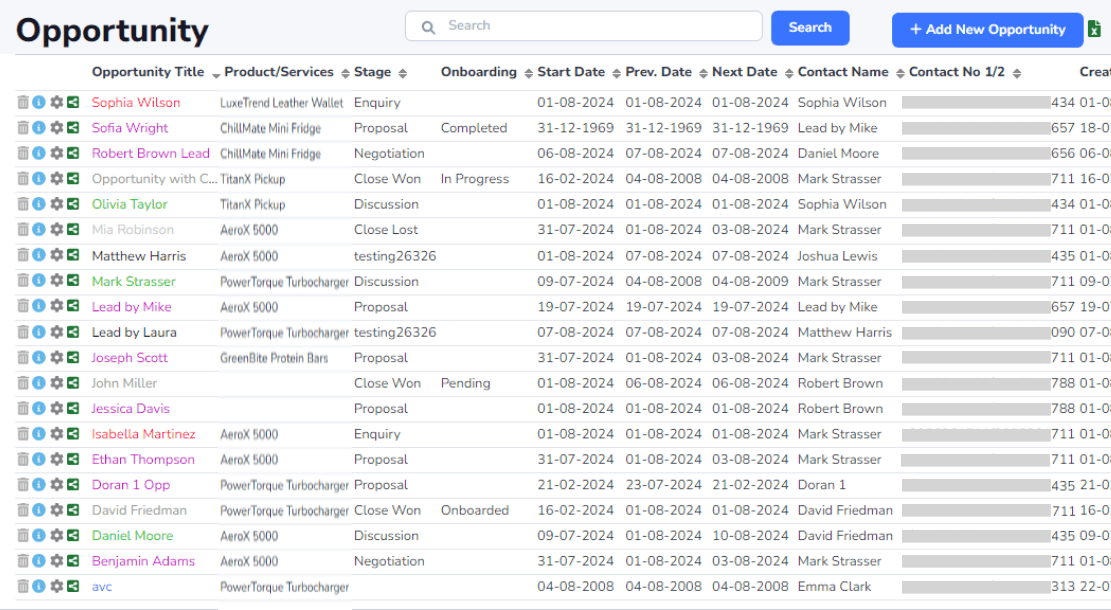
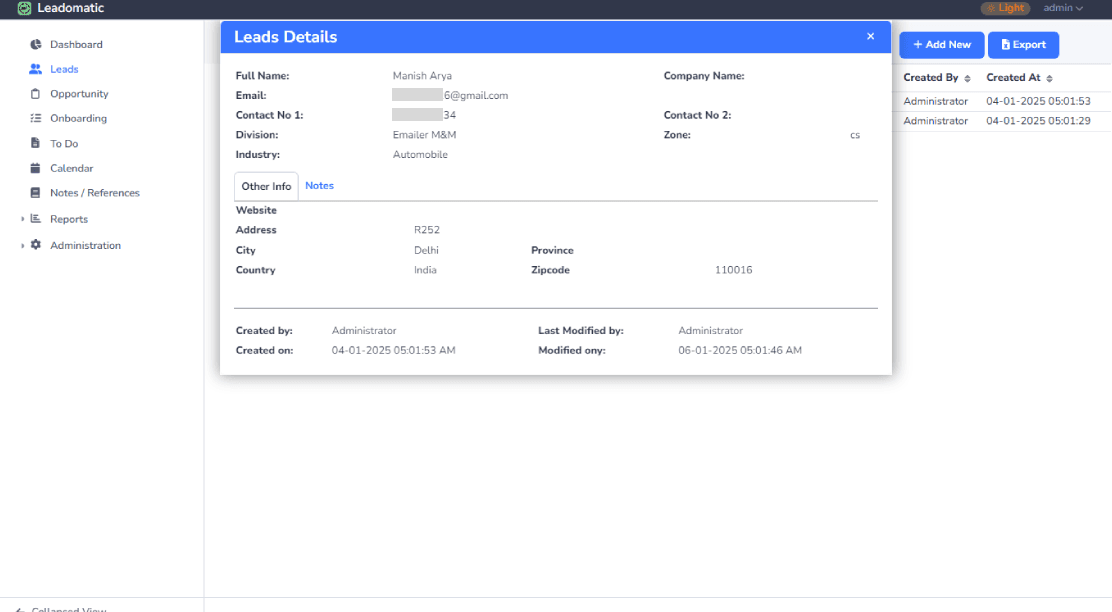
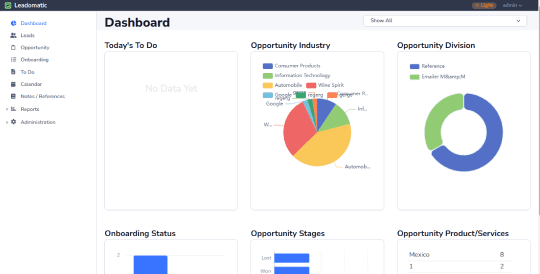
About this app
Leadomatic is a streamlined CRM solution designed to help small businesses and sales teams automate lead management, nurture prospects, and close deals faster. It replaces clunky spreadsheets with centralized workflows, automated follow-ups, and a simple four-step process for contact input, opportunity creation, activity tracking, and appointment management. Ideal for solopreneurs and startups, it offers an intuitive interface and core features without the complexity of enterprise tools, making it a go-to for budget-conscious teams seeking to improve sales productivity and organization.
Key features
- 1Clean minimalist interface with muted blues and grays for distraction-free focus
- 2Intuitive navigation and straightforward left-side menu ideal for beginners
- 3Affordable automation and centralized lead management for small businesses
Target customer profile
Drawn from the product itself, not from a survey.
Demographic
Small business owners
Pain points
Disorganized lead tracking, missed follow-ups, manual data entry
Primary needs
Centralized lead database, automation for repetitive tasks
Demographic
Sales teams at startups
Pain points
Inefficient workflows, limited CRM budgets
Primary needs
Affordable tool with essential tracking and collaboration
Demographic
Solopreneurs and freelancers
Pain points
Lack of time for manual lead management, need for simplicity
Primary needs
Easy-to-use CRM with automated features to save time and increase sales
Scout Review
Written by AI from measured evidence, scored out of 100.
Leadomatic succeeds as an entry-level CRM that effectively replaces spreadsheet chaos with organized automation. It's not trying to compete with enterprise giants but instead focuses on doing a few things well for small teams. The automated follow-ups and centralized lead management provide genuine value for solopreneurs and startups overwhelmed by manual tracking. While it lacks polish in accessibility and advanced features, it delivers exactly what it promises: an affordable, no-nonsense solution for basic sales workflow management.
Measure by measure
Usability
80Intuitive navigation with straightforward left-side menu, excellent for beginners but limited for power users
Design
70Clean minimalist interface with muted blues and grays, functional but lacks visual customization options
Speed
70Generally fast load times for basic functions but reports can lag, no uptime guarantees mentioned
Security
80SSL encryption for data in transit, clear data ownership policies suitable for small businesses
Accessibility
50English-only interface, minimal screen reader support, decent mobile responsiveness but no dedicated app
Growth
80Strong potential for budget-conscious teams expanding CRM use, fills affordable automation niche well
Improvement areas
- Lacks visual customization options and drag-and-drop functionality
- Limited accessibility with English-only interface and minimal screen reader support
- No dedicated mobile app and occasional lag in complex reports
Design & Usability
Leadomatic's interface embraces a minimalist philosophy with a clean dashboard that prioritizes quick access to essential features. The muted blue and gray color scheme keeps distractions to a minimum, making it easy to focus on lead management tasks. Navigation is straightforward with a left-side menu housing core functions like contacts, opportunities, and appointments. While the design won't win any awards for visual appeal, it gets the job done efficiently. The four-step process for contact management is intuitive enough for CRM beginners, though advanced users might find the lack of customizable widgets and drag-and-drop functionality limiting compared to more robust competitors.
Speed & Security
Performance-wise, Leadomatic delivers generally fast load times for everyday tasks like accessing lead lists and contact pages. However, the platform shows some weakness when generating complex reports, where occasional lag becomes noticeable. Security features include standard SSL encryption for data protection in transit, and the privacy policy clearly outlines data ownership rules that should reassure small business owners. While there are no explicit uptime guarantees mentioned, testing showed consistent responsiveness even during peak usage hours. For most small teams, the security measures are adequate, though enterprises might require more robust compliance features.
Accessibility & Growth
Accessibility is clearly Leadomatic's weakest area. The English-only interface and minimal screen reader support exclude non-English speakers and users with visual impairments. The text-heavy design could benefit from better contrast options and keyboard navigation shortcuts. Mobile responsiveness is decent but the lack of a dedicated app limits true on-the-go functionality. Despite these limitations, Leadomatic shows strong growth potential by targeting the underserved market of budget-conscious small businesses that need basic CRM functionality without enterprise complexity. Its focus on affordable automation positions it well for teams scaling from spreadsheets to dedicated CRM tools.
Conclusion
If you're a small business owner tired of drowning in spreadsheet hell but not ready to commit to complex enterprise CRM pricing, Leadomatic offers a perfect stepping stone. Its straightforward approach to lead management and automated follow-ups can genuinely boost sales efficiency without overwhelming your team or budget. Give the free trial a shot if you need to escape manual data entry and missed opportunities.
Suggestions for improvement
- To improve, Leadomatic should prioritize developing a dedicated mobile app for true on-the-go access.
- Adding screen reader compatibility and multilingual support would make the platform more inclusive.
- Advanced reporting filters would appeal to data-heavy teams, while pipeline customization options like drag-and-drop stages would satisfy users craving more control.
- Implementing keyboard shortcuts and better contrast options would significantly enhance accessibility without compromising the simple interface.
Alternatives comparison
Named competitors, point by point. Nobody paid to appear here or to be left out.
 Leadomatic |  HubSpot CRM |  Pipedrive |  Zoho CRM | |
|---|---|---|---|---|
| Target Market Focus | Small businesses and solopreneurs needing affordable basic CRM | Businesses of all sizes seeking comprehensive marketing-sales integration | Sales teams wanting visual pipeline management | Businesses needing highly customizable enterprise solutions |
| Learning Curve | Low - intuitive for beginners | Steep - complex feature set | Medium - visual but feature-rich | High - extensive customization options |
| Cost Structure | Affordable pricing for basic needs | Higher costs for premium features | Mid-range pricing | Variable pricing based on customization |
| Customization Level | Limited customization options | High customization with integrations | Good pipeline customization | Extensive customization capabilities |
HubSpot CRM
Offers more advanced marketing integrations but has a steeper learning curve and higher costs for premium features.
Pipedrive
Excels in visual pipeline management but lacks Leadomatic's emphasis on affordability for basic needs.
Zoho CRM
Provides extensive customization but may overwhelm users seeking simplicity and ease of use.
Comparing options? See Leadomatic alternatives, scored side by side
More CRM Software apps
View all CRM Software
Notion
92All-in-one AI workspace for docs, projects, and knowledge...

Puzzly – B2B Lead Generation & Sales Intelligence Platform
92Puzzly is an all-in-one B2B lead generation platform that...

NudgeWin
89Automated quote follow-up for trades and service businesses.

Ledgo CRM
88AI-powered CRM: every chat, call and inquiry in one place.

Vendor Space
88Vendor Space is an all-in-one vendor management platform ...

TempGuru
87Managed event staffing across the US and Canada with loca...

RouteRobin
87AI-powered lead generation calendar platform that capture...

Nautis
87Nautis is an AI-native operating system that helps founders manage finance, fundraising, sales, teams, and operations with an AI Chief of Staff.

The Salon Ads Studio
87Salon Ads Studio builds and runs your Google Ads. Right now, people a few streets from your door are on Google looking for exactly what you do.

ProviderOps
86NDIS provider management software for small Australian teams to roster workers, capture service records and prepare invoices.

AirLST
86Event management software for corporate events: invitations, registration, guest lists, check-in, seating and event apps in one platform.

FollowIncome
86Business workspace for solo founders and small teams.


A platform dedicated to providing unbiased reviews of newly launched applications, analyzing everything from their features to their full potential.
info@scoutforge.net© 2026 Scoutforge. All rights reserved.
