

A platform dedicated to providing unbiased reviews of newly launched applications, analyzing everything from their features to their full potential.
info@scoutforge.net© 2026 Scoutforge. All rights reserved.
A platform dedicated to providing unbiased reviews of newly launched applications, analyzing everything from their features to their full potential.
info@scoutforge.net© 2026 Scoutforge. All rights reserved.
A platform dedicated to providing unbiased reviews of newly launched applications, analyzing everything from their features to their full potential.
info@scoutforge.net© 2026 Scoutforge. All rights reserved.
Cycling through all six. Tap any point to stop.
Measured on six things
Turn your browser into a fullscreen light for any color, ...
Real problem (portable light source, night-vision red light, fill light) but the product spreads itself across lighting, pranks, and random utilities. BrightScreen and Screen Light already own the mobile niche; LightScreen's browser angle is the only wedge.
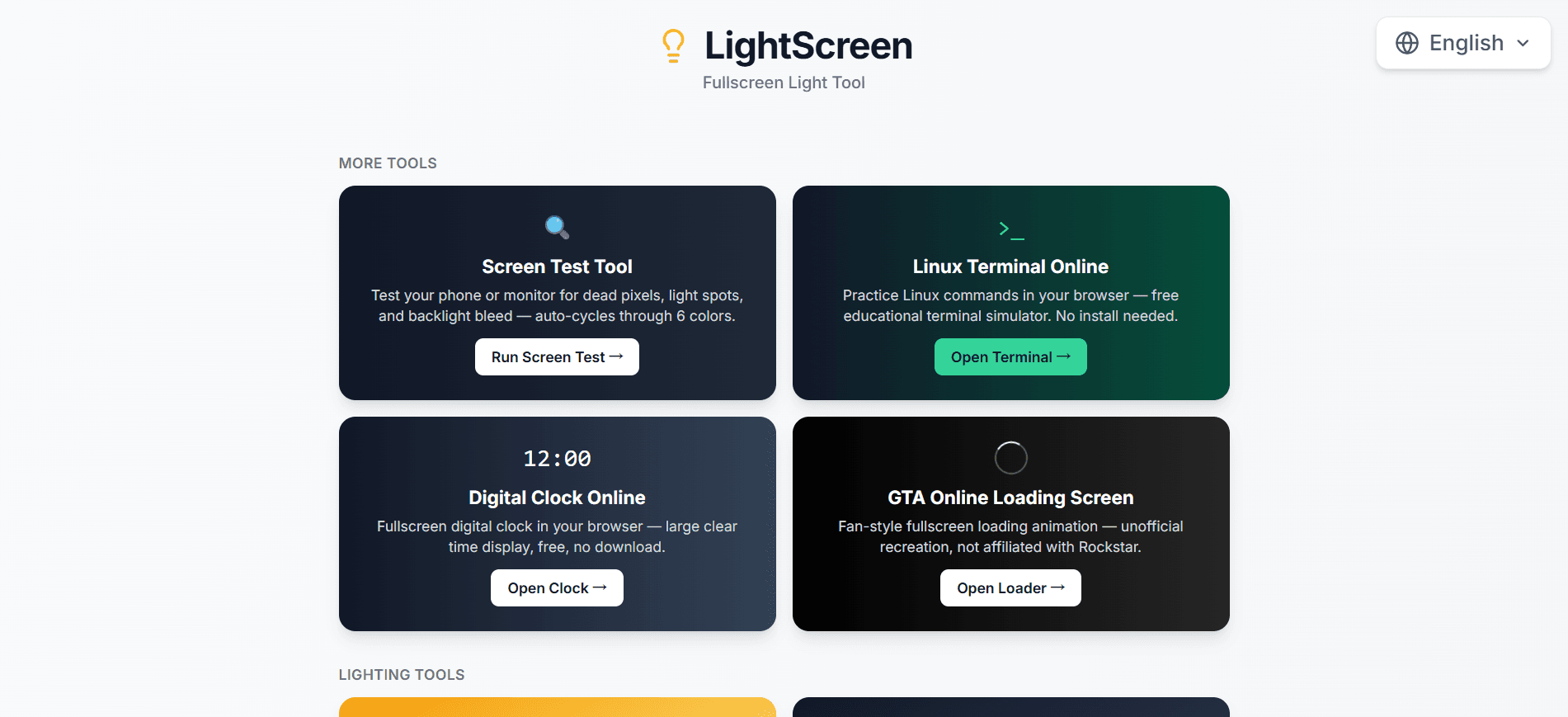
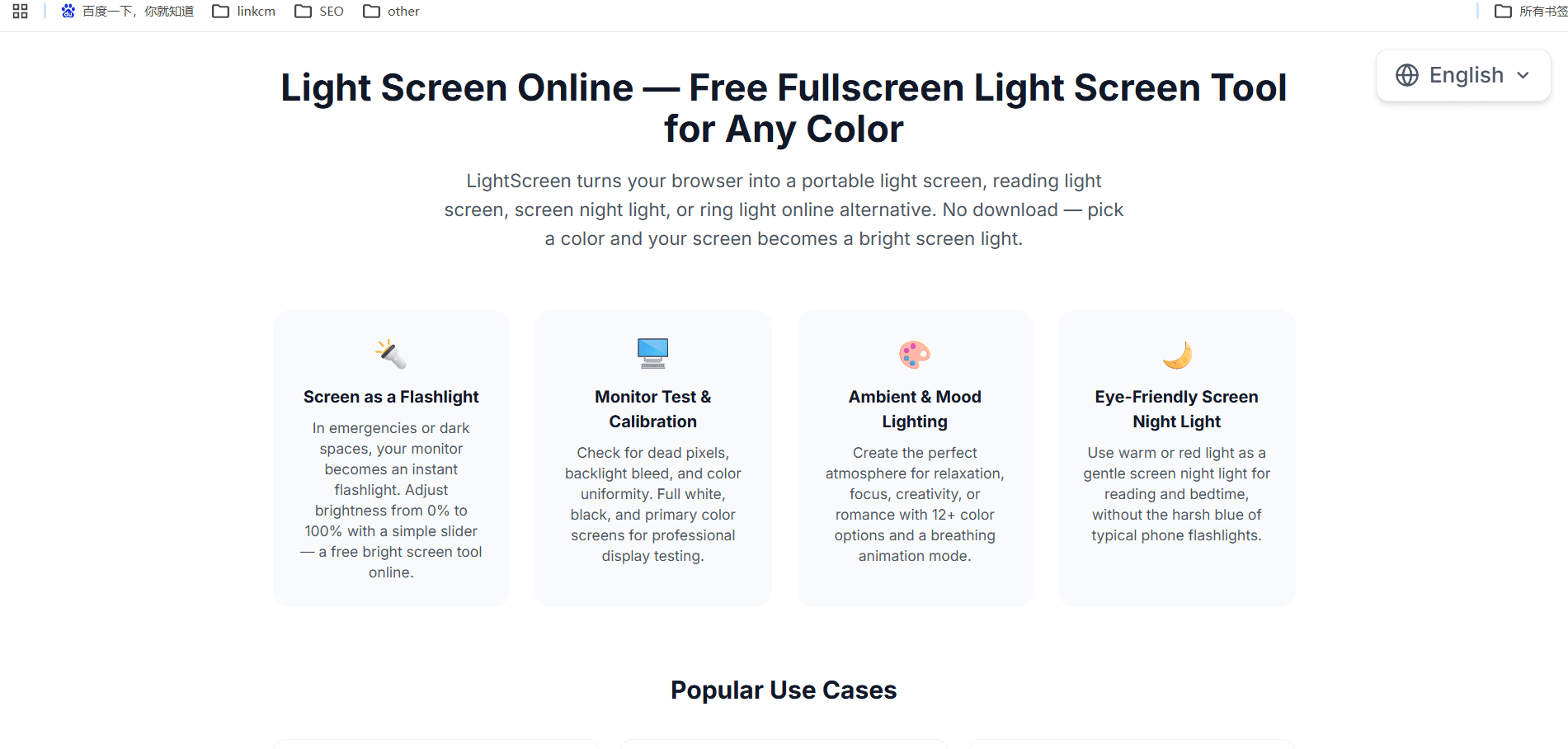
I've been using LightScreen for a few weeks now, and it's become an unexpectedly handy tool in my daily routine. Essentially, it turns your browser into a fullscreen light source—any color you can imagine. Whether you need a white screen as a makeshift flashlight, a warm light for reading before bed, or a red screen to preserve your night vision while stargazing, LightScreen has you covered. It's incredibly simple: just pick a color, and your entire screen fills with it. You can adjust brightness from 0% to 100% with a slider, and your preference is saved for next time. There are also fun scene modes like "Breathing" that cycles through colors with a gentle pulse, perfect for meditation or creating a calming ambiance. Other modes include Traffic Light, Police Light, and even a Spectrum Modem blink pattern. Beyond lighting, LightScreen offers practical tools like a screen test for dead pixels, a virtual ring light for video calls, and prank screens like fake updates or hacker termina...
Drawn from the product itself, not from a survey.
Demographic
Photographers and content creators
Pain points
Lack of proper lighting equipment, need for soft fill light
Primary needs
Portable, adjustable light source for portraits and videos
Demographic
Astronomers and stargazers
Pain points
White light ruins night vision, need red light for star charts
Primary needs
Red light screen to preserve dark adaptation
Demographic
Remote workers and students
Pain points
Poor lighting during video calls, eye strain from blue light
Primary needs
Adjustable fill light for webcam, warm light for reading
Demographic
Tech enthusiasts and pranksters
Pain points
Need for harmless prank screens, fake error messages
Primary needs
Realistic fake screens for fun and practical jokes
Written by AI from measured evidence, scored out of 100.
LightScreen is a browser-based fullscreen light tool that does one thing very well and about twenty things it didn't need to. The core flow — pick a color, screen fills, brightness slider, preference saved — is exactly as frictionless as it should be, and the color palette (warm light, red for night vision, UV, SMPTE bars) shows real thought about the actual use cases: stargazing, reading, photography fill light, OLED burn-in testing. The problem is the homepage, which buries that core under a tile grid of fake BSODs, fake Zoom calls, a Linux terminal, a DVD screensaver, and a QR generator. It reads like three products sharing a domain. Measured speed is the biggest concrete issue: 53/100 mobile Lighthouse with a 15.1s LCP on a page that should be instant. Security headers are minimal (4/12) though the risk is low for a no-login tool. Accessibility is strong at 96/100 with two fixable contrast/label failures. Growth is capped by the lack of focus — the browser-light wedge is real, but the product dilutes it.
Core flow is genuinely zero-friction: click a color, screen fills, brightness slider, preference saved. FAQ covers the basics. But the tool sprawl makes it unclear what LightScreen actually is versus what it's cosplaying as.
A dense tile grid mixing lighting, pranks, and random utilities (Linux terminal, DVD screensaver) under one brand. Color swatches with hex codes are a nice touch, but there's no visual hierarchy — everything shouts at once.
Lighthouse mobile 53/100 with a 15.1s LCP and 6.5s FCP. For a page whose entire purpose is to display a solid color, a 15-second load is a self-own. Desktop barely better at 56/100.
HTTPS and HSTS are in place, but that's where it stops: no CSP, no frame protection, no X-Content-Type-Options, no Referrer-Policy, no SPF or DMARC. Checklist scored 4/12. For a no-login static tool the risk is low, but the hygiene is thin.
Lighthouse accessibility 96/100 is a strong automated result. Two real failures: insufficient color contrast and visible text labels without matching accessible names. No a11y statement or WCAG mention found.
Real problem (portable light source, night-vision red light, fill light) but the product spreads itself across lighting, pranks, and random utilities. BrightScreen and Screen Light already own the mobile niche; LightScreen's browser angle is the only wedge.
LightScreen's design is a case study in scope creep. The core idea — click a color, fill your screen — is elegant and the hex-coded swatches show someone cared about the color tool specifically. But the homepage buries that under ~30 tiles spanning lighting tools, prank screens (fake BSOD, fake Zoom, fake Teams), and unrelated utilities (Linux terminal, digital clock, QR generator, DVD screensaver). There's no hierarchy telling you what the product actually is. Usability-wise the core flow is genuinely excellent: no signup, no download, click and go, brightness slider, preference saved. The FAQ answers the obvious questions. But the sprawl makes the product harder to describe than it should be, and the 'what is this' question gets answered by a wall of tiles instead of a clear hero. A tighter homepage with lighting front and center, pranks tucked into a sub-page, would serve both the design and the usability score.
Speed is the weakest measured dimension. Lighthouse mobile performance lands at 53/100 with an LCP of 15.1 seconds and FCP of 6.5 seconds; desktop is barely better at 56/100. For a page whose entire purpose is to render a solid color, that's a fundamental mismatch — the product promises instant light and delivers a loading spinner. CLS is 0 and TBT is a reasonable 291ms, so the problem is likely a heavy initial payload (probably the tile grid, icons, and any embedded assets) rather than runtime jank. Security is thin but not alarming: HTTPS is enforced with HSTS, which is the baseline that matters for a no-login tool. Beyond that, the header probe found no CSP, no frame protection, no X-Content-Type-Options, no Referrer-Policy, no Permissions-Policy, and no SPF or DMARC on the domain — 4/12 on the checklist. There's no user data to protect here, so the risk is mostly reputational and phishing-related (no DMARC means the domain is spoofable). Adding the standard header set is a one-afternoon fix.
Accessibility is a genuine strength on paper: Lighthouse scores 96/100, which is well above the median for indie tools. Two real failures remain — insufficient color contrast (ironic for a color tool) and visible text labels without matching accessible names. There's no accessibility statement or WCAG mention on the site, which is common for a tool at this stage but would be a cheap credibility win. Growth is the harder question. The underlying problem is real: people genuinely need a portable light source, red light for night vision, and fill light for video calls, and the browser-as-light angle is a legitimate wedge against mobile-only apps like BrightScreen and Screen Light. But the product's own material shows it doesn't know what it is — lighting tool, prank site, or utility grab-bag. The domain is only ~0.5 years old and social presence is limited to twitter and linkedin, so there's no traction story to lean on. The wedge is real; the focus isn't.
Conclusion
If you need a red screen for stargazing, a warm light for reading, or a fill light for a video call, LightScreen does the job and does it for free with no install. That's a real, useful thing and the color palette is well-chosen for it. The fix is not more features — it's fewer. Move the prank screens and the utility tools to sub-pages or a separate brand, put the lighting tool front and center with a proper hero, and fix the 15-second load. A page that shows one color should not take fifteen seconds to show one color. Do that and this becomes a genuinely good little tool instead of a bookmark folder that got ambitious.
Named competitors, point by point. Nobody paid to appear here or to be left out.
 LightScreen LightScreen |  BrightScreen BrightScreen |  Screen Light Screen Light | |
|---|---|---|---|
| Platform | Browser-based, no install, works on any device with a browser | iOS mobile app, requires App Store install | Android mobile app, requires Play Store install |
| Color selection | 12+ presets with hex codes plus scene modes (Breathing, RGB Cycle, Traffic Light, Police, Spectrum Modem) | Various colors for flashlight and ambient light use | Fullscreen colors for lighting purposes |
| Brightness control | 0-100% slider with saved preference | Adjustable brightness for flashlight and ambient modes | Brightness adjustment for fullscreen color display |
| Extra tools | Dead-pixel test, virtual ring light, Zoom fill light, QR generator, prank screens (BSOD, fake Zoom/Teams, hacker terminal) | Focused on flashlight and ambient light only | Focused on fullscreen color lighting only |
| Cost | Free, no account required | Free with possible in-app purchases | Free with possible ads or in-app purchases |
BrightScreen
A mobile app that turns your phone into a flashlight or ambient light with various colors.
Screen Light
An Android app offering fullscreen colors for lighting purposes.
Comparing options? See LightScreen alternatives, scored side by side

An all-in-one hospitality software for restaurants and ba...

A weekly newsletter delivering curated tech jobs, intervi...

White-label reputation management software for agencies s...

Privacy-first open source journal app with a continuous t...

Puzzly is an all-in-one B2B lead generation platform that...

All-in-one AI workspace for docs, projects, and knowledge...

A free, open-source platform offering 110 AI agent skills...

Open-source desktop app for switching AI coding providers...

One verified handle for your online identity, readable by...

Frame-perfect video-to-GIF maker that runs entirely in yo...

White-label website audits that close deals for digital a...

Automated quote follow-up for trades and service businesses.
A platform dedicated to providing unbiased reviews of newly launched applications, analyzing everything from their features to their full potential.
info@scoutforge.net© 2026 Scoutforge. All rights reserved.
