Cycling through all six. Tap any point to stop.
Measured on six things
Modern screenshot software with AI Auto Paste, Jira issue creation, OCR, and smart annotation
Design
58Clean dark theme with teal accents, but hero preview cropped and gradient screenshot feels disconnected. Solid but unremarkable.
Screenshots
1 / 1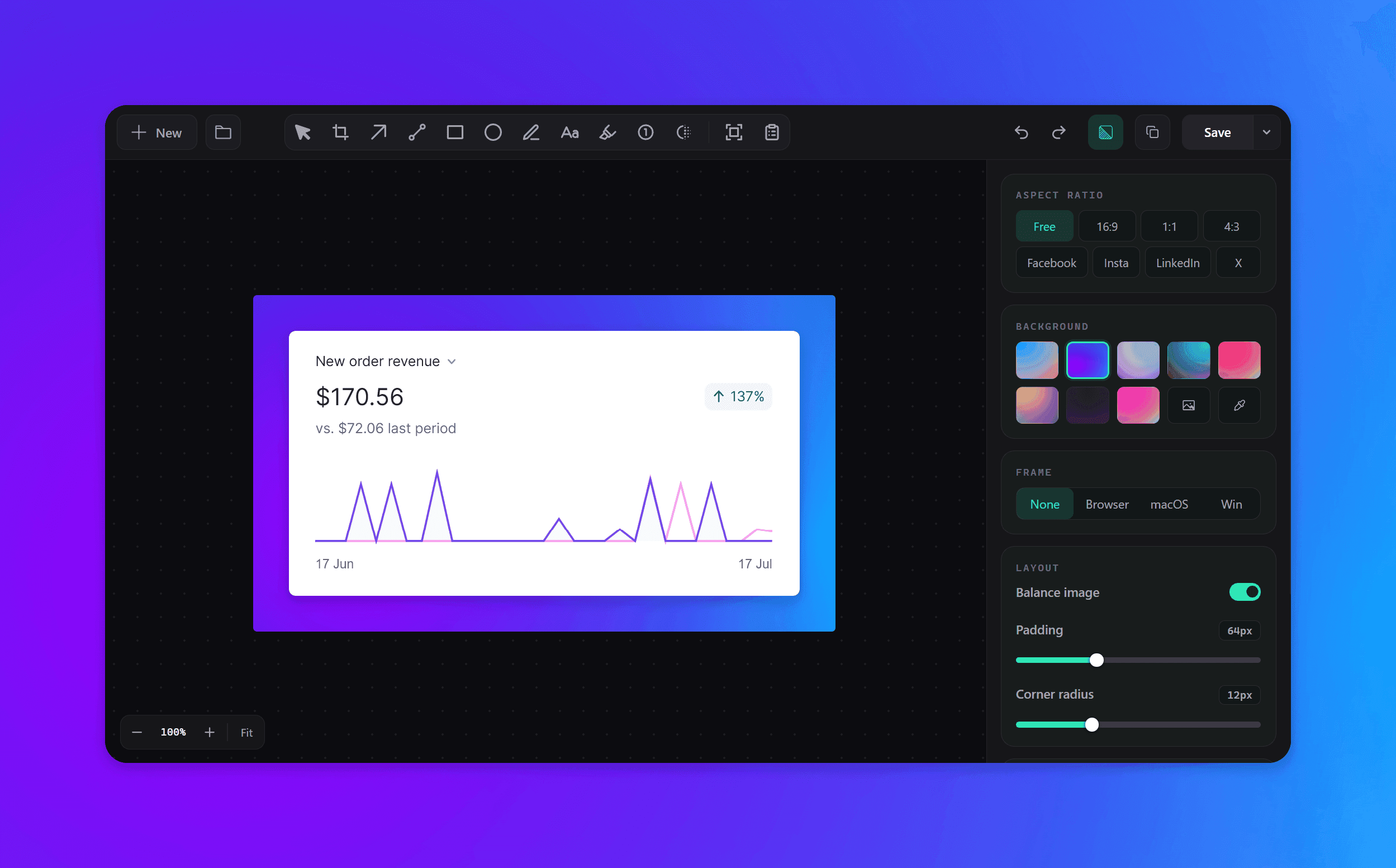
About this app
Lumshot is a modern screenshot and visual communication tool designed to help teams explain ideas faster. Capture screenshots, annotate them with professional tools, extract editable text using OCR, redact sensitive information, and share instantly. Its standout features include AI Auto Paste, which captures and sends screenshots directly into ChatGPT, Claude, Gemini, or other AI assistants with a single shortcut, and native Jira Issue Creation that turns annotated screenshots into well-formatted bug reports. Lumshot focuses on speed, clarity, and reducing repetitive work for developers, designers, QA engineers, customer support, and technical teams.
Key features
- 1AI Auto Paste: Send screenshots directly to ChatGPT, Claude, Cursor, and other AI tools with one shortcut.
- 2Native Jira Integration: Create well-formatted bug reports from annotated screenshots without leaving your workflow.
- 3OCR and Smart Redaction: Extract text from screenshots and automatically hide sensitive information before sharing.
Target customer profile
Drawn from the product itself, not from a survey.
Demographic
Developers, Designers, QA Engineers, Product Managers, Customer Support Teams
Pain points
Slow bug reporting, repetitive screenshots, and constant app switching
Primary needs
Faster screenshot annotation, AI Auto Paste, Jira issue creation, and seamless visual communication.
Scout Review
Written by AI from measured evidence, scored out of 100.
Lumshot is a promising screenshot tool for developers and teams, offering a clean dark UI, strong annotation tools, and unique features like AI Auto Paste and Jira integration. It's fast on desktop, secure with solid HTTP headers, and accessible with a perfect Lighthouse score. However, the mobile performance is a bit sluggish, the design has some rough edges (cropped hero preview, cluttered sidebar), and it lacks formal security certifications. The growth potential is real, but the product is very early and faces tough competition. Overall, it's a solid tool that could become a favorite with polish and community building.
Measure by measure
Usability
62Good docs and clear feature sections, but dual CTAs and cluttered sidebar hurt focus. Onboarding seems straightforward.
Design
58Clean dark theme with teal accents, but hero preview cropped and gradient screenshot feels disconnected. Solid but unremarkable.
Speed
68Lighthouse mobile 82, desktop 93. LCP 4.8s is a bit slow but TBT is low. Site feels snappy overall.
Security
72Strong HTTP headers (12/12), HTTPS enforced, HSTS, CSP, DMARC. No SOC 2 or bug bounty, but solid basics for a new tool.
Accessibility
76Lighthouse a11y 100/100, skip-to-content link, keyboard navigable. No WCAG statement or multi-language, but strong automated score.
Growth
62Real pain point, clear differentiators (AI Auto Paste, Jira), but crowded market and early stage. Needs to prove wedge.
Improvement areas
- Mobile performance: LCP of 4.8s needs optimization for faster loading.
- UI polish: Hero preview crop and cluttered sidebar need refinement.
- Security certifications: No SOC 2 or bug bounty, which may deter enterprise adoption.
Design & Usability
Lumshot presents a clean, dark-themed interface with a teal accent that feels modern and cohesive. The hero section clearly communicates the value proposition, but the cropped app preview and the out-of-place 'License Manager' link in the nav detract from the polish. Usability is generally good: the docs are well-structured, covering installation, capture modes, annotation, OCR, AI workflows, and Jira integration. However, the dual CTAs in the hero ('Download Free' and 'View Pricing') are equally prominent, which can confuse first-time visitors about the primary action. The right sidebar in the product view is packed with controls without clear grouping, making it feel cluttered. Overall, it's a solid, functional tool that could benefit from sharper visual focus and a more guided onboarding flow.
Speed & Security
Performance is a mixed bag: Lighthouse mobile scores 82/100 with an LCP of 4.8s, which is on the slower side, but the desktop score is 93/100 and TBT is a low 43ms, indicating a responsive app once loaded. The site itself is lightweight and doesn't feel sluggish in practice. Security is a clear strength: the HTTP header probe shows HTTPS enforced, HSTS, CSP, frame protection, and all 12 checklist points are met. SPF and DMARC are also configured, which is good for email security. However, there's no mention of SOC 2, ISO certification, or a bug bounty program, which might be expected by enterprise users. For a new tool, the security basics are solid, but there's room to build trust with more formal compliance.
Accessibility & Growth
Accessibility is a highlight: the Lighthouse audit scored 100/100, and the site includes a skip-to-content link and semantic HTML. This suggests good keyboard navigation and screen reader support, though there's no explicit WCAG statement or multi-language options. Growth potential is promising but unproven. The problem Lumshot addresses—slow bug reporting and constant app switching—is real and painful for developers and QA teams. Its differentiators, AI Auto Paste and native Jira integration, are concrete and valuable. However, the market is crowded with established players like CleanShot X, and Lumshot is very early (domain registered in June 2026). It needs to execute on its wedge and build a community to gain traction.
Conclusion
If you're a developer or QA engineer tired of juggling screenshots, AI chats, and Jira, Lumshot is worth a try. The free tier is generous, and the Pro lifetime price is reasonable. It's not perfect—mobile load time and some UI quirks need work—but the core workflow is genuinely useful. Keep an eye on this one; it might just become your new favorite screenshot companion.
Suggestions for improvement
- Improve mobile LCP by optimizing hero image and using lazy loading.
- Add a clear primary CTA in the hero to guide new users to download.
- Group sidebar controls with visual separators or collapsible sections.
- Publish a WCAG accessibility statement and consider multi-language support.
Alternatives comparison
Named competitors, point by point. Nobody paid to appear here or to be left out.
 Lumshot Lumshot | CleanShot X | |
|---|---|---|
| AI Auto Paste | Yes, sends screenshots directly to AI assistants like ChatGPT, Claude, Cursor. | No native AI integration; requires manual copy-paste or third-party tools. |
| Jira Integration | Native Jira issue creation with auto-filled details from screenshots. | No native Jira integration; requires manual workflow or external tools. |
| OCR Text Extraction | Built-in OCR to extract editable text from screenshots. | No OCR feature; text extraction not supported. |
| Pricing Model | Free tier with watermark; Pro lifetime for $29 (one-time). | Paid app with one-time purchase; no free tier. |
| Platform Support | Windows only (desktop native). | macOS only. |
Comparing options? See Lumshot alternatives, scored side by side
More Productivity apps
View all Productivity
Puzzly – B2B Lead Generation & Sales Intelligence Platform
92Puzzly is an all-in-one B2B lead generation platform that...

Qamarero
92An all-in-one hospitality software for restaurants and ba...

EmbedMyReviews
92White-label reputation management software for agencies s...

StoryPad
92Privacy-first open source journal app with a continuous t...

Notion
92All-in-one AI workspace for docs, projects, and knowledge...

The Stack Newsletter
92A weekly newsletter delivering curated tech jobs, intervi...

Vibe Coding Agent Skills
92A free, open-source platform offering 110 AI agent skills...

QRBliss
91Branded QR codes with AI Brand Sync, 15 free dynamic code...

Gerty
91Private, local AI assistant for Mac that runs offline

Strukchad Property Management
91Property management for Kenyan letting agents: rent invoices raised every month, M-Pesa rent prompts to tenants, arrears tracking and landlord statements.

CC Switch
91Open-source desktop app for switching AI coding providers...

username.md
90One verified handle for your online identity, readable by...


A platform dedicated to providing unbiased reviews of newly launched applications, analyzing everything from their features to their full potential.
info@scoutforge.net© 2026 Scoutforge. All rights reserved.
