Cycling through all six. Tap any point to stop.
Measured on six things
A privacy-first macOS cleanup tool for finding duplicates...
Design
30The homepage reads as an unfinished template: the product name changes four times, copy from a file-converter product leaks in ('Outlook or Mail', 'PC's performance'), and the spec table contradicts itself on macOS support. Card grids are the one tidy element.
Screenshots
1 / 3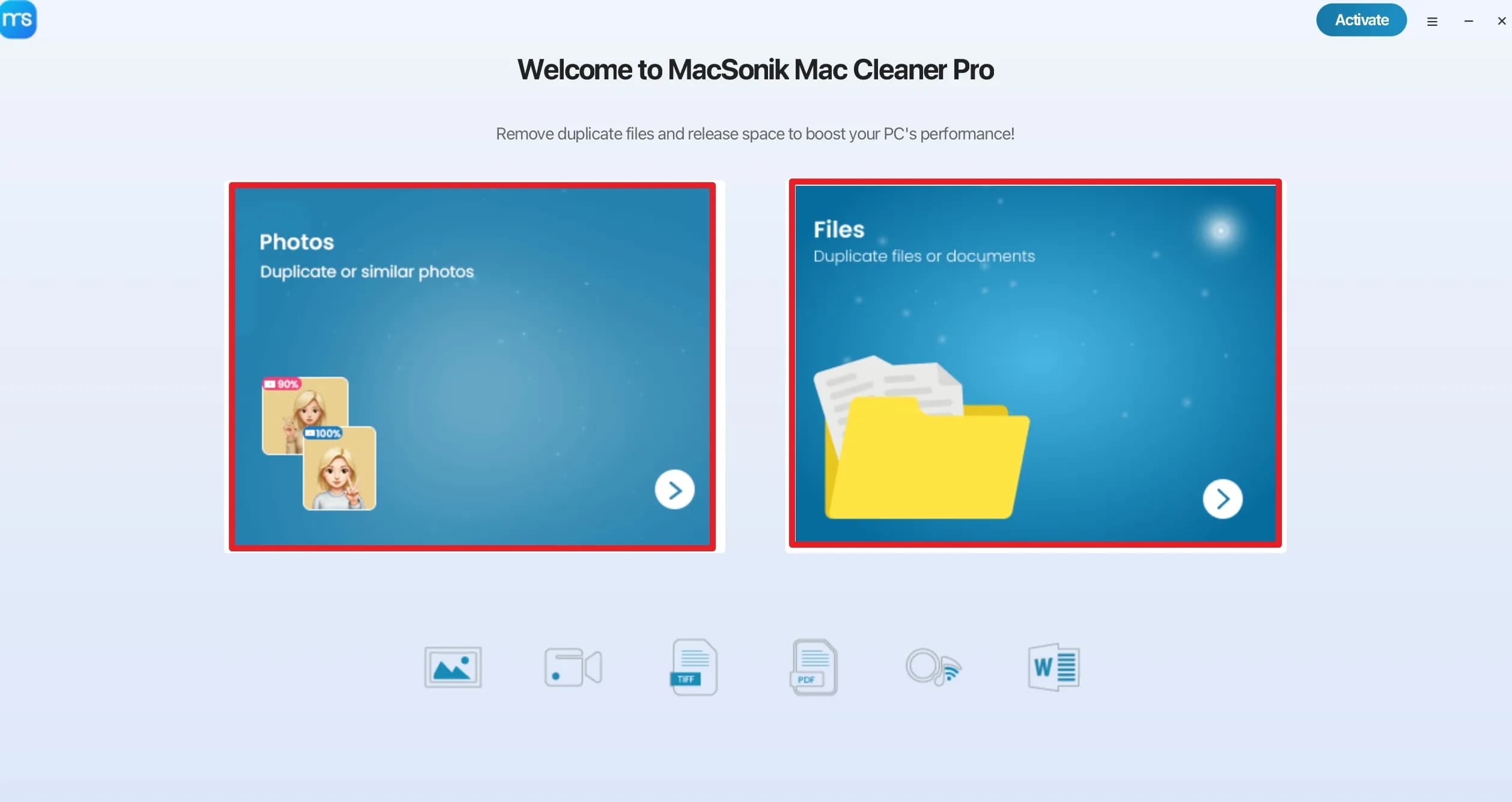
About this app
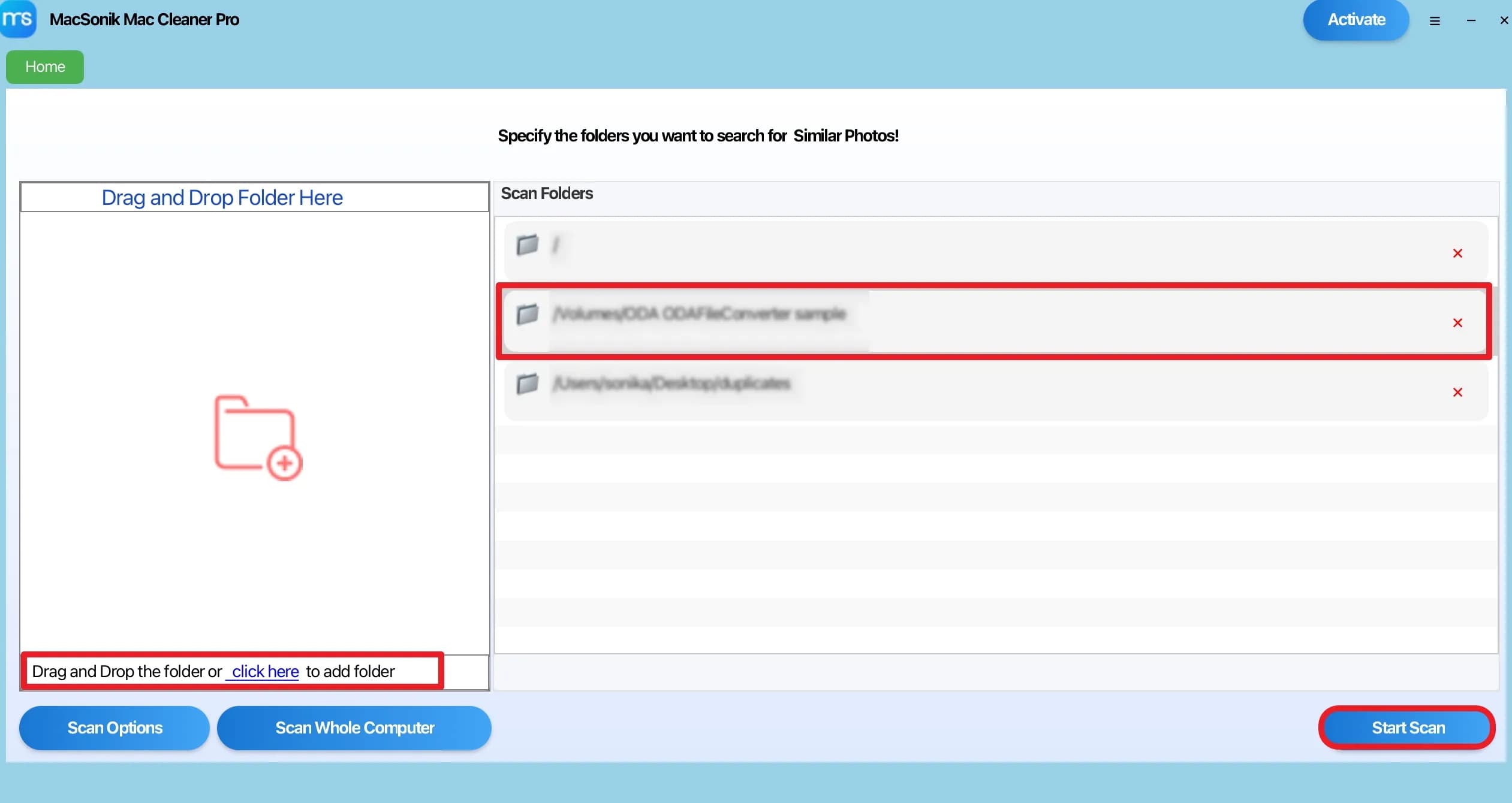
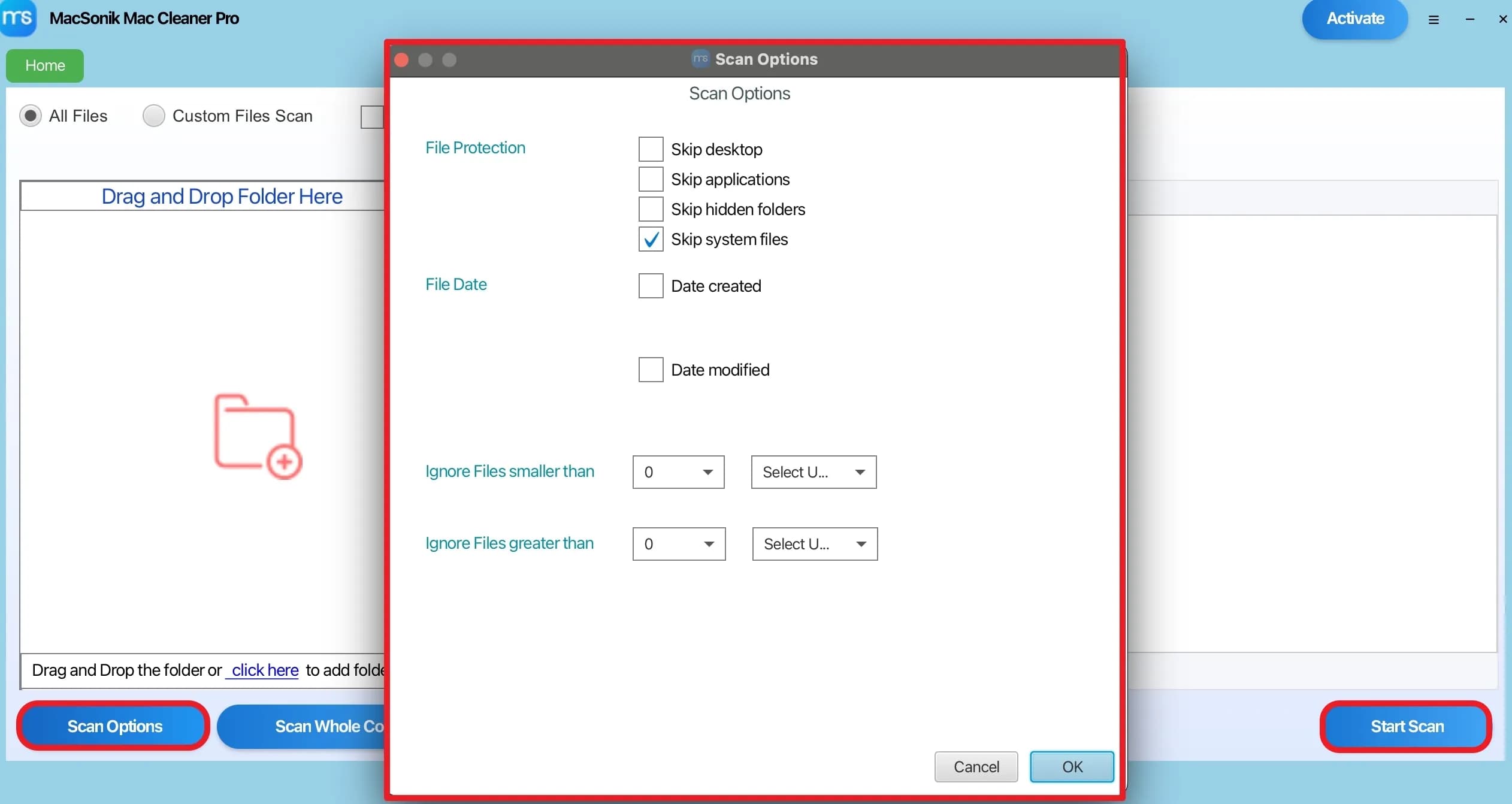
MacSonik Mac Cleaner Pro is a professional-grade macOS utility that helps individuals and teams reclaim disk space without risking important data. At its core, it scans your Mac (and any connected external drives) to surface duplicate documents, photos, videos, archives, and other redundant files, then gives you full control over what gets removed. What sets it apart from more aggressive cleaners is its preview-before-delete workflow: every file is listed with its name, size, location, and modification date, and nothing is removed without your explicit approval. A storage analytics dashboard highlights the folders and large files eating up your disk, while deep junk cleanup tackles temporary files, logs, and cache clutter. It supports a broad range of formats (DOC, PDF, XLS, PPT, JPG, PNG, ZIP, MP4, MP3, and more) and runs entirely locally—no cloud uploads, which is a genuine plus for privacy-conscious users. The interface is approachable for non-technical folks yet structured enoug...
Key features
- 1Duplicate file and photo detection with similarity threshold and minimum-size controls.
- 2Preview-before-delete workflow showing file name, size, location and modification date.
- 3Storage analytics dashboard highlighting large files and storage-heavy folders.
- 4Deep junk cleanup for temp files, logs and cache; external drive and shared storage support.
- 5Fully local scanning with no cloud uploads — a genuine privacy advantage.
Target customer profile
Drawn from the product itself, not from a survey.
Demographic
Enterprise IT administrators managing multiple Mac workstations
Pain points
Storage bloat across fleets, manual cleanup is time-consuming
Primary needs
Centralized duplicate detection and controlled, auditable cleanup
Demographic
Creative agencies and media production teams
Pain points
Duplicate exports, large media files, cluttered project folders
Primary needs
Fast scanning of large media libraries with preview-based removal
Demographic
Developers and software engineers
Pain points
Residual build files, cache folders, and temp data piling up
Primary needs
Selective cleanup of development clutter without touching source files
Demographic
Remote SaaS teams and business professionals
Pain points
Disorganized shared storage, repeated project files
Primary needs
Storage visibility and simple cleanup across internal and external drives
Scout Review
Written by AI from measured evidence, scored out of 100.
MacSonik Mac Cleaner Pro is a competent Mac cleanup utility wrapped in a homepage that undermines it. The underlying product has a real workflow — duplicate detection with preview, similarity thresholds, selective removal, external drive support — and the site is fast and technically well-secured. But the marketing page is a mess: inconsistent product naming, copy from a different product, a self-contradicting spec table, and mismatched icons. For a tool targeting enterprise IT administrators, that's a credibility problem before a single file gets scanned.
Measure by measure
Usability
58The guide documents a genuinely usable workflow — similarity threshold, minimum size, Auto Mark, Move selected — and download/purchase sit above the fold. But FAQ answers hide behind accordions and keyword-stuffed sections slow scanning.
Design
30The homepage reads as an unfinished template: the product name changes four times, copy from a file-converter product leaks in ('Outlook or Mail', 'PC's performance'), and the spec table contradicts itself on macOS support. Card grids are the one tidy element.
Speed
82Lighthouse mobile performance 93/100 with LCP 1.8s and TBT 52ms — genuinely snappy. Desktop drops to 78/100, the one soft spot. No app-level scan benchmarks published, so this measures the marketing site only.
Security
76Full 12/12 security-header checklist: HTTPS, HSTS, CSP, frame protection, Referrer-Policy, Permissions-Policy, plus SPF and DMARC. Local-only scanning is a real privacy plus. No SOC 2, ISO, or pen-test report published.
Accessibility
58Lighthouse 87/100, but failing audits include insufficient color contrast, non-sequential headings, links without discernible names, small touch targets, and no main landmark. No WCAG statement or a11y page found.
Growth
55A real problem (Mac storage bloat) with a specific wedge — preview-before-delete granularity — aimed at named segments. But CleanMyMac X, Gemini 2 and DaisyDisk already own the shelf, and nothing here is structurally hard to copy.
Improvement areas
- Inconsistent product naming and copy from a different product undermine brand credibility.
- Spec table contradicts itself on macOS support and lists an implausible release date.
- No published SOC 2, ISO 27001, or pen-test report for enterprise buyers.
- Accessibility gaps: contrast, heading order, unnamed links, small touch targets, no main landmark.
Design & Usability
Design is the weak link. The visual audit found the product named four different ways on one page, copy from a file-converter product bleeding in ('Outlook or Mail', 'conversion process'), and a spec table that lists macOS 10.13 next to a 10.15 minimum with an April 2026 release date. The card grids in the 'Who Needs' and 'Privacy-Focused Security' sections are the one polished element. Usability is better: the software guide documents a real workflow with similarity thresholds, Auto Mark, and Move selected, and download/purchase sit above the fold. But FAQ answers hide behind accordions and the feature sections repeat bolded keywords until scanning becomes work.
Speed & Security
Speed is the standout. Lighthouse mobile scored 93/100 with LCP 1.8s and TBT 52ms — the site is genuinely fast. Desktop drops to 78/100, which is the one soft spot, and no app-level scan benchmarks are published, so this measures the marketing site only. Security is solid on the technical side: a full 12/12 header checklist (HTTPS, HSTS, CSP, frame protection, Referrer-Policy, Permissions-Policy) plus SPF and DMARC. Local-only scanning with no cloud uploads is a real privacy plus for the target audience. What's missing is the compliance layer — no SOC 2, ISO 27001, or pen-test report published, which enterprise IT buyers will ask for.
Accessibility & Growth
Accessibility lands at 58: Lighthouse scored 87/100, but the failing audits are the ones that matter — insufficient color contrast, non-sequential heading order, links without discernible names, undersized touch targets, and no main landmark. There's no WCAG statement or accessibility page. Growth is a judgement on the idea: Mac storage bloat is a real, paying problem, and preview-before-delete granularity is a genuine differentiator against more automated cleaners. The target segments (enterprise IT, creative agencies, developers, SaaS teams) are named specifically. But the category is crowded — CleanMyMac X, Gemini 2 and DaisyDisk all occupy adjacent slots with far stronger brand recognition — and nothing here is structurally hard to copy.
Conclusion
If you're evaluating Mac cleaners, the preview-before-delete workflow is worth a look — it's a real answer to the 'aggressive cleaner deleted my stuff' complaint. But demand a current spec sheet and a security questionnaire before rolling it out to a fleet, because the public page won't answer either question reliably. The bones are fine; the packaging needs a rewrite.
Suggestions for improvement
- Pick one product name and use it everywhere — hero, headings, feature copy, spec table.
- Remove all file-converter and PC-platform copy ('Outlook or Mail', 'PC's performance') from the Mac-only page.
- Fix the spec table: one consistent macOS minimum, a real release date, no contradictions.
- Publish a security page with SOC 2 or ISO status, and add an accessibility statement with WCAG conformance.
Alternatives comparison
Named competitors, point by point. Nobody paid to appear here or to be left out.
 MacSonik Mac Cleaner Pro | CleanMyMac X | Gemini 2 |  DaisyDisk | |
|---|---|---|---|---|
| Duplicate file detection | Yes — documents, photos, videos, archives with similarity threshold | Yes — smart cleanup, more automated | Yes — core specialty, visual interface | No — disk analysis only |
| Preview before delete | Yes — name, size, location, date shown per file | Partial — review exists but more automated | Yes — visual duplicate review | N/A — analysis only |
| Storage analytics dashboard | Yes — categorized storage-heavy folders and large files | Yes — performance monitoring included | Limited — focused on duplicates | Yes — visual sunburst disk map, best-in-class |
| Junk / cache cleanup | Yes — temp files, logs, cache | Yes — core feature, plus malware removal | No — duplicates only | No — analysis only |
| Malware removal | No | Yes — built-in malware protection | No | No |
| Local-only scanning (no cloud) | Yes — explicitly stated | Yes — local processing | Yes — local processing | Yes — local processing |
CleanMyMac X
A polished all-in-one Mac cleaner from MacPaw with smart cleanup, malware removal, and performance monitoring; more automated than MacSonik but less focused on granular duplicate review.
Gemini 2
A MacPaw duplicate finder that specializes in locating and removing duplicate files and photos with a clean, visual interface.
DaisyDisk
A visual disk space analyzer that helps you see what's consuming storage; great for analysis but doesn't handle duplicate removal or junk cleanup.
Comparing options? See MacSonik Mac Cleaner Pro alternatives, scored side by side
More Productivity apps
View all Productivity
Qamarero
92An all-in-one hospitality software for restaurants and ba...

Puzzly – B2B Lead Generation & Sales Intelligence Platform
92Puzzly is an all-in-one B2B lead generation platform that...

The Stack Newsletter
92A weekly newsletter delivering curated tech jobs, intervi...

StoryPad
92Privacy-first open source journal app with a continuous t...

Vibe Coding Agent Skills
92A free, open-source platform offering 110 AI agent skills...

Notion
92All-in-one AI workspace for docs, projects, and knowledge...

EmbedMyReviews
92White-label reputation management software for agencies s...

QRBliss
91Branded QR codes with AI Brand Sync, 15 free dynamic code...

Strukchad Property Management
91Property management for Kenyan letting agents: rent invoices raised every month, M-Pesa rent prompts to tenants, arrears tracking and landlord statements.

CC Switch
91Open-source desktop app for switching AI coding providers...

Gerty
91Private, local AI assistant for Mac that runs offline

BACKLNK
90Backlnk is a free SEO and AI visibility website: 15 website checks, a full audit as a PDF report, and guides to get found in search and AI answers.


A platform dedicated to providing unbiased reviews of newly launched applications, analyzing everything from their features to their full potential.
info@scoutforge.net© 2026 Scoutforge. All rights reserved.
