Cycling through all six. Tap any point to stop.
Measured on six things
Convert Outlook PST files to MBOX and other formats on Ma...
Design
44Dated landing page: keyword-stuffed hero, 13-bullet spec sheet, floating product render, and visible typos ('3macOS versions', 'complaint conversion'). The app UI itself is clean and functional, but the marketing site undersells it.
Screenshots
1 / 2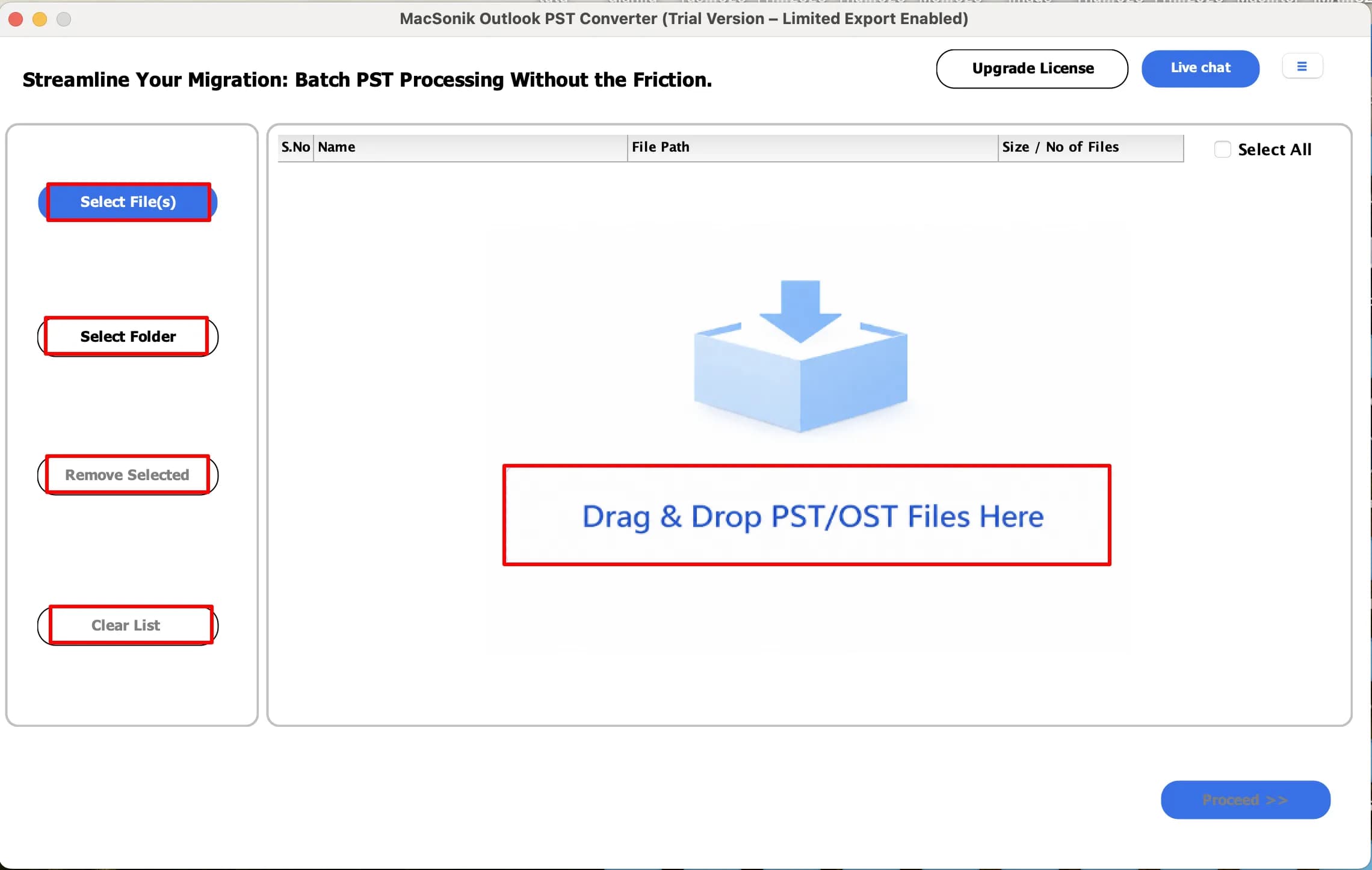
About this app
MacSonik PST to MBOX Converter is a dedicated desktop utility that migrates Microsoft Outlook PST files into MBOX format, along with EML, PDF, CSV, and other standard formats, on both Mac and Windows. What sets it apart is that it doesn't need Microsoft Outlook installed to run — you simply point it at your PST files and it does the rest. It handles both ANSI and UNICODE PSTs, supports bulk conversion with no file-size cap, and preserves the original folder hierarchy, metadata, and attachments so nothing gets scrambled in the move. You get a preview panel to inspect emails and attachments before committing, plus practical controls like a date filter for selective exports, duplicate removal based on To/From/Subject/Body/Bcc, and the choice to convert with or without attachments. Output can go to the same or a custom folder with your own naming. It plays nicely with MBOX-based clients like Thunderbird, Apple Mail, Eudora, and SeaMonkey, and covers Outlook versions from 2002 up through...
Key features
- 1Converts PST to MBOX (plus EML, PDF, CSV) without requiring Microsoft Outlook installed
- 2Bulk conversion with no file-size cap; handles ANSI and UNICODE PSTs
- 3Date filter, duplicate removal (To/From/Subject/Body/Bcc), and attachment on/off controls
- 4Preserves folder hierarchy, metadata, and attachments; preview panel before conversion
- 5Free demo exports 50 emails per folder; works on Mac and Windows
Target customer profile
Drawn from the product itself, not from a survey.
Demographic
IT administrators and enterprise migration teams
Pain points
Bulk PST migrations are slow, risk data loss, and disrupt operations
Primary needs
Reliable bulk conversion with preserved structure and zero downtime
Demographic
Professionals switching from Outlook to Thunderbird or Apple Mail
Pain points
No native way to open or import PST files into MBOX clients
Primary needs
A simple, accurate PST-to-MBOX conversion without installing Outlook
Demographic
Legal, compliance, and archival teams
Pain points
Need selective, deduplicated exports with intact metadata for records
Primary needs
Date filtering, duplicate removal, and verifiable data integrity
Scout Review
Written by AI from measured evidence, scored out of 100.
MacSonik PST to MBOX Converter is a competent desktop utility wrapped in a dated, typo-ridden marketing site. The app itself looks clear and functional, the free demo (50 emails per folder) is a fair way to test it, and the documentation walks through the full workflow. Speed and security headers are genuinely strong. The weak spots are the landing page design, accessibility gaps flagged by the audit, and a growth story that leans on features competitors can copy.
Measure by measure
Usability
62A documented 10-step workflow and a 50-email free demo make the tool easy to evaluate, and the app's empty state is clear. The site fights back: three competing download routes and FAQs collapsed behind accordions.
Design
44Dated landing page: keyword-stuffed hero, 13-bullet spec sheet, floating product render, and visible typos ('3macOS versions', 'complaint conversion'). The app UI itself is clean and functional, but the marketing site undersells it.
Speed
88Lighthouse mobile 97/100 (LCP 1.8s, TBT 9ms, CLS 0.076) and desktop 92/100. The site is genuinely fast — light, well-served, and snappy on both form factors.
Security
76Full security-header sweep passes 12/12: HTTPS enforced, HSTS, CSP, frame protection, SPF and DMARC all present. No published SOC 2, ISO, or bug-bounty program found, so compliance depth is unverified.
Accessibility
58Lighthouse a11y 85/100, but failing audits include insufficient color contrast, non-sequential headings, missing alt attributes, unnamed links, and no main landmark. No WCAG statement published.
Growth
54Real problem (Outlook-to-MBOX migration without Outlook installed) with named segments — IT admins, legal, archival. But it's a crowded converter category and the wedge is narrow.
Improvement areas
- Dated, typo-ridden landing page with a cluttered hero and competing CTAs
- Accessibility gaps: missing alt text, no main landmark, low contrast, unnamed links
- No published security certifications or compliance documentation
- Narrow differentiation in a crowded PST-to-MBOX converter market
Design & Usability
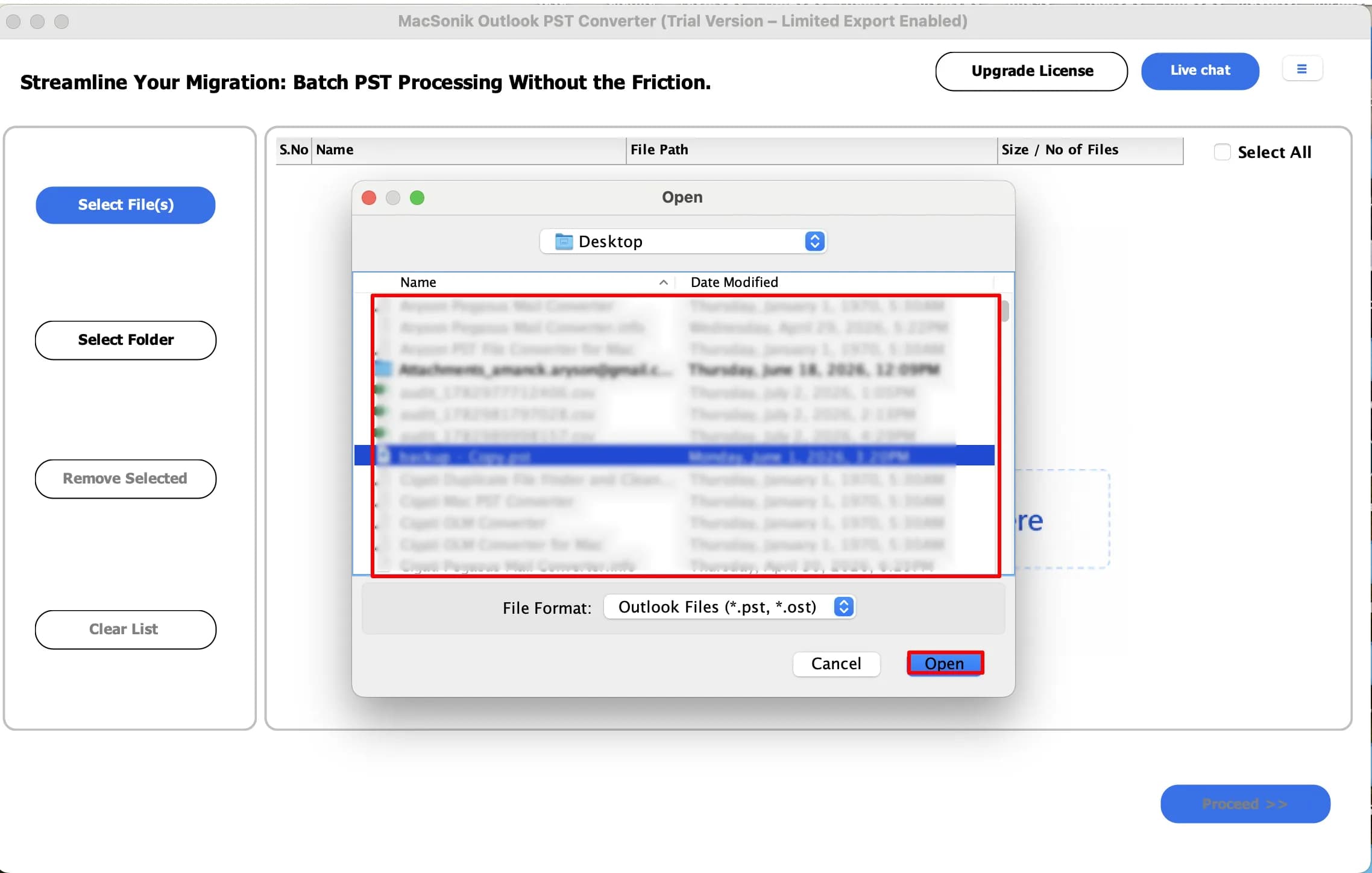
The app UI screenshots are actually the best-looking thing here: a clear action rail, a central drop zone, a greyed-out Proceed button that tells you what to do next. The landing page is the problem — a dense hero with 13 checkmark bullets, a small product render floating in empty space, and typos like '3macOS versions' and 'complaint conversion' that undercut the 'trusted by professionals' line. Usability is decent where it counts: a documented 10-step workflow and a 50-email free demo let you evaluate before buying. But the site puts three download routes in one row and buries the macOS setup answers in collapsed accordions.
Speed & Security
Speed is the standout: Lighthouse mobile 97/100 with a 1.8s LCP, 9ms TBT, and 0.076 CLS; desktop 92/100. The site is light and snappy on both form factors, with no lag complaints in the collected evidence. Security is solid on the technical side — HTTPS enforced, HSTS, CSP, frame protection, SPF and DMARC all present, a clean 12/12 on the header checklist. What's missing is the paperwork: no SOC 2, ISO, pen-test disclosure, or bug-bounty program found, so the 'data confidentiality' claim rests on headers alone.
Accessibility & Growth
Accessibility scores 85/100 on Lighthouse but the failing audits are the ones that matter: insufficient color contrast, non-sequential headings, missing alt attributes, links without discernible names, and no main landmark. No WCAG statement is published. Growth is a judgement call: the problem is real — migrating PST to MBOX without Outlook installed — and the segments are named (IT admins, legal, archival). But the converter category is crowded with SysTools and Aid4Mail, and the differentiator (no Outlook required, no file-size cap) is a feature, not a moat. Six years of domain age and a single YouTube profile suggest modest traction.
Conclusion
If you need PST-to-MBOX conversion without installing Outlook and want to test before paying, the free demo makes this worth a look. Just don't judge it by the hero — the app is better than the page selling it.
Suggestions for improvement
- Fix visible typos on the homepage ('3macOS versions', 'complaint conversion', 'Desired Path or Save in Same') — they directly undercut credibility.
- Consolidate the three hero download routes into one primary CTA with a clear Mac/Windows toggle.
- Add alt text to images, a main landmark, and fix color contrast to clear the failing Lighthouse a11y audits.
- Publish a security/compliance page (SOC 2 status, data-handling policy) to back the confidentiality claims.
Alternatives comparison
Named competitors, point by point. Nobody paid to appear here or to be left out.
 MacSonik PST to MBOX Converter |  SysTools PST to MBOX Converter |  Aid4Mail | |
|---|---|---|---|
| Works without Microsoft Outlook installed | Yes | Yes | Yes |
| Free trial / demo available | Yes — 50 emails per folder | Yes — limited demo | Yes — trial mode |
| Bulk / batch conversion | Yes, no file-size cap | Yes | Yes |
| Date filter and duplicate removal | Yes — date filter + dedupe by To/From/Subject/Body/Bcc | Yes — date range and dedupe options | Yes — filtering and dedupe supported |
| Platform coverage | Mac and Windows | Windows (Mac variant available) | Windows and Mac |
SysTools PST to MBOX Converter
A well-known commercial converter for migrating Outlook PST files to MBOX with batch support and preview options.
Aid4Mail
A versatile email conversion and migration tool that supports PST to MBOX along with many other mailbox formats.
Comparing options? See MacSonik PST to MBOX Converter alternatives, scored side by side
More Productivity apps
View all Productivity
Qamarero
92An all-in-one hospitality software for restaurants and ba...

Puzzly – B2B Lead Generation & Sales Intelligence Platform
92Puzzly is an all-in-one B2B lead generation platform that...

The Stack Newsletter
92A weekly newsletter delivering curated tech jobs, intervi...

StoryPad
92Privacy-first open source journal app with a continuous t...

Vibe Coding Agent Skills
92A free, open-source platform offering 110 AI agent skills...

Notion
92All-in-one AI workspace for docs, projects, and knowledge...

EmbedMyReviews
92White-label reputation management software for agencies s...

QRBliss
91Branded QR codes with AI Brand Sync, 15 free dynamic code...

Strukchad Property Management
91Property management for Kenyan letting agents: rent invoices raised every month, M-Pesa rent prompts to tenants, arrears tracking and landlord statements.

CC Switch
91Open-source desktop app for switching AI coding providers...

Gerty
91Private, local AI assistant for Mac that runs offline

BACKLNK
90Backlnk is a free SEO and AI visibility website: 15 website checks, a full audit as a PDF report, and guides to get found in search and AI answers.


A platform dedicated to providing unbiased reviews of newly launched applications, analyzing everything from their features to their full potential.
info@scoutforge.net© 2026 Scoutforge. All rights reserved.
