Cycling through all six. Tap any point to stop.
Measured on six things
Convert VCF contacts to CSV, Excel, PDF & more with zero ...
Growth
54A real, specific pain (VCF migration) with concrete differentiators — duplicate skipping, empty-field handling, multi-format export — but the feature set is nearly identical to Aryson, vCard Wizard, and Zoftware.
Screenshots
1 / 3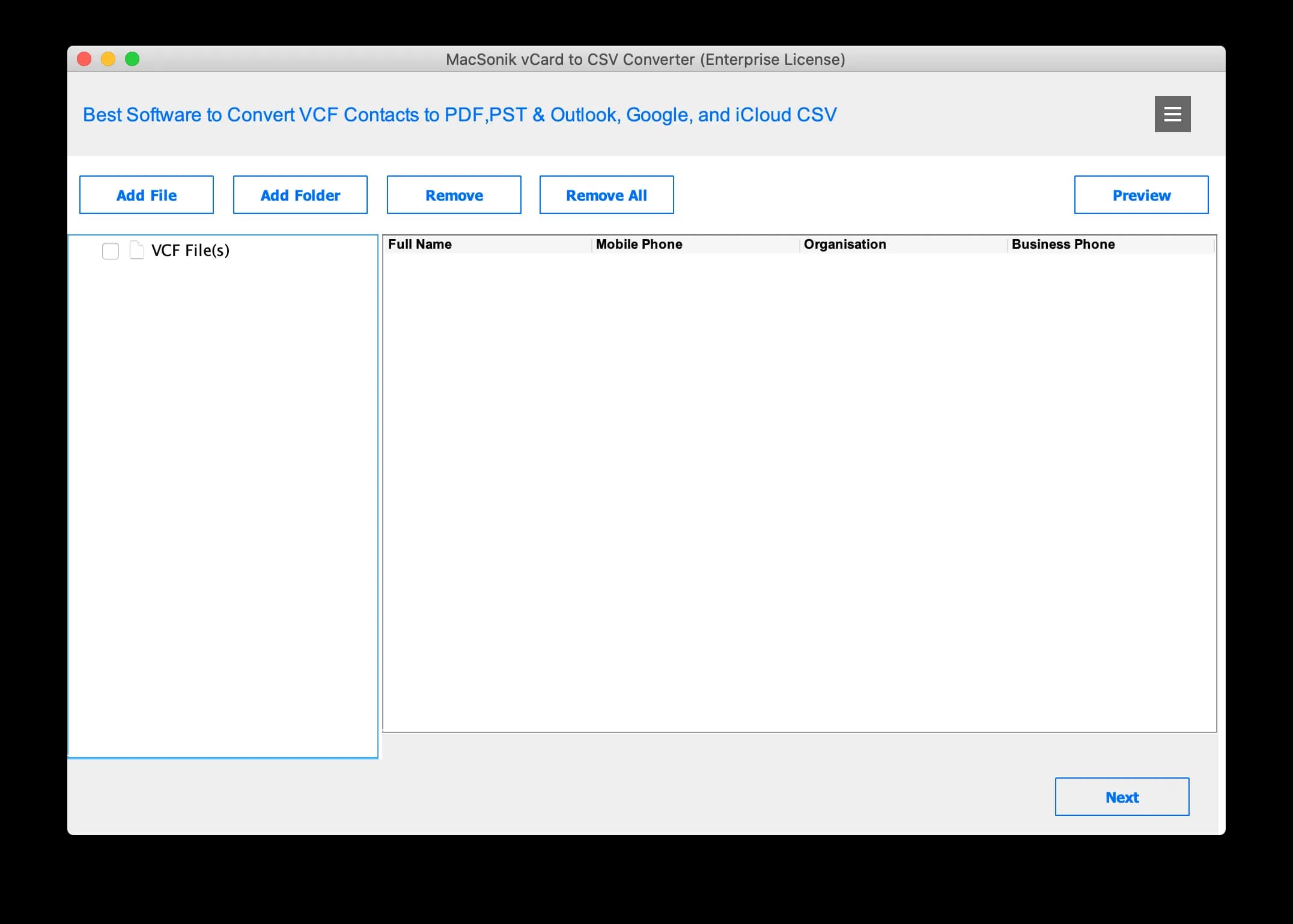
About this app
MacSonik vCard to CSV Converter is a specialized desktop utility that transforms vCard (.vcf) files into CSV, Excel, PDF, DOCX, and PST formats with 100% data integrity. It's built for anyone who's ever struggled with exporting contacts from one platform to another—whether you're migrating from an old phone to Outlook, preparing a mailing list for Google Contacts, or archiving business cards. The tool supports bulk conversion of multiple VCF files at once, so you're not stuck repeating the same steps for every file. A built-in preview lets you inspect contact details (names, phone numbers, emails, addresses) before committing to the conversion, and you can choose to include or exclude contact photos. For sensitive data, the PDF export can be password-protected. The software also lets you skip previously migrated contacts to avoid duplicates and handle empty fields intelligently—either converting all fields or only those with data. A free demo version is available (limited to 5 VCF f...
Key features
- 1Bulk VCF to CSV, Excel, PDF, DOCX and PST conversion with preview before committing.
- 2Duplicate skipping and empty-field handling to keep migrated contact lists clean.
- 3Password-protected PDF export and optional inclusion/exclusion of contact photos.
Target customer profile
Drawn from the product itself, not from a survey.
Demographic
IT administrators and support teams
Pain points
Migrating contacts from legacy systems or multiple devices is messy and error-prone.
Primary needs
Bulk conversion of VCF files to CSV/PST with zero data loss and duplicate skipping.
Demographic
Sales and marketing professionals
Pain points
Manual contact entry is slow; CSV imports into CRMs often fail due to formatting issues.
Primary needs
Clean, accurate CSV exports ready for Outlook, Google, or Yahoo Contacts.
Demographic
Small business owners and office managers
Pain points
Can't afford enterprise migration tools; need a simple way to archive or share contacts.
Primary needs
Convert VCF to Excel/PDF for easy sharing, with password protection for sensitive data.
Scout Review
Written by AI from measured evidence, scored out of 100.
MacSonik vCard to CSV Converter is a focused desktop utility that does one job — turning VCF files into CSV, Excel, PDF, DOCX or PST — and does it with a real feature set: bulk conversion, duplicate skipping, empty-field handling, optional contact photos, and password-protected PDFs. The native macOS UI looks clean and the eight-step guide is genuinely useful. The marketing page is the weak link: a placeholder icon, a mismatched OneDrive card, and keyword-stuffed copy undercut what is otherwise a tidy product page. Speed is excellent on mobile (98/100) and merely good on desktop (76/100). Security headers are complete but no third-party audit is published. Accessibility scores 90/100 with four real failures. Growth is capped by a crowded field of near-identical competitors.
Measure by measure
Usability
63Eight-step illustrated guide, native Open dialog, and a scannable free-vs-full table make the flow clear. The 5-file/10-contact demo cap is too tight to prove bulk conversion actually works.
Design
57Clean macOS-native app UI and a systematized cyan card layout, but the marketing page is undermined by a placeholder icon, a mismatched 'OneDrive Duplicate File Finder' card, and keyword-stuffed copy.
Speed
84Lighthouse mobile 98/100 with LCP under 1s and near-zero layout shift; desktop drops to 76/100. The site itself is genuinely snappy — no measured complaints about conversion lag.
Security
72Full security-header sweep (HSTS, CSP, frame protection, DMARC, SPF — 12/12) and password-protected PDF export. No SOC 2, ISO, pen-test or bug bounty published, which is normal for this tier.
Accessibility
68Lighthouse 90/100, but four real failures: low-contrast text, out-of-order headings, unnamed links, and no main landmark. No accessibility statement and English-only.
Growth
54A real, specific pain (VCF migration) with concrete differentiators — duplicate skipping, empty-field handling, multi-format export — but the feature set is nearly identical to Aryson, vCard Wizard, and Zoftware.
Improvement areas
- Marketing page has a placeholder icon, a mismatched OneDrive card, and keyword-stuffed copy.
- Demo caps at 5 VCF files and 10 contacts each — too tight to verify bulk conversion.
- No published SOC 2, ISO, pen-test or bug bounty; no accessibility statement; English-only.
Design & Usability
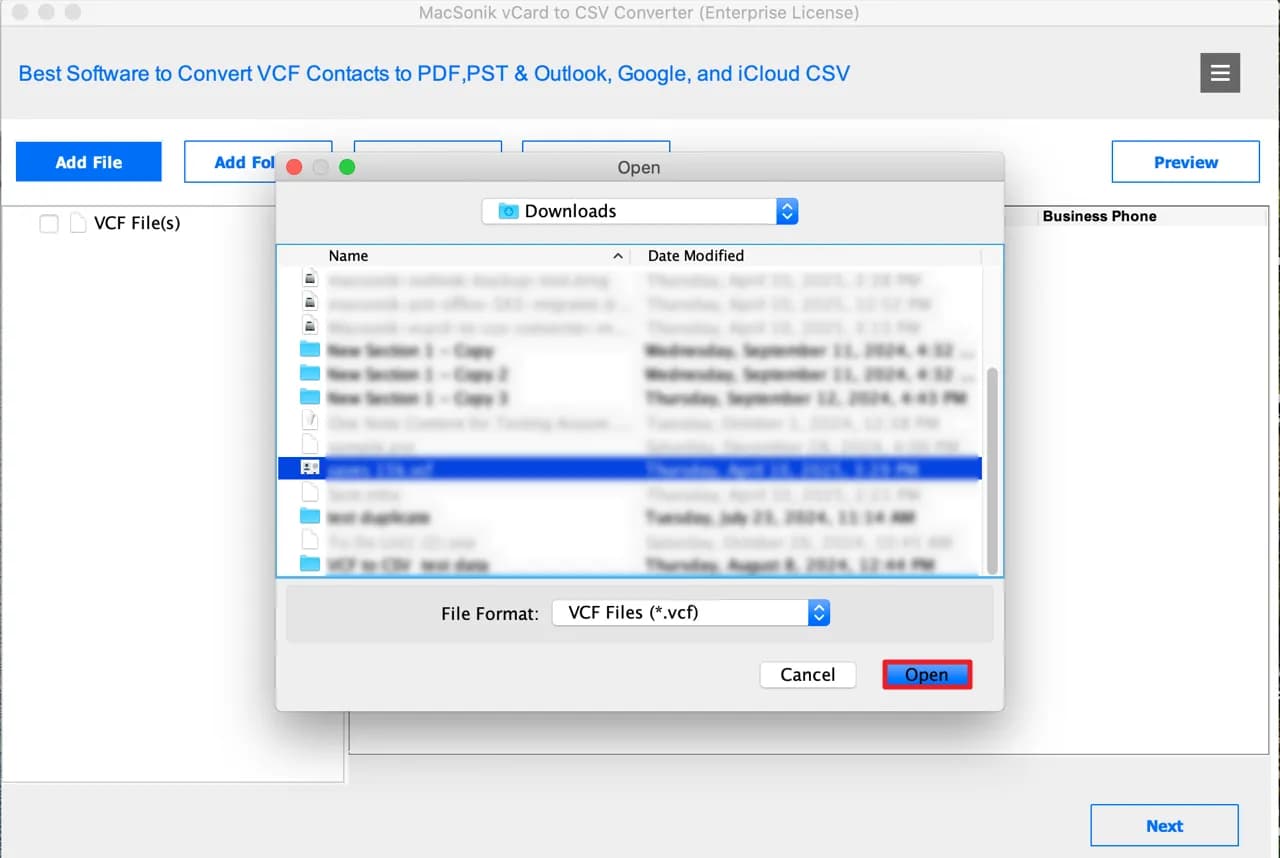
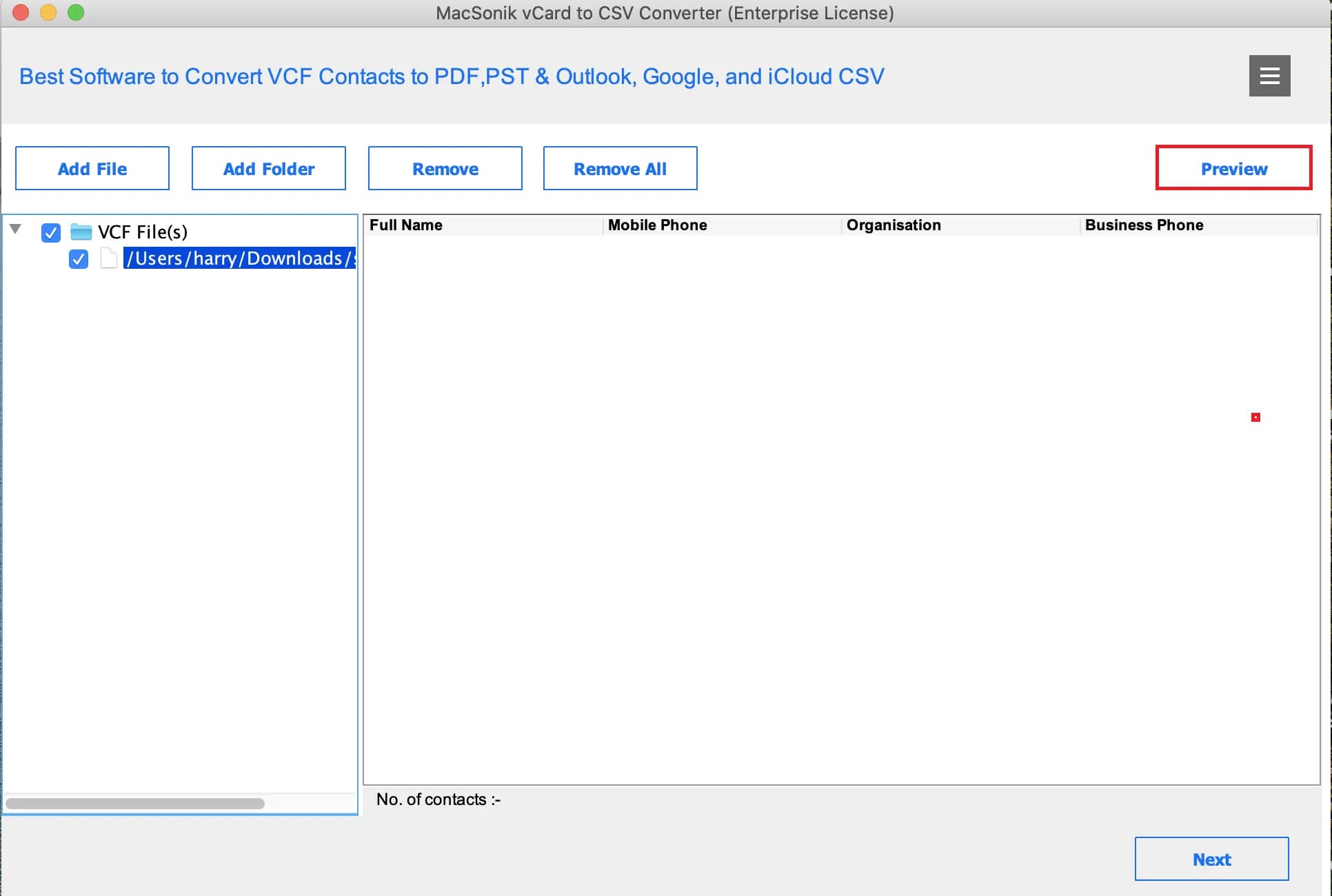
The product itself looks like a competent native macOS utility — standard traffic lights, a clear Open dialog, obvious primary buttons. The marketing page is where it wobbles: a placeholder circle standing in for an icon, a 'Free OneDrive Duplicate File Finder' card that has nothing to do with vCard conversion, and copy that repeats 'vCard to CSV Converter' so often it stops reading like a pitch. Usability is stronger — an eight-step guide with screenshots, a scannable free-vs-full table, and a hero that puts the platform toggle and both download buttons together. The catch is the demo: five files and ten contacts per file is enough to confirm the app opens, not enough to prove bulk conversion on a real contact list.
Speed & Security
Speed is the standout. Lighthouse mobile scores 98/100 with LCP at 971ms and CLS at 0.019 — the page is genuinely fast, and desktop at 76/100 is the only soft spot. No user complaints about conversion lag surfaced in the collected evidence. Security is solid on the surface: HTTPS enforced, HSTS, CSP, frame protection, X-Content-Type-Options, Referrer-Policy, Permissions-Policy, SPF and DMARC all present — a clean 12/12 on the header probe. PDF exports can be password-protected, and the site links a privacy policy and EULA. What's missing is third-party assurance: no SOC 2, ISO 27001, pen-test summary or bug bounty is published, which is typical for a desktop utility at this tier but worth noting for anyone handling sensitive contact data.
Accessibility & Growth
Accessibility lands at 90/100 on Lighthouse but with four concrete failures: insufficient color contrast, non-sequential heading order, links without discernible names, and no main landmark. There's no accessibility statement and the site is English-only. Growth is the more interesting question. The problem is real — VCF migration between phones, Outlook, Google Contacts and CRMs is genuinely messy — and the target customer is specific (IT admins, sales ops, small offices). The differentiators are concrete: duplicate skipping, empty-field handling, password-protected PDF, and multi-format export to CSV, Excel, PDF, DOCX and PST. But the alternatives list — Aryson, vCard Wizard, Zoftware — offers nearly the same feature set at similar price points, so the wedge is thin. The domain dates to 2020 and only YouTube is listed as an official social channel; that's context, not a score.
Conclusion
If you need to move a pile of VCF files into CSV or Outlook and you want a native Mac app that previews before it commits, this is a reasonable pick — the duplicate skipping and empty-field handling are the features that actually save time on a real migration. Try the demo first, but understand the five-file cap won't tell you how it behaves on a thousand contacts. If you're on Windows or need enterprise-grade compliance paperwork, look at Aryson or vCard Wizard before committing. The product is competent; the page selling it needs a cleanup pass.
Suggestions for improvement
- Replace the empty-circle placeholder icon and remove the 'Free OneDrive Duplicate File Finder' card — it doesn't belong on this product page.
- Loosen the demo to at least 50 files or 500 contacts so buyers can verify bulk conversion and duplicate skipping on real data.
- Publish a short accessibility statement and fix the four Lighthouse failures: contrast, heading order, link names, main landmark.
- Add a comparison page against Aryson, vCard Wizard and Zoftware that names the specific workflows where this tool wins.
Alternatives comparison
Named competitors, point by point. Nobody paid to appear here or to be left out.
 MacSonik vCard to CSV Converter |  Aryson vCard Converter | vCard Wizard | Zoftware vCard Converter | |
|---|---|---|---|---|
| Bulk VCF file conversion | Yes — unlimited VCF files in full version | Yes — batch conversion supported | Yes — batch conversion supported | Yes — batch processing supported |
| Output formats | CSV, Excel, PDF, DOCX, PST | CSV, PST and multiple formats | vCard ↔ CSV | CSV, PST and other formats |
| Duplicate skipping | Yes — skip previously migrated contacts | Not stated on product page | Not stated on product page | Not stated on product page |
| Password-protected PDF export | Yes | Not stated on product page | Not stated on product page | Not stated on product page |
| Free demo / trial | Yes — 5 VCF files, 10 contacts each | Yes — demo available | Yes — trial available | Yes — demo available |
| Platform support | macOS (10.13+) and Windows | Windows | Windows and Mac | Windows |
Aryson vCard Converter
Similar VCF-to-CSV tool with batch conversion and support for multiple output formats.
vCard Wizard
Contact conversion tool for Windows and Mac, specializing in vCard to CSV and CSV to vCard.
Zoftware vCard Converter
Converts vCard files to CSV, PST, and other formats with support for batch processing.
Comparing options? See MacSonik vCard to CSV Converter alternatives, scored side by side
More Productivity apps
View all Productivity
Qamarero
92An all-in-one hospitality software for restaurants and ba...

Puzzly – B2B Lead Generation & Sales Intelligence Platform
92Puzzly is an all-in-one B2B lead generation platform that...

The Stack Newsletter
92A weekly newsletter delivering curated tech jobs, intervi...

StoryPad
92Privacy-first open source journal app with a continuous t...

Vibe Coding Agent Skills
92A free, open-source platform offering 110 AI agent skills...

Notion
92All-in-one AI workspace for docs, projects, and knowledge...

EmbedMyReviews
92White-label reputation management software for agencies s...

QRBliss
91Branded QR codes with AI Brand Sync, 15 free dynamic code...

Strukchad Property Management
91Property management for Kenyan letting agents: rent invoices raised every month, M-Pesa rent prompts to tenants, arrears tracking and landlord statements.

CC Switch
91Open-source desktop app for switching AI coding providers...

Gerty
91Private, local AI assistant for Mac that runs offline

BACKLNK
90Backlnk is a free SEO and AI visibility website: 15 website checks, a full audit as a PDF report, and guides to get found in search and AI answers.


A platform dedicated to providing unbiased reviews of newly launched applications, analyzing everything from their features to their full potential.
info@scoutforge.net© 2026 Scoutforge. All rights reserved.
