

A platform dedicated to providing unbiased reviews of newly launched applications, analyzing everything from their features to their full potential.
info@scoutforge.net© 2026 Scoutforge. All rights reserved.
A platform dedicated to providing unbiased reviews of newly launched applications, analyzing everything from their features to their full potential.
info@scoutforge.net© 2026 Scoutforge. All rights reserved.
A platform dedicated to providing unbiased reviews of newly launched applications, analyzing everything from their features to their full potential.
info@scoutforge.net© 2026 Scoutforge. All rights reserved.
Is this your app?
Claim Maton to manage its page, add your badge and see your traffic — free, and it stays free.
Cycling through all six. Tap any point to stop.
Measured on six things
Maton is an automation platform that connects apps like Airtable and Salesforce to automate workflows without coding.
Basic screen reader support and keyboard navigation available, but lacks advanced features like high-contrast modes or multilingual options.
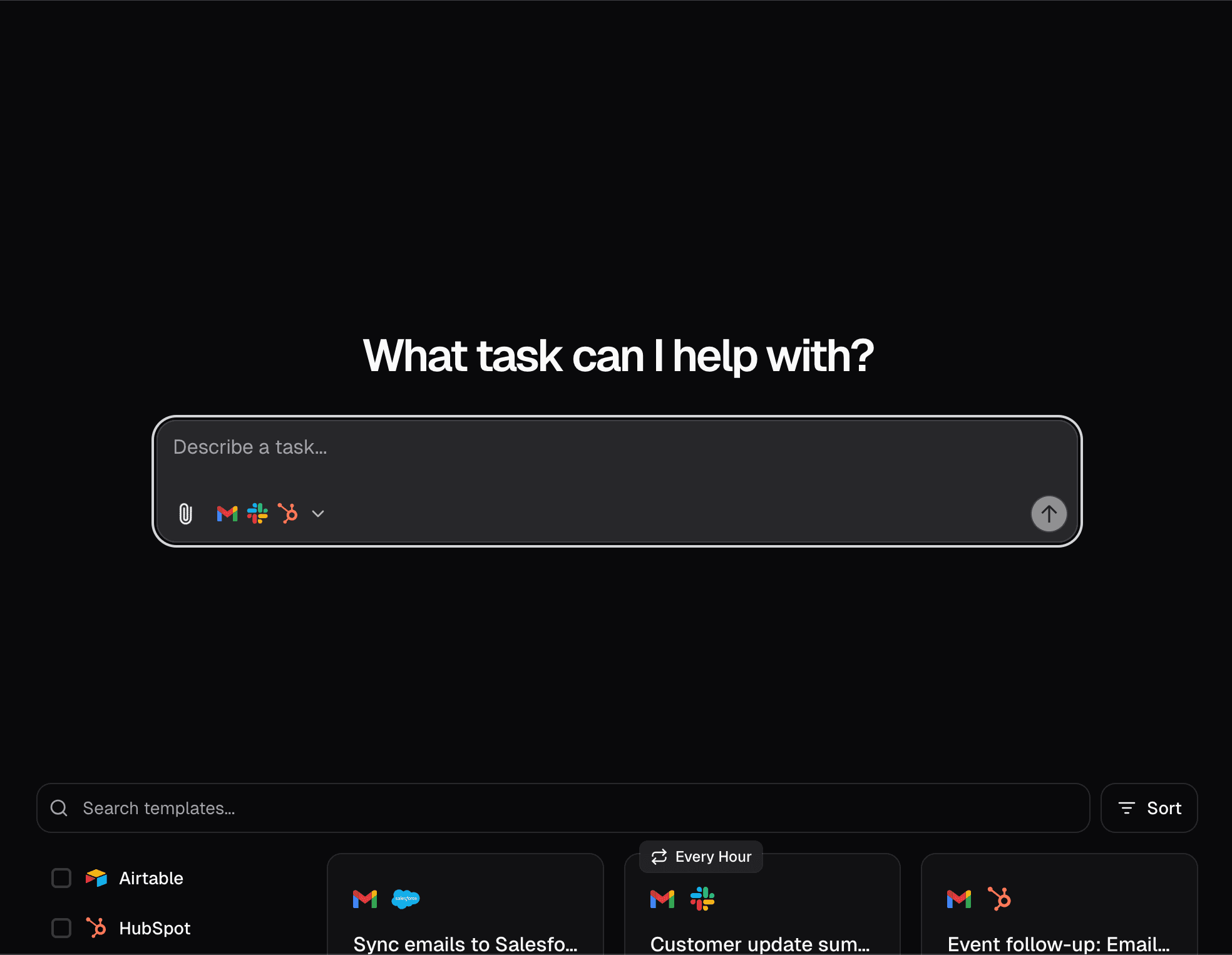
After diving into Maton, I'm genuinely impressed by how it tackles the common headache of juggling multiple business apps. As a tech enthusiast, I see its core purpose is to automate repetitive tasks across tools like HubSpot, Gmail, and Slack, making life easier for teams drowning in manual data entry. It's perfect for small to medium businesses, startups, and solopreneurs who need seamless integrations to boost productivity. Standout features include syncing customer emails to Salesforce, sending daily digests from Slack, and automating follow-ups for webinar attendees while creating deals in HubSpot—all without writing a single line of code. The platform's clean design and intuitive drag-and-drop interface make it accessible, though it's still growing, with potential for more advanced options. If you're tired of app-switching fatigue, Maton could be your go-to for workflow automation, saving time and reducing errors with its responsive, cloud-based performance.
Drawn from the product itself, not from a survey.
Demographic
Small to medium businesses, startups, and solopreneurs
Pain points
Manual data entry between apps, disconnected workflows, time-consuming task management
Primary needs
Seamless app integration, automated task execution, improved productivity
Demographic
Marketing and sales teams using CRM tools like HubSpot or Salesforce
Pain points
Inefficient customer data sync, missed follow-ups, redundant updates
Primary needs
Real-time data automation, streamlined communication, lead management
Demographic
Operations and support teams handling repetitive tasks
Pain points
Slow response times, manual ticket updates, lack of workflow consistency
Primary needs
Automated support processes, faster task completion, error reduction
Written by AI from measured evidence, scored out of 100.
Maton excels as a practical automation solution for businesses drowning in manual app-switching. Its strength lies in making complex workflow automation accessible to non-technical users through an intuitive interface and reliable performance. While it may lack some advanced features of established competitors, it delivers exactly what most small to medium businesses need: straightforward automation that just works. The platform's focus on core business applications like CRM tools and communication platforms makes it particularly valuable for sales, marketing, and operations teams.
Straightforward workflow setup with step-by-step guidance makes automation accessible even for non-technical users managing multiple apps.
Clean, minimalist interface with neutral color schemes and intuitive drag-and-drop workflow creation that reduces cognitive load for users.
Fast task execution and responsive cloud-based performance with minimal lag when syncing data across integrated applications.
Standard encryption and OAuth protocols provide reliable security for app integrations, though detailed privacy documentation could be more comprehensive.
Basic screen reader support and keyboard navigation available, but lacks advanced features like high-contrast modes or multilingual options.
Strong market position with high demand for automation tools and expanding SaaS integration capabilities across business applications.
Maton's design philosophy centers on simplicity and functionality. The interface uses a clean, minimalist approach with neutral color palettes and strategically placed accent colors that guide users through workflow creation without overwhelming them. The drag-and-drop functionality for connecting apps like Salesforce, HubSpot, and Slack feels intuitive, with visual cues that make complex automations surprisingly approachable. Navigation follows a logical step-by-step process that reduces the learning curve significantly, though advanced users might find the customization options somewhat limited. The dashboard centralizes all automation setups in a way that's both comprehensive and digestible, making it easy to monitor multiple workflows simultaneously.
Performance-wise, Maton delivers impressive speed thanks to its cloud-based architecture. Automations execute quickly with minimal latency when syncing data between applications - a crucial factor for time-sensitive business processes. The platform likely employs standard encryption protocols for data in transit, and its use of OAuth for app connections provides secure authentication without requiring users to share sensitive credentials directly. While specific details about privacy policies aren't extensively documented, the integration with enterprise-grade tools like Salesforce suggests a commitment to maintaining security standards. The responsive nature of the platform ensures that even complex multi-step automations don't suffer from noticeable performance degradation.
Accessibility features in Maton cover the basics adequately with screen reader compatibility and keyboard navigation support, making it functional for users with common accessibility needs. However, the platform lacks more advanced inclusive features such as high-contrast modes, comprehensive language options, or specialized assistive technology integrations. This represents a clear area for future development. On the growth front, Maton is well-positioned in a rapidly expanding market. The increasing demand for no-code automation solutions, combined with its focus on business-specific integrations rather than consumer-oriented features, gives it a competitive edge. The platform's architecture appears scalable, and its integration roadmap suggests ongoing expansion into new SaaS ecosystems.
Conclusion
If you're tired of manually copying data between apps or missing important follow-ups because of disconnected workflows, Maton offers a refreshingly simple solution. It's particularly well-suited for small to medium businesses, startups, and solopreneurs who need to automate repetitive tasks without investing in complex enterprise systems. The platform's growing integration library and responsive performance make it a compelling choice in the crowded automation space. Give Maton a try if you're looking for an affordable, no-code way to connect your favorite business apps and reclaim hours of productivity each week.
Named competitors, point by point. Nobody paid to appear here or to be left out.
 Maton Maton |  Microsoft Power Automate Microsoft Power Automate |  Zapier Zapier |  IFTTT IFTTT | |
|---|---|---|---|---|
| Target User Focus | Business-focused automation for SMBs and teams | Consumer-oriented automation for personal apps and devices | Enterprise automation within Microsoft ecosystem | Broad business automation with extensive app library |
| Ease of Use for Non-Technical Users | Very accessible with intuitive drag-and-drop interface | Extremely user-friendly with simple 'if this then that' logic | Moderate complexity, requires some technical understanding | User-friendly but can become complex with advanced workflows |
| Business App Integration Depth | Strong focus on core business tools like CRM and productivity apps | Limited business-specific integrations, more consumer-oriented | Deep Microsoft ecosystem integration with extensive business features | Extensive app library with thousands of business integrations |
Microsoft Power Automate
Offers robust workflow automation across Microsoft ecosystems, but can be complex for non-technical users.
Zapier
A well-established platform for app integrations, though often priced higher for advanced features.
IFTTT
A popular automation tool for connecting apps and devices, but more consumer-focused with less business-specific integrations.
Comparing options? See Maton alternatives, scored side by side

An all-in-one hospitality software for restaurants and ba...

A weekly newsletter delivering curated tech jobs, intervi...

White-label reputation management software for agencies s...

Privacy-first open source journal app with a continuous t...

Puzzly is an all-in-one B2B lead generation platform that...

All-in-one AI workspace for docs, projects, and knowledge...

A free, open-source platform offering 110 AI agent skills...

Open-source desktop app for switching AI coding providers...

One verified handle for your online identity, readable by...

Frame-perfect video-to-GIF maker that runs entirely in yo...

White-label website audits that close deals for digital a...

Automated quote follow-up for trades and service businesses.
A platform dedicated to providing unbiased reviews of newly launched applications, analyzing everything from their features to their full potential.
info@scoutforge.net© 2026 Scoutforge. All rights reserved.
