Is this your app?
Claim MindNote to manage its page, add your badge and see your traffic — free, and it stays free.
Cycling through all six. Tap any point to stop.
Measured on six things
An AI-powered note-taking app that organizes thoughts with smart categorization and editing features.
Security
70Standard TLS encryption but lacks enterprise-grade security features
Screenshots
1 / 5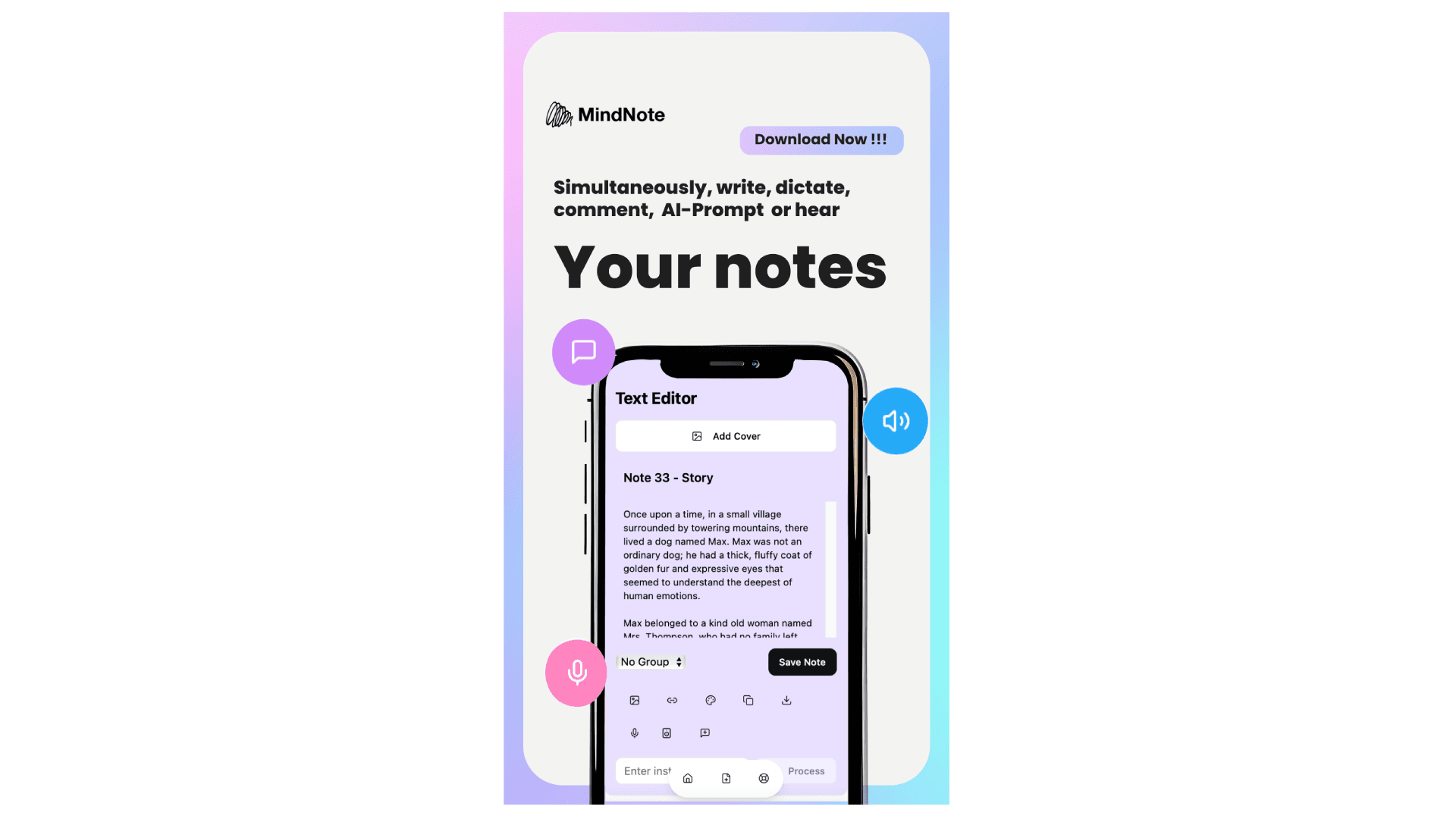
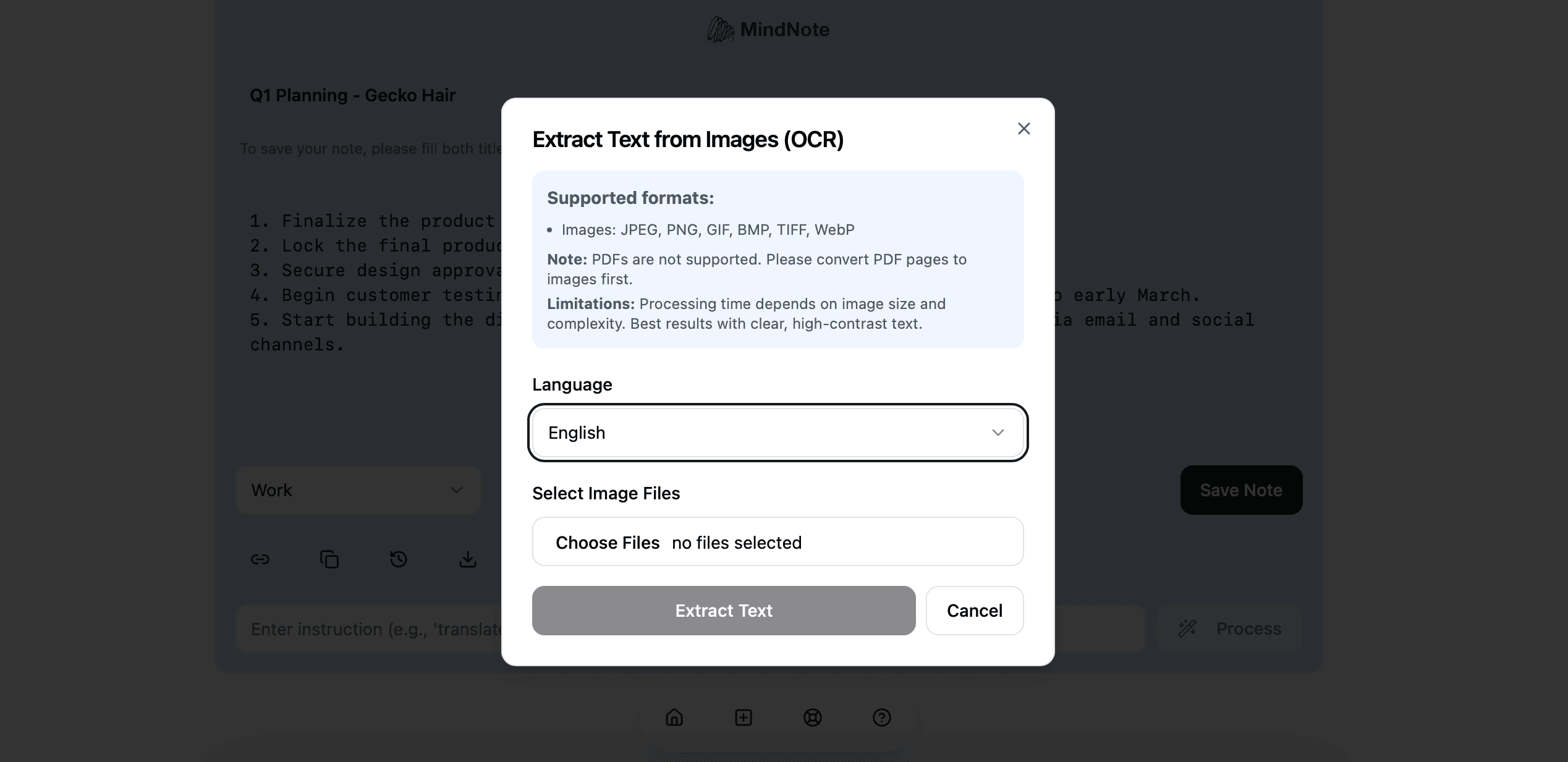
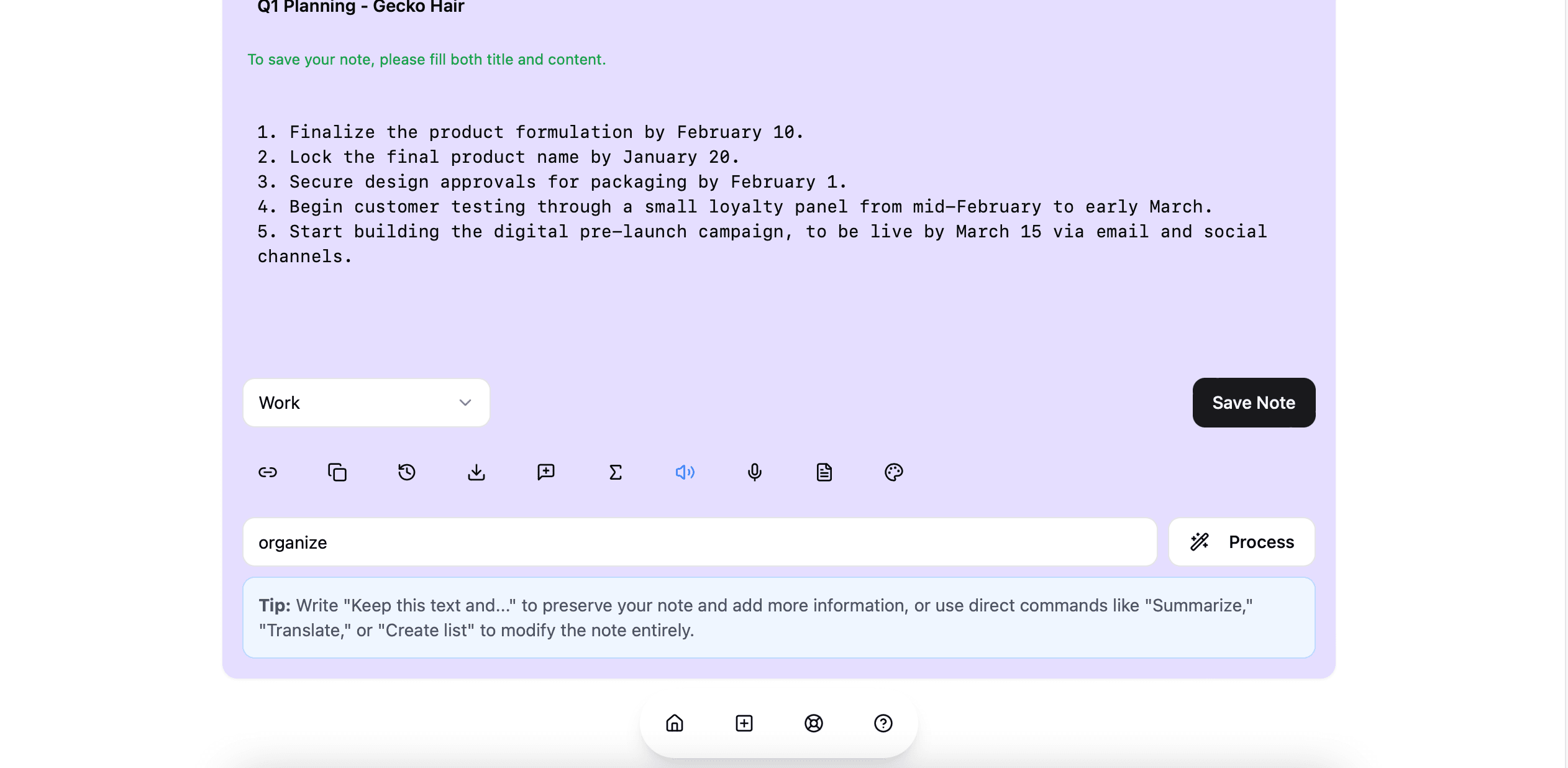
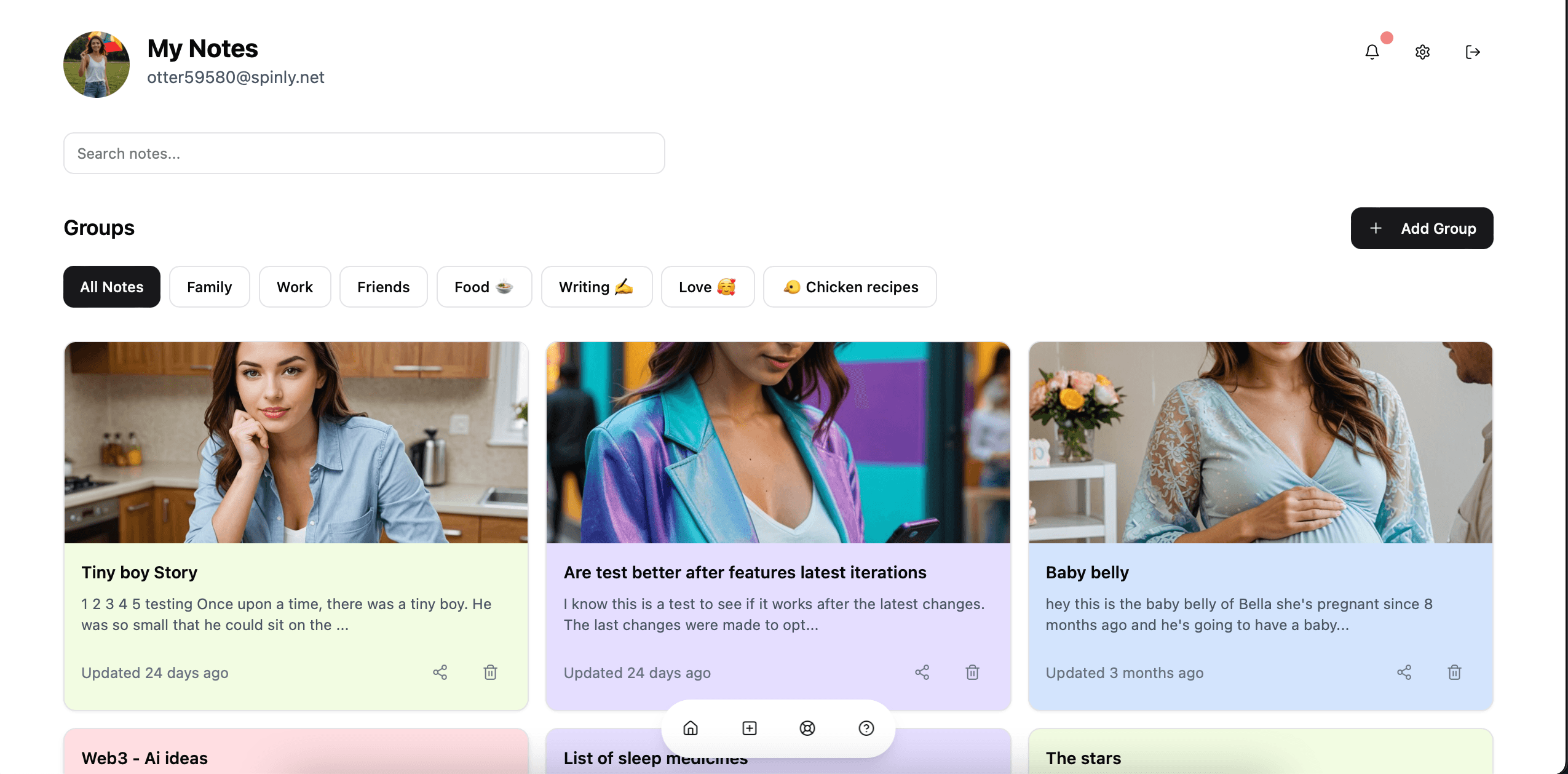
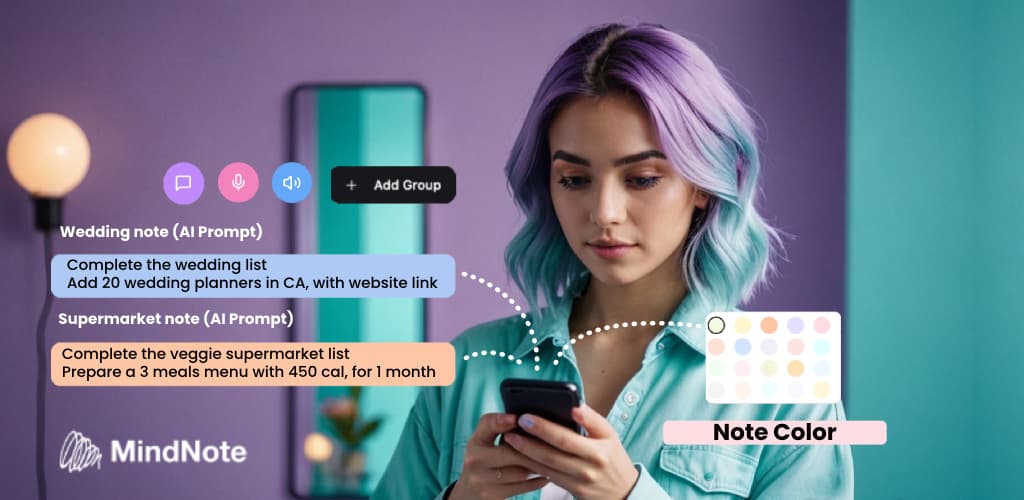
About this app
MindNote is a game-changer for anyone drowning in digital chaos. As a tech enthusiast who's tested countless apps, I can say this one stands out with its AI-driven approach to note-taking. It automatically structures your raw ideas, whether from dictation, video transcriptions, or team collaborations, into a searchable, organized system. The clean interface and lifetime pricing make it a no-brainer for productivity seekers tired of subscription models. It's perfect for content creators, busy professionals, and students who need efficient knowledge management without the hassle.
Key features
- 1Clean three-panel layout with intuitive color tagging and drag-and-drop hierarchy management
- 2Excellent workflow integration with one-click transcription and minimal learning curve
- 3Strong position in growing AI productivity market with clear expansion potential
Target customer profile
Drawn from the product itself, not from a survey.
Demographic
Content Creators & Researchers
Pain points
Scattered research notes, manual transcription work, content organization challenges
Primary needs
Automated transcription, AI summarization, centralized knowledge base
Demographic
Busy Professionals
Pain points
Meeting note fragmentation, inefficient knowledge retrieval, collaboration bottlenecks
Primary needs
Dictation features, cloud sync, shared workspaces, quick search
Demographic
Students & Academics
Pain points
Lecture note disorganization, inefficient study material creation, source management
Primary needs
YouTube transcription, text-to-speech review, tagging system
Scout Review
Written by AI from measured evidence, scored out of 100.
MindNote delivers exceptional value as an AI-powered organizational assistant that transforms chaotic digital note-taking into structured, searchable knowledge. Its strongest suit is the versatile input handling - seamlessly transitioning between dictation, transcription, and traditional typing. The lifetime pricing model makes it particularly attractive for heavy users tired of subscription fatigue. While it has some accessibility limitations and could use stronger enterprise security features, the core AI organization capabilities are genuinely impressive and solve real productivity pain points.
Measure by measure
Usability
90Excellent workflow integration with one-click transcription and minimal learning curve
Design
86Clean three-panel layout with intuitive color tagging and drag-and-drop hierarchy management
Speed
80Fast search and text operations but lengthy video transcriptions take 2-3 minutes
Security
70Standard TLS encryption but lacks enterprise-grade security features
Accessibility
76Strong audio features with speech-to-text but limited visual/language options
Growth
90Strong position in growing AI productivity market with clear expansion potential
Improvement areas
- Lacks enterprise-grade security features and transparent encryption standards
- Limited visual accessibility options such as high-contrast mode and screen reader support
- English-only interface with no multilingual support, restricting global usability
Design & Usability
MindNote's interface hits the sweet spot between functionality and simplicity. The three-panel layout provides clear visual hierarchy while the drag-and-drop organization makes structuring notes feel intuitive. Color-coded tagging system helps visual learners quickly identify content categories. The floating AI toolbar that appears during text selection is a thoughtful touch that keeps powerful features accessible without cluttering the interface. Mobile dictation works seamlessly while desktop offers richer formatting options - a balanced approach that caters to different usage scenarios.
Speed & Security
Performance-wise, MindNote delivers snappy response times for most operations. The search function is particularly impressive, delivering near-instant results across large note libraries. However, the 2-3 minute wait for lengthy YouTube video transcriptions feels noticeable in an otherwise fluid experience. Security implementation covers the basics with TLS encryption for data transmission, but enterprise users might want more robust features like end-to-end encryption or advanced permission controls. The privacy policy mentions data encryption at rest, but specifics about encryption standards would provide greater transparency.
Accessibility & Growth
Audio accessibility is where MindNote truly excels - the speech-to-text and text-to-speech engines support multiple English dialects with impressive accuracy. However, the accessibility story becomes less compelling when considering visual impairments. No high-contrast mode, limited screen reader optimization, and English-only interface create significant barriers. The growth potential remains strong given the clear market positioning and lifetime pricing model that appeals to subscription-weary users. Expansion into multilingual support and better visual accessibility could significantly broaden its appeal.
Conclusion
If you're drowning in disorganized digital notes across multiple platforms, MindNote offers a compelling unified solution. Content creators will appreciate the YouTube transcription capabilities, professionals will benefit from the meeting organization features, and students will find the lecture note structuring invaluable. The free trial provides risk-free access to experience the workflow transformation firsthand. For those seeking an AI-powered note-taking companion that actually understands how to organize thoughts rather than just store them, this app deserves serious consideration.
Suggestions for improvement
- To reach its full potential, MindNote should prioritize screen reader compatibility and high-contrast mode for visual accessibility.
- Expanding language support beyond English would significantly broaden its global appeal.
- Developing team permission tiers would make it more enterprise-friendly, while offline functionality would cater to travelers and those with unreliable internet.
- API integrations through Zapier or custom webhooks could automate workflow connections with other productivity tools.
- Finally, transparent documentation of encryption standards would build greater trust among security-conscious users.
Alternatives comparison
Named competitors, point by point. Nobody paid to appear here or to be left out.
 MindNote |  Mem.ai |  Read.ai | |
|---|---|---|---|
| AI Organization Focus | Smart categorization and transcription | Auto-connecting notes | Meeting summaries |
| Input Methods | Dictation, video transcription, typing | Typing and import | Meeting audio focus |
| Pricing Model | Lifetime deal available | Subscription-based | Subscription-based |
| Collaboration Features | Shared workspaces | Team collaboration | Meeting participant sharing |
Mem.ai
Similar AI-driven organization but focuses more on auto-connecting notes rather than transcription features
Read.ai
Specializes in meeting summaries but lacks MindNote's versatile input methods and lifetime pricing
Comparing options? See MindNote alternatives, scored side by side
More Productivity apps
View all Productivity
Vibe Coding Agent Skills
92A free, open-source platform offering 110 AI agent skills...

Puzzly – B2B Lead Generation & Sales Intelligence Platform
92Puzzly is an all-in-one B2B lead generation platform that...

Qamarero
92An all-in-one hospitality software for restaurants and ba...

StoryPad
92Privacy-first open source journal app with a continuous t...

The Stack Newsletter
92A weekly newsletter delivering curated tech jobs, intervi...

Notion
92All-in-one AI workspace for docs, projects, and knowledge...

EmbedMyReviews
92White-label reputation management software for agencies s...

QRBliss
91Branded QR codes with AI Brand Sync, 15 free dynamic code...

CC Switch
91Open-source desktop app for switching AI coding providers...

Gerty
91Private, local AI assistant for Mac that runs offline

username.md
90One verified handle for your online identity, readable by...

BACKLNK
90Backlnk is a free SEO and AI visibility website: 15 website checks, a full audit as a PDF report, and guides to get found in search and AI answers.


A platform dedicated to providing unbiased reviews of newly launched applications, analyzing everything from their features to their full potential.
info@scoutforge.net© 2026 Scoutforge. All rights reserved.
