

A platform dedicated to providing unbiased reviews of newly launched applications, analyzing everything from their features to their full potential.
info@scoutforge.net© 2026 Scoutforge. All rights reserved.
A platform dedicated to providing unbiased reviews of newly launched applications, analyzing everything from their features to their full potential.
info@scoutforge.net© 2026 Scoutforge. All rights reserved.
A platform dedicated to providing unbiased reviews of newly launched applications, analyzing everything from their features to their full potential.
info@scoutforge.net© 2026 Scoutforge. All rights reserved.
Cycling through all six. Tap any point to stop.
Measured on six things
An AI-powered online PDF highlighter tool for manual and ...
Basic keyboard navigation and color contrast is decent, but lacks advanced screen reader optimization and zoom controls.
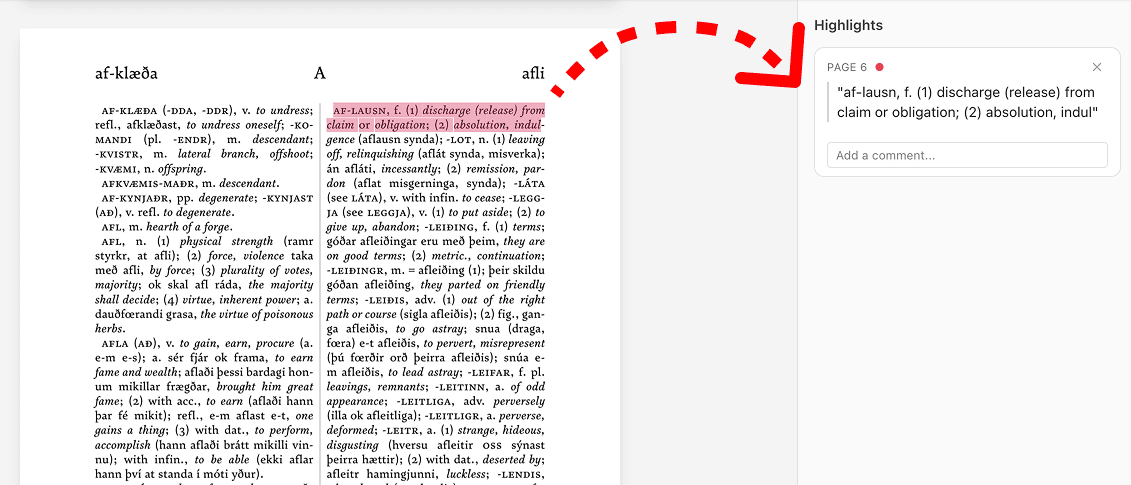
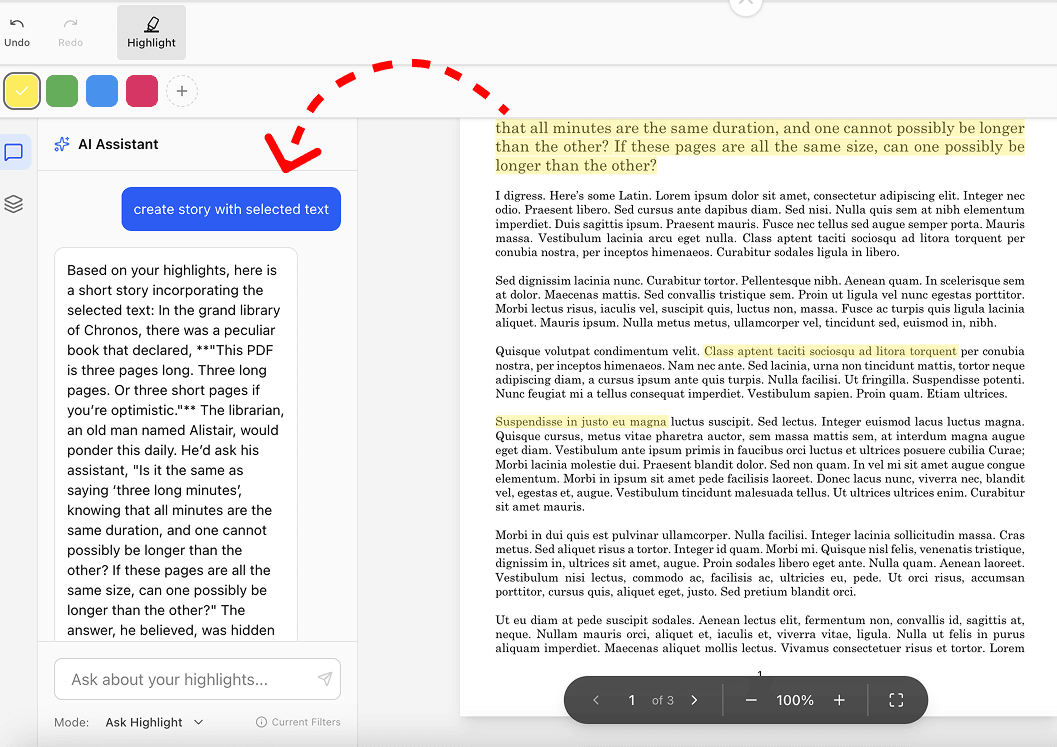
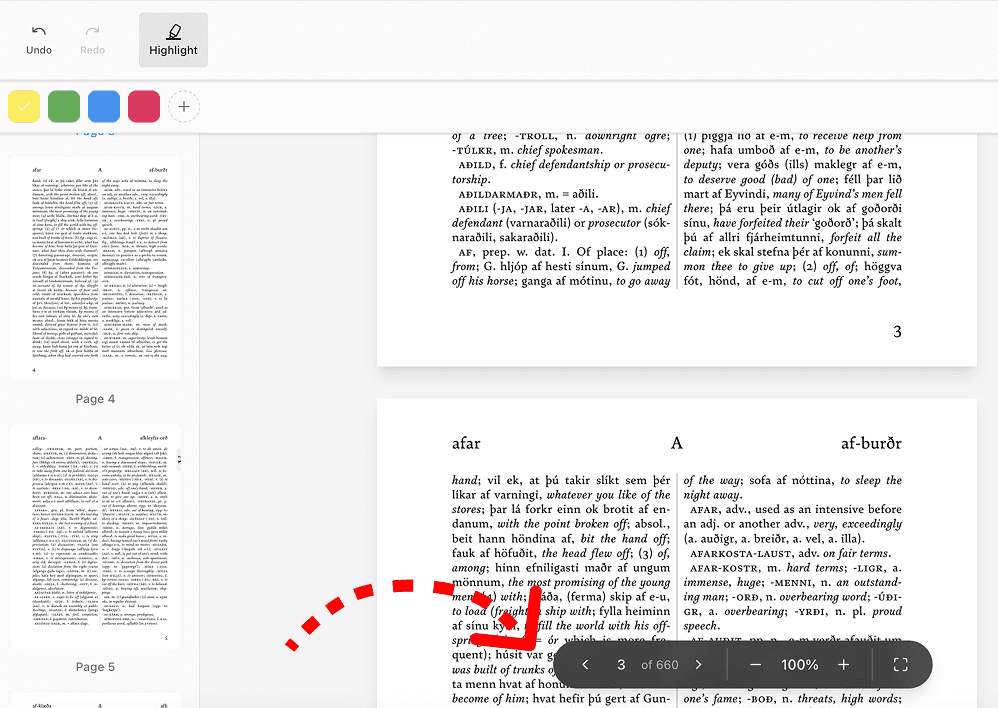
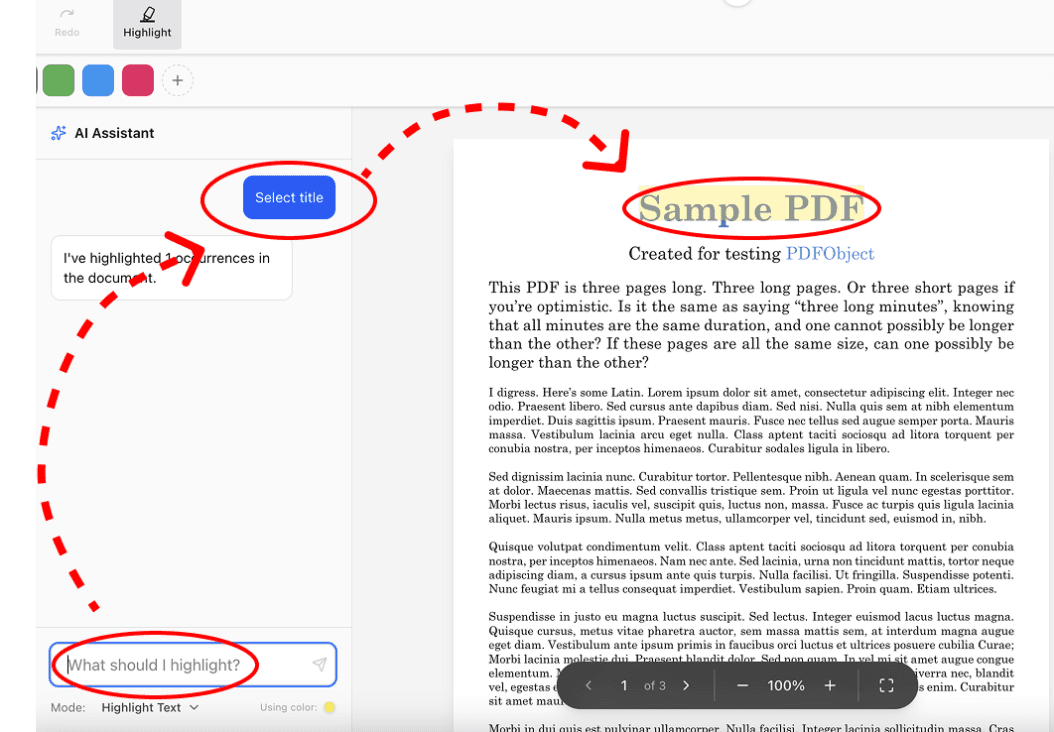
PDF Highlighter is a versatile online tool designed to simplify working with PDF documents through highlighting and annotation. It allows users to manually highlight text in various colors or leverage AI to automatically identify and mark key points based on prompts. The tool emphasizes ease of use with a clean interface, requiring no software installation—just upload, annotate, and save. A standout feature is its commitment to data privacy: in manual mode, files stay on your device, while AI processing uses secure servers with text deleted after sessions. It supports editing, deleting highlights, adding notes, and exporting snippets to an AI chat for analysis. Ideal for students, researchers, and professionals, PDF Highlighter combines efficiency with security, making it a go-to for anyone needing to organize and analyze PDF content without compromising confidentiality.
Drawn from the product itself, not from a survey.
Demographic
Students and academics (e.g., university students, researchers)
Pain points
Time-consuming manual highlighting, difficulty identifying key points in dense texts, privacy concerns with online tools
Primary needs
Efficient text annotation, AI-assisted analysis for essays and studies, secure handling of sensitive academic materials
Demographic
Professionals (e.g., lawyers, consultants, business analysts)
Pain points
Cumbersome PDF editing software, lack of quick highlighting for reports and contracts, need for confidential document handling
Primary needs
Fast manual and AI-driven highlighting, secure offline editing, tools for reviewing and annotating legal or business documents
Demographic
Content creators and writers (e.g., bloggers, editors, journalists)
Pain points
Inefficient text extraction from PDFs, challenges in organizing research materials, limited AI integration for content analysis
Primary needs
Easy highlight management, AI chat for text analysis, ability to save and reuse highlighted snippets for writing projects
Written by AI from measured evidence, scored out of 100.
PDF Highlighter is a focused, privacy-conscious tool that does one thing very well. It bridges the gap between simple online PDF viewers and heavy desktop software. The combination of manual control and helpful AI assistance makes it especially valuable for students and researchers drowning in reading material. While not perfect in accessibility or raw processing speed, it excels in usability and security — two areas where many competitors fall short.
Drag-and-drop upload, one-click highlighting, AI prompt box is straightforward. No installation needed.
Clean, minimalist interface with intuitive color palette for highlights. No clutter, focused on the document canvas.
Fast local manual highlighting. AI processing takes 5-15 seconds depending on document size and server load.
Manual mode processes entirely client-side. AI mode deletes text after processing with clear privacy policy.
Basic keyboard navigation and color contrast is decent, but lacks advanced screen reader optimization and zoom controls.
Strong value for students and researchers. Growing AI features and export-to-chat functionality show promising development.
PDF Highlighter nails the basics with a clean, distraction-free interface that puts the document front and center. The color picker for highlights is responsive and the AI sidebar is logically placed without overwhelming the screen. Usability is excellent for quick tasks — upload, highlight manually or via AI prompt, add notes, and export snippets. It feels modern compared to bloated desktop PDF editors. The target audience of students and researchers will appreciate how little friction there is between opening the site and getting work done.
Manual highlighting happens instantly since it runs in the browser. AI analysis speed is acceptable for most academic papers but can lag on very large files. Security is a major strength: client-side processing in manual mode means your sensitive documents never leave your device. The transparency around AI text deletion after each session builds trust, especially important for lawyers and academics handling confidential material.
Accessibility is average — sufficient contrast for highlights but missing some ARIA labels and advanced keyboard shortcuts. Growth potential is solid thanks to the AI integration that actually delivers value beyond basic highlighting. Exporting highlighted sections directly into an AI chat for summarization or analysis is a smart feature that sets it apart from traditional tools. The roadmap seems focused on academic and professional use cases.
Conclusion
If you're tired of installing bloated PDF software or handing your documents over to questionable free tools, PDF Highlighter is worth trying. It's not trying to be everything to everyone — and that's exactly why it works.
Named competitors, point by point. Nobody paid to appear here or to be left out.
 PDF Highlighter PDF Highlighter |  Adobe Acrobat Adobe Acrobat |  Smallpdf Smallpdf |  Kami Kami | |
|---|---|---|---|---|
| AI Highlighting | Yes, prompt-based AI that identifies key points | Basic AI features in premium only, no prompt-based highlighting | — | — |
| Privacy (Client-side) | Full client-side in manual mode, text deleted after AI sessions | Files processed on servers, privacy concerns for free tier | — | — |
| Installation Required | None - fully browser based | Web app but encourages account creation and has desktop version | — | — |
| Collaboration | No collaborative features | Strong real-time collaboration designed for classrooms | — | — |
Adobe Acrobat
A comprehensive PDF editor with highlighting features, but requires subscription and software installation.
Smallpdf
An online PDF tool suite including a highlighter, but with less AI integration and potential privacy concerns for free users.
Kami
A digital classroom tool for PDF annotation, focused on education with collaborative features.
Comparing options? See PDF Highlighter alternatives, scored side by side

White-label reputation management software for agencies s...

An all-in-one hospitality software for restaurants and ba...

Privacy-first open source journal app with a continuous t...

All-in-one AI workspace for docs, projects, and knowledge...

A weekly newsletter delivering curated tech jobs, intervi...

Puzzly is an all-in-one B2B lead generation platform that...

A free, open-source platform offering 110 AI agent skills...

Open-source desktop app for switching AI coding providers...

One verified handle for your online identity, readable by...

Frame-perfect video-to-GIF maker that runs entirely in yo...

White-label website audits that close deals for digital a...

BeartIMAGE is a free, web-based image processing platform engineered for fast, bulk photo editing and conversion directly in your browser.
A platform dedicated to providing unbiased reviews of newly launched applications, analyzing everything from their features to their full potential.
info@scoutforge.net© 2026 Scoutforge. All rights reserved.
