

Usability62Design71Speed57Security52Accessibility80Growth58

Cycling through all six. Tap any point to stop.

Measured on six things

AI-powered creative toolkit for background removal, image...

Security

52

HTTPS enforced with frame protection and X-Content-Type-Options, but missing HSTS, CSP, Referrer-Policy, and Permissions-Policy. No SOC 2, ISO, or bug bounty found.

Screenshots

1 / 2

About this app

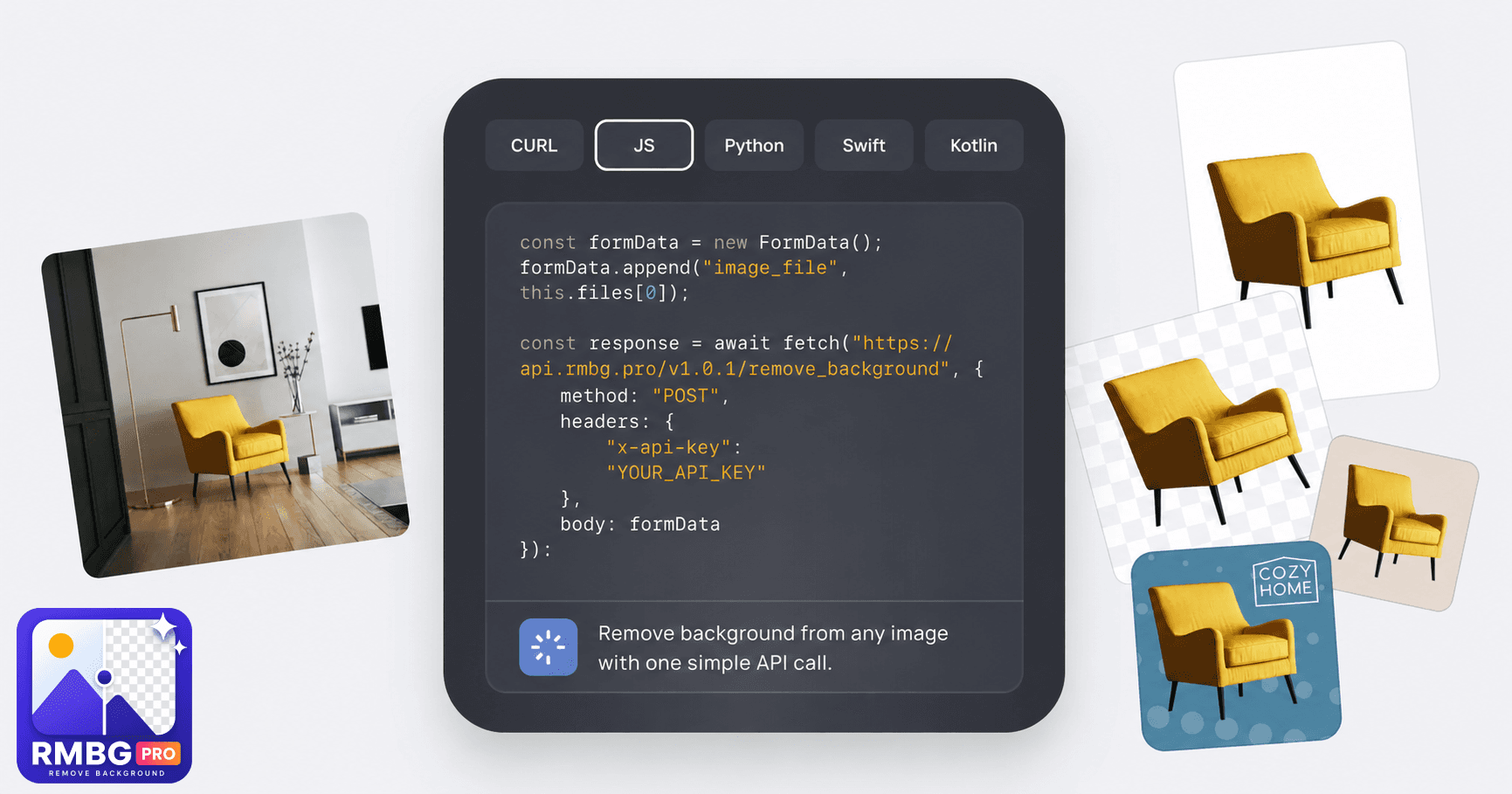
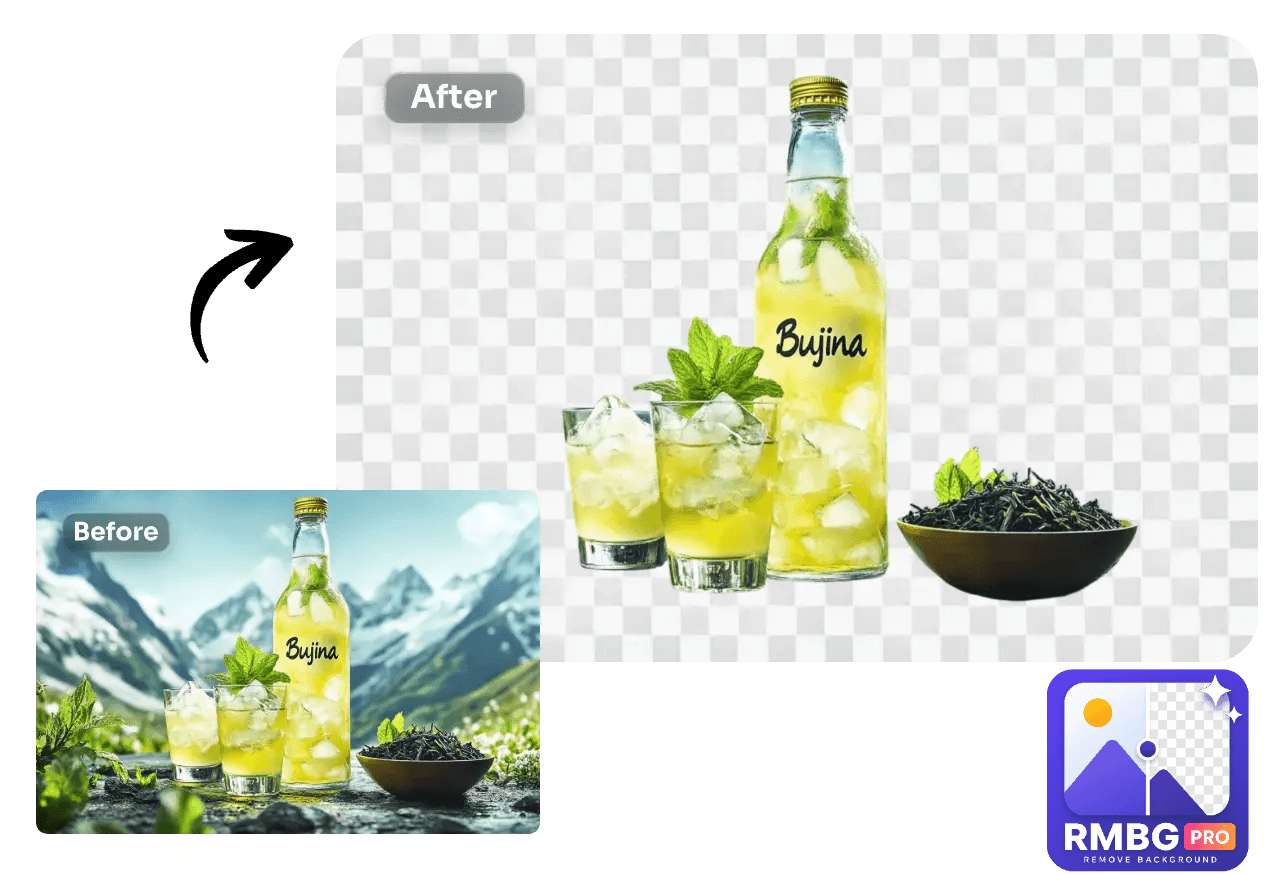
RMBG PRO is a comprehensive, browser-based creative toolkit that brings together over 30 AI-powered and utility tools into one seamless platform. At its core, it excels at background removal, but it goes far beyond that: you can generate images from text prompts, edit photos with AI inpainting, convert images to layers, create YouTube thumbnails, extract text from images, remove watermarks and objects, anonymize license plates, and even convert text to speech. The platform also includes a full suite of image, video, PDF, and text utilities, such as an image resizer, converter, compressor, PDF editor, splitter/merger, and various string tools. Cloud collections let you organize, store, and share your work, with public portfolios and analytics. For developers, a REST API enables integration into custom applications, and plugins for WordPress and Shopify extend its functionality to e-commerce and content workflows. A Chrome extension and Telegram bot provide additional convenience. RMB...

Key features

  • 1AI background removal with batch processing, custom backgrounds, and multi-format export (WebP, PNG)
  • 233 tools across AI studio, image, video, PDF, text, and cloud categories — all browser-based
  • 3Developer API, WordPress plugin, Shopify app, Chrome extension, and Telegram bot for integrations

Target customer profile

Drawn from the product itself, not from a survey.

Demographic

Graphic designers, social media managers, content creators

Pain points

Time-consuming manual editing, need for multiple tools, high cost of professional software

Primary needs

Quick background removal, image generation, easy editing, and asset organization

Demographic

E-commerce store owners, product photographers

Pain points

Inconsistent product images, manual background removal for listings, lack of bulk processing

Primary needs

Bulk background removal, image optimization, and integration with e-commerce platforms

Demographic

Developers, agencies, and businesses

Pain points

Integrating image processing into apps, need for API and automation, custom development

Primary needs

REST API, plugins, and custom development services for tailored solutions

Human reviews

What people found in RMBG PRO

Written by Scout Forge members. We do not verify that a reviewer purchased or installed the app.How we handle reviews

Paid review

Funded by the developer, who could not block publication — and the reviewer was paid the same either way.

10credits
Tomer Bar-Meir

Tomer Bar-Meir

Oct 15, 2026

I tested the Remove background tool in a desktop browser (Windows, Chrome) without signing in. I uploaded a 1080 x 1350 JPG of a small crocheted toy fish on a rug. Upload, cutout and the before/after slider all worked within seconds with no account, and the result kept the toy and made the rug transparent at the original resolution. The side panel then offers colour, gradient and photo backgrounds, plus Effects, Adjust, Remove object and a Download PNG button, so one cutout can go straight to a finished image. Good: no sign-up wall, a clear before/after view, a simple layout. Weak spots: the cookie banner covers the bottom of the preview on first load, and I did not test the download, bulk mode or the video and PDF tools, so I cannot speak for them. Overall a quick, easy background remover for single images.

Test an app and get paid in credits

Developers fund these. You keep the credits whatever your verdict.

Scout Review

Written by AI from measured evidence, scored out of 100.

RMBG PRO is an ambitious browser-based creative toolkit that packs 33 tools — background removal, AI image generation, PDF editing, text utilities, and more — into a single platform starting at €5/month. The design is polished, the hero demo is interactive, and the pricing is transparent. Speed is decent (Lighthouse 71/100) with fast LCP but blocking TBT. Security is the weak point: only 6/12 headers, no HSTS or CSP, and no published compliance. Accessibility scores 97/100 on automated checks but lacks an a11y statement. The core issue is positioning: it tries to be everything for everyone, which makes it hard to know who it's really for. For budget-conscious creators who want one subscription instead of five, it's worth a look — just don't expect enterprise-grade security documentation.

Measure by measure

Usability

62

33 tools across 7 categories with search bar and clear CTAs. Pricing is credit-based and transparent, but the dense tool directory risks overwhelming new users without stronger grouping.

Design

71

Polished, modern landing page with interactive hero demo and consistent tool grid. Visual audit rates it 'good' but notes repetitive card layout and low-contrast nav elements.

Speed

57

Lighthouse desktop performance 71/100 with fast LCP (774ms) and perfect CLS (0), but TBT of 637ms indicates main-thread blocking that hurts interactivity.

Security

52

HTTPS enforced with frame protection and X-Content-Type-Options, but missing HSTS, CSP, Referrer-Policy, and Permissions-Policy. No SOC 2, ISO, or bug bounty found.

Accessibility

80

Lighthouse accessibility score 97/100, but failing audits for insufficient color contrast and mismatched accessible names. No a11y statement or WCAG mention found on site.

Growth

58

Real problem (background removal + creative utilities) with a specific wedge: 33 tools in one browser-based platform at €5/month. But the 'everything for everyone' positioning blurs the target customer.

Improvement areas

  • Security headers incomplete (6/12): missing HSTS, CSP, Referrer-Policy, and Permissions-Policy
  • No published security page, compliance documentation, or bug bounty program
  • Unfocused target customer positioning — tries to serve six audiences simultaneously

Design & Usability

RMBG PRO's design is genuinely above average for an indie toolkit. The hero demo card is interactive and product-focused, showing a blue shoe on lime with working background controls — not stock imagery. The tool grid is scannable with consistent cards and category tags, though it becomes visually repetitive after the first row. Usability is solid but dense: 33 tools across 7 categories with a search bar, clear CTAs like 'Make your first cutout', and transparent credit-based pricing. The changelog shows active development through December 2025. The main friction is discovery — a new user landing on 33 tools may not know where to start, and the pricing page explains credits in a way that requires mental math.

Speed & Security

Speed is a mixed bag. Lighthouse desktop performance scores 71/100 with excellent LCP (774ms) and perfect CLS (0), but a TBT of 637ms means the main thread blocks during load, hurting interactivity. For a tool-heavy site, this is acceptable but not impressive. Security is the weak spot: HTTPS is enforced with frame protection and X-Content-Type-Options, but HSTS, CSP, Referrer-Policy, and Permissions-Policy are all missing — only 6/12 checklist points. No SOC 2, ISO certification, or bug bounty program is mentioned. For a platform handling user images and offering a developer API, the lack of a published security page or compliance documentation is a gap, though not unusual for an early-stage indie product.

Accessibility & Growth

Accessibility scores 97/100 on Lighthouse's automated audit, which is strong. The two failures — insufficient color contrast and mismatched accessible names — are fixable but real. The site itself has no accessibility statement, WCAG mention, or multi-language support, which limits its reach. Growth potential is moderate: the problem (background removal plus creative utilities) is real and the €5/month price undercuts Canva and Photoroom. But the positioning tries to serve graphic designers, social media managers, e-commerce owners, and developers simultaneously, which blurs the wedge. Remove.bg owns single-purpose simplicity; Canva owns the all-in-one design suite. RMBG PRO sits between them without a clear reason to pick it over either.

Conclusion

RMBG PRO earns a solid 'good enough to try' verdict. The €5/month entry tier with 100 images is genuinely competitive against Remove.bg's credit pricing, and the breadth of tools means you might cancel a few other subscriptions. But the security gaps and unfocused positioning keep it from being a clear recommendation over established alternatives. If you're a solo creator or small e-commerce shop wanting one toolkit for background removal, image generation, and PDF editing, it's worth the free credits to test. If you need compliance documentation or a tool your whole team can adopt without confusion, look at Canva or Photoroom first. The foundation is there — sharper positioning and a security page would go a long way.

Suggestions for improvement

  • Publish a security page with details on data handling, encryption, and any compliance roadmap (SOC 2, GDPR) to build trust with business customers.
  • Add HSTS, CSP, and Referrer-Policy headers — these are low-effort fixes that materially improve security posture.
  • Clarify the target customer on the homepage: pick one primary segment (e.g., e-commerce sellers) and lead with that instead of listing six audiences.
  • Improve the tool directory UX with stronger visual grouping or a guided 'start here' flow to reduce overwhelm for new users.
How we score

Alternatives comparison

Named competitors, point by point. Nobody paid to appear here or to be left out.

RMBG PRORemove.bgCanvaPhotoroom
Primary use caseAll-in-one creative toolkit with 33 tools including background removal, AI generation, PDF editing, and text utilitiesSingle-purpose automatic background removal toolComprehensive design platform with background removal and broad editing featuresAI photo editor focused on background removal and generation for e-commerce and social media
Pricing modelCredit-based: €5/month for 100 images, €25/month for 500, €250/month for 5000, €500/month unlimitedCredit-based: pay per image, subscription plans availableFreemium with Pro subscription; background removal is a Pro featureFreemium with Pro subscription for advanced features
Developer APIREST API available on Standard tier and aboveAPI available with pay-per-use pricingConnect APIs for enterprise integrationsAPI available for e-commerce integrations
Batch processingYes, available on all paid tiersYes, available on paid plansLimited; primarily single-image editingYes, batch editing available on Pro
E-commerce integrationsShopify app, WordPress plugin, Chrome extension, Telegram botAPI integrations; no native Shopify/WordPress appsShopify integration, WordPress plugin, broad app ecosystemShopify app, API for e-commerce workflows

Comparing options? See RMBG PRO alternatives, scored side by side

View all Productivity
Scout Forge

A platform dedicated to providing unbiased reviews of newly launched applications, analyzing everything from their features to their full potential.

info@scoutforge.net

© 2026 Scoutforge. All rights reserved.