

A platform dedicated to providing unbiased reviews of newly launched applications, analyzing everything from their features to their full potential.
info@scoutforge.net© 2026 Scoutforge. All rights reserved.
A platform dedicated to providing unbiased reviews of newly launched applications, analyzing everything from their features to their full potential.
info@scoutforge.net© 2026 Scoutforge. All rights reserved.
A platform dedicated to providing unbiased reviews of newly launched applications, analyzing everything from their features to their full potential.
info@scoutforge.net© 2026 Scoutforge. All rights reserved.
Cycling through all six. Tap any point to stop.
Measured on six things
SilentCut is an AI video editing plugin for Premiere Pro and DaVinci Resolve. It cuts the silences, filler words and bad takes. You make the calls.
Free file-drop test and clear pricing tiers are good, but docs are explicitly placeholders and onboarding stops at a minimal upload box with no preview or feedback.
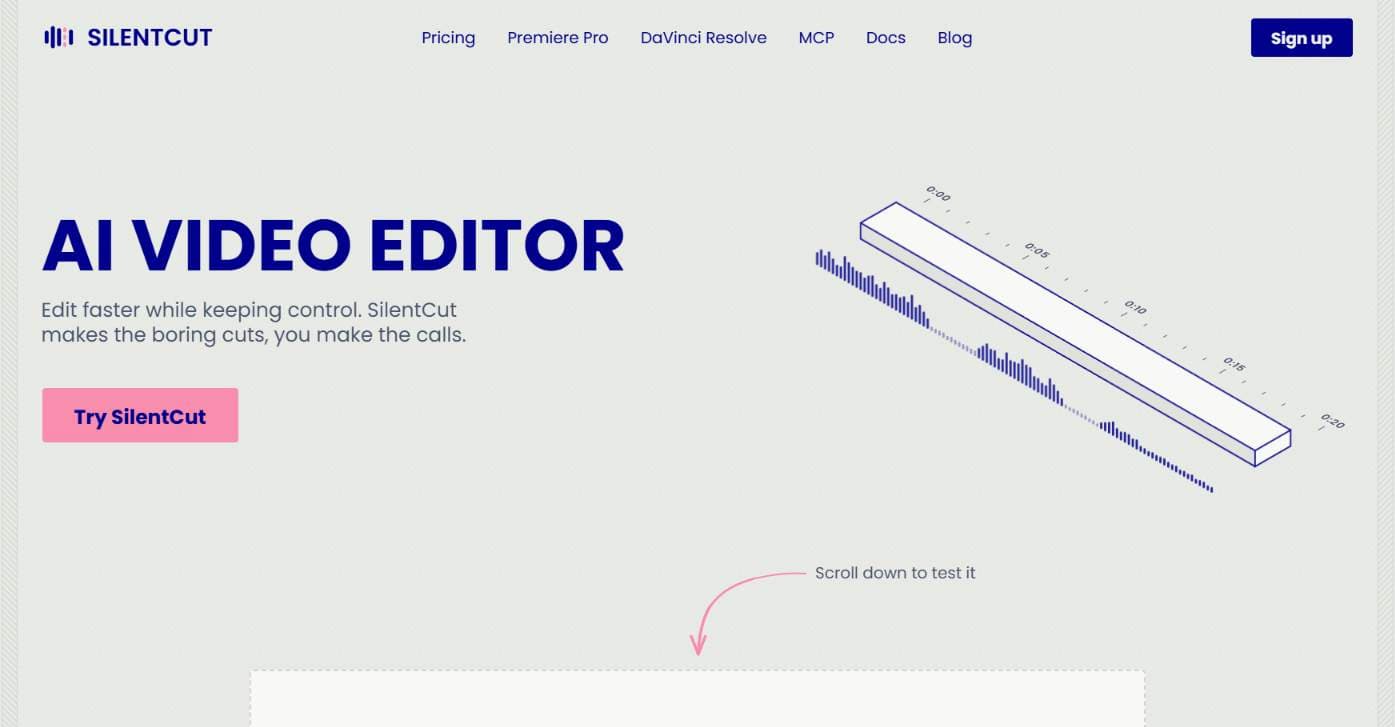
SilentCut is an AI video editing plugin for editors who cut talking-head videos, podcasts and creator content. It runs inside Premiere Pro and DaVinci Resolve (free edition and Studio), and in the browser with SilentCut Studio. Three tools take the tedious part out of an edit: - Silence Remover finds and cuts the silent gaps, with sensitivity and minimum gap length under your control. - Speech Cleanup removes filler words, stutters, false starts, unfinished sentences and repetitions. - Best-Take Selector highlights every version of a repeated sentence, so you keep one take and cut the rest. SilentCut makes the boring cuts and you make the calls. Your video stays on your machine: only the audio is uploaded. The Silence Remover is free, with no limit. The Editor plan ($29/mo) and the Agency plan ($79/mo) add Speech Cleanup and the Best-Take Selector, with a 14-day money-back guarantee.
Drawn from the product itself, not from a survey.
Demographic
YouTube creators
Pain points
Spending hours cutting silences and filler words from long recordings
Primary needs
Fast, automated editing that retains control over final cut
Demographic
Podcasters
Pain points
Tedious editing of interviews and monologues with repeated takes
Primary needs
One-pass removal of dead air and filler words with review option
Demographic
Video editors in agencies
Pain points
Manual editing eats into billable hours and creative time
Primary needs
Scalable solution with API access and team-friendly pricing
Written by AI from measured evidence, scored out of 100.
SilentCut is an AI video editing plugin for Premiere Pro, DaVinci Resolve, and the browser that automates silence removal, speech cleanup, and best-take selection for talking-head content. The pitch is sharp: it makes the boring cuts, you make the calls. Speed is excellent (Lighthouse 99 mobile, 100 desktop), accessibility is strong (97/100), and the pricing is transparent with a free tier and a 14-day money-back guarantee. But the homepage design feels unfinished, the docs are explicitly placeholders, and security headers are half-missing. Growth potential is real — the plugin wedge into existing editors is a smart differentiator — but the product is early and the execution doesn't yet match the promise. A promising tool for podcasters and YouTube creators, held back by incomplete surfaces.
Free file-drop test and clear pricing tiers are good, but docs are explicitly placeholders and onboarding stops at a minimal upload box with no preview or feedback.
Clean palette and clear hero, but massive empty space after the fold and a tiny isolated upload test make the homepage feel unfinished. No pricing or proof visible on first scroll.
Lighthouse mobile 99/100 (LCP 1.8s, CLS 0, TBT 0ms) and desktop 100/100. Genuinely fast, no lag complaints found.
HTTPS enforced with SPF/DMARC, but no HSTS, CSP, or frame protection. No SOC 2 or pen-test claims. Stripe handles checkout. Checklist 6/12.
Lighthouse accessibility 97/100 with one contrast failure. No a11y statement or multi-language support, but keyboard navigation and responsive layout appear solid.
Real pain for talking-head editors, specific plugin wedge into Premiere and Resolve, plus MCP for AI agents. Early stage (domain 0.2 years) but idea has room.
SilentCut's homepage has a clear, high-contrast hero and a consistent blue/pink/gray palette, but the visual audit flags excessive empty space after the fold and a tiny, isolated upload test that requires scrolling. The design feels like a polished shell waiting for content. Usability is a mixed bag: the free file-drop test and transparent pricing tiers ($0, $29, $79) are welcome, but the docs page explicitly calls itself 'placeholder pages until the product surfaces ship,' and the upload flow offers no preview or feedback once a file is chosen. For a tool that promises to save editors hours, the onboarding doesn't yet demonstrate that value. The 14-day money-back guarantee and Stripe checkout are solid trust signals, but the core experience needs more depth before it earns a recommendation.
Speed is SilentCut's standout strength: Lighthouse mobile 99/100 (LCP 1.8s, CLS 0, TBT 0ms) and desktop 100/100. The site loads instantly with zero layout shift, and no user complaints about lag were found. Security is more mixed. HTTPS is enforced with SPF and DMARC records, and Stripe handles payments, but the HTTP header probe found no HSTS, no CSP, no frame protection, and no Permissions-Policy — a 6/12 checklist score. There are no SOC 2, ISO, or pen-test claims on the site. For a tool that uploads audio to the cloud, that's a gap worth watching. The privacy policy exists but doesn't detail data handling depth. Security is competent but unremarkable for the stage.
Accessibility scores 97/100 on Lighthouse with a single contrast failure — a strong result for an early-stage product. However, there's no accessibility statement, no multi-language support, and no mention of screen reader testing. Keyboard navigation appears functional. Growth potential is the most interesting dimension: SilentCut targets a real, specific pain (cutting silences and filler words from talking-head content) and differentiates by running inside Premiere Pro and DaVinci Resolve as a plugin, plus a browser Studio and an MCP server for AI agents. That plugin wedge is smart — it meets editors where they already work. The category has headroom as AI editing tools proliferate, but the product is very early (domain registered 0.2 years ago) and the docs are placeholders. The idea can grow; execution needs to catch up.
Conclusion
SilentCut has the right idea and the right wedge: meet editors inside Premiere Pro and DaVinci Resolve, automate the tedious cuts, and let them keep control. The speed and accessibility scores prove the team can build a fast, clean web presence. But the docs are placeholders, the homepage has more empty space than a Monday morning calendar, and the security headers are half-finished. For a tool that asks you to upload your audio, that matters. The free tier and money-back guarantee lower the risk, and the plugin approach is genuinely smart. If the team ships the promised surfaces and tightens the security posture, SilentCut could become a staple for talking-head editors. Until then, it's a promising beta with a polished landing page and a lot of 'coming soon.'
Named competitors, point by point. Nobody paid to appear here or to be left out.
 Silentcut Silentcut |  Descript Descript |  Adobe Premiere Pro Adobe Premiere Pro |  DaVinci Resolve DaVinci Resolve | |
|---|---|---|---|---|
| Primary editing environment | Plugin for Premiere Pro and DaVinci Resolve, plus browser Studio | Browser-based editor with transcription-based editing | Full professional video editing software | Full editing, color grading, and audio suite |
| Silence removal automation | Dedicated Silence Remover with adjustable sensitivity and minimum gap length, free | Can remove silences via transcript editing, not a dedicated tool | Manual cutting or AI-assisted tools, no dedicated silence remover | Manual cutting, no dedicated silence remover |
| Filler word and stutter removal | Speech Cleanup removes ums, uhs, stutters, false starts, repetitions (paid plans) | Yes, via transcript editing and AI tools | Limited AI-assisted tools, not a dedicated filler remover | No dedicated filler word removal |
| Best-take selection | Best-Take Selector highlights repeated takes side by side (paid plans) | No dedicated best-take selector | No dedicated best-take selector | No dedicated best-take selector |
| Pricing model | Free tier; Editor $29/mo; Agency $79/mo; 14-day money-back guarantee | Free tier; paid plans from ~$12/mo to ~$24/mo per user | Subscription from ~$22.99/mo | Free version; Studio one-time $295 |
| API access | 3 active API keys on Free and Editor; unlimited on Agency | No public API | No public API for editing automation | No public API for editing automation |
Descript
AI-powered video and podcast editor with transcription-based editing.
Adobe Premiere Pro
Professional video editing software with manual and AI-assisted tools.
DaVinci Resolve
Comprehensive video editing and color grading suite with AI features.
Comparing options? See Silentcut alternatives, scored side by side

An all-in-one hospitality software for restaurants and ba...

A weekly newsletter delivering curated tech jobs, intervi...

White-label reputation management software for agencies s...

Privacy-first open source journal app with a continuous t...

Puzzly is an all-in-one B2B lead generation platform that...

All-in-one AI workspace for docs, projects, and knowledge...

A free, open-source platform offering 110 AI agent skills...

Open-source desktop app for switching AI coding providers...

One verified handle for your online identity, readable by...

Frame-perfect video-to-GIF maker that runs entirely in yo...

White-label website audits that close deals for digital a...

Automated quote follow-up for trades and service businesses.
A platform dedicated to providing unbiased reviews of newly launched applications, analyzing everything from their features to their full potential.
info@scoutforge.net© 2026 Scoutforge. All rights reserved.
