Cycling through all six. Tap any point to stop.
Measured on six things
Batch convert EML/EMLX emails to PST with full folder str...
Design
58Average visual polish. Clean hero and feature cards, but dated WinForms dialog, empty below-fold section, and clashing CTA styles hold it back.
Screenshots
1 / 5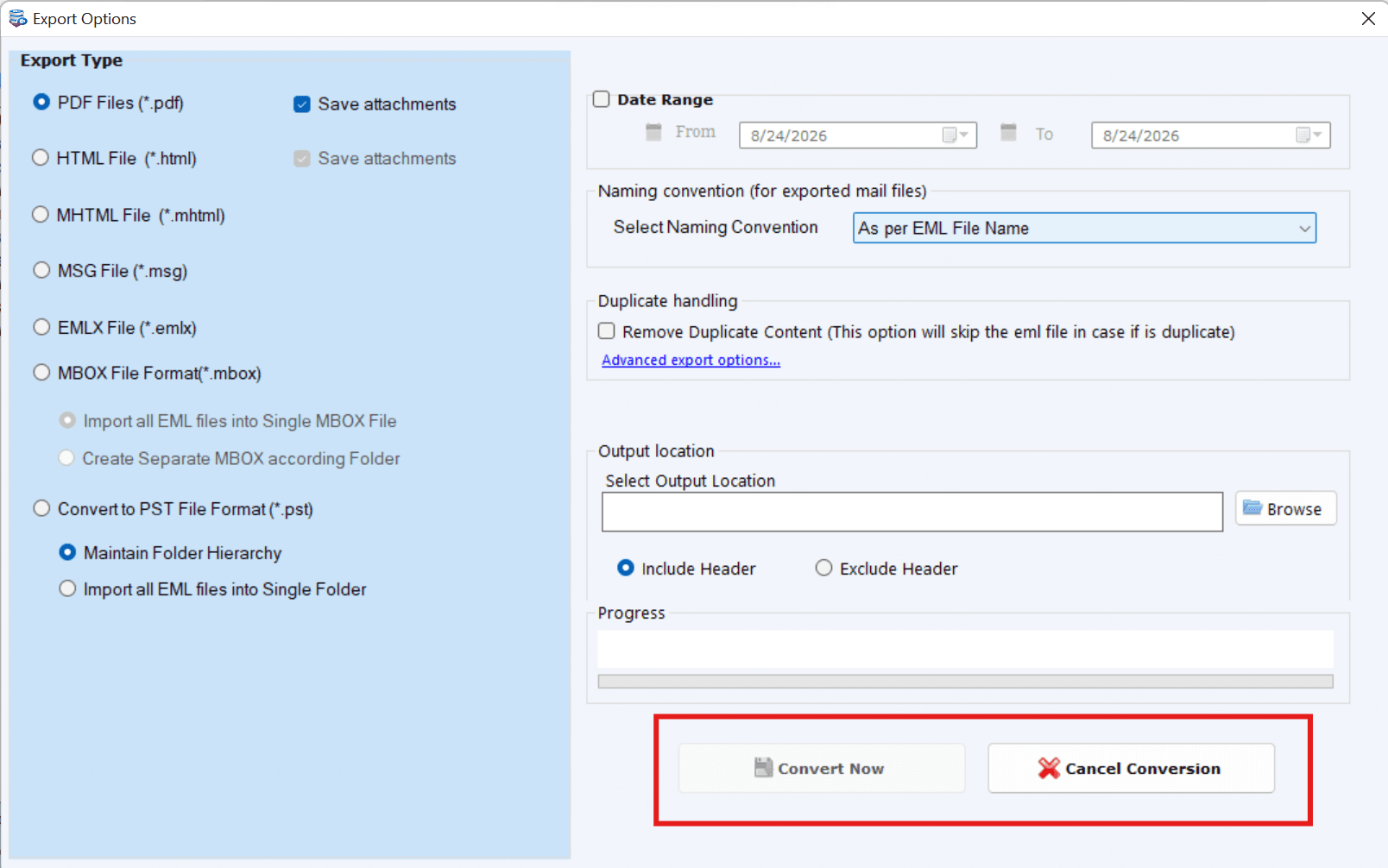
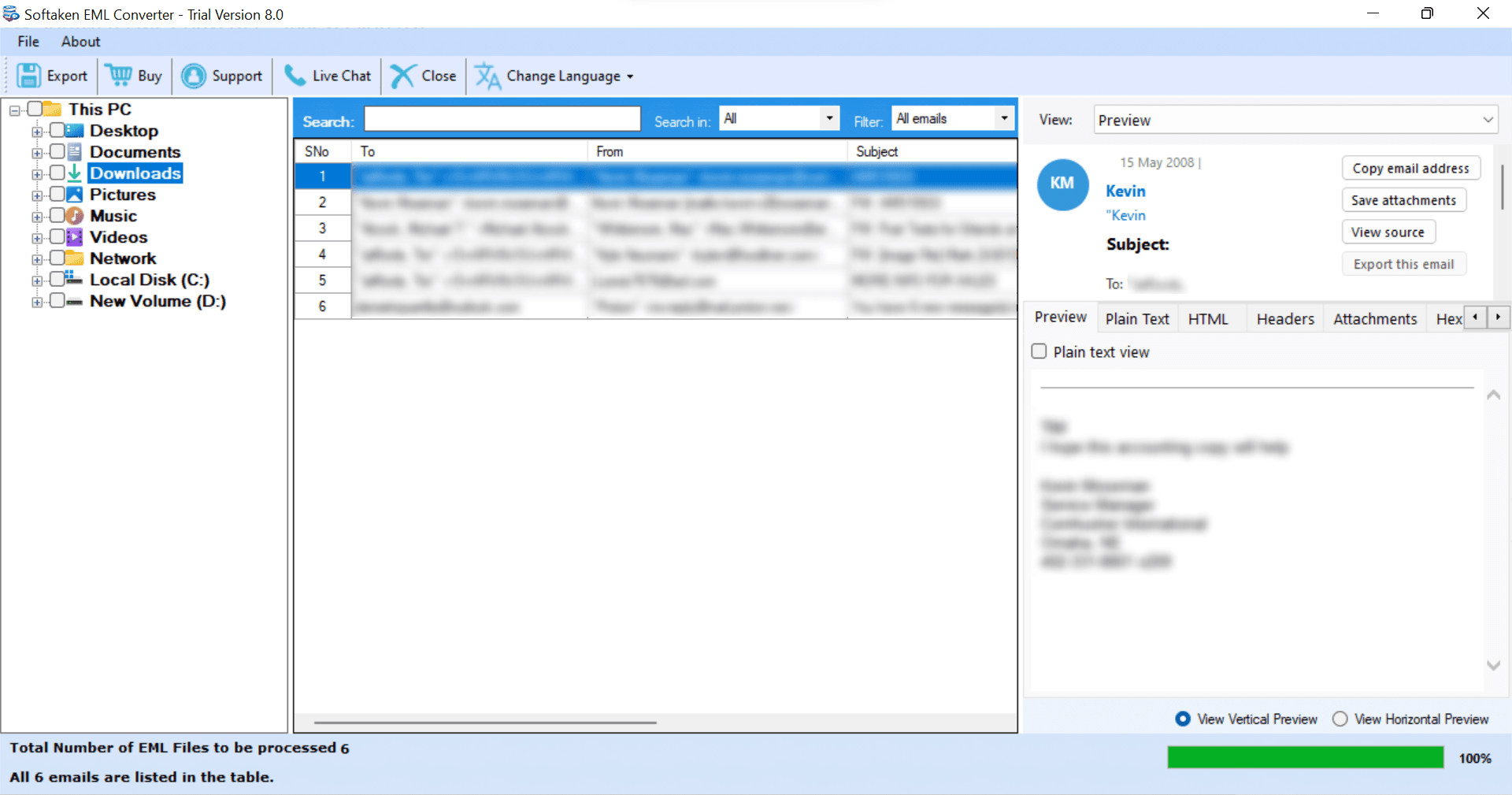
About this app
Softaken EML to PST Converter is a reliable desktop tool built to migrate emails from multiple email clients like Thunderbird, Apple Mail, Windows Live Mail, etc into MS Outlook's PST format. It handles bulk conversions efficiently, preserving metadata such as headers, timestamps, folder hierarchy, and inline images. The tool comes with a clean and easy-to-use interface that requires no advanced tech skills to use. No Outlook or any external application installation is needed to use this standalone software. All converted PST files are easily opened in all versions of MS Outlook 2024, 2021, 2019, 2016, 2013, 2010, and older ones. Moreover, the EML Converter works flawlessly and smoothly in all the newer and older versions of Windows OS.
Key features
- 1Bulk conversion of EML/EMLX to PST with folder hierarchy and metadata preservation (50,000+ files tested)
- 2Offline conversion with multi-threaded indexing; no Outlook or external application required
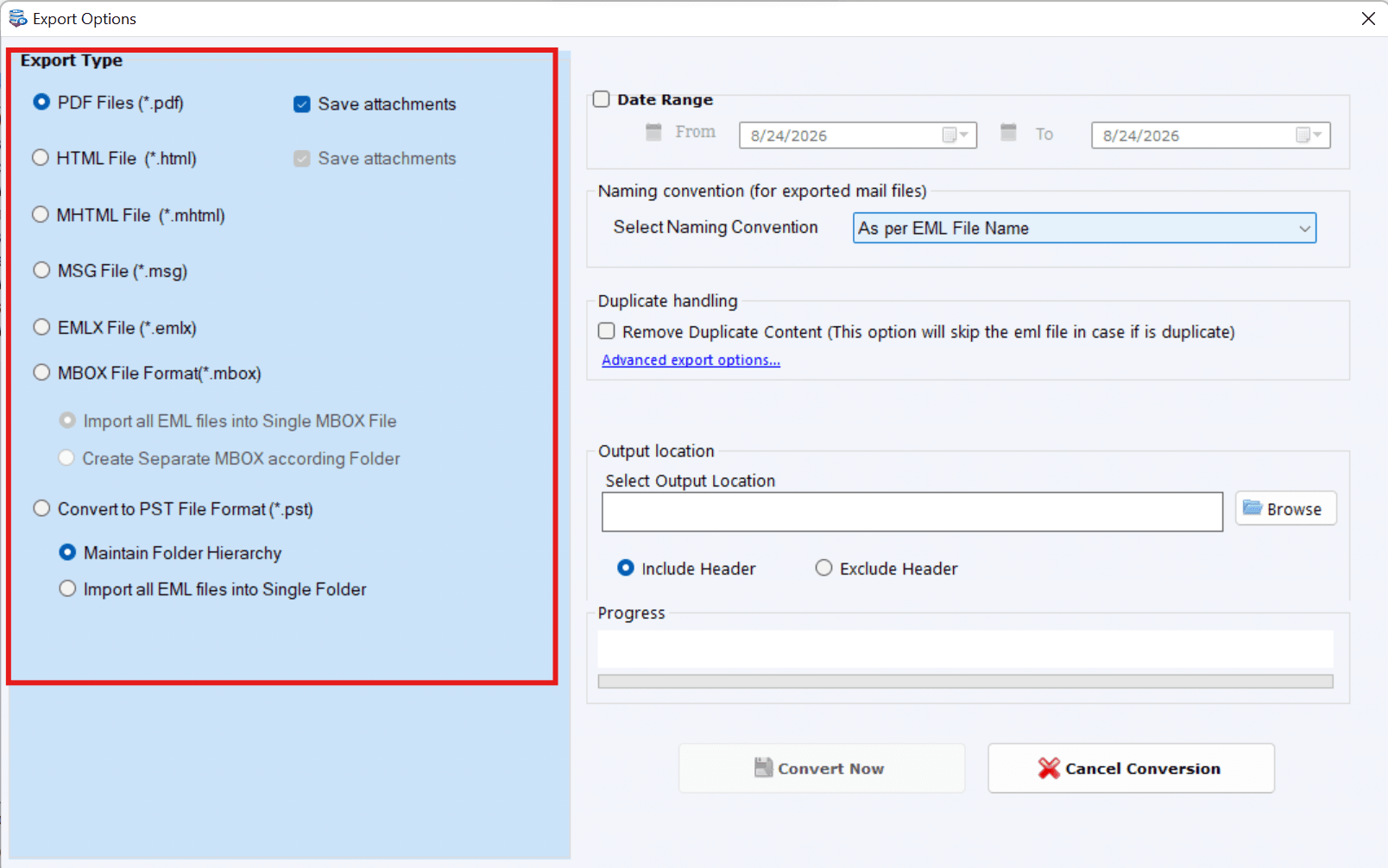
- 3Export options include PST, PDF, HTML, MHTML, MSG, EMLX, MBOX; supports Unicode PST for Outlook 2024 down to 2010
- 4Advanced error handling for corrupted EML files with SMTP RFC822 header preservation
- 5Windows 11/10/8/7/Vista/XP and Windows Server support; free trial available
Target customer profile
Drawn from the product itself, not from a survey.
Demographic
IT Administrators (age 30-50, technical, enterprise environment)
Pain points
Need to migrate large volumes of EML files from multiple clients, ensuring no data loss or folder structure change; manual migration is time-consuming and error-prone.
Primary needs
Bulk conversion, data integrity, folder hierarchy preservation, batch automation, and reliable support for large datasets.
Demographic
Business Users (professionals, small to medium businesses, age 25-45)
Pain points
Switching from Thunderbird or Apple Mail to Outlook; need to access old EML emails in Outlook without losing important attachments or formatting.
Primary needs
Easy-to-use interface, quick conversion, free trial to test, and affordable licensing.
Demographic
Individuals & Home Users (age 20-50, non-technical)
Pain points
Have old EML files from Windows Live Mail or Outlook Express that are unreadable without an email client; need to import them into Outlook for personal archiving.
Primary needs
Simple drag-and-drop or folder selection, clear preview, and step-by-step instructions; cost-effective solution.
Scout Review
Written by AI from measured evidence, scored out of 100.
Softaken EML to PST Converter is a solid, no-frills utility that does exactly what it promises: bulk-converts EML/EMLX files to PST with metadata and folder hierarchy intact. It's priced aggressively at $29, targets a real pain point, and backs its claims with a 4.7/5 rating from 247 users. The marketing site is fast and the security headers are exemplary, but the design is dated, accessibility has minor gaps, and there's no independent security certification. For IT admins and individuals migrating from Thunderbird or Apple Mail to Outlook, it's a competent, affordable choice. It won't blow you away, but it won't leave you stranded either. If you need forensic-grade features, Aid4Mail is the alternative; if you want a straightforward, budget-friendly converter, Softaken delivers.
Measure by measure
Usability
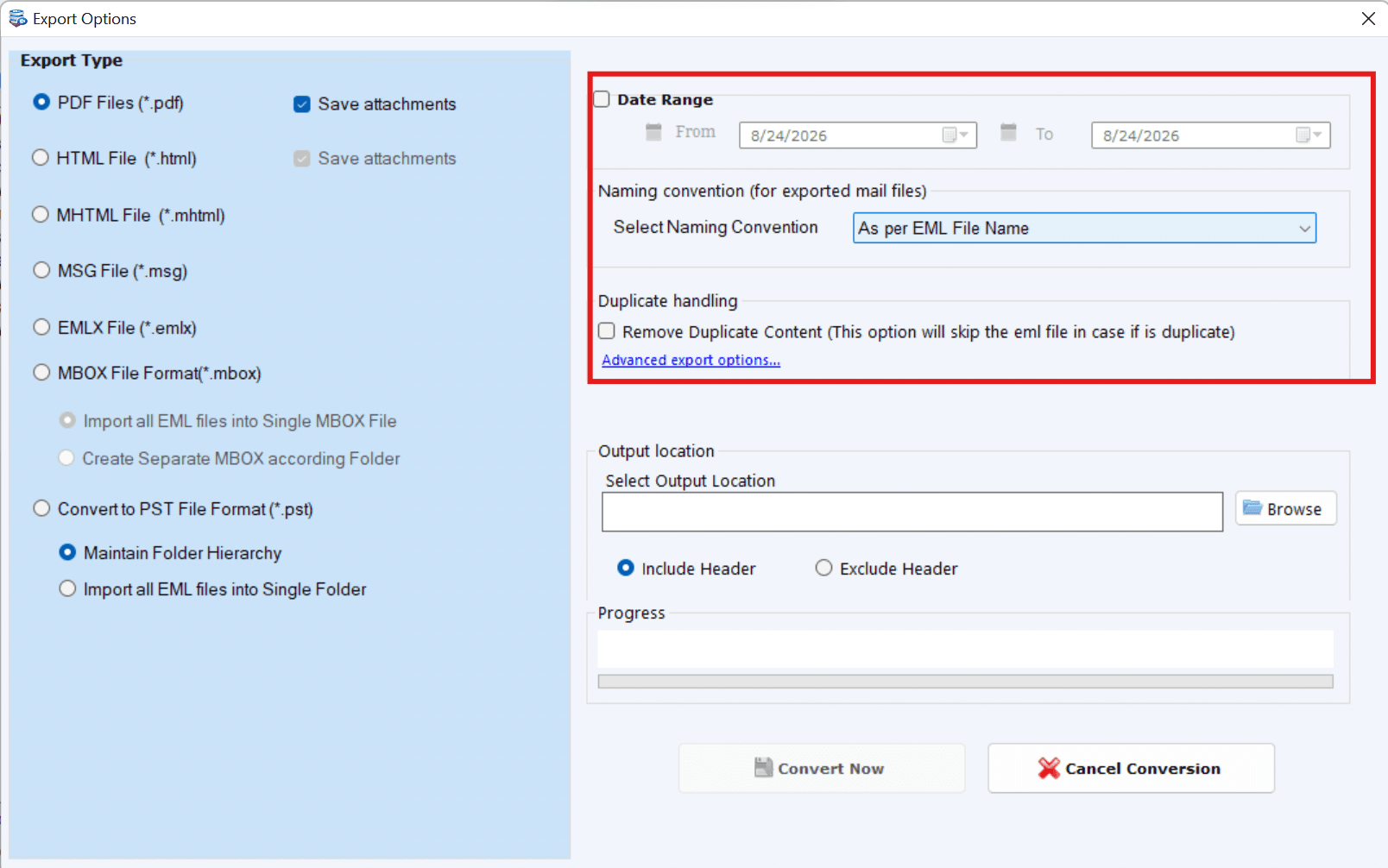
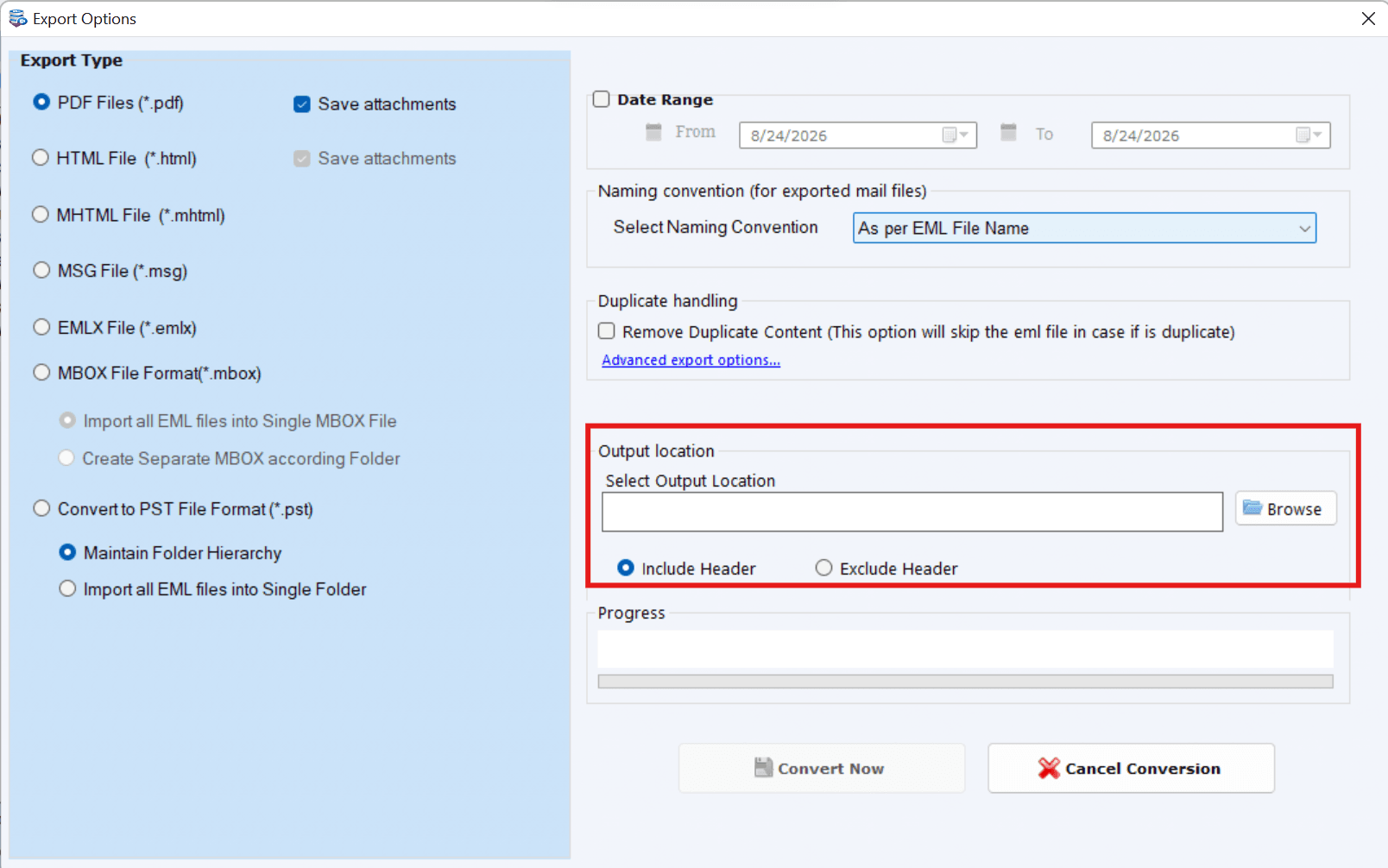
64Solid 4-step workflow with docs, screenshots, and videos. Dialog separates format from settings well. Small text and dense options could frustrate non-technical users.
Design
58Average visual polish. Clean hero and feature cards, but dated WinForms dialog, empty below-fold section, and clashing CTA styles hold it back.
Speed
68Marketing site is fast (Lighthouse 89 mobile, 99 desktop, LCP 1.2s). CLS 0.226 slightly above threshold. No software speed complaints found.
Security
72Strong HTTP security: 13/13 headers, HSTS, CSP, DMARC all present. No SOC 2/ISO certification or independent audit disclosed, but no incidents found either.
Accessibility
74Lighthouse 95/100 with minor ARIA and heading-order issues. No WCAG statement or multi-language support. Windows-only tool limits platform accessibility.
Growth
62Real problem, clear differentiators (bulk, metadata, offline, $29 entry). But crowded category with strong incumbents; wedge is price+simplicity, not defensible tech.
Improvement areas
- Modernize the export dialog UI — current WinForms appearance feels dated and undermines ease-of-use claims
- Publish a WCAG conformance statement and fix minor accessibility audit failures (ARIA, heading order)
- Add a real macOS version or remove the Mac download button to avoid misleading users
- Provide independent security certification (SOC 2 or similar) to back '100% secure' claims
- Fix homepage below-the-fold empty space and unify CTA button styles for clearer visual hierarchy
Design & Usability
Softaken EML to PST Converter presents a competent but unremarkable desktop tool. The homepage hero is clean and communicates the core value proposition quickly — convert EML to PST with folder hierarchy and attachments intact. The 4-step workflow (select, scan, preview, export) is genuinely easy to follow, and the docs section provides screenshots, videos, and step-by-step guides. However, the design shows its age: the export dialog looks like a WinForms app from 2008, the below-the-fold homepage section renders as empty blue space, and the multiple download buttons compete for attention with clashing colors. For a tool aimed at IT admins and non-technical users alike, the interface is functional but won't win any design awards. The 4.7/5 rating from 247 users suggests real-world usability is solid, even if the aesthetics lag behind modern standards.
Speed & Security
Performance-wise, the marketing site is excellent — Lighthouse scores of 89 mobile and 99 desktop with a 1.2s LCP. The slight CLS issue (0.226) is a minor blemish. The software itself claims multi-threaded indexing for bulk conversions, which addresses the common pain point of slow batch processing. Security is a mixed bag: the HTTP header posture is exemplary (13/13 checklist points including HSTS, CSP, and DMARC), but there's no SOC 2, ISO certification, or independent security audit disclosed. The '100% Virus Free' claim is marketing speak without third-party verification. For a desktop tool handling potentially sensitive email data, the lack of a published security framework is a gap, though not unusual for a small vendor. No breach history was found, which is reassuring.
Accessibility & Growth
Accessibility is above average for the category — a 95/100 Lighthouse score with only minor ARIA and heading-order issues. However, there's no WCAG conformance statement, no multi-language support, and the tool is Windows-only despite a Mac download button on the homepage. Growth potential is moderate. The problem is real: migrating from Thunderbird or Apple Mail to Outlook is genuinely painful, and manual drag-drop breaks metadata and folder structure. Softaken differentiates on price ($29 entry) and simplicity versus Aid4Mail's forensic-grade complexity and SysInfo's similar feature set. The category has steady demand from IT admins and businesses, but it's crowded and the technical moat is shallow — any competitor can add bulk conversion and metadata preservation. The wedge is affordability and ease of use, which can sustain a niche business but won't create a category leader.
Conclusion
The bottom line: Softaken EML to PST Converter is a dependable workhorse in a crowded field. It's not flashy, but it's affordable, functional, and backed by genuine user satisfaction. The 4-step workflow and offline conversion are practical wins, and the $29 price point undercuts most competitors. If you're an IT admin or a home user staring down a folder of unreadable EML files, this tool will get the job done without drama. Just don't expect cutting-edge design or enterprise-grade security documentation. For the price, it's a fair trade. Download the free trial, test it on your dataset, and decide if the metadata preservation is worth the upgrade. For most users, it probably is.
Suggestions for improvement
- Add a WCAG conformance statement and fix the minor ARIA/heading-order issues flagged by Lighthouse.
- Remove the Mac download button or actually ship a macOS version — the current bait-and-switch is a trust killer.
- Publish a security whitepaper or at least a SOC 2 self-assessment to back up the '100% secure' claims.
- Redesign the export dialog with modern UI elements and better spacing; the WinForms look undermines the 'easy-to-use' pitch.
Alternatives comparison
Named competitors, point by point. Nobody paid to appear here or to be left out.
 Softaken EML to PST Converter |  Aid4Mail |  SysInfo EML to PST Converter | |
|---|---|---|---|
| Bulk Conversion | Yes, 50,000+ files tested, multi-threaded indexing | Yes, batch processing with advanced filtering | Yes, batch processing supported |
| Metadata Preservation | Preserves SMTP headers, timestamps, folder hierarchy, inline images | Preserves metadata with forensic-grade accuracy | Preserves metadata and folder structure |
| Pricing (Entry Level) | From $29 | Premium pricing (forensic-grade, typically $100+) | Competitive, similar range to Softaken |
| Forensic Features | No, standard migration tool | Yes, comprehensive forensic and legal-ready exports | No, standard migration tool |
| OS Compatibility | Windows only (11, 10, 8, 7, Vista, XP, Server) | Windows and macOS | Windows only |
| Free Trial | Yes, free demo version available | Yes, trial version available | Yes, trial version available |
Aid4Mail
A professional email migration tool that supports EML to PST conversion with advanced filtering and comprehensive forensic features.
SysInfo EML to PST Converter
A dedicated EML to PST converter with batch processing and multiple export options, suitable for individuals and businesses.
Comparing options? See Softaken EML to PST Converter alternatives, scored side by side
More Productivity apps
View all Productivity
Qamarero
92An all-in-one hospitality software for restaurants and ba...

Puzzly – B2B Lead Generation & Sales Intelligence Platform
92Puzzly is an all-in-one B2B lead generation platform that...

The Stack Newsletter
92A weekly newsletter delivering curated tech jobs, intervi...

StoryPad
92Privacy-first open source journal app with a continuous t...

Vibe Coding Agent Skills
92A free, open-source platform offering 110 AI agent skills...

Notion
92All-in-one AI workspace for docs, projects, and knowledge...

EmbedMyReviews
92White-label reputation management software for agencies s...

QRBliss
91Branded QR codes with AI Brand Sync, 15 free dynamic code...

Strukchad Property Management
91Property management for Kenyan letting agents: rent invoices raised every month, M-Pesa rent prompts to tenants, arrears tracking and landlord statements.

CC Switch
91Open-source desktop app for switching AI coding providers...

Gerty
91Private, local AI assistant for Mac that runs offline

BACKLNK
90Backlnk is a free SEO and AI visibility website: 15 website checks, a full audit as a PDF report, and guides to get found in search and AI answers.


A platform dedicated to providing unbiased reviews of newly launched applications, analyzing everything from their features to their full potential.
info@scoutforge.net© 2026 Scoutforge. All rights reserved.
