Cycling through all six. Tap any point to stop.
Measured on six things
Standalone tool to extract Outlook PST/OST attachments, a...
Design
46Clear CTA hierarchy and a scannable Quick Facts band, but the Windows 8-era 'Trial Version 3.0' screenshot and drifting product names ('Outlook Email Extractor' vs 'Outlook PST Extractor') make it feel dated and inconsistent.
Screenshots
1 / 6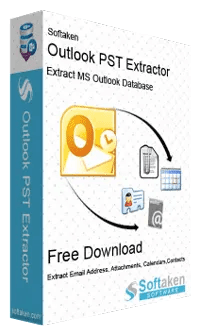
About this app
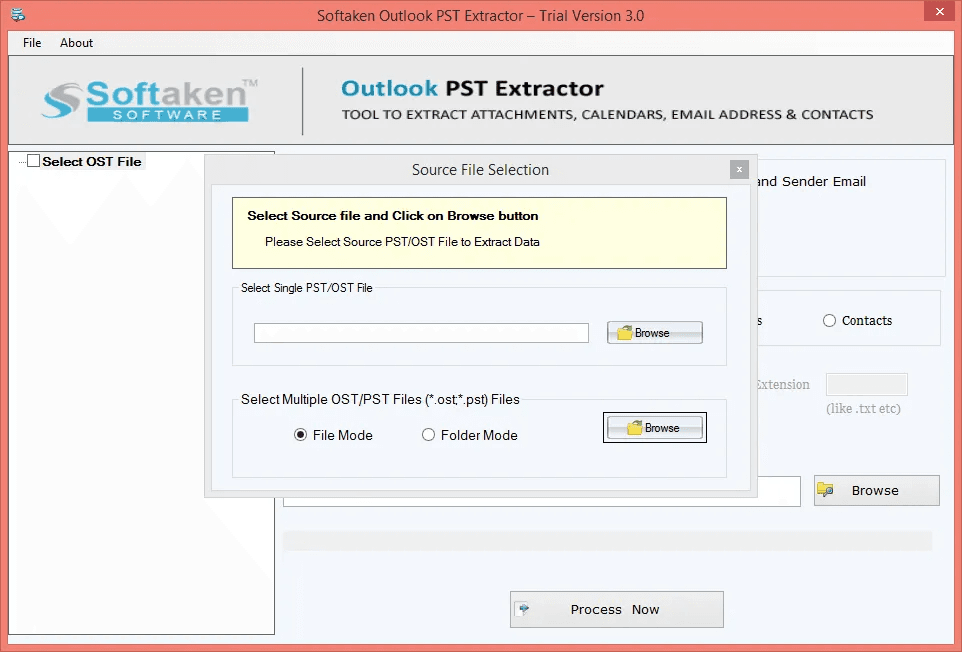
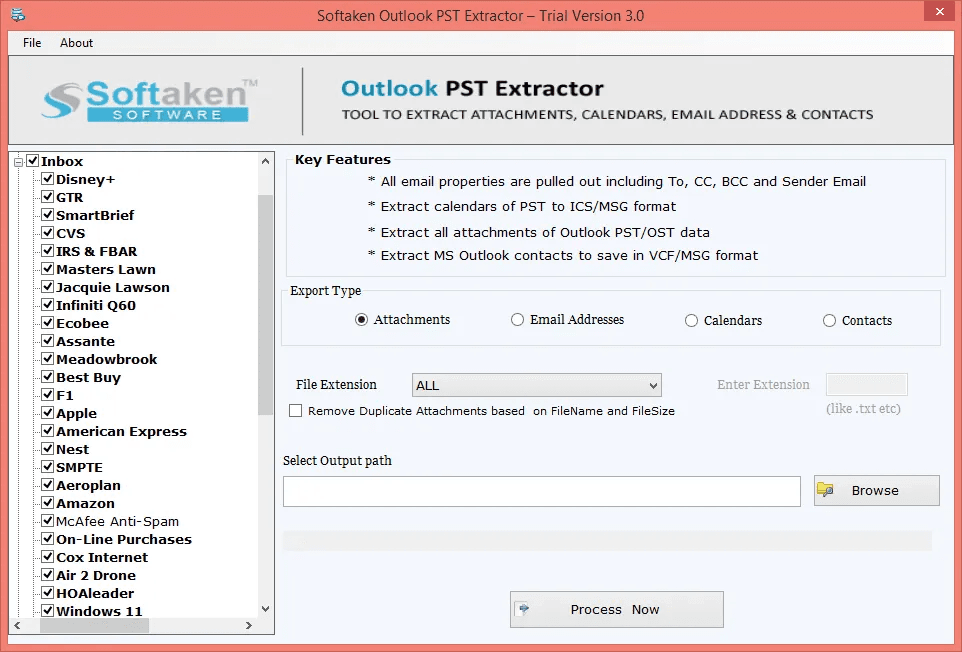
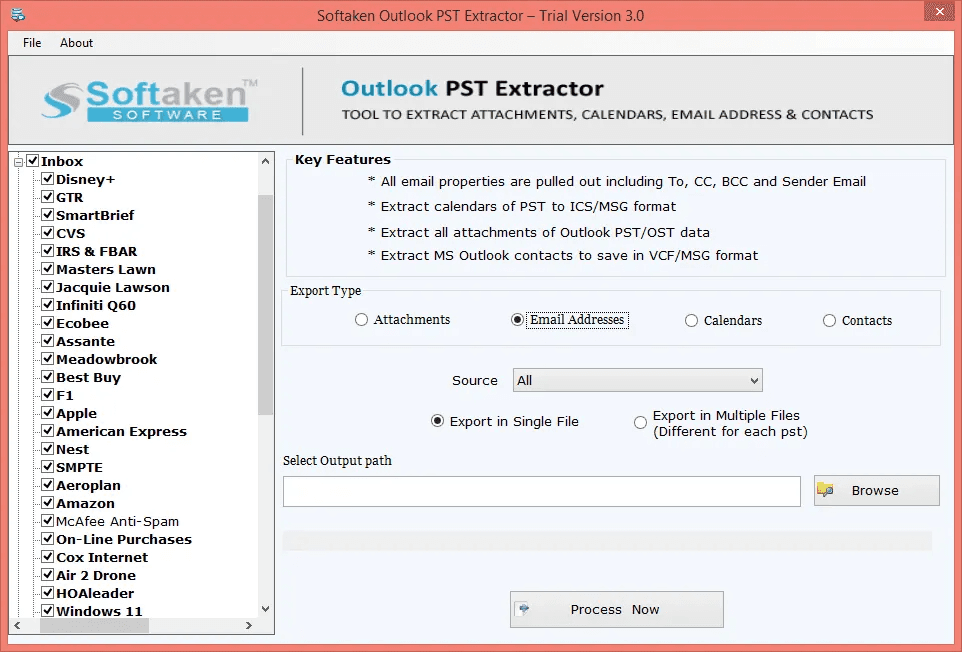
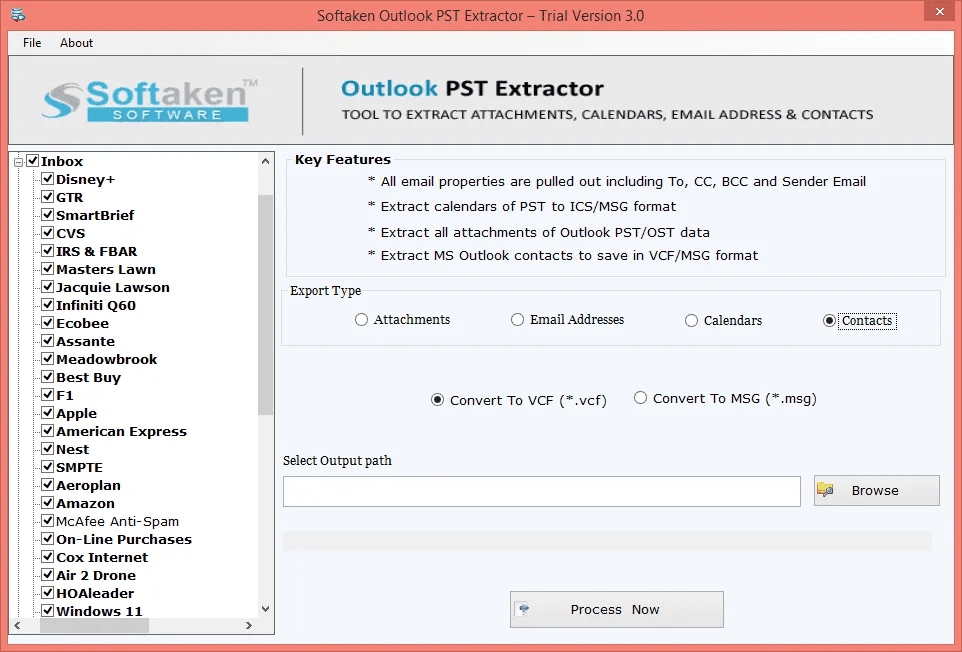
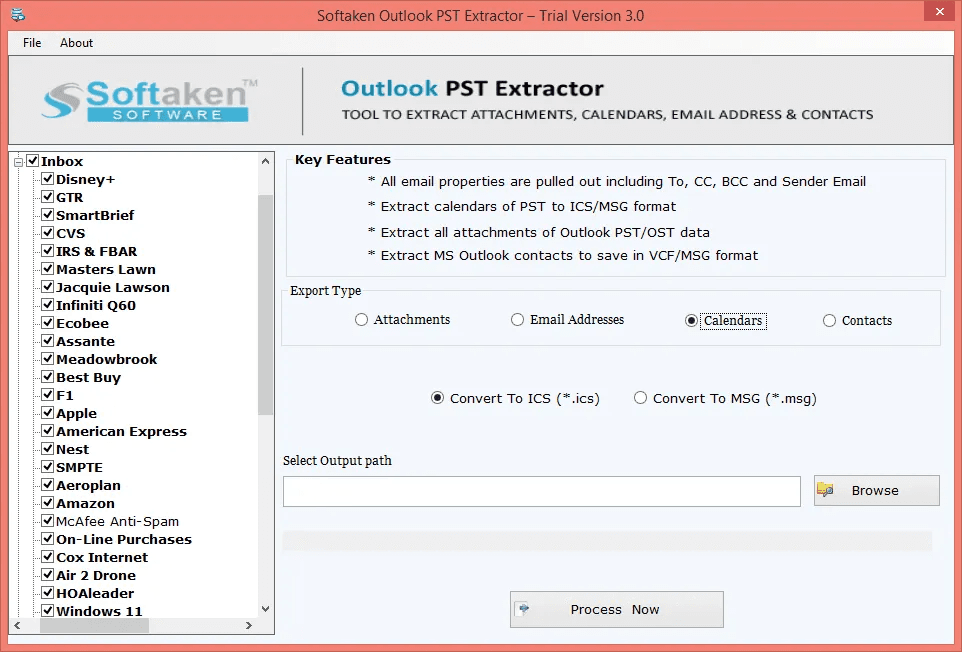
Softaken Outlook PST Extractor is a Windows-based program that helps to extract relevant information from Outlook PST and OST files. It lets users save email attachments, email addresses, contacts, and calendar information in various formats. Main Features Extract all or specific email attachments from PST and OST files Extract email addresses from To, From, CC, BCC, and Subject. Export Outlook contacts to VCF and MSG format. Save the diary entries as ICS and MSG files Support for ANSI and Unicode PST files. Data extraction from numerous files in batch mode. Filter attachments by extension. Delete duplicate attachments. Save the data recorded to the specified location. Support for Outlook 2024, 2021, 2019, 2016, 2013, 2010, 2007, and 2003 Compatible with Windows 11, 10, 8.1, 8 & 7. It does not require Microsoft Outlook to be installed. The free sample version lets you extract up to 10 items before buying the full version.
Key features
- 1Standalone extraction of attachments, email addresses, contacts, and calendars from PST/OST without Outlook installed.
- 2Selective To/CC/BCC/From/Subject extraction and attachment filtering by file extension with duplicate removal.
- 3Batch processing of multiple PST/OST files with output to VCF, ICS, MSG, and TXT formats.
Target customer profile
Drawn from the product itself, not from a survey.
Demographic
IT administrators and helpdesk technicians
Pain points
Orphaned PST files, no Outlook installed on servers, manual extraction is slow and error-prone.
Primary needs
A standalone extractor that works without Outlook and can batch-process multiple PST/OST files.
Demographic
Legal and compliance teams (eDiscovery)
Pain points
Need to harvest email addresses and attachments from PST archives for audits or litigation without altering the source.
Primary needs
Selective extraction of To/CC/BCC/From fields and attachments, output to TXT for review.
Demographic
Small business owners and office managers
Pain points
Migrating contacts and calendars from old Outlook backups to Google Calendar, Apple Calendar, or phones.
Primary needs
Export contacts to VCF and calendars to ICS without buying full Outlook or expensive migration suites.
Demographic
Sales and marketing professionals
Pain points
Building email lists from old PST files is tedious; copying addresses manually wastes hours.
Primary needs
Quickly extract sender/receiver addresses from large PST archives into a clean text file.
Scout Review
Written by AI from measured evidence, scored out of 100.
Softaken Outlook PST Extractor is a Windows utility for pulling attachments, email addresses, contacts, and calendars out of PST/OST files without needing Outlook installed. The marketing site is fast (98 mobile Lighthouse) and technically well-secured (12/12 header checks), with a clear above-the-fold CTA and a stated 10-item demo limit. The weaknesses are craft and trust: a dated 'Trial Version 3.0' screenshot, inconsistent product naming, redundant 'Benefit:' pills, and no published compliance certifications despite targeting legal and compliance teams. The idea is sound and specifically positioned, but it competes in a crowded field of near-identical extractors.
Measure by measure
Usability
62Above-the-fold CTAs, a stated 10-item demo limit, and a 5-step visual workflow make the path clear. Dense small text in the features grid and a buried demo video hold it back from being genuinely easy.
Design
46Clear CTA hierarchy and a scannable Quick Facts band, but the Windows 8-era 'Trial Version 3.0' screenshot and drifting product names ('Outlook Email Extractor' vs 'Outlook PST Extractor') make it feel dated and inconsistent.
Speed
88Lighthouse mobile 98/100 (LCP 1.2s, CLS 0, TBT 0ms) and desktop 100/100. The marketing site is genuinely fast and lightweight — no complaints found.
Security
74Full security-header sweep (HSTS, CSP, frame protection, Referrer-Policy, Permissions-Policy) plus SPF and DMARC — 12/12 checklist points. No published SOC 2, ISO, or bug bounty, so it sits at the top of the typical band.
Accessibility
80Lighthouse accessibility 97/100 with only two failing audits — insufficient color contrast and mismatched accessible names on labeled elements. No WCAG statement or a11y page, but the automated baseline is strong.
Growth
58A real, specific problem (orphaned PSTs, no Outlook on servers, eDiscovery harvesting) with a genuine wedge: standalone extraction without Outlook, batch mode, selective To/CC/BCC. But it's a crowded niche of near-identical extractors.
Improvement areas
- Dated 'Trial Version 3.0' screenshot and inconsistent product naming across the site.
- No published SOC 2, ISO, or bug bounty despite targeting legal and compliance teams.
- Two accessibility failures (color contrast, accessible names) and no WCAG statement.
Design & Usability
The landing page does the fundamentals right: a green Free Download button and a navy Buy Now sit side by side above the fold, the 10-item demo limit is stated right there, and a 5-step visual workflow walks you from adding PST files to exporting calendars. The Quick Facts band (Input, Extract, Demo, Platform) is a smart scannable strip. What drags it down is craft: the hero screenshot is a 'Trial Version 3.0' window that looks a decade old, the product is called three different names in one section, and every feature card ends in a 'Benefit:' pill that just restates the heading. Dense small text in the features grid and a demo video buried under a wall of copy make long reading a chore.
Speed & Security
Speed is the standout: Lighthouse mobile 98/100 with LCP 1.2s, CLS 0, and TBT 0ms, and a perfect 100 on desktop. The marketing site is lean and snappy. Security is solid on the technical side — the HTTP probe found all 12 checklist points present, including HSTS, CSP, frame protection, Referrer-Policy, Permissions-Policy, plus SPF and DMARC. What's missing is the trust layer enterprises actually look for: no SOC 2, no ISO, no bug bounty, no security page beyond a 'scanned with multiple antivirus engines' badge. For a tool handling legal and compliance PST archives, that gap matters more than the header sweep.
Accessibility & Growth
Accessibility scores well on automated checks — 97/100 with only two failures: insufficient color contrast and visible text labels without matching accessible names. Both are easy fixes, and there's no WCAG statement or dedicated a11y page, so the indirect signals are thin. On growth, the idea is legitimate: IT admins with orphaned PSTs, legal teams doing eDiscovery, small businesses migrating contacts to Google Calendar. The standalone-without-Outlook angle and selective To/CC/BCC extraction are real wedges. But the category is crowded with SysTools, Stellar, and Aryson selling near-identical extractors, and nothing in the material shows a structural advantage over them. It's a competent, clearly positioned product in a mature, competitive niche.
Conclusion
If you need to harvest attachments or addresses from a pile of PST files on a server with no Outlook, this does the job and the site tells you exactly what you're getting before you download. The 10-item demo is a fair way to test it. Just don't expect enterprise-grade compliance paperwork — if your legal team needs a SOC 2 report before they'll approve the purchase, you'll be having an awkward conversation. For everyone else, it's a competent, fast-loading tool in a crowded market.
Suggestions for improvement
- Replace the Windows 8-era 'Trial Version 3.0' screenshot with a current, high-resolution UI capture.
- Standardize the product name across all sections — pick one and stick to it.
- Remove the redundant 'Benefit:' pills that just restate each feature heading.
- Fix the two accessibility failures: color contrast and accessible name mismatches on labeled elements.
Alternatives comparison
Named competitors, point by point. Nobody paid to appear here or to be left out.
 Softaken Outlook PST Extractor Tool |  SysTools Outlook PST Extractor |  Stellar PST Extractor |  Aryson PST Extractor | |
|---|---|---|---|---|
| Works without Microsoft Outlook installed | Yes — standalone engine | Often requires Outlook for certain operations | Yes | Yes |
| Free demo limit | Up to 10 items | Limited demo | Stricter demo limits | Limited demo |
| Batch processing of multiple PST/OST files | Yes | Yes | Yes | Yes |
| Price point | Mid-range | Higher price point | More expensive | Budget-friendly |
| Interface polish / learning curve | Dated UI but clear 5-step workflow | Established, functional | User-friendly | Steeper learning curve, less polished |
SysTools Outlook PST Extractor
A well-known competitor that also extracts attachments, contacts, and calendars from PST files, but often requires Outlook for certain operations and has a higher price point.
Stellar PST Extractor
Another established tool for extracting emails, attachments, and contacts from PST files; user-friendly but can be more expensive and may have stricter demo limits.
Aryson PST Extractor
A budget-friendly alternative that supports PST extraction, but some users report a steeper learning curve and less polished interface compared to Softaken.
Comparing options? See Softaken Outlook PST Extractor Tool alternatives, scored side by side
More Productivity apps
View all Productivity
Qamarero
92An all-in-one hospitality software for restaurants and ba...

Puzzly – B2B Lead Generation & Sales Intelligence Platform
92Puzzly is an all-in-one B2B lead generation platform that...

The Stack Newsletter
92A weekly newsletter delivering curated tech jobs, intervi...

StoryPad
92Privacy-first open source journal app with a continuous t...

Vibe Coding Agent Skills
92A free, open-source platform offering 110 AI agent skills...

Notion
92All-in-one AI workspace for docs, projects, and knowledge...

EmbedMyReviews
92White-label reputation management software for agencies s...

QRBliss
91Branded QR codes with AI Brand Sync, 15 free dynamic code...

Strukchad Property Management
91Property management for Kenyan letting agents: rent invoices raised every month, M-Pesa rent prompts to tenants, arrears tracking and landlord statements.

CC Switch
91Open-source desktop app for switching AI coding providers...

Gerty
91Private, local AI assistant for Mac that runs offline

username.md
90One verified handle for your online identity, readable by...


A platform dedicated to providing unbiased reviews of newly launched applications, analyzing everything from their features to their full potential.
info@scoutforge.net© 2026 Scoutforge. All rights reserved.
