

A platform dedicated to providing unbiased reviews of newly launched applications, analyzing everything from their features to their full potential.
info@scoutforge.net© 2026 Scoutforge. All rights reserved.
A platform dedicated to providing unbiased reviews of newly launched applications, analyzing everything from their features to their full potential.
info@scoutforge.net© 2026 Scoutforge. All rights reserved.
A platform dedicated to providing unbiased reviews of newly launched applications, analyzing everything from their features to their full potential.
info@scoutforge.net© 2026 Scoutforge. All rights reserved.
Cycling through all six. Tap any point to stop.
Measured on six things
Spencer for Mac saves and restores your desktop window layouts instantly, boosting productivity for macOS users.
Basic macOS VoiceOver and keyboard navigation support, but lacks advanced accessibility features and high-contrast modes.
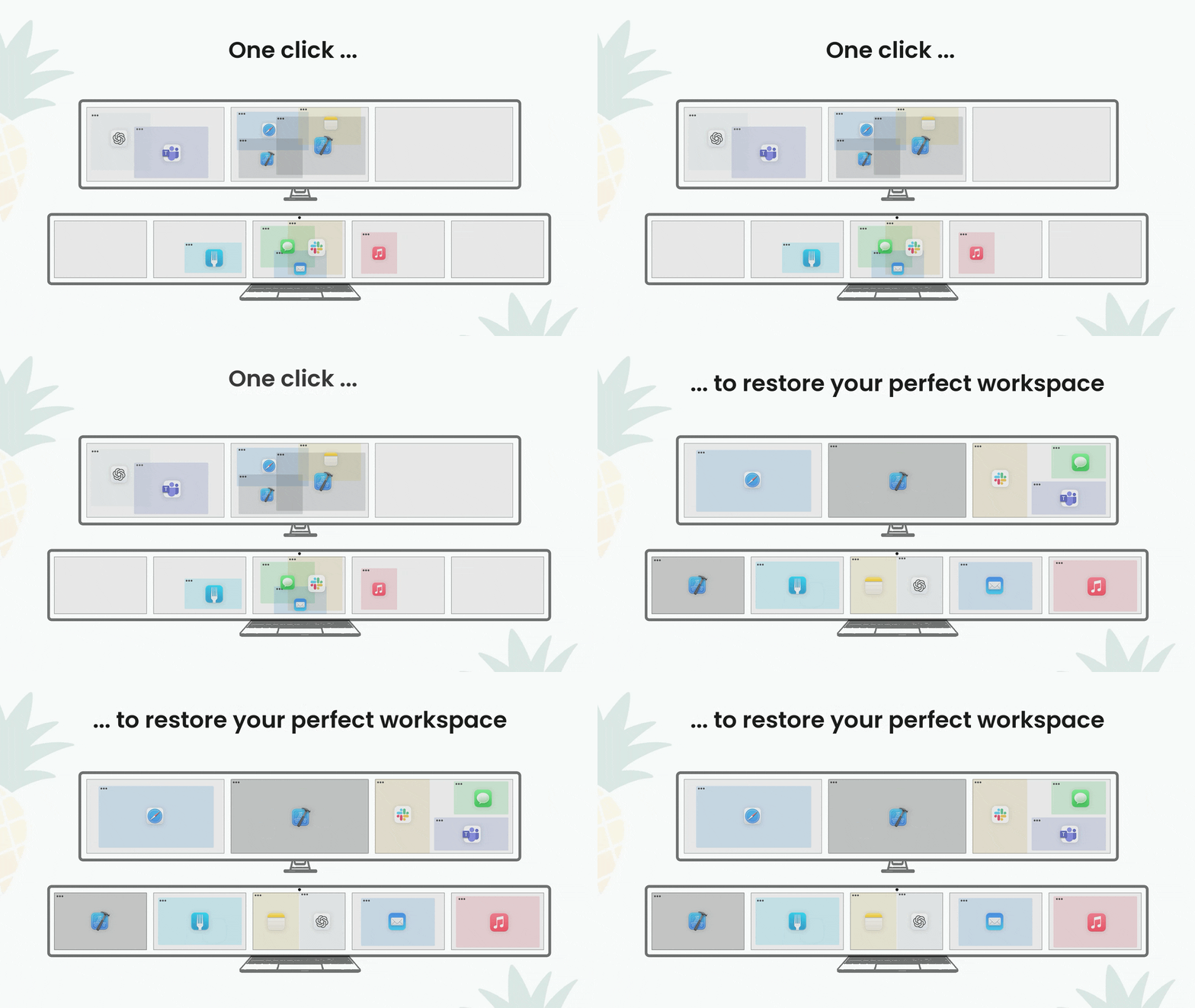
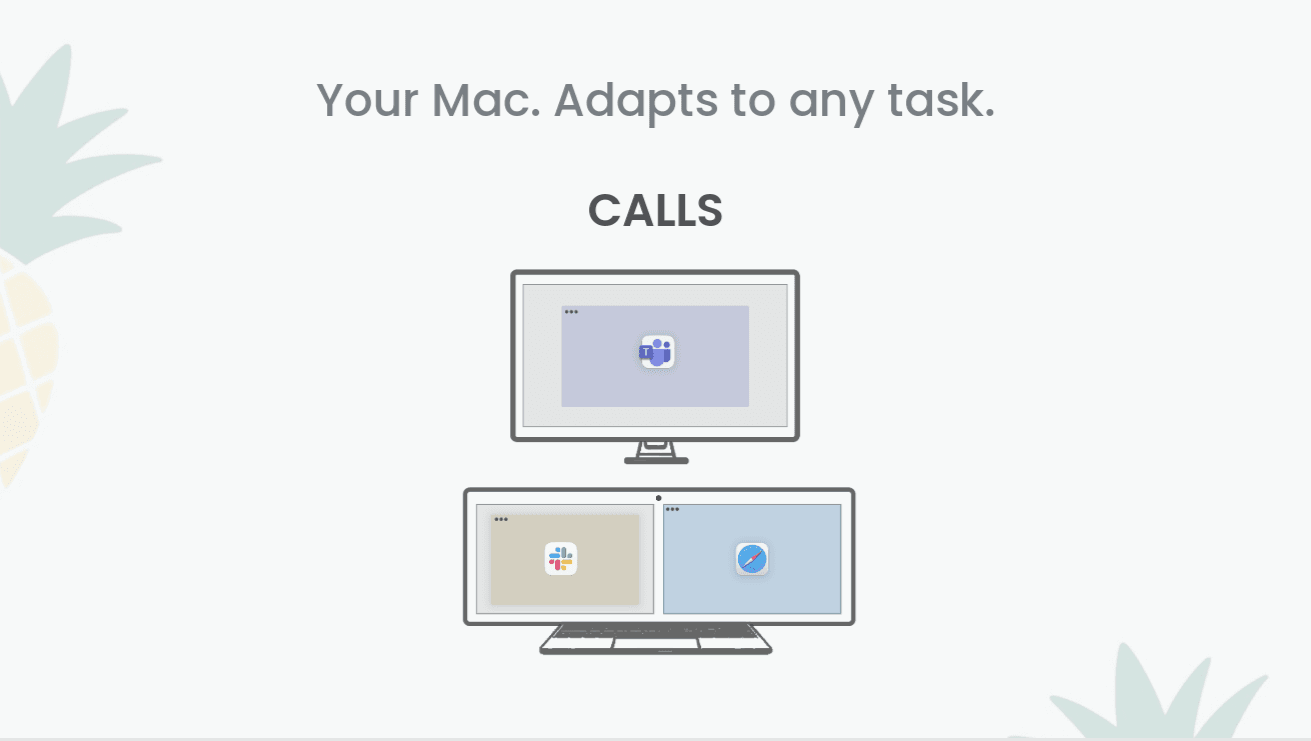
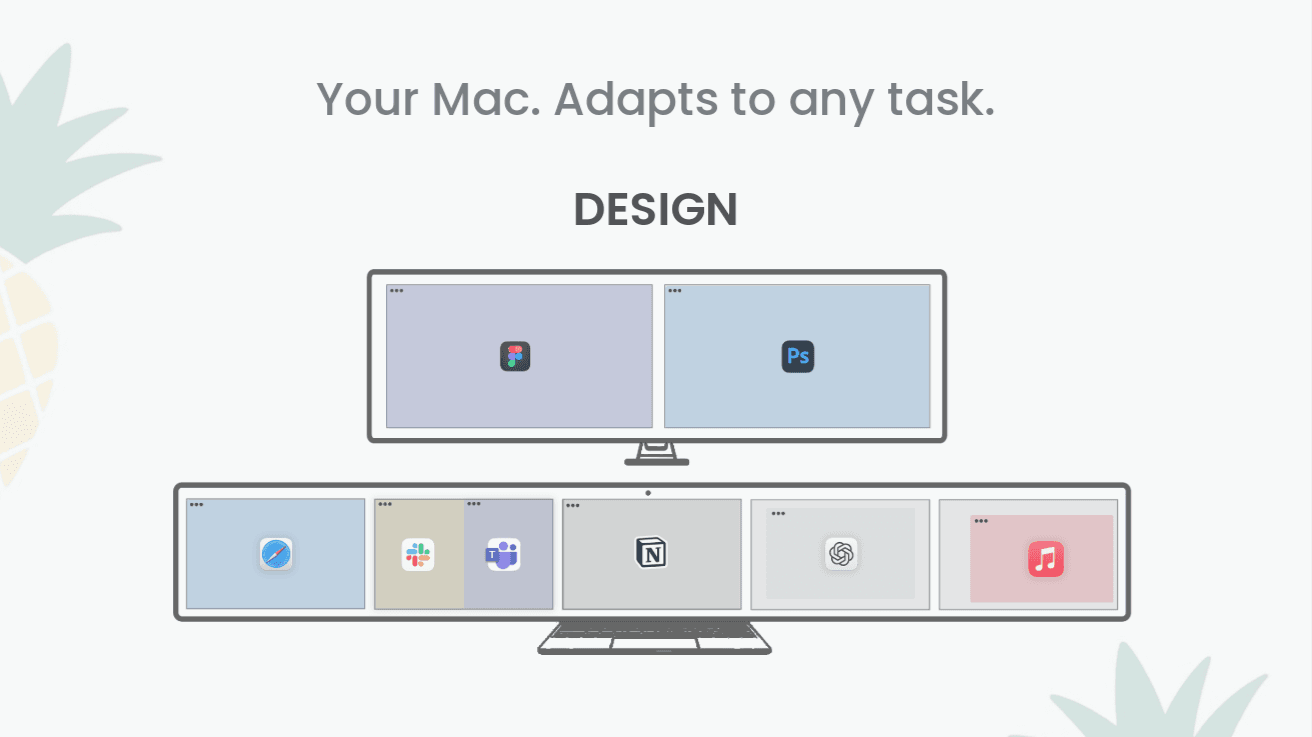
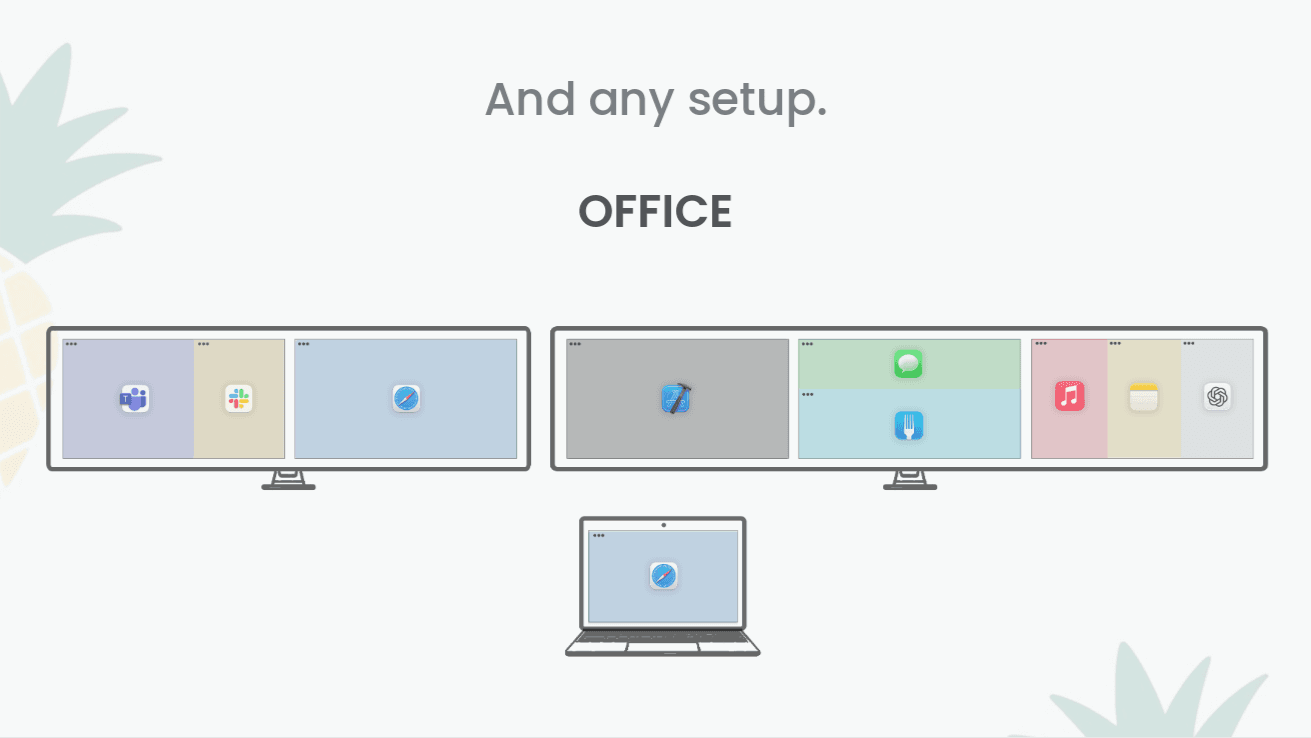

Spencer for Mac is a game-changing workspace management tool exclusively for macOS that lets you save and restore your entire desktop window setup with a single click. As a tech enthusiast who's tested countless productivity apps, I can confidently say Spencer solves a universal pain point: the endless hassle of rearranging windows when switching tasks. It captures everything—window sizes, positions, and open apps—across multiple displays and spaces, making it perfect for everything from a simple laptop setup to a complex multi-monitor workstation. With customizable profiles like 'Work Mode' or 'Creative Session,' you can switch contexts seamlessly, saving time and reducing cognitive load. It's fast, secure with local-only storage, and integrates beautifully with macOS, though it could use more accessibility features. If you're a Mac power user tired of window chaos, Spencer is a must-try tool that pays for itself in saved frustration.
Drawn from the product itself, not from a survey.
Demographic
Mac power users and professionals
Pain points
Constant window management, lost productivity from rearranging workspaces, difficulty maintaining focus with cluttered screens
Primary needs
Quick workspace switching, consistent layout preservation, multi-display support
Demographic
Remote workers and digital nomads
Pain points
Frequent context switching between tasks, limited screen real estate on laptops, need for portable workspace configurations
Primary needs
Portable workspace profiles, quick setup on different networks, distraction-free environments
Demographic
Creative professionals and developers
Pain points
Complex application arrangements, multiple monitor configurations, project-specific workspace requirements
Primary needs
Project-specific layouts, application management, space optimization
Written by AI from measured evidence, scored out of 100.
Spencer for Mac excels at solving a specific but significant productivity challenge that plagues most computer users: window management chaos. It's not trying to be everything to everyone - instead, it focuses on doing one thing exceptionally well. The ability to instantly save and restore complex workspace layouts across multiple displays is genuinely transformative for workflow efficiency.
Extremely intuitive workflow with one-click layout saving/restoration. Minimal learning curve and straightforward profile management system.
Clean macOS-native interface with minimalist design that integrates seamlessly with system aesthetics. Simple menu bar access and intuitive profile management.
Near-instantaneous layout saving and restoration (2-3 seconds for complex setups). Minimal system resource usage and efficient performance.
Local-only data storage with no internet requirements. No cloud transmission vulnerabilities and user-accessible configuration files.
Basic macOS VoiceOver and keyboard navigation support, but lacks advanced accessibility features and high-contrast modes.
Strong position in growing productivity niche with clear expansion opportunities into cloud sync, mobile apps, and team features.
Spencer for Mac nails the macOS design philosophy with a clean, minimalist interface that feels right at home on your desktop. The menu bar integration is seamless, providing quick access without cluttering your workspace. Creating and managing profiles is refreshingly straightforward - arrange your windows, click save, and you're done. The subtle animations during layout restoration provide just enough visual feedback without becoming distracting. What impressed me most was how Spencer handles complex multi-monitor setups with the same ease as a single screen arrangement. The profile system lets you create context-specific layouts like 'Work Mode' or 'Creative Session' that actually stick, making task switching feel effortless rather than frustrating.
Performance-wise, Spencer delivers exactly what you'd want from a productivity tool - speed and reliability. Layout restoration happens in 2-3 seconds even for complex arrangements, and the app uses minimal system resources when idle. The local-only storage approach is a smart security choice - your workspace configurations stay on your machine without cloud transmission risks. Since it doesn't require internet access for core functionality, there are no concerns about data breaches or privacy violations. The app operates entirely within macOS's security sandbox, asking for only the necessary permissions to manage windows. This combination of speed and security makes Spencer feel like a native macOS feature rather than a third-party add-on.
Accessibility is where Spencer meets basic macOS standards but doesn't exceed them. It supports VoiceOver and keyboard navigation adequately, but lacks advanced features like high-contrast modes or simplified navigation alternatives. The menu bar interface, while clean, could be challenging for users who need larger targets or reduced complexity. However, Spencer's growth potential is substantial - the core functionality solves a genuine pain point for Mac users, and there's clear room for expansion into cloud synchronization, mobile companion apps, and team collaboration features. The market for workspace optimization tools is growing as remote work and multi-tasking become standard, positioning Spencer well for future development.
Conclusion
If you're a Mac user who frequently switches between different tasks or projects, Spencer is absolutely worth trying. It's particularly valuable for developers, creative professionals, and anyone working with consistent application sets across different contexts. The time saved in not constantly rearranging windows quickly justifies the investment. For serious workspace optimization on macOS, this app delivers exactly what it promises without unnecessary complexity.
Named competitors, point by point. Nobody paid to appear here or to be left out.
 Spencer for Mac Spencer for Mac |  Magnet Magnet |  BetterSnapTool BetterSnapTool |  Windows PowerToys FancyZones Windows PowerToys FancyZones | |
|---|---|---|---|---|
| Layout Profile Saving | Comprehensive profile saving with multi-display support | Basic layout management only | Window snapping without layout preservation | Windows-only with similar functionality |
| Cross-Session Restoration | Full restoration across system restarts | Limited session persistence | No cross-session restoration | Basic layout memory |
| Platform Compatibility | macOS exclusive | macOS exclusive | macOS exclusive | Windows exclusive |
Magnet
Window snapping utility with basic layout management but lacks Spencer's profile saving and restoration capabilities
BetterSnapTool
Focuses on window snapping and resizing without comprehensive layout preservation across sessions
Windows PowerToys FancyZones
Windows-only solution that offers similar layout management but without cross-platform compatibility
Comparing options? See Spencer for Mac alternatives, scored side by side

Privacy-first open source journal app with a continuous t...

A free, open-source platform offering 110 AI agent skills...

An all-in-one hospitality software for restaurants and ba...

All-in-one AI workspace for docs, projects, and knowledge...

White-label reputation management software for agencies s...

A weekly newsletter delivering curated tech jobs, intervi...

Puzzly is an all-in-one B2B lead generation platform that...

Open-source desktop app for switching AI coding providers...

One verified handle for your online identity, readable by...

Frame-perfect video-to-GIF maker that runs entirely in yo...

White-label website audits that close deals for digital a...

Automated quote follow-up for trades and service businesses.
A platform dedicated to providing unbiased reviews of newly launched applications, analyzing everything from their features to their full potential.
info@scoutforge.net© 2026 Scoutforge. All rights reserved.
