Cycling through all six. Tap any point to stop.
Measured on six things
Free tool to open, read, and convert EML email files with...
Design
46Dated, keyword-stuffed homepage with a coherent navy/green palette and tidy stat tiles, but the product name changes four times and copy errors undercut trust on a download page.
Screenshots
1 / 1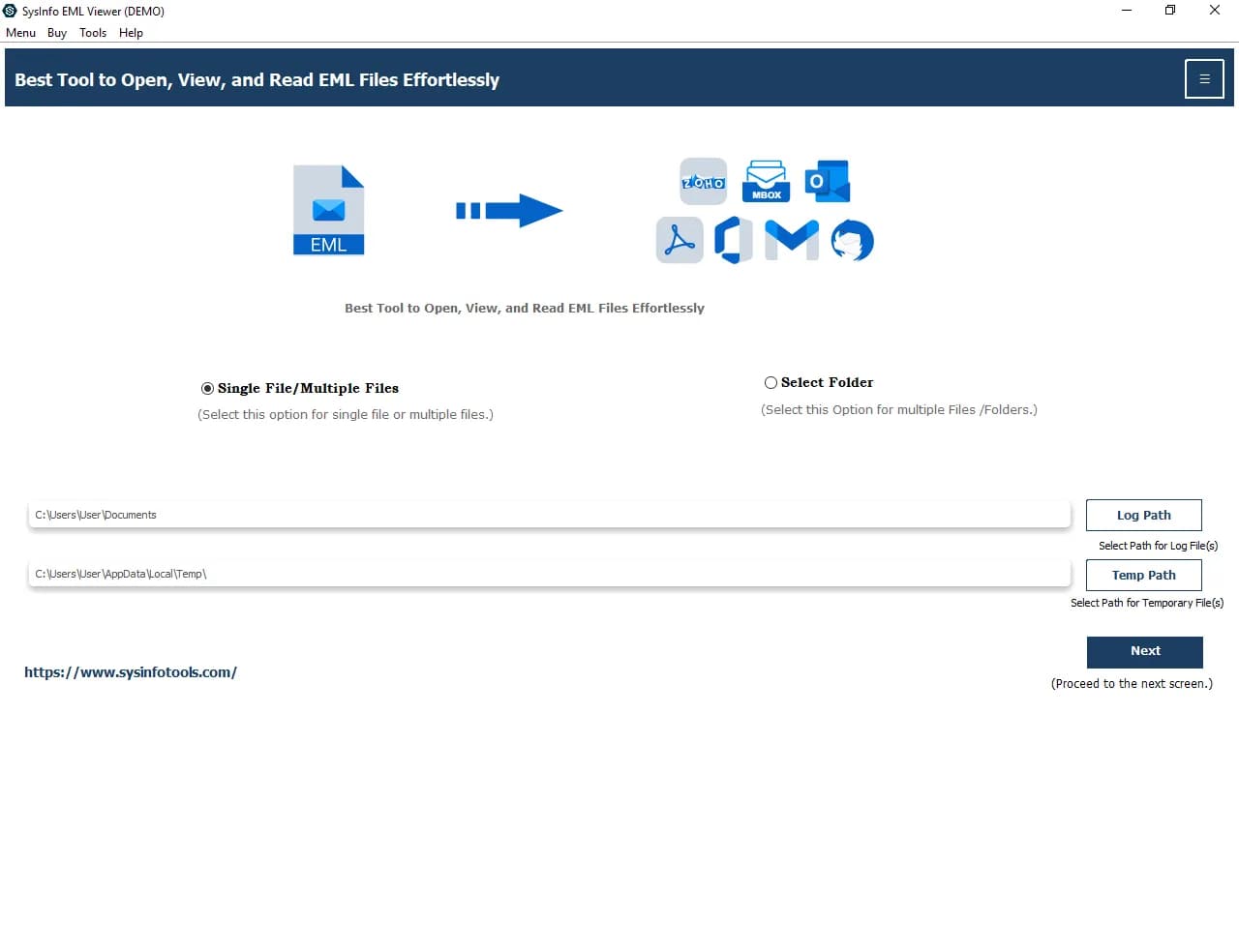
About this app
SysInfo EML Viewer is a freeware utility for Windows that lets you open, read, and convert EML files without needing an email client like Outlook or Thunderbird. It supports bulk viewing of EML files from any email service, displays full email details including subject, sender, date, and attachments, and allows conversion to formats like PDF, PST, MBOX, MSG, CSV, and more. The tool includes advanced features such as duplicate email removal, date filters, attachment management, and the ability to split large PST files. While the free version offers unlimited viewing and conversion of 50 emails per folder, the paid version unlocks unrestricted conversion. With a user-friendly interface and strong compatibility across Windows versions, it's a practical solution for users dealing with archived EML files.
Key features
- 1Open, read and preview EML files from any email client without installing Outlook or Thunderbird.
- 2Bulk convert EML to PST, MBOX, MSG, PDF, CSV, XLSX, DOC, OFT, EMLX, Thunderbird and WDSEML.
- 3Duplicate email removal based on To, From, Subject, Cc and Body, plus date-range filtering and PST splitting.
Target customer profile
Drawn from the product itself, not from a survey.
Demographic
IT professionals and system administrators
Pain points
Need to access EML files without installing an email client; managing large email archives
Primary needs
Efficient bulk viewing and conversion of EML files; data integrity preservation
Demographic
Legal and forensic investigators
Pain points
Handling diverse email formats; extracting evidence from EML files without altering metadata
Primary needs
Reliable, secure viewing and export of email content; date filtering and duplicate removal
Demographic
Small business owners and office managers
Pain points
Migrating old emails to new systems; accessing archived emails without Outlook
Primary needs
Conversion of EML to PST or PDF; easy attachment management and bulk processing
Scout Review
Written by AI from measured evidence, scored out of 100.
SysInfo EML Viewer is a competent, long-lived Windows utility (domain registered 2010) that does a genuinely useful job: open, read and convert EML files without Outlook, with bulk processing, duplicate removal, date filters and PST splitting. The measured site is fast (mobile 90, desktop 100) and its security headers are better than most freeware pages. The weaknesses are presentation and disclosure: a dated, keyword-stuffed homepage that renames the product four times, copy errors under the download button, and a 50-email conversion cap hidden in a paragraph instead of stated next to the CTA. It is a solid tool sold by a bad landing page.
Measure by measure
Usability
58Clear primary CTA and a genuinely useful feature set (duplicate removal, date filter, PST splitting), but the 50-email conversion cap is buried in a 'Demo Version' paragraph far from the download button.
Design
46Dated, keyword-stuffed homepage with a coherent navy/green palette and tidy stat tiles, but the product name changes four times and copy errors undercut trust on a download page.
Speed
78Lighthouse mobile 90/100 (LCP 1.1s, CLS 0.005) and desktop 100/100. TBT of 393ms is the only real drag, likely from popups and chat widgets on the marketing page.
Security
74Strong header hygiene — HTTPS enforced, HSTS, CSP, Referrer-Policy, Permissions-Policy, SPF and DMARC (10/12). Missing frame protection and X-Content-Type-Options; no published audits.
Accessibility
68Lighthouse 92/100 but real failures: low-contrast text, links distinguished only by color, no main landmark, and mismatched accessible names. No WCAG statement published.
Growth
58A real, specific problem — reading and converting EML without Outlook — with a broader format list and free viewing tier than the listed alternatives. Niche, but defensible.
Improvement areas
- Homepage copy is keyword-stuffed with grammar errors and four different product names; needs a rewrite and one consistent name.
- The free version's 50-email conversion cap is buried in a 'Demo Version' paragraph instead of next to the download button.
- No security page, SOC 2/ISO claim or explanation of local processing; frame protection and X-Content-Type-Options headers missing.
Design & Usability
The homepage is a keyword wall wearing a navy-and-green palette. The same product is called EML Viewer, EML Reader, EML Opener and EML Message Viewer within one scroll, and phrases like 'Option Save EML Files' and 'Fully Secured Download Version' sit directly under the download button — on a page asking people to install software. The stat tiles (1M+ downloads, 190+ countries, 15+ years) are the tidiest thing on the page. Usability is better than design: the feature list is real and specific — duplicate removal by To/From/Subject/Cc/Body, date filters, PST splitting, naming conventions, separate attachment folders — and the download CTA is repeated in the nav, hero and specs. The problem is disclosure: the free version's 50-email conversion cap is buried in a 'Demo Version' paragraph far from the button, so buyers discover the limit after installing.
Speed & Security
Speed is the strongest measured dimension. Lighthouse gives mobile 90/100 with LCP 1.1s and CLS 0.005, and desktop a clean 100/100. The 393ms total blocking time is the one soft spot, consistent with the floating query popup and chat bubble competing for the first screen. Security is above average for a freeware download page: HTTPS enforced, HSTS, CSP, Referrer-Policy and Permissions-Policy all present, plus SPF and DMARC configured — 10 of 12 probe checks. The gaps are frame protection and X-Content-Type-Options, both cheap to add. What is absent is the paperwork: no SOC 2, ISO, pen-test summary or bug bounty, and no security page explaining how a tool that reads your email archives handles the data locally.
Accessibility & Growth
Accessibility scores 92/100 on the automated audit but fails on things users feel: insufficient color contrast, links distinguishable only by color, no main landmark, role=presentation conflicts, and visible labels that don't match accessible names. There is no WCAG conformance statement and no multi-language support — it is a Windows-only desktop tool. Growth is a judgement on the idea: EML files are a real, recurring problem for IT admins, legal/forensic investigators and small businesses migrating off old mail systems, and this tool's format list (PST, MBOX, MSG, PDF, CSV, XLSX, OFT, WDSEML) plus duplicate removal and date filtering is broader than either listed alternative. The wedge is real but narrow — a utility category where the winner is whoever opens the file cheapest, not a market that compounds.
Conclusion
If you need to open a folder of EML files and get them into PST, PDF or MBOX, this will do it, and the free tier lets you verify that before paying. Go in knowing the free version stops converting at 50 emails per folder. The vendor should fix the copy, pick one product name, and put the demo limit where buyers can see it — those three changes would do more for conversion than another checkbox bullet.
Suggestions for improvement
- Pick one product name. 'EML Viewer', 'EML Reader', 'EML Opener' and 'EML Message Viewer' on one page reads as four products or zero.
- Move the 50-email conversion limit next to the download button. Burying it in a 'Demo Version' paragraph reads as a trap, not a trial.
- Fix the copy under the CTA — 'Option Save EML Files' and 'Fully Secured Download Version' are the last words a visitor reads before installing.
- Add a short security page stating that EML files are processed locally, plus X-Frame-Options and X-Content-Type-Options to close the two header gaps.
Alternatives comparison
Named competitors, point by point. Nobody paid to appear here or to be left out.
 SysInfo EML Viewer | EML Viewer Free | PST Walker EML Viewer | |
|---|---|---|---|
| Bulk conversion of multiple EML files at once | Yes — single or multiple EML files converted in one go | No — limited conversion options, no bulk processing | Basic preview and export to PDF only |
| Output formats supported | PST, MBOX, EML, EMLX, MSG, DOC, PDF, Thunderbird, CSV, XLSX, OFT, WDSEML | Limited conversion options | PDF export |
| Duplicate email removal | Yes — matches on To, From, Subject, Cc and Body | Not offered | Not offered |
| Date range filtering | Yes — Date Filter converts emails from a specific period | Not offered | Not offered — lacks advanced filtering |
| Free tier limits | Unlimited viewing; conversion capped at 50 emails per folder | Free to view EML files | Basic preview and PDF export |
| PST splitting and attachment management | Yes — splits large PST files, separate attachment folder, attachments to PDF | Not offered | Not offered |
EML Viewer Free
A free tool to view EML files, but with limited conversion options and no bulk processing.
PST Walker EML Viewer
A viewer for EML files with basic preview and export to PDF, but lacks advanced filtering and duplicate removal.
Comparing options? See SysInfo EML Viewer alternatives, scored side by side
More Productivity apps
View all Productivity
Qamarero
92An all-in-one hospitality software for restaurants and ba...

Puzzly – B2B Lead Generation & Sales Intelligence Platform
92Puzzly is an all-in-one B2B lead generation platform that...

The Stack Newsletter
92A weekly newsletter delivering curated tech jobs, intervi...

StoryPad
92Privacy-first open source journal app with a continuous t...

Vibe Coding Agent Skills
92A free, open-source platform offering 110 AI agent skills...

Notion
92All-in-one AI workspace for docs, projects, and knowledge...

EmbedMyReviews
92White-label reputation management software for agencies s...

QRBliss
91Branded QR codes with AI Brand Sync, 15 free dynamic code...

Strukchad Property Management
91Property management for Kenyan letting agents: rent invoices raised every month, M-Pesa rent prompts to tenants, arrears tracking and landlord statements.

CC Switch
91Open-source desktop app for switching AI coding providers...

Gerty
91Private, local AI assistant for Mac that runs offline

username.md
90One verified handle for your online identity, readable by...


A platform dedicated to providing unbiased reviews of newly launched applications, analyzing everything from their features to their full potential.
info@scoutforge.net© 2026 Scoutforge. All rights reserved.
