Cycling through all six. Tap any point to stop.
Measured on six things
Repair corrupt MDB & ACCDB Access files and recover table...
Design
44Dated legacy corporate template: competing hero CTAs, popup and chat bubble colliding with the header, justified text with uneven spacing, and visible copy typos. The app window itself is legible but the marketing page is stuck in 2012.
Screenshots
1 / 1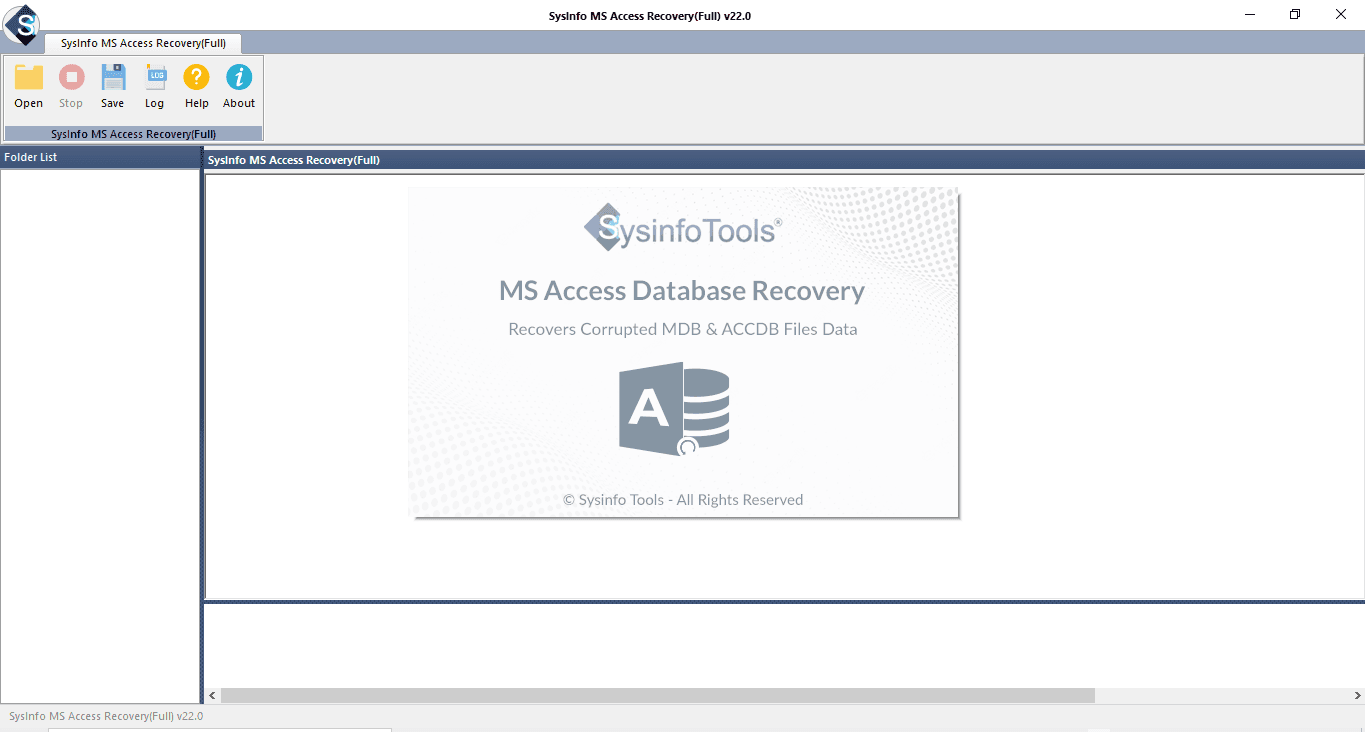
About this app
SysInfo MS Access Database Recovery Tool is a Windows-based utility built to repair corrupted Microsoft Access database files (both MDB and ACCDB) and recover every recoverable database object — tables, queries, indexes, primary and foreign keys, relations, modules, OLE and MEMO data, and even deleted records. It's a niche but genuinely useful piece of software: Access databases still quietly power plenty of small-business workflows, legacy apps, and departmental reporting, and when one of those files gets hit by a crash, a bad sector, a virus, or a power cut, you often get cryptic errors like 3112, 3049, or 3011 and no easy way back in. The tool's headline feature is its dual recovery engine. Standard Mode handles everyday corruption, while Advanced Mode digs deeper for severely damaged files where the first pass fails. You can let the app auto-detect the Access version (or manually pick Jet 3 / Access 97 vs. Access 2000–2019), scan the file, and review results in a tree-style pre...
Key features
- 1Dual recovery engine: Standard Mode for everyday corruption, Advanced Mode for severely damaged MDB/ACCDB files.
- 2Preview-before-save: review recovered tables, queries, indexes, relations and deleted records before committing.
- 3Broad version support: Access 95 through 2019, auto-detect or manual Jet 3 / Access 2000-2019 selection.
Target customer profile
Drawn from the product itself, not from a survey.
Demographic
IT support technicians and help-desk admins in SMBs
Pain points
Cryptic Access errors (3112, 3049) halting daily operations
Primary needs
Fast, reliable repair of MDB/ACCDB files with verified preview before saving
Demographic
Small-business owners running legacy Access apps
Pain points
No in-house DBA; fear of losing critical customer or inventory data
Primary needs
A simple GUI tool that recovers tables, relationships, and deleted records
Demographic
Enterprise IT teams needing multi-system licensing
Pain points
Corruption from crashes, bad sectors, or virus attacks across workstations
Primary needs
Technician/Enterprise licenses, 24/7 support, and a documented recovery log
Demographic
Data analysts and reporting staff using Access databases
Pain points
Header corruption and data misalignment breaking reports
Primary needs
Deep Advanced Mode recovery and a new healthy database file
Scout Review
Written by AI from measured evidence, scored out of 100.
SysInfo MS Access Database Recovery Tool is a competent, long-standing niche utility for a real problem: corrupt MDB/ACCDB files throwing cryptic errors. The dual-mode engine and preview-before-save are genuinely useful, and the marketing site is blazing fast. But the design is dated, the CTA hierarchy is confusing, security is solid-but-unremarkable with no published audits, and the growth story is a crowded niche with no clear ownership. It works; it just doesn't stand out.
Measure by measure
Usability
58Sticky sub-nav and a clear error-code list help search-driven visitors, and preview-before-save is genuinely useful. But the Free Download vs Purchase Now split is unexplained and there's no trial or live demo to try before buying.
Design
44Dated legacy corporate template: competing hero CTAs, popup and chat bubble colliding with the header, justified text with uneven spacing, and visible copy typos. The app window itself is legible but the marketing page is stuck in 2012.
Speed
88Lighthouse mobile 100/100 with LCP 1.1s, CLS 0, TBT 23ms; desktop also 100/100. The marketing site is genuinely fast and lightweight, with no lag complaints in the collected evidence.
Security
74HTTPS enforced with HSTS, CSP, Referrer-Policy and Permissions-Policy, plus SPF/DMARC (10/12 checklist). Missing X-Frame-Options and X-Content-Type-Options, and no published SOC 2/ISO or bug bounty found.
Accessibility
80Lighthouse accessibility 98/100, but failing audits include no main landmark, role=presentation conflicts, and visible text labels without matching accessible names. No WCAG statement and English-only content.
Growth
58Real, specific problem (Access corruption with named error codes) and a genuine dual-mode + preview wedge over free Compact and Repair. But it's a crowded niche against Stellar and Kernel, with no segment it clearly owns.
Improvement areas
- Dated landing page with competing CTAs, popup noise, and visible copy typos.
- No published SOC 2/ISO/pen-test or security page; two security headers missing.
- No free trial or live demo — only a free download with preview, and an unexplained free/paid split.
Design & Usability
The landing page is a legacy corporate template doing its best: a dense hero, two equal-weight CTAs (Free Download and Purchase Now) with no explanation of the difference, and a chat bubble plus auto-popup colliding with the header before you've read anything. Justified body text with uneven spacing and visible typos ('recovering data', 'Based on 2123 rating') undercut polish. On the plus side, the sticky sub-nav and a clear list of real Access error codes make it easy for a panicked admin searching 'error 3112' to land and orient. Preview-before-save is the genuinely useful usability hook — you can verify recovery before paying. But there's no trial or live demo, so the free download is the only way to test the waters.
Speed & Security
Speed is the standout: Lighthouse mobile 100/100 with LCP 1.1s, CLS 0 and TBT 23ms, and desktop also 100/100 — the marketing site is fast and lightweight with no lag complaints in the collected evidence. Security is competent but not exceptional: HTTPS enforced with HSTS, CSP, Referrer-Policy and Permissions-Policy, plus SPF and DMARC (10/12 on the header checklist). It's missing X-Frame-Options and X-Content-Type-Options, and there's no published SOC 2, ISO certification, pen-test or bug bounty in the collected evidence. For a utility that handles potentially sensitive database files, a security page would be a meaningful trust upgrade.
Accessibility & Growth
Accessibility scores 98/100 on Lighthouse, but the failing audits are telling: no main landmark, role=presentation conflicts, and visible text labels without matching accessible names. There's no WCAG statement and the content is English-only, so the automated score flatters a site that hasn't done the manual work. Growth is a judgement on the idea: Access corruption is a real, specific problem with named error codes (3112, 3049, 3011), and the dual Standard/Advanced recovery plus preview-before-save is a concrete wedge over Microsoft's free Compact and Repair. But the category is crowded — Stellar and Kernel already fight here — and nothing in the material names a segment SysInfo owns better than they do. The 16-year-old domain shows staying power, not headroom.
Conclusion
If you're an IT admin staring at error 3112 and need a preview-first recovery tool, this is a reasonable pick — the free download lets you verify before paying. Just don't expect a modern buying experience or published compliance credentials. Compare it head-to-head with Stellar and Kernel on price and recovery depth before committing.
Suggestions for improvement
- Clarify the Free Download vs Purchase Now difference — state exactly what the free version does and doesn't do.
- Add X-Frame-Options and X-Content-Type-Options headers, and publish a security/compliance page.
- Fix visible copy errors ('recovering data', 'Based on 2123 rating') and replace justified body text with left-aligned.
- Add a main landmark and accessible names to interactive elements; publish a brief WCAG/accessibility statement.
Alternatives comparison
Named competitors, point by point. Nobody paid to appear here or to be left out.
 SysInfo MS Access Database Recovery Tool |  Stellar Repair for Access |  Kernel for Access Repair |  Microsoft Compact and Repair (built-in) | |
|---|---|---|---|---|
| Dual recovery modes (standard + advanced) | Yes — Standard and Advanced Mode | Yes — standard and advanced repair | Yes — standard and advanced modes | No — single built-in repair |
| Preview recovered data before saving | Yes — tree-style preview | Yes — preview-first workflow | Yes — preview supported | No |
| Recovers deleted records and OLE/MEMO data | Yes — deleted records, OLE, MEMO | Yes — tables, queries, macros | Yes — broad object recovery | No — minor corruption only |
| Price / licensing model | Paid, free download with preview; Technician/Enterprise tiers | Paid commercial license | Paid commercial license | Free — built into Access |
| Platform | Windows (11 down to 7) | Windows | Windows | Windows (within Access) |
Stellar Repair for Access
A well-known commercial Access repair tool that fixes corrupt MDB/ACCDB files and recovers tables, queries, and macros with a similar preview-first workflow.
Kernel for Access Repair
Lepide's Access recovery utility offering standard and advanced repair modes for MDB/ACCDB databases, often compared head-to-head with SysInfo's tool.
Microsoft Compact and Repair (built-in)
Access's native free utility that can fix minor corruption, though it fails on severely damaged files where dedicated third-party tools are needed.
Comparing options? See SysInfo MS Access Database Recovery Tool alternatives, scored side by side
More Productivity apps
View all Productivity
Qamarero
92An all-in-one hospitality software for restaurants and ba...

Puzzly – B2B Lead Generation & Sales Intelligence Platform
92Puzzly is an all-in-one B2B lead generation platform that...

The Stack Newsletter
92A weekly newsletter delivering curated tech jobs, intervi...

StoryPad
92Privacy-first open source journal app with a continuous t...

Vibe Coding Agent Skills
92A free, open-source platform offering 110 AI agent skills...

Notion
92All-in-one AI workspace for docs, projects, and knowledge...

EmbedMyReviews
92White-label reputation management software for agencies s...

QRBliss
91Branded QR codes with AI Brand Sync, 15 free dynamic code...

Strukchad Property Management
91Property management for Kenyan letting agents: rent invoices raised every month, M-Pesa rent prompts to tenants, arrears tracking and landlord statements.

CC Switch
91Open-source desktop app for switching AI coding providers...

Gerty
91Private, local AI assistant for Mac that runs offline

BACKLNK
90Backlnk is a free SEO and AI visibility website: 15 website checks, a full audit as a PDF report, and guides to get found in search and AI answers.


A platform dedicated to providing unbiased reviews of newly launched applications, analyzing everything from their features to their full potential.
info@scoutforge.net© 2026 Scoutforge. All rights reserved.
