Cycling through all six. Tap any point to stop.
Measured on six things
Free AI tool to unblur, sharpen and upscale blurry photos...
Security
26Probe found HTTPS not enforced, no HSTS, no CSP, no frame protection and 1/12 checklist points, on a site that takes card payments for credit packs. No security page, audit or bug bounty found.
Screenshots
1 / 1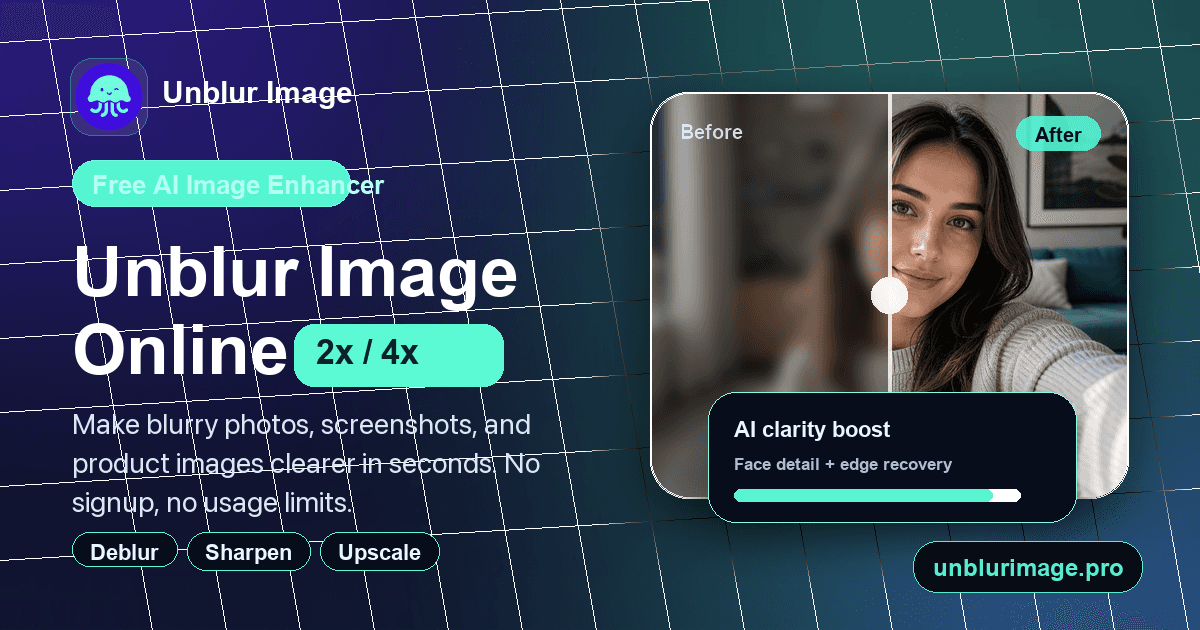
About this app
Unblur Image is a browser-based AI photo enhancement tool that takes blurry or low-resolution images and makes them noticeably sharper in seconds. I tested it with a few motion-blurred phone snaps and a soft product shot, and the before/after slider showed clear improvements to edges, faces and text without the over-sharpened, crunchy look you get from basic filters. The workflow is refreshingly simple: drop a JPG, PNG or WebP onto the page, pick an enhancement level, toggle face enhancement for portraits, compare the original against the AI result, then download. No account, no watermarks, no usage caps on the standard unblur function — a pleasant surprise compared with tools that gate the download behind a paywall. Standout features include face recovery for selfies and group photos, 2× upscaling (sign-in may be required for some devices), text and document sharpening for screenshots and scans, and noise reduction for grainy or compression-heavy images. It handles common blur type...
Key features
- 1Free unlimited standard unblur with no account, no watermark and no usage cap.
- 2Face recovery and portrait sharpening for selfies, group shots and profile photos.
- 32×/4× upscaling (Free HD without sign-in; larger modes via credit packs).
- 4Text and document sharpening for screenshots, scans and whiteboard photos.
- 5Noise reduction and clarity enhancement for grainy or compression-heavy images.
- 6Before/after comparison slider and batch upload of up to 20 photos.
Target customer profile
Drawn from the product itself, not from a survey.
Demographic
E-commerce sellers and small online shop owners
Pain points
Blurry product photos reduce buyer trust and listing quality
Primary needs
Quickly unblur and upscale product images without paid editing software
Demographic
Portrait, selfie and social media enthusiasts
Pain points
Slightly out-of-focus selfies and group shots look soft
Primary needs
Natural-looking face recovery and sharpening without editing skills
Demographic
Families restoring old and scanned photos
Pain points
Faded, soft or blurry vintage prints are hard to view and share
Primary needs
Free enhancement of old snapshots with no sign-up or cost
Demographic
Content creators, designers and marketers
Pain points
Screenshots and design assets are too soft to reuse at full size
Primary needs
Fast text and image sharpening in-browser for social posts and thumbnails
Scout Review
Written by AI from measured evidence, scored out of 100.
Unblur Image is a browser-based AI sharpener that does the core job well and asks almost nothing of you to try it: drop a JPG, PNG or WebP, pick an enhancement level, toggle face enhancement, compare and download. No account, no watermark, no cap on standard unblur. Measured speed is excellent (mobile 97/100, 1.2s LCP) and accessibility is strong (96/100, five languages). Design is competent but the empty state is a mess — a giant blank preview canvas and a dead gradient above the fold. Security is the weak link: HTTPS not enforced, no HSTS, no CSP, 1/12 header checks, on a site that takes payments. The idea has a real wedge against credit-gated competitors, but the free-tier positioning and the credit-pack pricing page are working against each other.
Measure by measure
Usability
68Genuinely frictionless: no account, no watermark, no cap on standard unblur, and a clear enhancement-level-then-upload path. The locked 2× option is explained only by a padlock, and the blank comparison panels teach nothing.
Design
58Coherent dark palette with a mint accent and a tidy sidebar-plus-canvas tool, but ~350px of dead gradient above the hero and a preview canvas that stretches thousands of pixels tall in its empty state drag it down.
Speed
88Lighthouse mobile 97/100 with 1.2s LCP, zero CLS and 202ms TBT; desktop 84/100. The page is genuinely snappy and the tool loads without a heavy SPA shell.
Security
26Probe found HTTPS not enforced, no HSTS, no CSP, no frame protection and 1/12 checklist points, on a site that takes card payments for credit packs. No security page, audit or bug bounty found.
Accessibility
78Lighthouse 96/100 with only contrast and accessible-name failures, plus five-language support (EN, ZH, DE, FR, ES) shipped in v1.3.0. Strong automated score, but the low-contrast trust pills are a real, visible miss.
Growth
62A real, specific problem (blurry product shots, soft selfies, faded scans) with a genuine wedge: free unlimited standard unblur and no sign-up, where Let's Enhance, Remini and VanceAI all gate on credits or subscriptions.
Improvement areas
- Security headers: HTTPS not enforced, no HSTS/CSP/frame protection — 1/12 checks passed.
- Empty-state design: oversized blank preview canvas and dead space above the hero.
- Contrast and labelling on trust pills and controls (two failing Lighthouse a11y audits).
- Clarify the free-tier vs. credit-pack relationship so the pricing page doesn't undercut the pitch.
Design & Usability
The homepage opens on a coherent dark palette with a mint accent that carries through the upload icon, tags and 2×/4× badge — the brand reads as one system. The tool itself is a clean sidebar-plus-canvas layout with legible labels and an obvious primary action. The problems are all in the empty state: roughly 350px of blank gradient sits above the headline, and the before/after panels stretch thousands of pixels tall as black voids before an image loads, which makes a finished product look half-built. Usability is the stronger half — no account, no watermark, no cap on standard unblur, and a clear enhancement-level-then-upload path. The locked 2× option is signalled only by a padlock, and the blank comparison panels teach a first-time visitor nothing about what they'll get.
Speed & Security
Speed is the standout measured result: Lighthouse mobile 97/100 with a 1.2s LCP, zero cumulative layout shift and 202ms total blocking time, desktop 84/100. Whatever the stack is, it isn't getting in the way. Security is the opposite story. The HTTP probe found HTTPS not enforced, no HSTS, no CSP, no frame protection, no X-Content-Type-Options, no Referrer-Policy and no Permissions-Policy — one checklist point out of twelve, and that one is SPF. On a site that takes card payments for credit packs at /pricing, that's a real gap rather than a missing nice-to-have. No security page, audit or bug bounty turned up in the collected evidence.
Accessibility & Growth
Accessibility scores well on the automated side: Lighthouse 96/100, with only two failing audits — insufficient colour contrast and visible text labels not matching accessible names. The vision audit independently flagged the tiny, low-contrast 'Free to Use / No Sign-Up / No Usage Limits' pills, so the contrast failure is a visible one, not a technicality. Against that, the changelog shows real investment: v1.3.0 added German, French and Spanish alongside English and Simplified Chinese across the tool, pricing and account pages. Growth is a judgement on the idea. The problem is real and specific — blurry product photos, soft selfies, faded scans — and the wedge is concrete: free unlimited standard unblur with no sign-up, where Let's Enhance, Remini and VanceAI all gate on credits or subscriptions. The limit is that the free tier is the differentiator while /pricing sells credit packs, so the wedge and the business model pull against each other.
Conclusion
If you have a blurry product shot or a soft selfie and you want it sharper in under a minute without creating an account, this does exactly that and the speed is genuinely good. The free tier is the reason to try it. Before you hand over card details for a credit pack, though, note that the probe found HTTPS unenforced and almost no security headers on the site that would take that payment — that's the thing to fix first, ahead of any new enhancement mode.
Suggestions for improvement
- Enforce HTTPS and add HSTS, CSP, X-Content-Type-Options, Referrer-Policy and Permissions-Policy — 1/12 header checks is not enough for a checkout page.
- Fix the empty state: cap the before/after canvas height and show a sample image so the core value is visible before upload.
- Raise contrast and size on the 'Free to Use / No Sign-Up / No Usage Limits' pills; they're your main trust cue and currently fail contrast.
- Explain the locked 2× option inline — what it costs, what sign-in unlocks — instead of a bare padlock icon.
Alternatives comparison
Named competitors, point by point. Nobody paid to appear here or to be left out.
 Unblur Image |  Let's Enhance |  Remini |  VanceAI Image Sharpener | |
|---|---|---|---|---|
| Free tier without sign-up | Yes — unlimited standard unblur, no account | Limited free usage; higher res needs credits | Free tier exists but pushes toward subscription | Credit-based; limited free credits |
| Face recovery / portrait enhancement | Yes — face enhancement toggle | Yes — face recovery included | Yes — core specialty | Yes — portrait sharpening |
| Upscaling | 2×/4× (Free HD no sign-in; larger via credits) | Up to 16× on paid plans | Upscaling on paid tiers | Up to 8× via credits |
| Pricing model | Free standard; one-time credit packs $4.99–$49.99 | Subscription + credit packs | Subscription | Credit system |
| Browser-based, no install | Yes — desktop and mobile browser | Yes — web app | Primarily mobile app; web available | Yes — web app |
Let's Enhance
AI upscaling and enhancement platform with sharpening and face recovery, but free usage is limited and higher resolutions require credits.
Remini
Popular mobile AI photo enhancer focused on portrait and face restoration; heavy use often pushes users toward a subscription.
VanceAI Image Sharpener
Web-based AI sharpen and unblur tool with solid document and portrait results, though most processing runs on a credit system.
Comparing options? See Unblur Image alternatives, scored side by side
More Productivity apps
View all Productivity
Puzzly – B2B Lead Generation & Sales Intelligence Platform
92Puzzly is an all-in-one B2B lead generation platform that...

Qamarero
92An all-in-one hospitality software for restaurants and ba...

EmbedMyReviews
92White-label reputation management software for agencies s...

StoryPad
92Privacy-first open source journal app with a continuous t...

Notion
92All-in-one AI workspace for docs, projects, and knowledge...

The Stack Newsletter
92A weekly newsletter delivering curated tech jobs, intervi...

Vibe Coding Agent Skills
92A free, open-source platform offering 110 AI agent skills...

QRBliss
91Branded QR codes with AI Brand Sync, 15 free dynamic code...

Gerty
91Private, local AI assistant for Mac that runs offline

Strukchad Property Management
91Property management for Kenyan letting agents: rent invoices raised every month, M-Pesa rent prompts to tenants, arrears tracking and landlord statements.

CC Switch
91Open-source desktop app for switching AI coding providers...

username.md
90One verified handle for your online identity, readable by...


A platform dedicated to providing unbiased reviews of newly launched applications, analyzing everything from their features to their full potential.
info@scoutforge.net© 2026 Scoutforge. All rights reserved.
