Is this your app?
Claim UniConvert to manage its page, add your badge and see your traffic — free, and it stays free.
Cycling through all six. Tap any point to stop.
Measured on six things
A free, browser-based unit converter for quick and accurate conversions without ads or signups.
Accessibility
50Minimal support with no screen reader optimization, keyboard shortcuts, or language options beyond English.
Screenshots
1 / 3
About this app
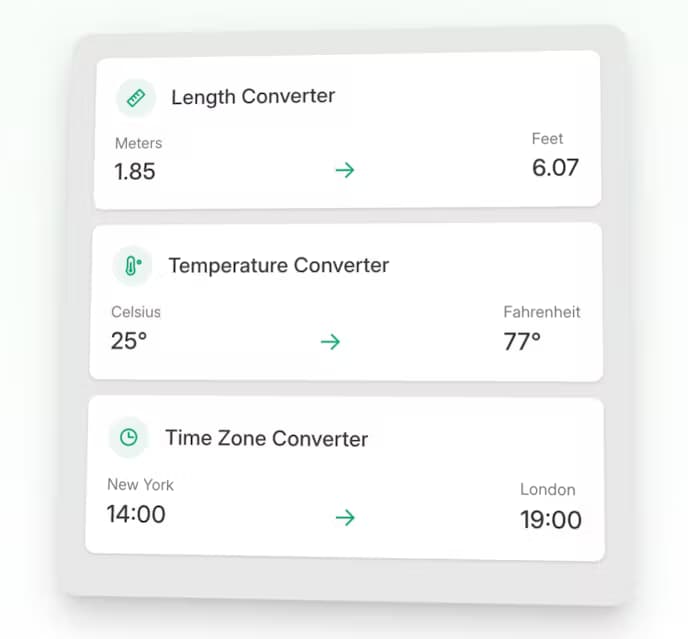
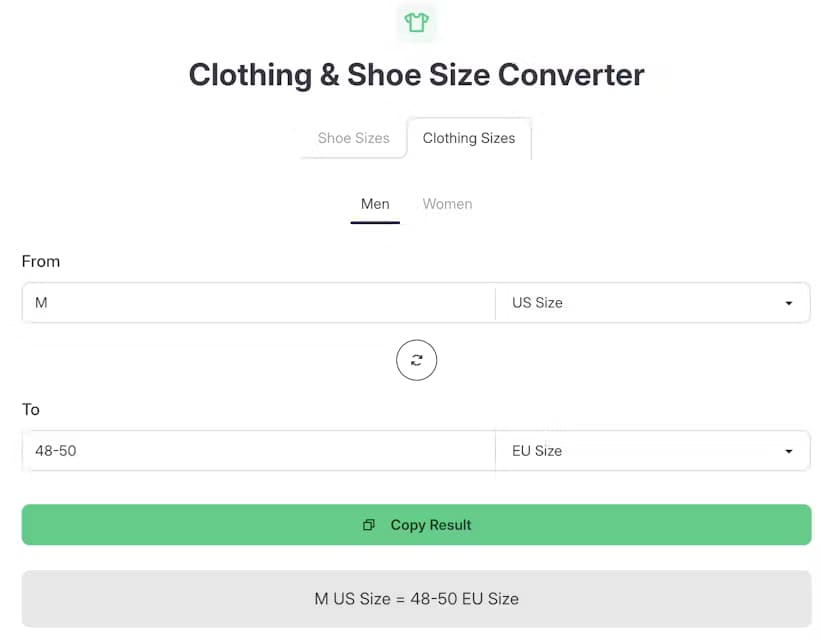
UniConvert is a straightforward, no-fuss tool that instantly converts units like length, temperature, and time zones right in your browser. It's perfect for students, travelers, and professionals who need reliable, private calculations without the clutter of ads or the hassle of downloads. With a minimalist design and a focus on speed and privacy, it uses verified formulas and doesn't store any data, making it a trustworthy choice for everyday use. While it lacks advanced features like bulk conversions or accessibility options, its simplicity and efficiency shine for on-the-go needs.
Key features
- 1Blazing-fast performance with near-instant load times even on slow connections.
- 2Zero learning curve with immediate input-to-results workflow, optimized for quick conversions.
- 3HTTPS encryption with no data storage or tracking, ensuring privacy and security.
Target customer profile
Drawn from the product itself, not from a survey.
Demographic
Students
Pain points
Manual calculations, unreliable sources, ad-heavy converters
Primary needs
Quick, accurate conversions for homework or research
Demographic
Travelers/Remote Workers
Pain points
Time zone confusion, currency/unit differences abroad
Primary needs
Instant time zone shifts and measurement translations
Demographic
Professionals (Engineers, Designers)
Pain points
Time wasted on repetitive conversions, privacy concerns
Primary needs
Reliable, private tools integrated into workflow
Scout Review
Written by AI from measured evidence, scored out of 100.
UniConvert excels at doing one thing extremely well: providing instant, private unit conversions without any fuss. It's the digital equivalent of a reliable calculator - not flashy, but always works when you need it. The minimalist approach means no ads, no signups, and no distractions, making it perfect for students, travelers, and professionals who need quick conversions without the clutter of more complex tools.
Measure by measure
Usability
90Zero learning curve with immediate input-to-results workflow, perfectly optimized for quick conversions without distractions.
Design
70Clean minimalist grid layout with muted blues and grays, functional but lacks modern customization options like dark mode.
Speed
96Blazing-fast performance with near-instant load times even on slow connections thanks to lightweight browser-based code.
Security
80HTTPS encryption with no data storage or tracking, though lacks detailed security disclosures beyond basic privacy policy.
Accessibility
50Minimal support with no screen reader optimization, keyboard shortcuts, or language options beyond English.
Growth
70Solid foundation but needs mobile apps, niche unit expansion, and accessibility features to compete with established players.
Improvement areas
- Implement basic accessibility features like screen reader support and keyboard navigation.
- Add modern customization options such as dark mode and adjustable fonts.
- Expand into niche unit categories and develop a mobile app for offline use.
Design & Usability
UniConvert's design philosophy screams 'function over flair' with its clean grid layout of converters and muted blue-gray color scheme. The interface is ruthlessly efficient - no hidden menus, no confusing navigation, just immediate access to the conversion tools. While it won't win any design awards, the usability is exceptional with a zero-learning-curve approach that makes conversions instantaneous. The lack of modern touches like dark mode or customizable layouts is noticeable, but the trade-off is a distraction-free experience that loads instantly and works seamlessly across devices.
Speed & Security
Performance is where UniConvert truly shines. The browser-based approach with lightweight code delivers near-instant results even on slower connections. Security-wise, it's refreshingly transparent - all conversions happen locally in your browser with no data sent to servers. HTTPS encryption protects your sessions, and their privacy policy clearly states no tracking or data storage. While they could provide more detailed security disclosures, the fundamental privacy-first approach is solid. This combination of speed and privacy makes it ideal for quick, sensitive conversions without worrying about your data being harvested.
Accessibility & Growth
Accessibility is UniConvert's weakest area. The tool offers no screen reader support, keyboard navigation shortcuts, or language options beyond English. Font sizes are static, and contrast ratios meet only basic standards. For growth potential, the foundation is strong but limited by its simplicity. Adding mobile apps for offline use, expanding into niche unit categories, and implementing basic accessibility features could significantly increase its market reach. The current offering is perfect for quick conversions but lacks the depth to compete with comprehensive conversion suites.
Conclusion
If you're tired of ad-infested conversion sites that track your every move and just want a straightforward tool that converts units accurately and privately, UniConvert is your solution. It won't replace specialized engineering software, but for 95% of everyday conversion needs, it's arguably the best browser-based option available. Bookmark it once and you'll find yourself returning to it constantly for those quick measurement, temperature, or time zone conversions.
Suggestions for improvement
- The biggest opportunities for improvement lie in accessibility and feature expansion.
- Implementing basic screen reader support, keyboard navigation, and multilingual interface would make it inclusive.
- A mobile app would enable offline conversions - crucial for travelers.
- Adding conversion history and favorites would enhance utility without compromising simplicity.
- Dark mode and adjustable fonts would address visual preference needs.
- Finally, expanding into more niche unit categories could attract professional users without overwhelming the clean interface.
Alternatives comparison
Named competitors, point by point. Nobody paid to appear here or to be left out.
 UniConvert |  UnitConverters.net |  Digital Dutch Unit Converter |  Online-Convert.com | |
|---|---|---|---|---|
| Number of Conversion Types | Focused core units (length, temp, time) | 77+ converters | Niche engineering units | File conversions only |
| Ad Experience | No ads | Cluttered with ads | Minimal ads | Moderate ads |
| Ease of Use | Extremely simple | Complex navigation | Overwhelming for casual users | Specialized interface |
| Privacy Protection | No tracking, no data storage | Unknown privacy practices | Standard tracking | File uploads required |
UnitConverters.net
Offers 77+ converters but feels cluttered with ads and complex navigation.
Digital Dutch Unit Converter
Feature-rich for niche engineering units, but overwhelming for casual users.
Online-Convert.com
Focuses on file conversions (video, audio) but lacks UniConvert’s unit tools.
Comparing options? See UniConvert alternatives, scored side by side
More Productivity apps
View all Productivity
Vibe Coding Agent Skills
92A free, open-source platform offering 110 AI agent skills...

Puzzly – B2B Lead Generation & Sales Intelligence Platform
92Puzzly is an all-in-one B2B lead generation platform that...

Qamarero
92An all-in-one hospitality software for restaurants and ba...

StoryPad
92Privacy-first open source journal app with a continuous t...

The Stack Newsletter
92A weekly newsletter delivering curated tech jobs, intervi...

Notion
92All-in-one AI workspace for docs, projects, and knowledge...

EmbedMyReviews
92White-label reputation management software for agencies s...

QRBliss
91Branded QR codes with AI Brand Sync, 15 free dynamic code...

CC Switch
91Open-source desktop app for switching AI coding providers...

Gerty
91Private, local AI assistant for Mac that runs offline

username.md
90One verified handle for your online identity, readable by...

BACKLNK
90Backlnk is a free SEO and AI visibility website: 15 website checks, a full audit as a PDF report, and guides to get found in search and AI answers.


A platform dedicated to providing unbiased reviews of newly launched applications, analyzing everything from their features to their full potential.
info@scoutforge.net© 2026 Scoutforge. All rights reserved.
