Is this your app?
Claim Wide Angle PDF Converter to manage its page, add your badge and see your traffic — free, and it stays free.
Cycling through all six. Tap any point to stop.
Measured on six things
A Windows desktop app for secure, offline PDF conversion and editing with local processing.
Accessibility
60Basic Windows accessibility support with multiple languages, but lacks screen reader optimization and high contrast modes.
Screenshots
1 / 5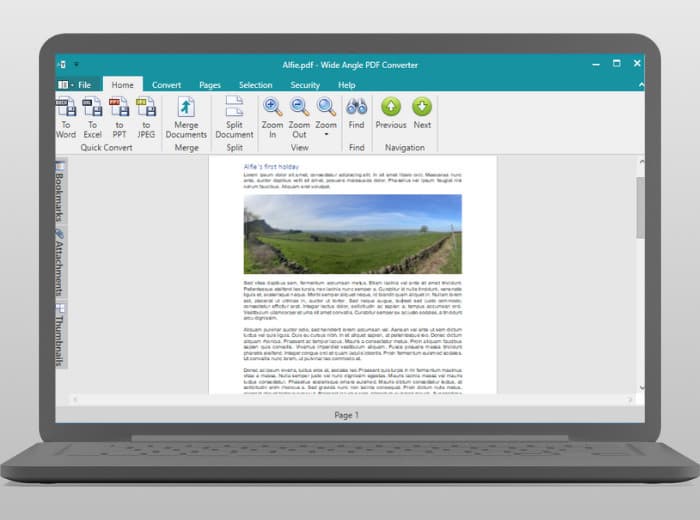
About this app
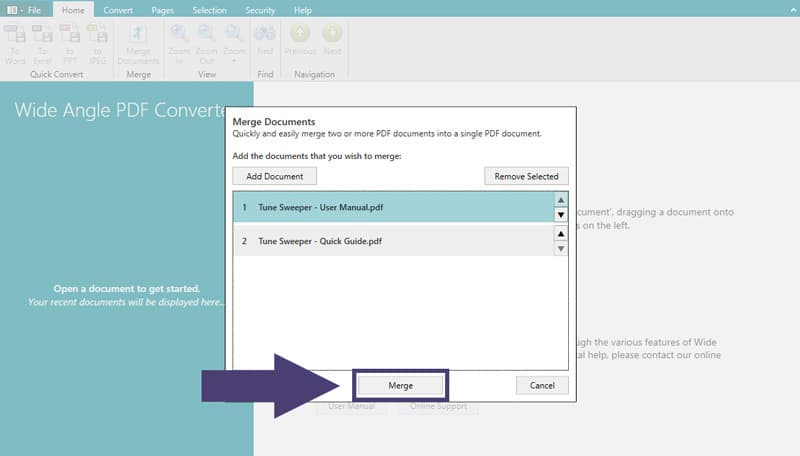
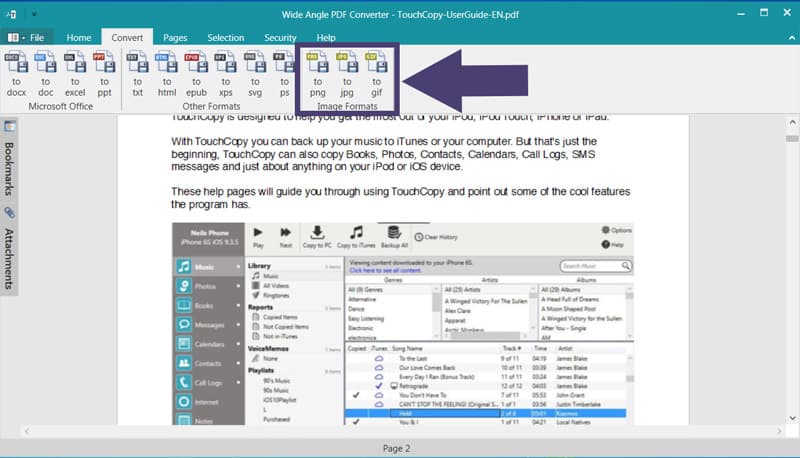
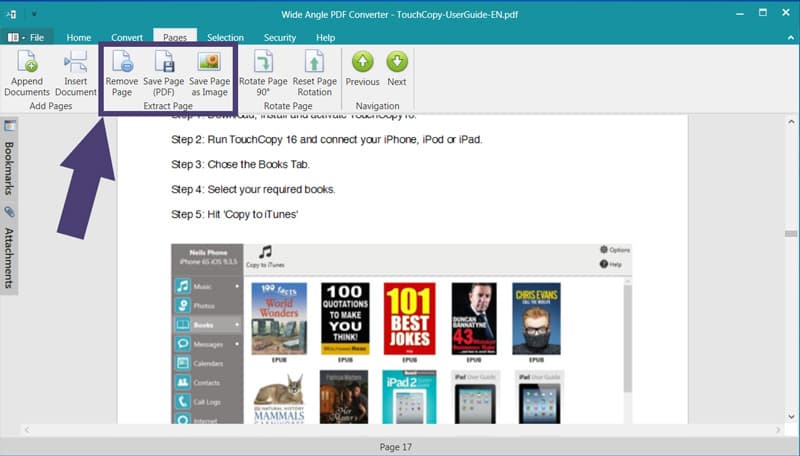
Wide Angle PDF Converter is a robust Windows application that lets you convert, merge, split, and secure PDF files entirely on your local machine—no internet or cloud uploads required. As someone who's tested various PDF tools, I appreciate how it handles sensitive documents with ease, converting to formats like Word, Excel, and JPG while preserving quality. It's perfect for office professionals, freelancers, and privacy-conscious users who need reliable, offline functionality without subscription fees. With features like password protection, watermarking, and batch processing, it's a solid choice for everyday PDF tasks, though the interface could use a modern touch. Overall, it's a dependable tool that prioritizes security and simplicity.
Key features
- 1Local-only processing ensures complete data privacy and security
- 2One-time purchase model eliminates recurring subscription fees
- 3Batch conversion and editing for multiple PDF files simultaneously
- 4Password protection and permission controls for document security
Target customer profile
Drawn from the product itself, not from a survey.
Demographic
Office professionals and administrative staff
Pain points
Handling confidential business documents, needing frequent format conversions, compliance with data protection policies
Primary needs
Secure offline conversion, batch processing, maintaining document formatting during conversion
Demographic
Small business owners and freelancers
Pain points
Budget constraints for expensive software subscriptions, handling client documents securely, simple PDF editing needs
Primary needs
One-time purchase model, basic PDF modification tools, reliable conversion quality
Demographic
Windows users with privacy concerns
Pain points
Uncomfortable with cloud-based PDF services, slow internet connections, sensitive personal documents
Primary needs
Local file processing, no data upload requirements, straightforward interface
Scout Review
Written by AI from measured evidence, scored out of 100.
Wide Angle PDF Converter excels at its core mission: providing secure, offline PDF conversion without compromising your data privacy. It's a workhorse rather than a showhorse - reliable, straightforward, and trustworthy for handling sensitive documents. The local processing and one-time purchase model make it particularly valuable for office professionals, freelancers, and privacy-conscious users who need dependable PDF tools without ongoing costs.
Measure by measure
Usability
80Intuitive drag-and-drop functionality with clear navigation and step-by-step wizards for merge/split operations.
Design
70Functional Windows-style interface with professional blue/gray color scheme, but feels dated compared to modern applications.
Speed
80Consistent local processing unaffected by internet latency, though complex documents may slow performance slightly.
Security
95Excellent local-only processing with robust encryption and permission controls - no data leaves your device.
Accessibility
60Basic Windows accessibility support with multiple languages, but lacks screen reader optimization and high contrast modes.
Growth
70Strong security foundation but faces stiff competition from modern cloud solutions and limited platform support.
Improvement areas
- Dated user interface needs visual modernization
- Limited accessibility features for users with disabilities
- Windows-only platform support restricts user base
- Lacks advanced features like OCR for scanned documents
Design & Usability
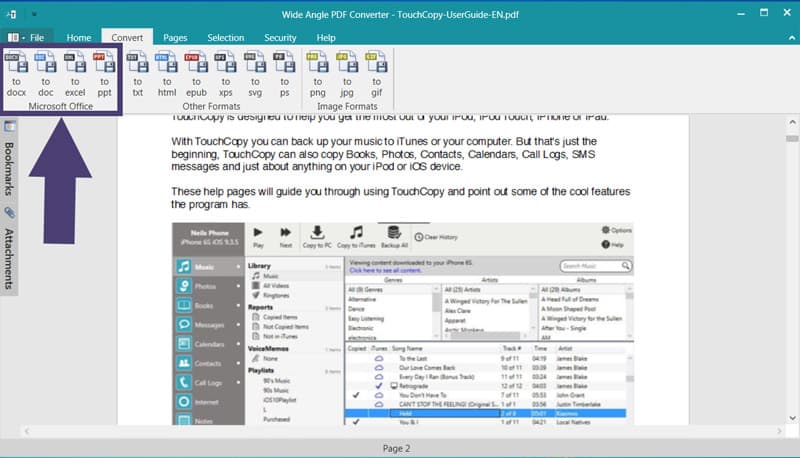
Wide Angle PDF Converter presents a straightforward Windows desktop interface that prioritizes function over form. The clean layout with professional blue and gray tones organizes conversion options clearly, though the design feels somewhat dated compared to contemporary applications. Navigation follows familiar Windows patterns with a left-hand menu and central workspace, making it immediately accessible to most PC users. The drag-and-drop file selection and intuitive operation wizards for merging and splitting documents create a smooth workflow experience. While the interface won't win any design awards, it gets the job done efficiently without unnecessary complexity that could confuse less technical users.
Speed & Security
This is where Wide Angle truly shines. The local-only processing means your sensitive documents never leave your computer, eliminating the privacy concerns that plague cloud-based PDF tools. Performance remains consistently fast since there's no internet dependency or upload delays. The application handles batch operations efficiently and includes robust encryption for password-protected files with detailed permission controls. Conversion speed depends on your hardware, but standard documents process quickly, and you won't experience the frustrating slowdowns that often occur with online services during peak hours or with poor internet connections.
Accessibility & Growth
Accessibility features are basic, relying primarily on standard Windows functionality rather than specialized inclusive design. Multiple language interfaces help international users, but there's limited support for screen readers or high contrast modes. The straightforward layout benefits users with limited technical experience, though those with visual impairments may struggle. Growth potential is solid given the increasing privacy concerns around cloud services, but the Windows-only limitation and dated interface could hinder broader adoption. The one-time purchase model appeals to budget-conscious users tired of subscription fees.
Conclusion
If you handle confidential documents and prefer the security of local processing over cloud dependencies, Wide Angle PDF Converter is an excellent choice. It delivers reliable performance for everyday PDF tasks without the privacy risks of online alternatives. While it may lack the polished interface of modern applications, its security-first approach and straightforward functionality make it a dependable tool worth considering for Windows users who value their data privacy above all else.
Suggestions for improvement
- Modernize the interface with contemporary design elements and improved visual hierarchy
- Add OCR functionality to handle scanned PDF documents more effectively
- Expand accessibility features with screen reader compatibility and high contrast modes
- Develop versions for macOS and mobile platforms to broaden market reach
Alternatives comparison
Named competitors, point by point. Nobody paid to appear here or to be left out.
 Wide Angle PDF Converter Wide Angle PDF Converter |  Adobe Acrobat Online Adobe Acrobat Online |  SmallPDF SmallPDF |  iLovePDF iLovePDF | |
|---|---|---|---|---|
| Processing Method | Local processing only | Cloud-based processing | Cloud-based processing | Cloud-based processing |
| Pricing Model | One-time purchase | Subscription-based | Freemium with subscriptions | Freemium with subscriptions |
| Internet Required | No internet required | Internet required | Internet required | Internet required |
| File Size Limits | No limits (hardware dependent) | Cloud storage limits apply | Free tier has file size limits | Free tier has file size limits |
Adobe Acrobat Online
While Adobe offers robust features, it requires cloud uploads and subscription fees, unlike Wide Angle's local processing and one-time purchase model.
SmallPDF
SmallPDF operates entirely online with file size limits, whereas Wide Angle provides unlimited local processing without internet dependency.
iLovePDF
This popular web tool offers similar conversion features but stores files temporarily on servers, making Wide Angle preferable for confidential documents.
Comparing options? See Wide Angle PDF Converter alternatives, scored side by side
More Productivity apps
View all Productivity
Vibe Coding Agent Skills
92A free, open-source platform offering 110 AI agent skills...

Puzzly – B2B Lead Generation & Sales Intelligence Platform
92Puzzly is an all-in-one B2B lead generation platform that...

Qamarero
92An all-in-one hospitality software for restaurants and ba...

StoryPad
92Privacy-first open source journal app with a continuous t...

The Stack Newsletter
92A weekly newsletter delivering curated tech jobs, intervi...

Notion
92All-in-one AI workspace for docs, projects, and knowledge...

EmbedMyReviews
92White-label reputation management software for agencies s...

QRBliss
91Branded QR codes with AI Brand Sync, 15 free dynamic code...

CC Switch
91Open-source desktop app for switching AI coding providers...

Gerty
91Private, local AI assistant for Mac that runs offline

username.md
90One verified handle for your online identity, readable by...

BACKLNK
90Backlnk is a free SEO and AI visibility website: 15 website checks, a full audit as a PDF report, and guides to get found in search and AI answers.


A platform dedicated to providing unbiased reviews of newly launched applications, analyzing everything from their features to their full potential.
info@scoutforge.net© 2026 Scoutforge. All rights reserved.
