Cycling through all six. Tap any point to stop.
Measured on six things
Virtual AI try-on for swimwear using your photo.
Design
32The homepage is undermined by four tall blurred vertical panels that read as broken or censored, and pixelated example images that fail to demonstrate output quality. Only the header nav and maker flat-lay show polish.
Screenshots
1 / 1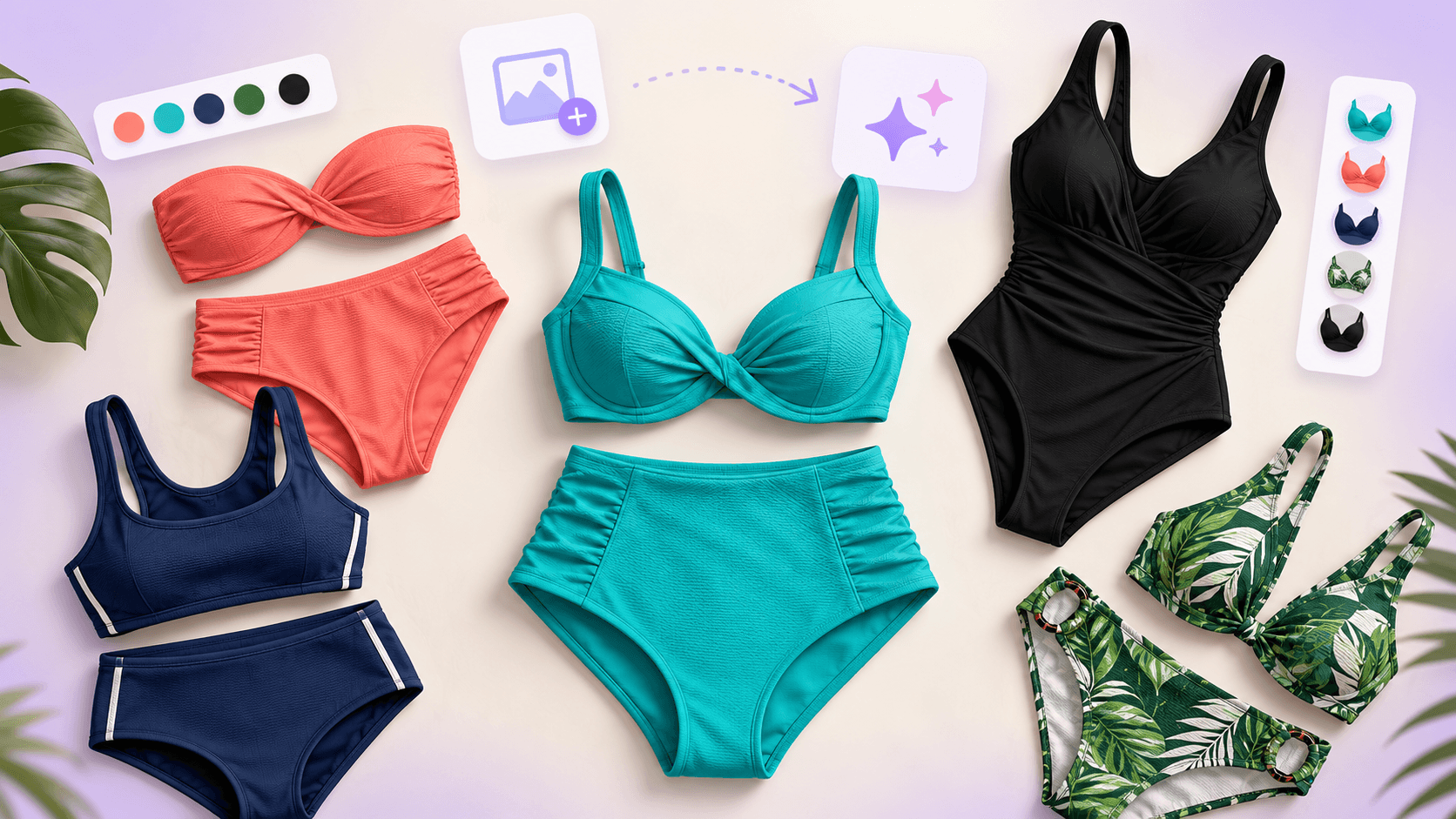
About this app
The AI Bikini Generator is a web-based tool that lets you preview different swimwear styles on your own photo using AI. It's designed for adults who want to explore bikini looks without a photoshoot. Simply upload a clear photo, choose from presets or upload a reference, and generate realistic results. The tool preserves your facial features and body proportions while matching lighting and shadows for a natural look. It's great for personal style exploration, social media content, or brand concept testing. The platform emphasizes responsible use, requiring consent and prohibiting explicit content. With free starter credits and affordable one-time credit packs, it's accessible for anyone curious about virtual try-on technology.
Key features
- 1Upload your own photo or start with a model to preview bikini styles
- 2Choose from presets, upload a reference image, or describe the style you want
- 3One-time credit packs from $9.9 to $99.9 with no subscription and credits that never expire
Target customer profile
Drawn from the product itself, not from a survey.
Demographic
Fashion enthusiasts aged 18-35
Pain points
Uncertain how different bikini styles look on their body
Primary needs
Visualize swimwear options before purchasing
Demographic
Social media influencers and content creators
Pain points
Need diverse summer content without expensive photoshoots
Primary needs
Quickly generate engaging beach photos for posts
Demographic
Swimwear brands and designers
Pain points
High cost of model photography for campaign concepts
Primary needs
Test design ideas and visualize concepts affordably
Scout Review
Written by AI from measured evidence, scored out of 100.
AI Bikini Generator is a web tool for previewing swimwear on your own photo. It has a clear three-step flow, free starter credits, and one-time credit packs from $9.9 to $99.9 with no subscription. The problem it solves is real: visualizing bikini styles without a photoshoot. But the homepage is its own worst enemy — four tall blurred vertical panels dominate both sections, reading as broken or censored, and example images are pixelated beyond usefulness. Speed is decent (Lighthouse 77/100) but LCP 5.6s is slow. Security is baseline with several header gaps. Accessibility is strong at 92/100 but has real form-labeling issues. The idea has merit; the execution needs to show, not blur.
Measure by measure
Usability
58Three-step flow (upload, style, prompt) is clear and free starter credits lower the barrier. But identical 'Recreate' buttons and illegible examples leave users guessing what the AI actually produces.
Design
32The homepage is undermined by four tall blurred vertical panels that read as broken or censored, and pixelated example images that fail to demonstrate output quality. Only the header nav and maker flat-lay show polish.
Speed
68Lighthouse mobile performance 77/100 with CLS 0 and TBT 47ms shows a stable, responsive page. LCP 5.6s is the weak spot, likely from heavy image assets.
Security
52HTTPS and HSTS are enforced, and Stripe handles payments. But missing CSP, frame protection, X-Content-Type-Options, Referrer-Policy, and DMARC leave standard hardening gaps.
Accessibility
70Lighthouse accessibility 92/100 is strong, but failing audits for color contrast, unlabeled form elements, and mismatched accessible names show real gaps. No a11y statement or multi-language support found.
Growth
54A real problem (visualizing swimwear without a photoshoot) with a specific audience and a no-subscription pricing wedge. But the blurred examples and pixelated output undercut the core promise.
Improvement areas
- Homepage examples are blurred and pixelated, failing to demonstrate output quality
- Missing security headers (CSP, frame protection, X-Content-Type-Options, Referrer-Policy, DMARC)
- Form elements lack accessible labels and color contrast fails Lighthouse audits
Design & Usability
The homepage has a clean header and a clear three-step flow, but the design collapses below the fold. Four tall blurred vertical panels dominate both sections, reading as broken or intentionally censored rather than stylized. Example images are pixelated to the point of being unusable for judging output quality. The 'Recreate' buttons repeat identically across every panel with no differentiation. Usability is decent on paper — upload, choose style, optional prompt, free starter credits — but the surrounding visuals give no confidence in what the AI actually produces. The maker's flat-lay is polished; the product UI is not. For a tool whose entire value is visual output, showing blurred, low-res examples is a self-inflicted wound.
Speed & Security
Speed is a mixed bag. Lighthouse mobile performance lands at 77/100 with excellent CLS 0 and TBT 47ms, meaning the page is stable and responsive once loaded. But LCP of 5.6s is slow — likely from heavy image assets — and users stare at blurred panels for nearly six seconds before content settles. Security is baseline: HTTPS and HSTS are enforced, Stripe handles payments, and SPF is present. But CSP, frame protection, X-Content-Type-Options, Referrer-Policy, and DMARC are all missing, leaving standard hardening gaps. For a site handling user-uploaded photos and payment flows, that's a thin security posture. No SOC 2, ISO, or bug bounty found.
Accessibility & Growth
Accessibility scores 92/100 on Lighthouse, which is strong, but failing audits for color contrast, unlabeled form elements, and mismatched accessible names show real gaps. No accessibility statement or multi-language support was found. Growth is a judgment call: the problem is real — visualizing swimwear without a photoshoot — and the target audience (fashion enthusiasts 18-35, creators, swimwear brands) is specific. The no-subscription, one-time credit model is a genuine wedge against enterprise-focused alternatives like Vue.ai and Revery AI. But the blurred, pixelated examples undercut the core promise. The category has headroom, but execution needs to match the positioning.
Conclusion
If you're curious about virtual swimwear try-on, the free starter credits make it low-risk to test. But go in knowing the homepage examples won't tell you what the output actually looks like — you'll have to generate your own to judge. The no-subscription pricing is a genuine plus, and the three-step flow is straightforward. The tool's success depends on whether the actual generated images are sharp and realistic enough to justify the credit cost. Based on the site alone, that's an open question. Fix the examples, label the forms, add security headers, and this could be a solid niche tool. Right now, it's a promising idea hidden behind blur.
Suggestions for improvement
- Replace the blurred homepage panels with sharp, high-resolution example outputs so users can judge quality before signing up.
- Add accessible labels to all form elements and fix color contrast issues flagged by Lighthouse.
- Implement missing security headers: CSP, X-Frame-Options, X-Content-Type-Options, Referrer-Policy, and DMARC.
- Differentiate the 'Recreate' buttons or add context so users understand what each example represents.
Alternatives comparison
Named competitors, point by point. Nobody paid to appear here or to be left out.
 AI Bikini Generator AI Bikini Generator | Revery AI |  Vue.ai Vue.ai |  Zalando's Virtual Try-On Zalando's Virtual Try-On | |
|---|---|---|---|---|
| Primary use case | Bikini and swimwear virtual try-on on your own photo | AI virtual try-on for clothing including swimwear, focused on fashion e-commerce | Enterprise AI platform for fashion retail with virtual try-on and auto-tagging | Zalando's AI tool for trying on clothes virtually, not specifically bikinis |
| Target audience | Fashion enthusiasts 18-35, social media creators, swimwear brands | Fashion e-commerce businesses and retailers | Enterprise fashion retailers and brands | Zalando shoppers trying on clothes before purchase |
| Pricing model | One-time credit packs from $9.9 to $99.9, no subscription, credits never expire | Enterprise pricing, likely custom or subscription-based | Enterprise pricing, custom quotes | Free for Zalando shoppers as part of the shopping experience |
| Free trial or starter credits | New accounts get 5 free credits | Demo available, likely no free credits | Demo available, enterprise sales process | Free to use for shoppers |
| Output resolution | Up to 4K resolution with watermark-free downloads | Not specified on site | Not specified on site | Not specified on site |
Revery AI
AI-powered virtual try-on for clothing, including swimwear. Offers similar functionality with a focus on fashion e-commerce.
Vue.ai
AI platform for fashion retail that includes virtual try-on and auto-tagging. More enterprise-focused.
Zalando's Virtual Try-On
Zalando's AI tool for trying on clothes virtually, though not specifically for bikinis.
Comparing options? See AI Bikini Generator alternatives, scored side by side
More Productivity apps
View all Productivity
Qamarero
92An all-in-one hospitality software for restaurants and ba...

The Stack Newsletter
92A weekly newsletter delivering curated tech jobs, intervi...

EmbedMyReviews
92White-label reputation management software for agencies s...

StoryPad
92Privacy-first open source journal app with a continuous t...

Puzzly – B2B Lead Generation & Sales Intelligence Platform
92Puzzly is an all-in-one B2B lead generation platform that...

Notion
92All-in-one AI workspace for docs, projects, and knowledge...

Vibe Coding Agent Skills
92A free, open-source platform offering 110 AI agent skills...

CC Switch
91Open-source desktop app for switching AI coding providers...

username.md
90One verified handle for your online identity, readable by...

What the GIF
89Frame-perfect video-to-GIF maker that runs entirely in yo...

AuditCloser
89White-label website audits that close deals for digital a...

NudgeWin
89Automated quote follow-up for trades and service businesses.


A platform dedicated to providing unbiased reviews of newly launched applications, analyzing everything from their features to their full potential.
info@scoutforge.net© 2026 Scoutforge. All rights reserved.
