Cycling through all six. Tap any point to stop.
Measured on six things
Describe your strategy in plain English. AI builds your trading desk.
Speed
34Desktop Lighthouse hits 90/100, but mobile is a brutal 36/100 with an 11.0s LCP and 2.4s TBT. The heavy hero imagery and long single-page layout punish phone visitors.
Screenshots
1 / 5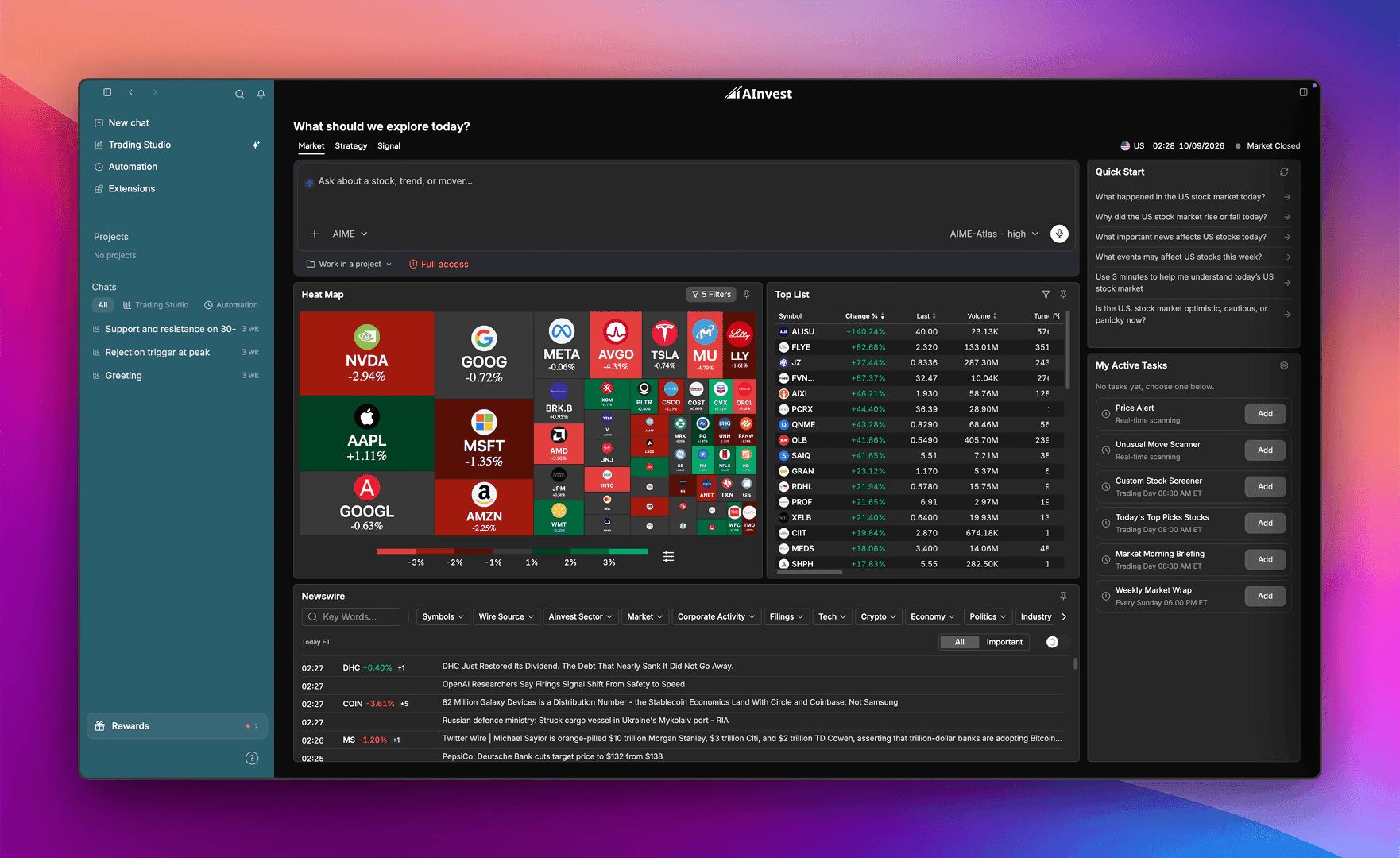
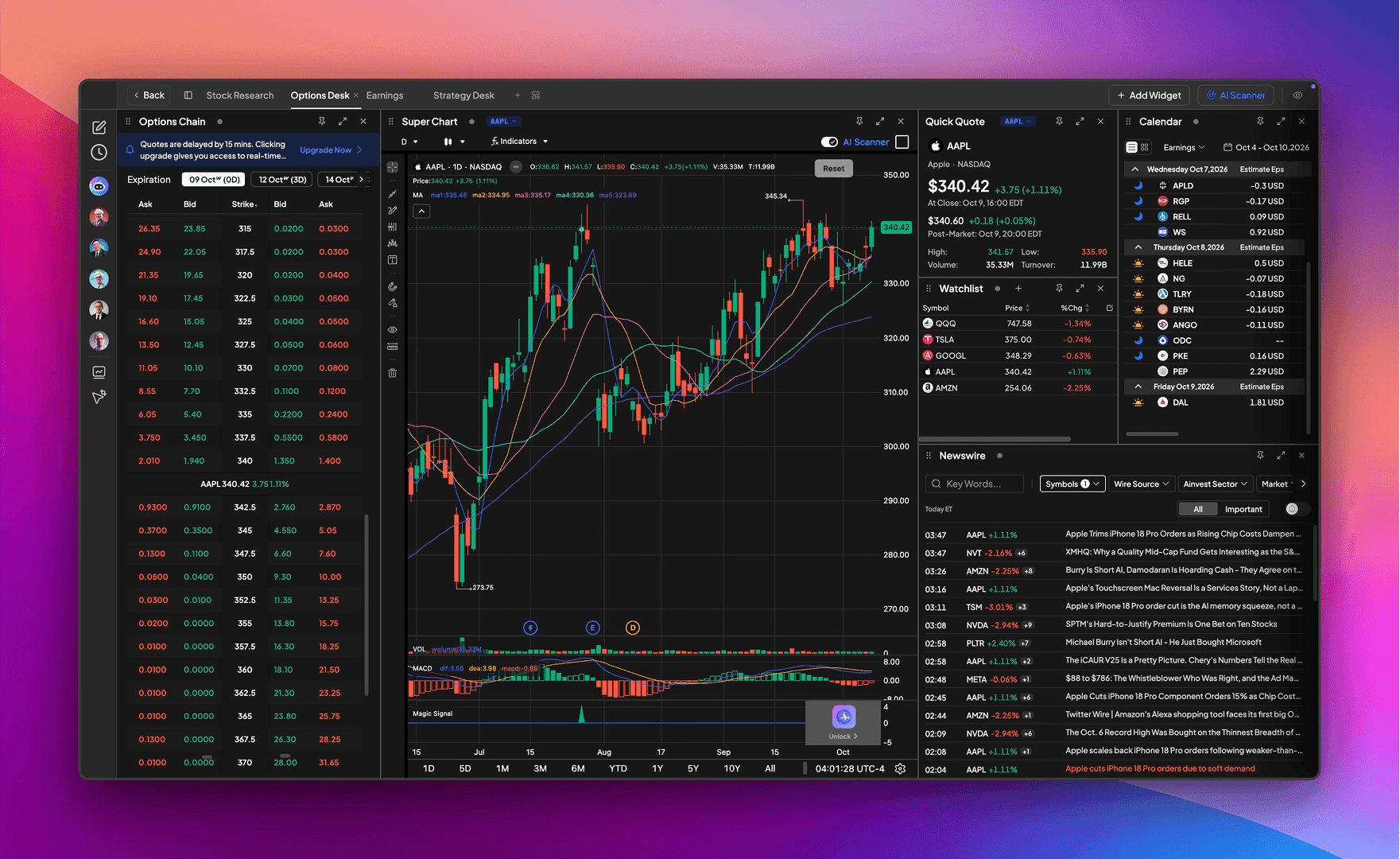
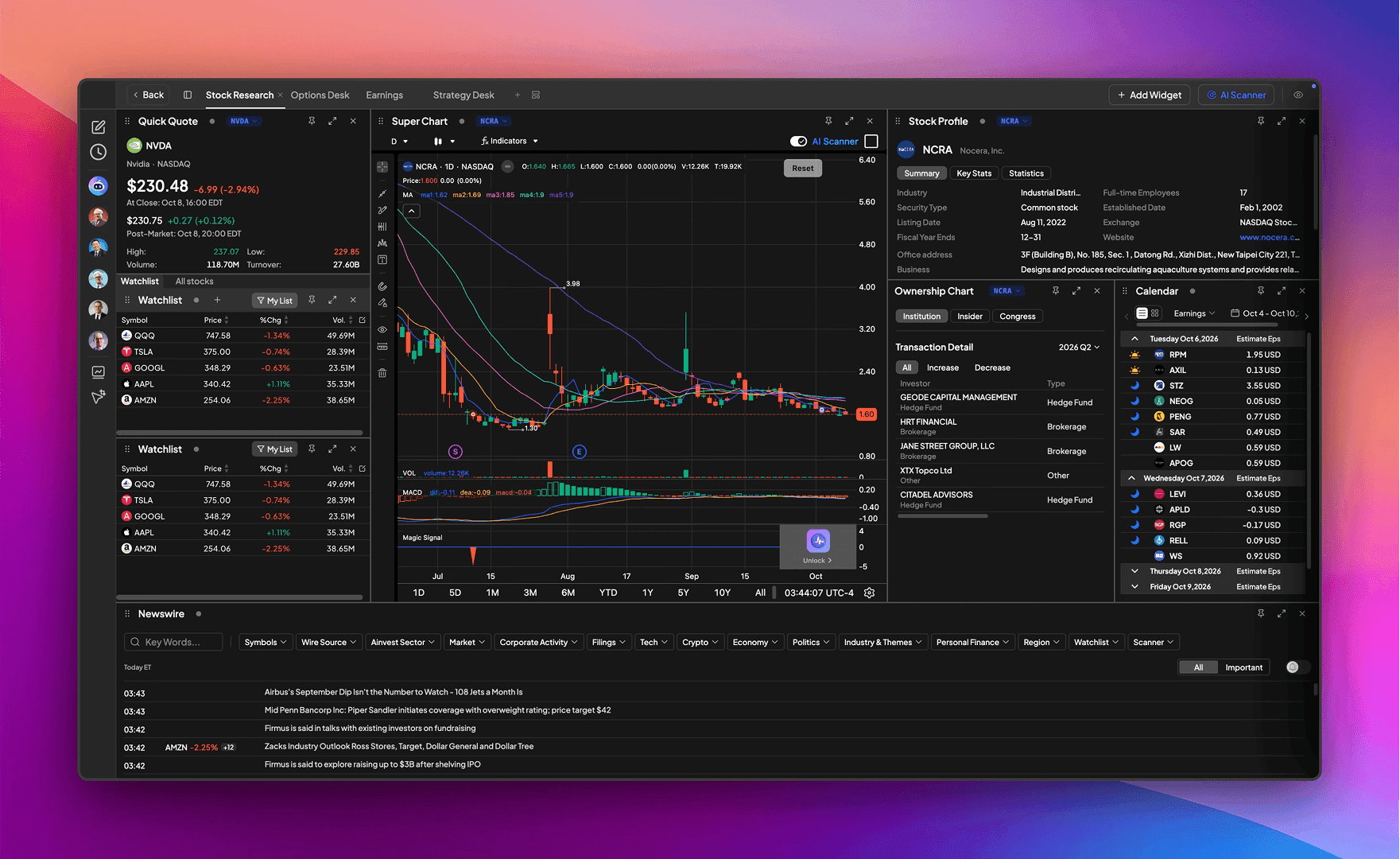
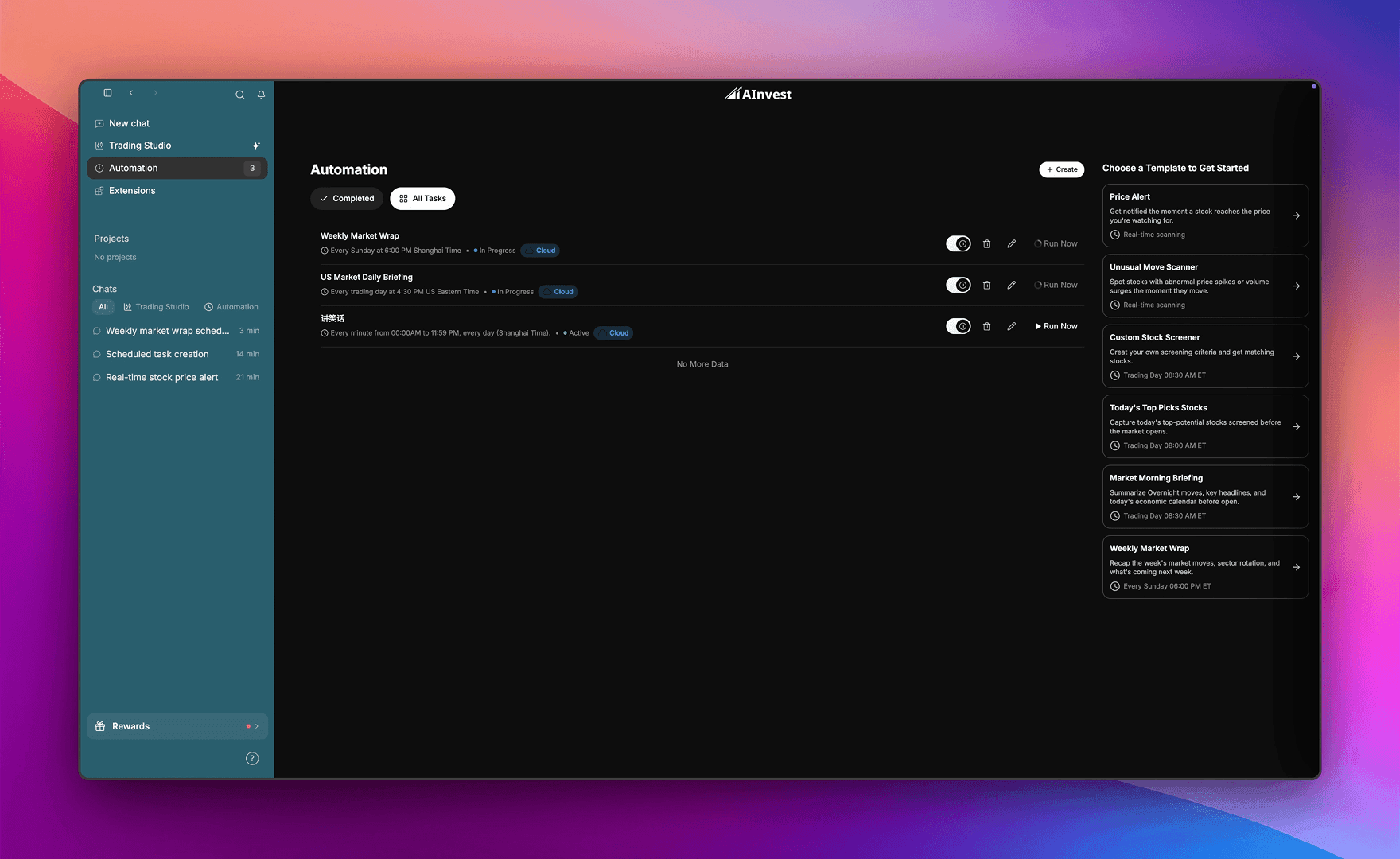
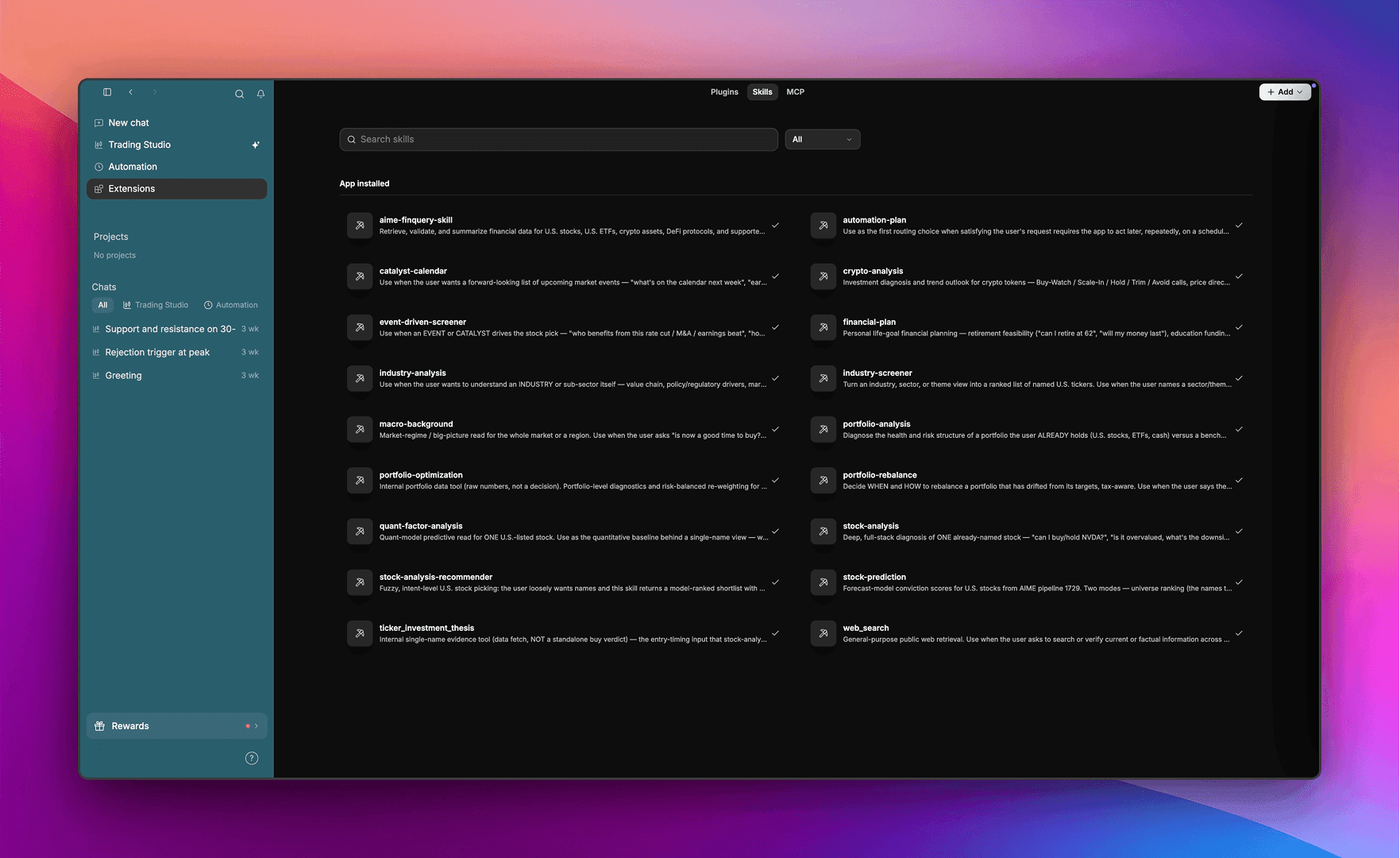
About this app
AInvest Terminal is a free desktop investing workspace for self-directed investors, available for Windows and Mac (beta). Describe what you want to track in plain English, and its built-in AI assistant, Aime, builds your desk — charts, watchlist, news, scanners and alt-data widgets — in seconds, then reads the chart with you, marking trend channels and resistance and explaining the setup. Chat with Aime to ask market questions, compare tickers and run research skills, or use Studio mode to get answers tied to the widgets on your screen. Start from ready-made desks for Stock Research, Options, Earnings Season and Strategies. For research only — Aime does not give investment advice and AInvest Terminal does not execute trades on your behalf. Market data may be delayed. Investing involves risk.
Key features
- 1Plain-English prompt builds a full research desk: charts, watchlist, news, scanners and alt-data widgets.
- 2Aime AI reads charts, marks trend channels and resistance, and explains the setup in context.
- 3Studio mode answers questions tied to the widgets on your screen; Automation runs recurring scans and alerts.
Target customer profile
Drawn from the product itself, not from a survey.
Scout Review
Written by AI from measured evidence, scored out of 100.
AInvest Terminal is a free desktop research workspace where a plain-English prompt assembles your charts, watchlist, news and scanners, and an AI called Aime reads the chart back to you. The marketing site is confident and the accessibility is genuinely strong, but the homepage hides the product behind empty black space and never demos its best trick. Mobile performance is poor, security headers are thin, and the category is crowded. The idea has a real wedge — it just needs to show it before asking for the download.
Measure by measure
Usability
60Download-first flow is dead simple with platform-specific buttons and a solid FAQ covering markets, trade limits and pricing. But there's no demo or onboarding preview of the prompt-to-desk workflow before you install.
Design
56Dark, information-dense terminal aesthetic with a bold hero headline and clear dual download CTAs. Undercut by empty black gaps below the hero, a clipped logo strip, and no product screenshot above the fold.
Speed
34Desktop Lighthouse hits 90/100, but mobile is a brutal 36/100 with an 11.0s LCP and 2.4s TBT. The heavy hero imagery and long single-page layout punish phone visitors.
Security
52HTTPS enforced with SPF and DMARC, plus honest risk disclaimers and a privacy policy. But only 4/12 header checks pass — no HSTS, CSP, frame protection or referrer policy.
Accessibility
78Lighthouse a11y scores 99/100, a genuinely strong result. Two minor fails remain (no main landmark, mismatched accessible names) and the visual audit flags low-contrast grey text on black.
Growth
62Real problem (research sprawl across tabs), specific wedge (one prompt builds the whole desk), and a crowded but expanding AI-trading category. Free download plus credits lowers the on-ramp.
Improvement areas
- Homepage lacks a product screenshot or demo of the prompt-to-desk workflow above the fold.
- Mobile performance is poor (36/100, 11s LCP); security headers thin (4/12 checks pass).
- Empty black gaps and clipped logo strip make the landing page look unfinished.
Design & Usability
The homepage leads with a strong, direct headline and two unmistakable download buttons — you know exactly what to do in three seconds. The dark terminal aesthetic is consistent and the product UI, where shown, looks disciplined and data-dense. The problem is what's missing: no product screenshot above the fold, large empty black gaps below the hero, and a clipped logo strip that reads as unfinished. Usability is download-first and frictionless, backed by a genuinely useful FAQ covering markets, trade limits and pricing. But the core promise — describe your desk in plain English — is never demonstrated on the page. You have to install a beta to see the one thing that makes this different.
Speed & Security
Speed is a tale of two devices: desktop Lighthouse scores a healthy 90/100, but mobile collapses to 36/100 with an 11-second LCP and 2.4s of blocking time. The heavy hero imagery and long single-page layout are the culprits, and phone visitors will bounce before the headline paints. Security is middling. HTTPS is enforced and SPF/DMARC are set, and the site is refreshingly honest about being research-only with no trade execution and delayed data. But only 4 of 12 header checks pass — no HSTS, no CSP, no frame protection, no referrer or permissions policy. For a finance-adjacent product handling account data, that's a gap worth closing.
Accessibility & Growth
Accessibility is the standout: a 99/100 Lighthouse audit is rare and real. Two minor fails remain — a missing main landmark and mismatched accessible names on labelled elements — and the visual audit flags low-contrast grey secondary text on black. Fix those and this is genuinely excellent. Growth is a judgement on the idea: research sprawl across tabs is a real, paying problem, and 'one prompt builds your whole desk' is a concrete wedge. The category is crowded — TradingView, Bloomberg, and a wave of AI trading assistants — but agentic desk-building plus Studio mode tied to on-screen widgets is a defensible angle. Free download with credits lowers the on-ramp; the risk is being one more AI trading pitch in a noisy field.
Conclusion
If you're a self-directed investor tired of stitching together five tabs, the prompt-to-desk concept is worth a look — it's free, and the FAQ is honest about limits. But go in knowing the site won't show you the magic, mobile is slow, and the security posture is basic. Download it, test the workflow against your current setup, and judge the product, not the landing page.
Suggestions for improvement
- Add a real product screenshot or short demo GIF above the fold showing the prompt-to-desk workflow.
- Fix the empty black gaps below the hero and the clipped 'Trusted Vendor' logo strip.
- Improve mobile performance: compress hero imagery, lazy-load below-fold content, target LCP under 2.5s.
- Add HSTS, CSP, frame protection and referrer/permissions policies to harden the security posture.
Alternatives comparison
Named competitors, point by point. Nobody paid to appear here or to be left out.
 AInvest Terminal |  | |
|---|---|---|
| Pricing model | Free download; premium plan hinted after launch; sign-up credits | Not provided |
| AI prompt-to-workspace desk building | Yes — Aime builds charts, watchlists, news, scanners from one prompt | Not provided |
| Platform coverage | Windows and Mac (Apple Silicon & Intel), beta | Not provided |
| Trade execution | No — research only, user-controlled | Not provided |
Comparing options? See AInvest Terminal alternatives, scored side by side
More Finance apps
View all Finance
CreateMyCoin
92A no-code Solana token creator that deploys SPL tokens in...

CalcFi
92A free, comprehensive financial calculator platform with ...

Flicker: Crypto & Stock Analysis
90Flicker reads any coin or stock and gives you a verdict, its reasons, and the exit before the entry.

Redstone
89Portfolio optimization and risk metrics for investors.

Receipt Bot
88Automated bookkeeping software that extracts data from re...

Stellar Staff
88A top-rated virtual assistant agency that matches busines...

BringMe Money
88AI invoice follow-up that drafts reminders and tracks next steps.

ArbPlay
88Real-time sure bets scanner for Greek bookmakers, exchang...

Prop Firm Consistency Calculator
88Check your prop firm consistency rule and best-day percen...

Stripdo
87Stripdo is a smart invoicing tool that automatically gene...

OpenBudget
87Connect your bank to AI for real answers about your money.

StockFit API
87A developer-first financial data API providing structured...


A platform dedicated to providing unbiased reviews of newly launched applications, analyzing everything from their features to their full potential.
info@scoutforge.net© 2026 Scoutforge. All rights reserved.
