Cycling through all six. Tap any point to stop.
Measured on six things
Convert Outlook PST files to 26+ formats and migrate to e...
Design
45Dated, cluttered layout: 20+ ungrouped blue feature bullets, cramped award-badge sidebar, and a 9pt 8-card grid. The 3D product box render is the one polished element on the page.
Screenshots
1 / 1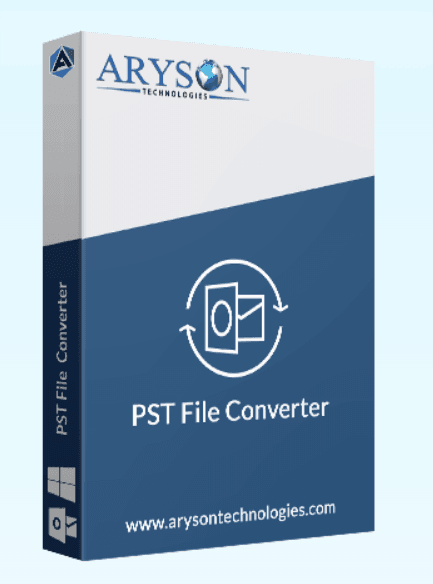
About this app
Aryson PST Converter is a robust Windows utility that simplifies the complex task of converting Outlook PST files into over 26 formats, including PST, MBOX, EML, MSG, PDF, DOCX, CSV, and more. It also enables direct migration of PST data to popular email platforms like Microsoft 365, Google Workspace, IMAP, and Yahoo Mail. The tool preserves folder structure, attachments, and metadata, and includes advanced features like date range filtering, duplicate removal, batch conversion, and preview pane. Whether you're an IT admin managing enterprise migrations or an individual looking to access old emails, Aryson PST Converter offers a user-friendly interface and a free trial (50 items per folder). Trusted by 2,000+ users and rated 4.9/5, it's a reliable solution for PST conversion and migration needs.
Key features
- 1Convert PST/OST to 12+ formats including MBOX, EML, MSG, PDF, DOCX, CSV, ICS, VCF and JSON
- 2Direct migration to Microsoft 365, Google Workspace, IMAP, Yahoo, Zoho and other mail platforms
- 3Batch conversion with date-range filtering, duplicate removal, split MBOX and CSV-based mailbox mapping
- 4Free trial converts up to 50 items per folder; preview panel for emails, contacts, calendars and tasks
Target customer profile
Drawn from the product itself, not from a survey.
Demographic
IT Administrators and System Engineers in mid to large enterprises
Pain points
Migrating large volumes of PST files to cloud platforms like Office 365 or Google Workspace without data loss or downtime.
Primary needs
Batch conversion, direct migration, role-based mapping, and data integrity preservation.
Demographic
Legal and Compliance Officers
Pain points
Converting PST emails to PDF or MSG for audits and legal review, while maintaining metadata and folder hierarchy.
Primary needs
Accurate conversion to PDF/MSG, date range filtering, and conversion reports for documentation.
Demographic
Individual users and small businesses upgrading from Outlook
Pain points
Accessing old PST files after switching to Gmail or other email clients; need for easy conversion without technical expertise.
Primary needs
Simple GUI, free trial, support for multiple formats, and direct migration to popular email services.
Scout Review
Written by AI from measured evidence, scored out of 100.
Aryson PST Converter is a competent, long-running Windows utility that does the boring-but-necessary job of getting Outlook data out of PST and into MBOX, PDF, MSG or a cloud mailbox. The feature list is genuinely deep — batch conversion, duplicate removal, date-range filtering, CSV-based mailbox mapping, split MBOX output — and the free trial (50 items per folder) lets you test before buying. The site is fast and the security headers are clean. The problems are presentation and positioning: the homepage is a dated, cluttered wall of bullets and badges that buries the demo link, accessibility has real contrast and heading-order failures, and there's no compliance documentation for the enterprise buyers it's clearly aimed at. Against Stellar and Kernel it's on par on features and behind on polish and trust signals.
Measure by measure
Usability
58Free trial (50 items/folder) and a live demo exist, and the feature list is exhaustive. But the demo link is buried, navigation is noisy, and there's no clear first-run path for a new user.
Design
45Dated, cluttered layout: 20+ ungrouped blue feature bullets, cramped award-badge sidebar, and a 9pt 8-card grid. The 3D product box render is the one polished element on the page.
Speed
80Lighthouse mobile 91/100 (LCP 2.6s, CLS 0, TBT 246ms) and desktop 74/100. Snappy for a content-heavy marketing page with this much text and imagery.
Security
76Full security-header sweep passes 12/12: HTTPS, HSTS, CSP, frame protection, Referrer-Policy, Permissions-Policy, SPF and DMARC. No published SOC 2/ISO or bug bounty found.
Accessibility
70Lighthouse a11y 91/100, but real failures: low contrast text, non-sequential headings, undersized touch targets, no main landmark. No WCAG statement or a11y page found.
Growth
54Real, recurring problem (PST migration) with a specific enterprise wedge in M365/Workspace bulk mapping. But it's a crowded category against Stellar and Kernel with little visible differentiation.
Improvement areas
- Dated, cluttered homepage with 20+ ungrouped feature bullets and a buried live demo link
- No published SOC 2/ISO certification or security/compliance page for enterprise buyers
- Accessibility failures: low contrast, non-sequential headings, small touch targets, no main landmark
- No clear differentiation from Stellar and Kernel beyond feature parity
Design & Usability
The homepage is a wall of blue hyperlinks and award badges fighting for space above the fold, with a cramped sidebar and a 9pt feature grid below. The 3D product box render is genuinely clean — it's the only element that looks designed rather than assembled. Usability is functional but noisy: a free trial (50 items per folder) and a live demo exist, yet the demo link is buried in small text under the CTAs, and six nav items with dropdowns plus a search field and Support button give a first-time visitor no clear starting point. The feature list is exhaustive to the point of overwhelming — 20+ bullets before you learn how to try the thing. It works, but it makes you work to find out that it works.
Speed & Security
Speed is the standout: Lighthouse mobile 91/100 with LCP 2.6s, CLS 0 and TBT 246ms, and desktop 74/100 — genuinely snappy for a page carrying this much text and imagery. Security is solid on the technical side: the header probe passes 12/12 with HTTPS enforced, HSTS, CSP, frame protection, Referrer-Policy, Permissions-Policy, plus SPF and DMARC records. What's missing is the compliance layer — no SOC 2, ISO 27001, pen-test summary or bug bounty page surfaced in the collected evidence. For a tool that IT admins and legal/compliance officers use to move sensitive mailboxes, that's a gap worth closing; the plumbing is good, the paperwork isn't there yet.
Accessibility & Growth
Accessibility lands at a decent 91/100 on Lighthouse, but the failing audits are real and specific: insufficient color contrast, non-sequential heading order, undersized touch targets, no main landmark, and role=presentation conflicts. There's no WCAG statement or accessibility page, and the 9pt feature-card text is a scannability problem for everyone. Growth is the trickier call. PST conversion is a genuine, recurring problem with a clear enterprise wedge — bulk mapping to Microsoft 365 and Google Workspace via CSV, date-range filtering, conversion reports for audits. But the category is crowded: Stellar and Kernel are established names with similar feature sets, and nothing on the page explains why an IT admin picks Aryson over either. The 4.9/5 from 2,227 reviews and 13-year-old domain show staying power, not a moat.
Conclusion
If you're an IT admin with a pile of PSTs and a Microsoft 365 tenant, Aryson is a reasonable, affordable-looking option — the migration mapping features are the real product here, and the free trial is enough to validate them on your own data. If you're a legal or compliance team that needs audit trails and vendor certifications before you'll touch a mailbox, ask Aryson directly for their security documentation before committing; it isn't on the site. And if you're an individual just trying to open an old PST, the manual Outlook route in their own blog post may be all you need. Solid tool, dated storefront.
Suggestions for improvement
- Rebuild the homepage: group the 20+ feature bullets into 4-5 themed sections with real hierarchy and breathing room.
- Move the live demo link above the fold next to the primary CTA — it's the strongest conversion lever on the page.
- Publish a security/compliance page (SOC 2 status, data handling, sub-processors) for the enterprise and legal buyers.
- Fix the accessibility failures: contrast ratios, heading order, touch target sizes, and add a main landmark.
Alternatives comparison
Named competitors, point by point. Nobody paid to appear here or to be left out.
 Aryson PST Converter Aryson PST Converter |  Stellar Converter for PST Stellar Converter for PST |  Kernel for PST Converter Kernel for PST Converter | |
|---|---|---|---|
| Conversion formats supported | 12+ formats: PST, MBOX, EML, MSG, PDF, DOCX, CSV, ICS, VCF, PNG, JSON, MD, Thunderbird | Multiple formats including PST, EML, MSG, PDF, HTML, RTF, MBOX | Multiple formats including PST, EML, MSG, PDF, HTML, MBOX, Office 365 |
| Direct cloud migration (M365 / Google Workspace) | Yes — Microsoft 365, Google Workspace, IMAP, Yahoo, Zoho, with CSV-based mailbox mapping | Yes — Office 365 migration supported | Yes — Office 365 and other email clients supported |
| Batch conversion | Yes — single or multiple PST/OST files via file/folder selector or drag & drop | Yes — batch conversion supported | Yes — batch conversion supported |
| Free trial | Yes — converts up to 50 items per folder | Yes — free trial version available | Yes — demo version available |
| Preview pane | Yes — emails, contacts, calendars, tasks, notes and attachments | Yes — preview before saving | Yes — preview supported |
| Duplicate removal / date range filter | Yes — both duplicate detection and date-range filtering | Date range filter supported; duplicate handling varies by version | Date range filter supported; duplicate handling varies by version |
Stellar Converter for PST
A well-known PST conversion tool that supports conversion to multiple formats and migration to Office 365. It offers a similar feature set but may have a higher price point.
Kernel for PST Converter
Another popular PST converter that supports conversion to various formats and email clients. It includes advanced features like batch conversion and preview.
Comparing options? See Aryson PST Converter alternatives, scored side by side
More Productivity apps
View all Productivity
Qamarero
92An all-in-one hospitality software for restaurants and ba...

The Stack Newsletter
92A weekly newsletter delivering curated tech jobs, intervi...

EmbedMyReviews
92White-label reputation management software for agencies s...

StoryPad
92Privacy-first open source journal app with a continuous t...

Puzzly – B2B Lead Generation & Sales Intelligence Platform
92Puzzly is an all-in-one B2B lead generation platform that...

Notion
92All-in-one AI workspace for docs, projects, and knowledge...

Vibe Coding Agent Skills
92A free, open-source platform offering 110 AI agent skills...

CC Switch
91Open-source desktop app for switching AI coding providers...

username.md
90One verified handle for your online identity, readable by...

What the GIF
89Frame-perfect video-to-GIF maker that runs entirely in yo...

AuditCloser
89White-label website audits that close deals for digital a...

NudgeWin
89Automated quote follow-up for trades and service businesses.


A platform dedicated to providing unbiased reviews of newly launched applications, analyzing everything from their features to their full potential.
info@scoutforge.net© 2026 Scoutforge. All rights reserved.
