Cycling through all six. Tap any point to stop.
Measured on six things
Convert Outlook PST files to PDF with attachments, batch ...
Design
58Dense, legacy-style vendor page with feature lists and stock testimonials. Functional screenshots and demo video help, but branding feels dated versus modern SaaS peers.
Screenshots
1 / 1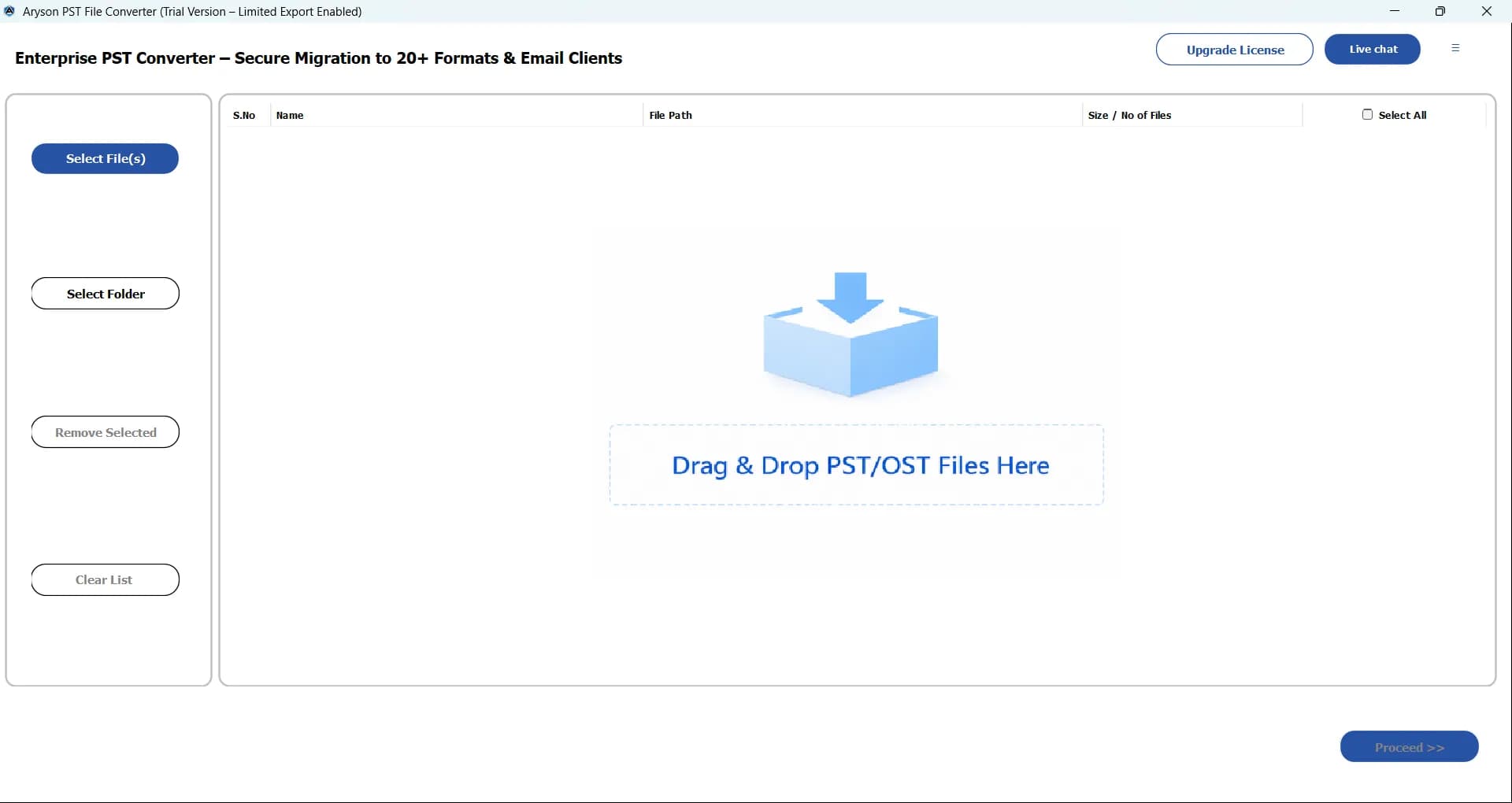
About this app
Aryson PST to PDF Converter is a specialized desktop utility designed to export Microsoft Outlook PST data into universally accessible PDF documents. The tool supports batch conversion of multiple PST files while preserving the original folder hierarchy, formatting, and metadata. It can convert not just emails, but also attachments, contacts, calendars, tasks, and notes. Key features include a preview panel to view data before conversion, options to manage attachments (export, merge, or exclude), date range filters, a duplicate email remover, and PDF segmentation for large files. It also allows for custom naming conventions and migration to other formats and cloud services. The software is compatible with all Windows versions and offers a free trial version with a 50-item per folder limit.
Key features
- 1Batch convert multiple PST files to PDF while preserving folder hierarchy and metadata.
- 2Convert emails, attachments, contacts, calendars, tasks, and notes into PDF.
- 3Preview panel, date range filters, duplicate email removal, and attachment merge/export/exclude options.
- 4Custom naming conventions, PDF segmentation for large files, and export to other formats and cloud services.
- 5Free trial converts 50 items per folder; compatible with all Windows versions.
Target customer profile
Drawn from the product itself, not from a survey.
Demographic
IT Administrators & Consultants
Pain points
Need to archive large volumes of Outlook data for compliance; Risk of data loss during migration; Managing multiple PST files efficiently.
Primary needs
Batch conversion of PST files; Preservation of data integrity and folder structure; Secure and reliable archiving solution.
Demographic
Legal & Records Management Professionals
Pain points
Requirement to convert specific email threads for legal discovery; Difficulty in filtering and exporting only relevant emails with attachments.
Primary needs
Advanced filtering (by date, sender, subject); Conversion of emails with attachments into a non-editable PDF format; Accurate preservation of email metadata (headers).
Demographic
Small Business Owners & Office Managers
Pain points
Limited technical expertise for complex data migration; Need to share email conversations with clients or team members who don't use Outlook.
Primary needs
User-friendly interface with preview functionality; One-time conversion of key mailboxes to a universal format; Ability to split large PDFs for easier sharing.
Scout Review
Written by AI from measured evidence, scored out of 100.
Aryson PST to PDF Converter is a competent, narrowly-scoped desktop utility for a real problem: turning Outlook PST archives into PDFs without Outlook, with folder structure and attachments intact. The marketing site is fast and technically well-secured, but visually dated and light on compliance transparency. The trial is sensibly gated, the feature set is genuinely deep (contacts, calendars, tasks, notes, duplicate removal, date filters), and the pricing model is standard for the category. It won't win a design award, but for an IT admin with 40 PST files and a deadline, it does the job.
Measure by measure
Usability
62Clear trial with 50-item limit, live demo, FAQ, and video guide. Onboarding is straightforward for a desktop utility, but docs are thin beyond the blog.
Design
58Dense, legacy-style vendor page with feature lists and stock testimonials. Functional screenshots and demo video help, but branding feels dated versus modern SaaS peers.
Speed
88Lighthouse mobile 98/100 (LCP 1.1s, CLS 0, TBT 100ms) and desktop 96/100. The marketing site is genuinely fast and lightweight.
Security
76Full header suite (HSTS, CSP, frame protection, Referrer-Policy, Permissions-Policy), SPF and DMARC configured. No SOC 2 or ISO claims published.
Accessibility
70Lighthouse 91/100 with contrast, heading order, touch target, and landmark failures. No WCAG statement or a11y documentation published.
Growth
58Real, specific problem (PST archiving for compliance and legal discovery) with concrete differentiators. Category is crowded and the manual Print-to-PDF option caps the ceiling.
Improvement areas
- No published SOC 2, ISO 27001, or pen-test disclosure for compliance buyers.
- Stock-style testimonials and unverifiable review counts undermine trust.
- Accessibility failures: contrast, heading order, touch targets, missing main landmark.
- Thin documentation beyond blog and changelog; no searchable help center.
Design & Usability
The site is a classic Windows-utility vendor page: long feature lists, a demo video, a preview panel screenshot, and testimonials from 'John Carter' and 'Emily Davis' that read like stock copy. It works — you can find the trial, the FAQ, and the buy button without hunting — but the branding and layout feel a decade behind modern SaaS. The 50-item-per-folder trial is a sensible gate for a desktop tool: enough to confirm the conversion works, not enough to finish a real archive job. Documentation beyond the blog and changelog is thin, so users who hit an edge case will be relying on support rather than self-serve help.
Speed & Security
Speed is the standout: Lighthouse mobile 98/100 with a 1.1s LCP, zero CLS, and 100ms TBT, and desktop at 96/100. The marketing site is genuinely lightweight. Security is solid on the transport layer — HSTS, CSP, frame protection, Referrer-Policy, Permissions-Policy, SPF, and DMARC all present, 12/12 on the header checklist. What's missing is the compliance layer: no SOC 2, ISO 27001, or pen-test disclosure anywhere on the site, which matters for the IT admins and legal teams this product explicitly targets. For a tool that handles mail archives, that's a gap worth closing.
Accessibility & Growth
Accessibility lands at 91/100 on Lighthouse but the failing audits are the usual suspects: insufficient contrast, non-sequential headings, small touch targets, no main landmark, and role=presentation conflicts. No WCAG statement or a11y documentation is published, so keyboard and screen-reader support beyond the automated checks is unverified. Growth is a judgement call: the problem is real and specific — compliance teams need PST archives in PDF without Outlook — and the differentiators (batch conversion, folder hierarchy, attachment handling, duplicate removal, date filters) are concrete. But the category is crowded with SysTools and Kernel, and the free Print-to-PDF path caps the ceiling for casual users. The wedge is the compliance/legal segment, and it's a defensible one if Aryson leans into it.
Conclusion
If you need PST-to-PDF conversion at batch scale and you're willing to pay for a desktop tool, Aryson is a reasonable pick alongside SysTools and Kernel. If you have one mailbox and an afternoon, Outlook's Print-to-PDF is free. The gap Aryson should close is trust: publish a security page, get a SOC 2 or ISO badge, and give the compliance buyers something to point at in a procurement review.
Suggestions for improvement
- Publish a security/compliance page with SOC 2 or ISO 27001 status to satisfy IT and legal buyers.
- Replace stock testimonials with verifiable, linked reviews (G2, Capterra, Trustpilot).
- Add a searchable help center or knowledge base beyond the blog and changelog.
- Fix the Lighthouse accessibility failures: contrast, heading order, touch targets, main landmark.
Alternatives comparison
Named competitors, point by point. Nobody paid to appear here or to be left out.
 Aryson PST to PDF Converter |  SysTools PST to PDF Converter |  Kernel for PST to PDF |  Manual Method (Print to PDF) | |
|---|---|---|---|---|
| Batch conversion of multiple PST files | Yes | Yes | Yes | No (one email at a time) |
| Preserves folder hierarchy and metadata | Yes | Yes | Yes | No |
| Attachment handling (export, merge, exclude) | Yes | Yes | Yes | Limited (inline only) |
| Date range filters and duplicate removal | Yes | Yes | Yes | No |
| Free trial available | Yes (50 items per folder) | Yes (limited) | Yes (limited) | Free (built into Outlook) |
| Published compliance certifications (SOC 2 / ISO) | Not disclosed | Not disclosed | Not disclosed | Microsoft trust center (platform-level) |
SysTools PST to PDF Converter
A similar third-party utility for converting Outlook PST files to PDF, offering batch conversion and attachment handling features.
Kernel for PST to PDF
Another dedicated tool from a well-known brand in data recovery and conversion, focusing on converting emails and attachments from PST to PDF.
Manual Method (Print to PDF)
A free alternative where users can open emails in Outlook and use the 'Print to PDF' function. This is time-consuming and not suitable for bulk conversion or preserving folder structures.
Comparing options? See Aryson PST to PDF Converter alternatives, scored side by side
More Productivity apps
View all Productivity
Notion
92All-in-one AI workspace for docs, projects, and knowledge...

Qamarero
92An all-in-one hospitality software for restaurants and ba...

EmbedMyReviews
92White-label reputation management software for agencies s...

StoryPad
92Privacy-first open source journal app with a continuous t...

Puzzly – B2B Lead Generation & Sales Intelligence Platform
92Puzzly is an all-in-one B2B lead generation platform that...

The Stack Newsletter
92A weekly newsletter delivering curated tech jobs, intervi...

Vibe Coding Agent Skills
92A free, open-source platform offering 110 AI agent skills...

QRBliss
91Branded QR codes with AI Brand Sync, 15 free dynamic code...

Gerty
91Private, local AI assistant for Mac that runs offline

CC Switch
91Open-source desktop app for switching AI coding providers...

username.md
90One verified handle for your online identity, readable by...

PitchWhip
90AI cold call scripts & direct dials from LinkedIn


A platform dedicated to providing unbiased reviews of newly launched applications, analyzing everything from their features to their full potential.
info@scoutforge.net© 2026 Scoutforge. All rights reserved.
