Is this your app?
Claim Auto-Group Tabs – Tab Organizer for Chrome to manage its page, add your badge and see your traffic — free, and it stays free.
Cycling through all six. Tap any point to stop.
Measured on six things
A Chrome extension that automatically groups tabs by domain to reduce clutter and boost productivity.
Accessibility
60Relies on Chrome's native accessibility features without specialized options for different user needs
Screenshots
1 / 3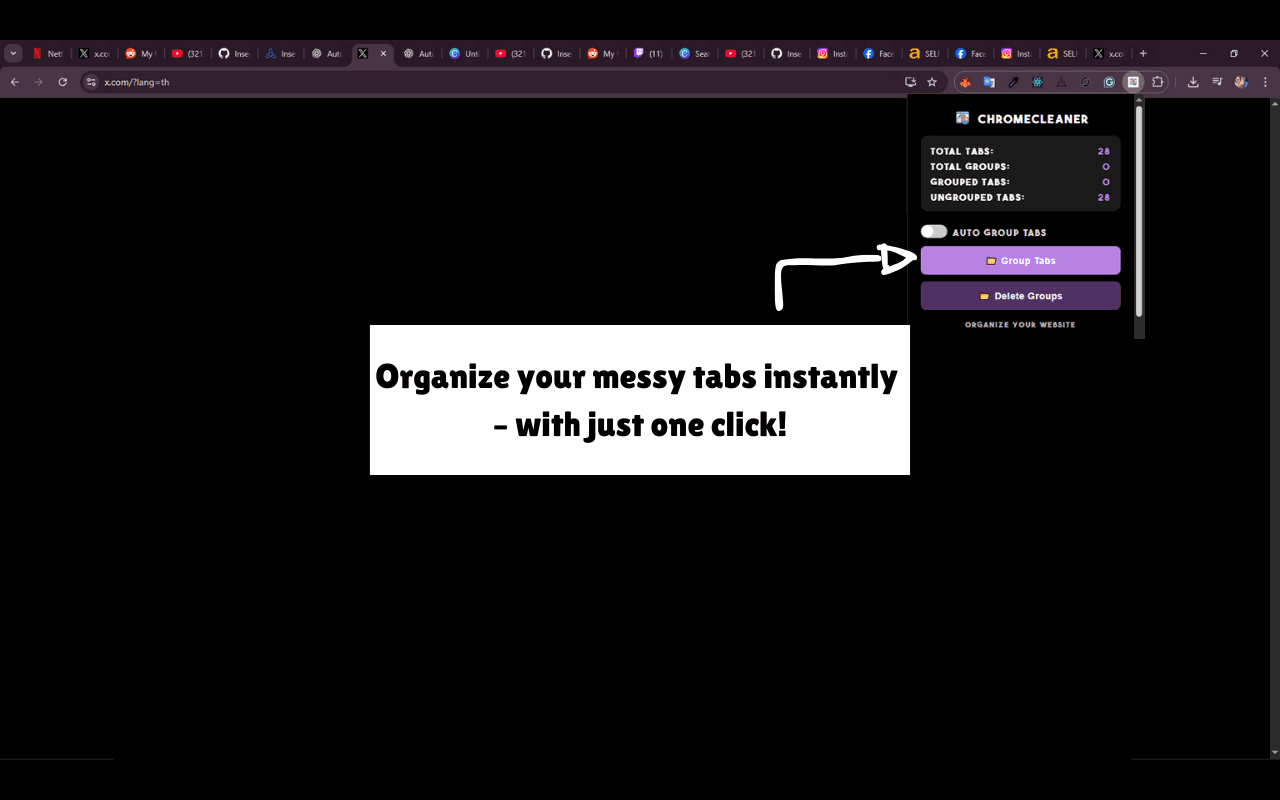
About this app
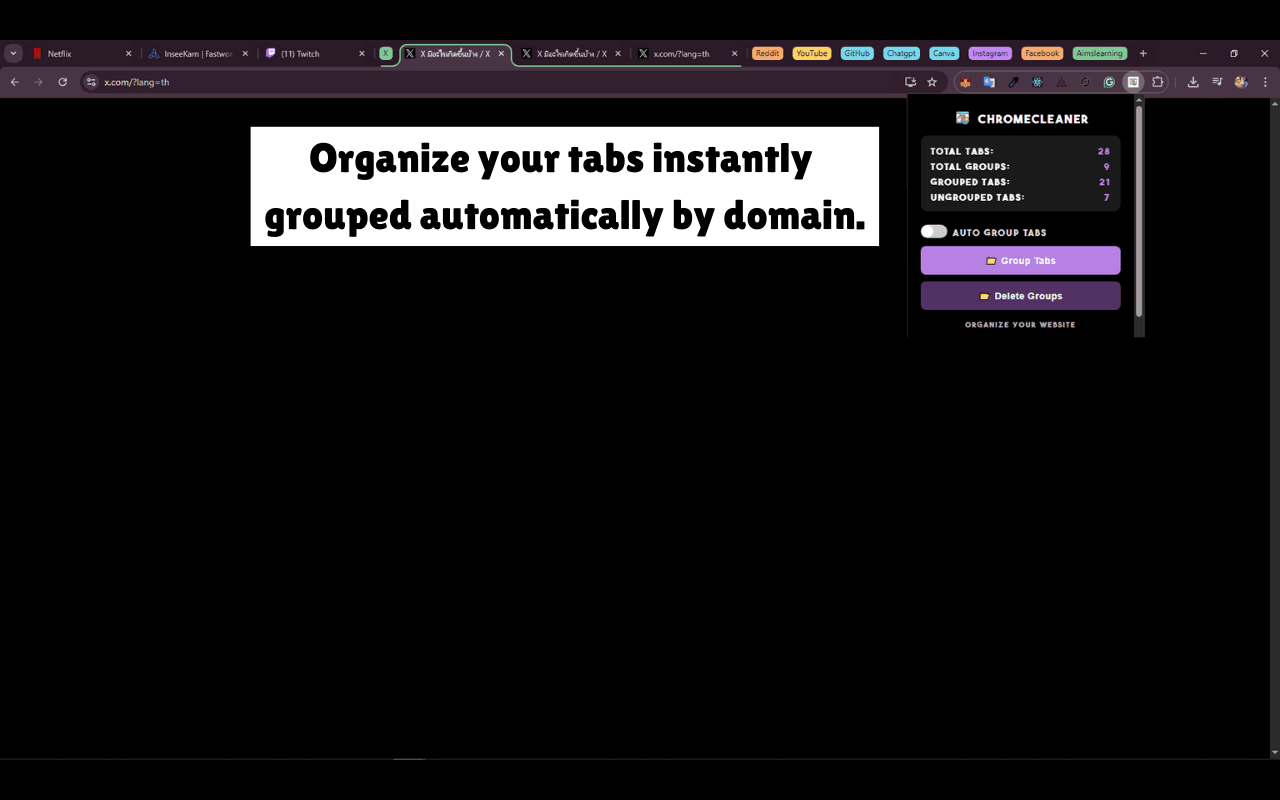
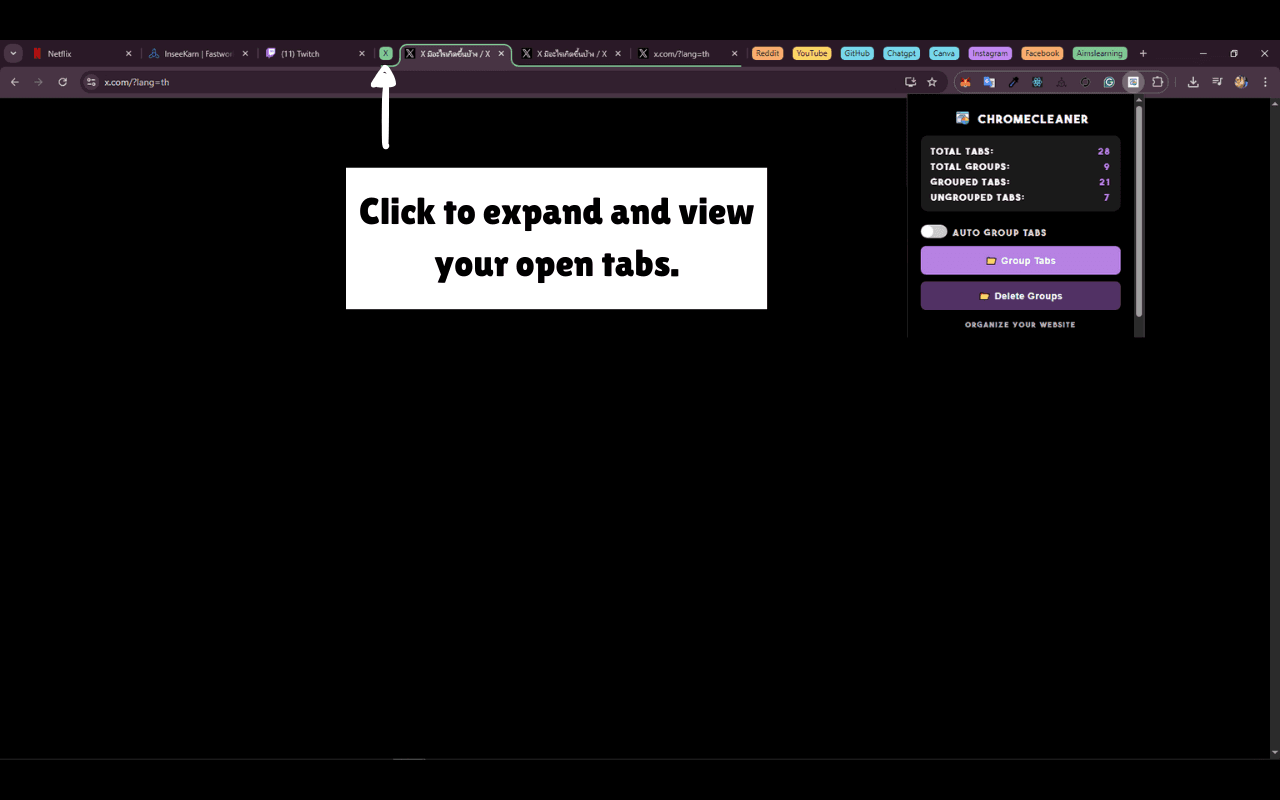
Auto-Group Tabs is a game-changer for anyone drowning in browser tabs. As a tech enthusiast who's tried countless tab managers, I was blown by how this extension simplifies tab organization with zero effort. It automatically groups tabs by website domain in real-time, so you can focus on your work instead of manual sorting. Key features include one-click organization for existing tabs, tab statistics to track your browsing habits, and a beta Auto-Clean feature to tackle tab hoarding. It's perfect for students juggling research, professionals managing multiple projects, or power users with dozens of tabs open. The minimalist design integrates seamlessly with Chrome, and performance is snappy with no noticeable slowdown. If you're tired of tab chaos, this tool delivers a smart, set-and-forget solution that genuinely enhances your workflow. Keywords: Chrome extension, tab organizer, automatic tab grouping, productivity tool, browser efficiency, tab management, workflow optimization, clutter reduction.
Key features
- 1Automatic real-time tab grouping by website domain
- 2One-click organization for existing browser tabs
- 3Tab statistics tracking and browsing habit insights
Target customer profile
Drawn from the product itself, not from a survey.
Demographic
Students and researchers
Pain points
Multiple research tabs open simultaneously, difficulty finding specific tabs, browser slowdown from too many tabs
Primary needs
Automatic organization, quick tab retrieval, reduced memory usage
Demographic
Professionals and remote workers
Pain points
Project-based tab management, context switching between tasks, visual clutter in browser
Primary needs
Workflow efficiency, one-click organization, real-time grouping
Demographic
Power users and developers
Pain points
Dozen+ tabs open regularly, need for systematic tab management, browser performance issues
Primary needs
Advanced controls, statistics tracking, customization options
Scout Review
Written by AI from measured evidence, scored out of 100.
Auto-Group Tabs delivers exactly what busy professionals, students, and power users need - effortless tab organization that actually works. The automatic domain-based grouping feels natural, and the one-click setup eliminates the friction that plagues many productivity tools. While it could benefit from more accessibility options and detailed privacy information, the core functionality is rock-solid and genuinely improves daily browsing workflow.
Measure by measure
Usability
90One-click setup and automatic real-time grouping make it incredibly intuitive with zero learning curve
Design
80Clean, minimalist interface that seamlessly integrates with Chrome's native design language and color-coded tab groups
Speed
90Real-time grouping happens instantly with no noticeable performance impact on browser speed or memory usage
Security
70Standard Chrome Web Store security review with necessary tab permissions, though limited privacy policy details
Accessibility
60Relies on Chrome's native accessibility features without specialized options for different user needs
Growth
90Strong market demand with clear feature roadmap including Auto-Clean and statistics tracking
Improvement areas
- Limited accessibility features beyond Chrome's native options
- Basic privacy policy details and security transparency
- Manual control options for power users who want exceptions
Design & Usability
Auto-Group Tabs nails the Chrome extension design philosophy with a minimalist popup interface that feels native rather than tacked on. The color-coded tab groups follow Chrome's visual language perfectly, making organization intuitive at a glance. Navigation is straightforward with clear toggle switches for auto-grouping and one-click organization of existing tabs. What really stands out is the zero-effort UX - it works silently in the background, grouping tabs by domain as you browse without requiring any manual intervention. The tab statistics display provides clean insights into your browsing habits, though the interface remains uncluttered and focused on core functionality.
Speed & Security
Performance is where this extension truly shines. Real-time grouping happens almost instantly as you open new tabs, with no noticeable impact on browser speed or memory usage. The lightweight architecture ensures it doesn't add significant overhead to your browsing experience. Security-wise, it benefits from Chrome's Web Store review process and requests standard tab permissions necessary for its functionality. While it lacks detailed privacy policy information, the extension operates locally without apparent data collection concerns. The combination of speed and adequate security makes it a reliable daily driver for tab management.
Accessibility & Growth
Accessibility relies heavily on Chrome's native features, which means it works with screen readers but lacks specialized options for different user needs. The visual color-coding helps with quick identification, though users who prefer manual control might find the automatic nature challenging. Growth potential is excellent - the beta Auto-Clean feature and statistics tracking show the developers are actively expanding functionality. With strong market demand for tab management solutions and clear room for additional features like custom grouping rules and session saving, this extension has significant expansion opportunities ahead.
Conclusion
If you're drowning in browser tabs or tired of manual organization, this extension provides a smart, set-and-forget solution that genuinely enhances productivity. The automatic operation means you can focus on your work while it handles the tab chaos in the background. For students juggling research, professionals managing multiple projects, or anyone who regularly works with dozens of tabs, Auto-Group Tabs might just change how you use your browser. If you're considering a hands-off approach to tab management, this one's definitely worth installing.
Suggestions for improvement
- Expand the beta Auto-Clean feature with customizable rules for automatic tab closing
- Add keyboard shortcuts for power users who prefer keyboard navigation over mouse clicks
- Develop session saving and restoring capabilities for tab groups across browser restarts
- Include more visual customization options for group colors and naming conventions
Alternatives comparison
Named competitors, point by point. Nobody paid to appear here or to be left out.
 Auto-Group Tabs – Tab Organizer for Chrome Auto-Group Tabs – Tab Organizer for Chrome | Chrome Native Tab Groups | Tab Organizer: Productivity Tool |  Workona Tab Manager Workona Tab Manager | |
|---|---|---|---|---|
| Automation Level | Fully automatic real-time grouping | Manual organization only | Rules-based with some automation | Project-based manual management |
| Setup Effort | One-click setup | Manual per-group setup | Rules configuration required | Project workspace setup needed |
| Learning Curve | Zero learning curve | Minimal learning required | Moderate learning curve | Steep learning curve |
Chrome Native Tab Groups
Chrome's built-in tab grouping requires manual organization, whereas Auto-Group Tabs automates the process completely
Tab Organizer: Productivity Tool
Offers more manual control and rules-based grouping, but lacks the real-time automation of Auto-Group Tabs
Workona Tab Manager
Focuses on project-based workspace management rather than automatic domain-based grouping
Comparing options? See Auto-Group Tabs – Tab Organizer for Chrome alternatives, scored side by side
More Productivity apps
View all Productivity
Notion
92All-in-one AI workspace for docs, projects, and knowledge...

Qamarero
92An all-in-one hospitality software for restaurants and ba...

EmbedMyReviews
92White-label reputation management software for agencies s...

StoryPad
92Privacy-first open source journal app with a continuous t...

Puzzly – B2B Lead Generation & Sales Intelligence Platform
92Puzzly is an all-in-one B2B lead generation platform that...

The Stack Newsletter
92A weekly newsletter delivering curated tech jobs, intervi...

Vibe Coding Agent Skills
92A free, open-source platform offering 110 AI agent skills...

QRBliss
91Branded QR codes with AI Brand Sync, 15 free dynamic code...

Gerty
91Private, local AI assistant for Mac that runs offline

CC Switch
91Open-source desktop app for switching AI coding providers...

username.md
90One verified handle for your online identity, readable by...

PitchWhip
90AI cold call scripts & direct dials from LinkedIn


A platform dedicated to providing unbiased reviews of newly launched applications, analyzing everything from their features to their full potential.
info@scoutforge.net© 2026 Scoutforge. All rights reserved.
