Cycling through all six. Tap any point to stop.
Measured on six things
A focused desktop PDF reader built for studying, with Flo...
Speed
57Desktop Lighthouse 96/100 is genuinely fast, but mobile sits at 73 with a 5.4s LCP — well past the 2.5s 'good' line. CLS 0 and TBT 52ms show the layout is stable and the main thread is calm; the hero image is the bottleneck.
Screenshots
1 / 4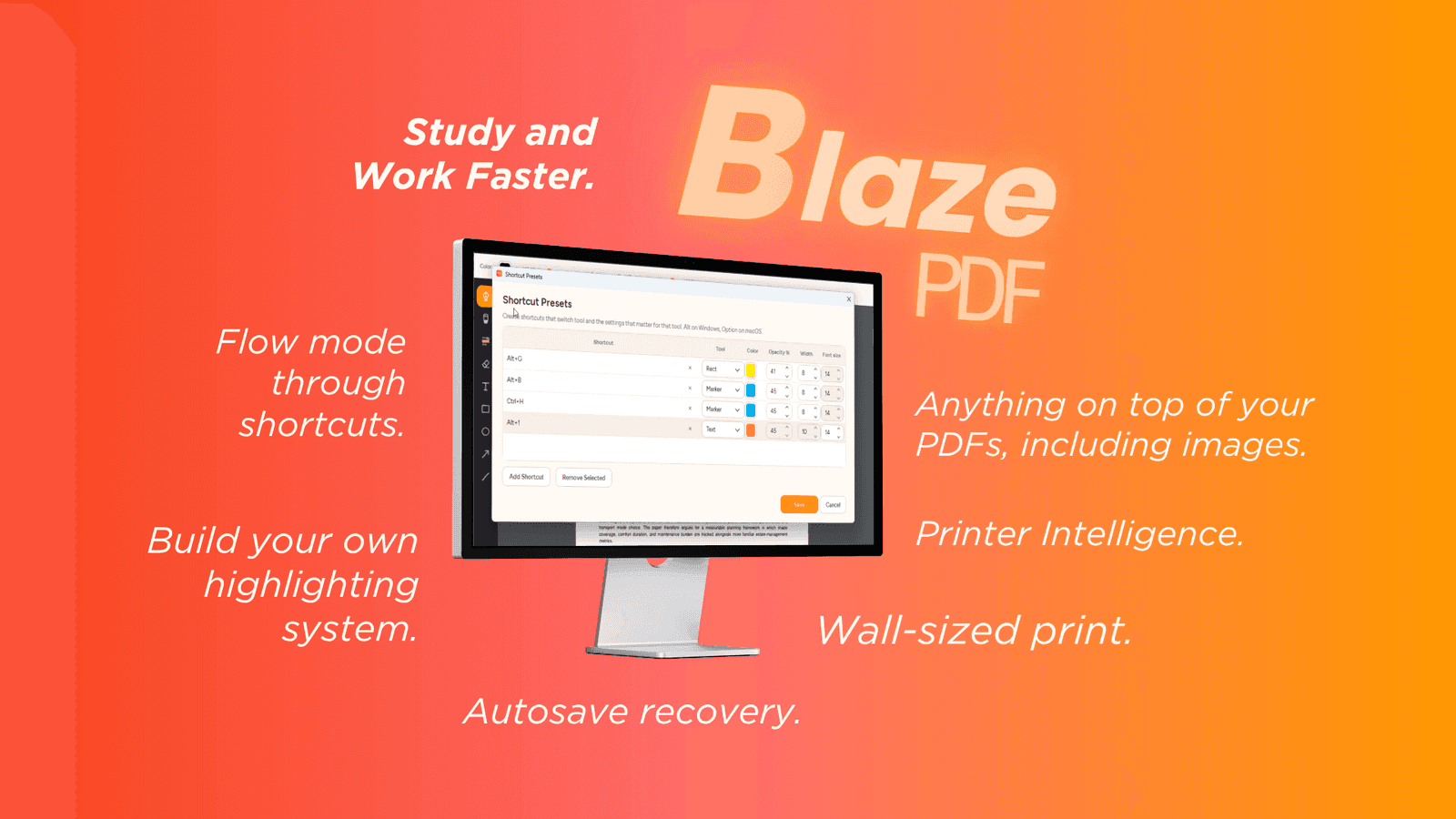
About this app
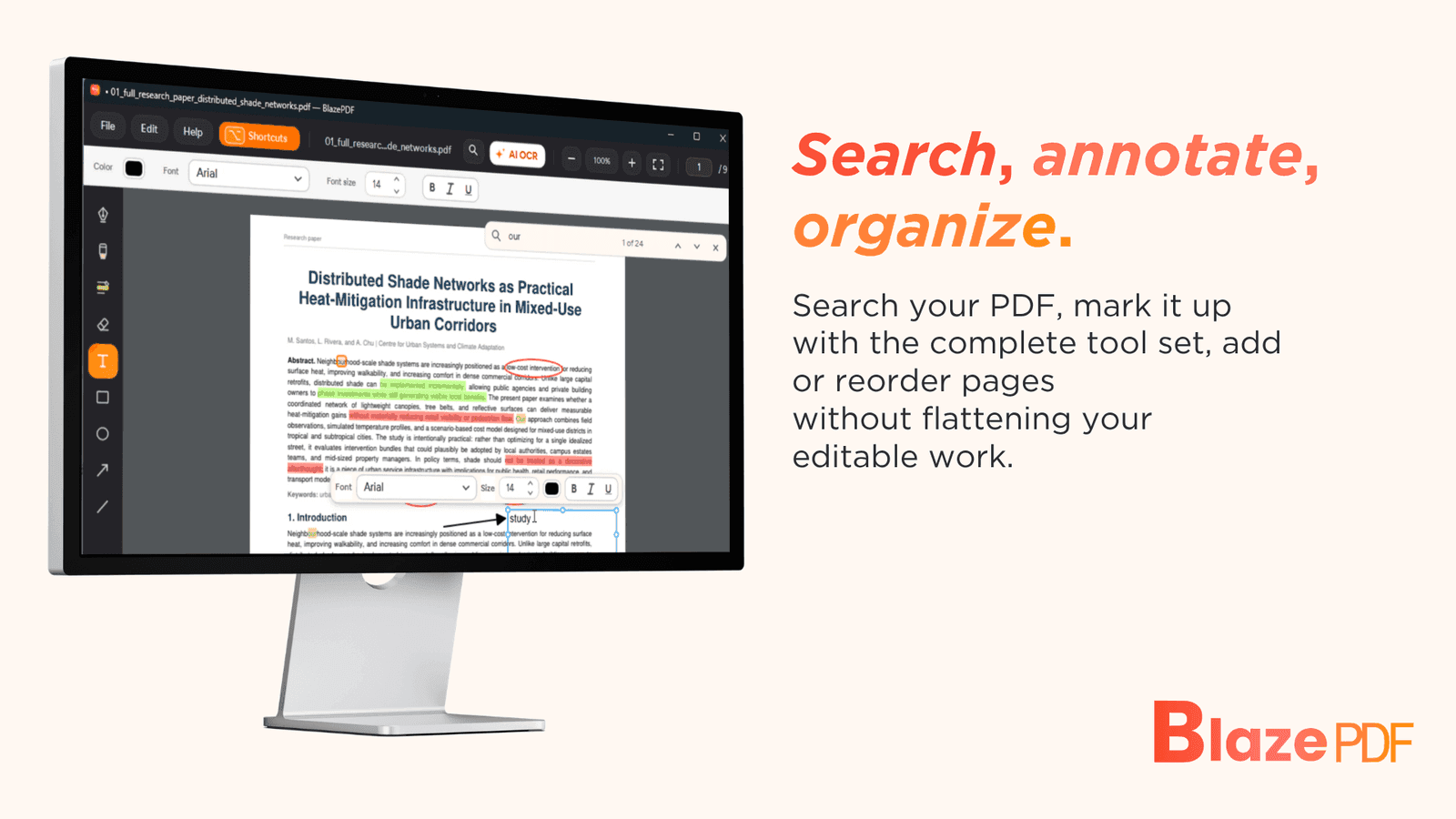
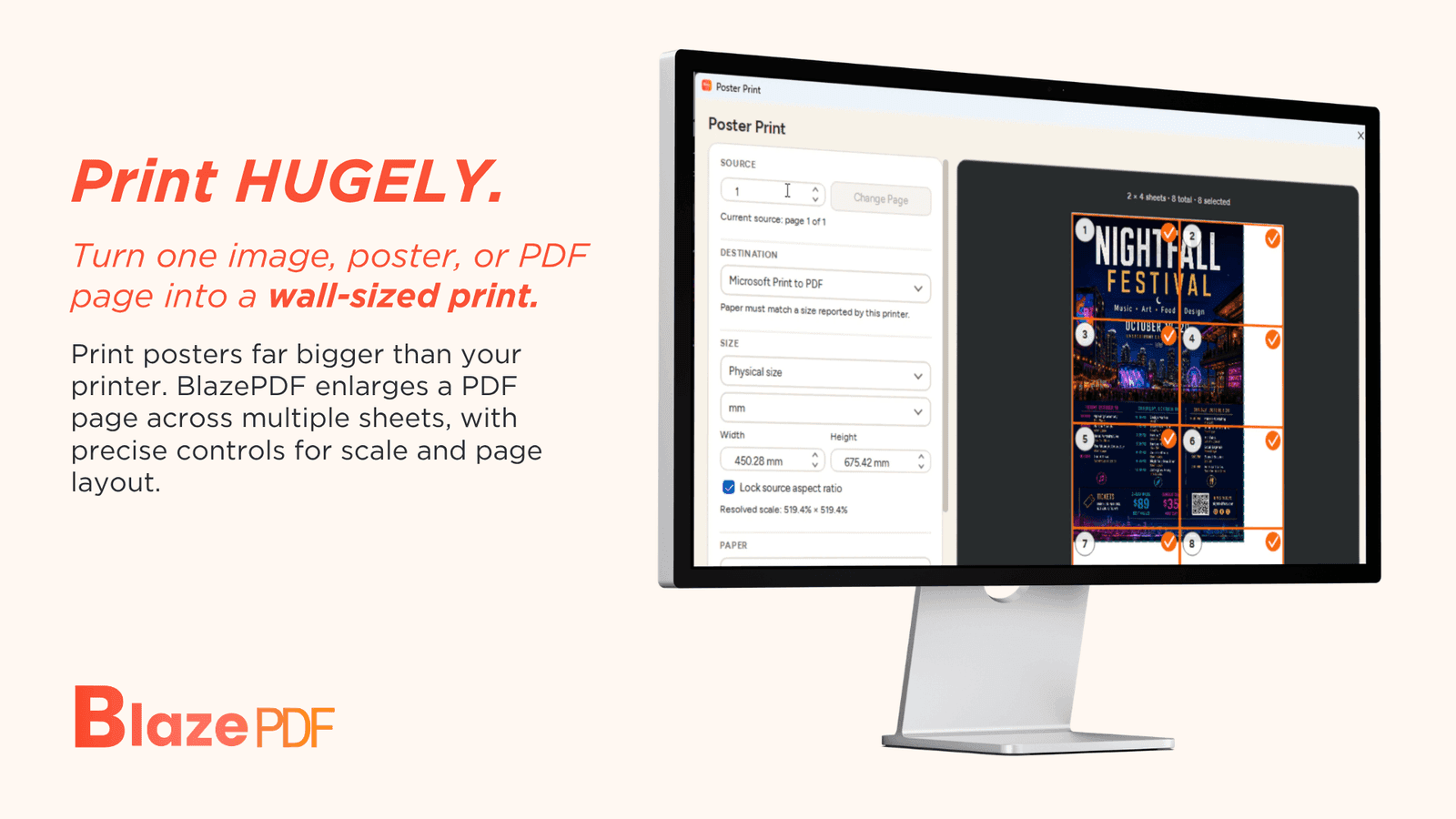
BlazePDF is a desktop PDF workspace designed specifically for students. It provides a distraction-free environment to read, annotate, organize, and print course materials like lecture slides, readings, and research papers. Key features include Flow Mode for keyboard-first annotation, smart duplex printing for manual double-sided printers, and poster enlargement for tiling large diagrams. BlazePDF works offline, requires no account for the desktop reader, and keeps files local, ensuring privacy. It supports a wide range of annotation tools such as pen and marker strokes, word-aware highlights, text boxes, shapes, and images, with editable annotations that persist across sessions. The app is free for students and available for download.
Key features
- 1Flow Mode: keyboard-first annotation workflow designed to keep students in the document instead of the toolbar
- 2Smart Duplex and Poster Enlargement: print workflows for manual double-sided printers and tiling large diagrams across sheets
- 3Local-first privacy: offline desktop reader, no account required, files stay on the student's computer, opt-in AI OCR only
Target customer profile
Drawn from the product itself, not from a survey.
Demographic
University students
Pain points
Switching between multiple apps for reading, annotating, and printing PDFs; losing annotations or having them become non-editable; distracted by cluttered interfaces.
Primary needs
A unified, distraction-free PDF workspace with robust annotation tools, offline access, and easy printing options.
Demographic
Graduate researchers
Pain points
Managing large volumes of research papers and notes; needing to annotate and organize PDFs efficiently; privacy concerns with cloud-based tools.
Primary needs
Efficient annotation and organization features, local storage for sensitive data, and tools for handling complex print jobs like poster enlargement.
Demographic
High school students
Pain points
Struggling with basic PDF readers that lack study-friendly features; limited budget for software; unreliable internet access.
Primary needs
A free, easy-to-use PDF reader with essential annotation tools, offline functionality, and straightforward printing.
Scout Review
Written by AI from measured evidence, scored out of 100.
BlazePDF is a focused desktop PDF workspace for students, and it mostly delivers on that promise. The landing page is polished with consistent branding and realistic screenshots, the download CTA is honest about what you get (offline, no account, local files), and the feature set — Flow Mode, Smart Duplex, Poster Enlargement — targets real student pain points that Adobe, Foxit and Xodo ignore. Desktop performance is excellent at 96/100. The weak spots are mobile performance (73/100, 5.4s LCP), missing security hardening (no HSTS/SPF/DMARC), three real accessibility failures behind a 94/100 automated score, and no public documentation. Growth potential is genuine: a specific customer, a specific wedge, and a category full of generalists. The question is monetization — free-for-students is a great acquisition story but a hard revenue story.
Measure by measure
Usability
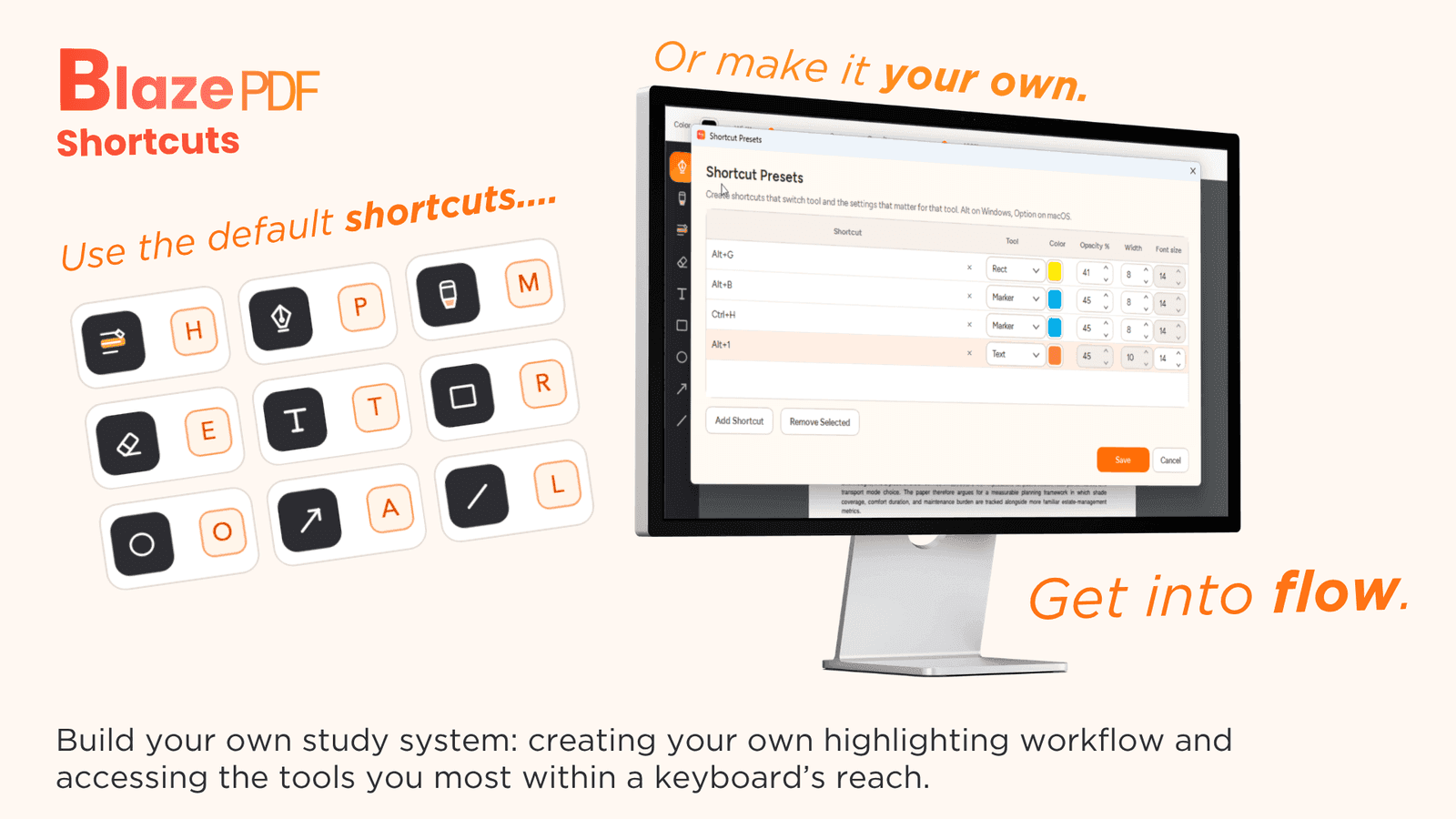
68Clear download CTA repeated with honest microcopy (offline, no account, files stay local). Feature sections pair text with matching UI shots. Shortcut customization shown with defaults and overrides together. No public docs or help center found.
Design
71Polished, consistent orange accent across tools and CTAs, with realistic macOS PDF screenshots showing real annotation states. Held back by low-contrast hero nav text and gradient-heavy maker cards that feel like slide decks.
Speed
57Desktop Lighthouse 96/100 is genuinely fast, but mobile sits at 73 with a 5.4s LCP — well past the 2.5s 'good' line. CLS 0 and TBT 52ms show the layout is stable and the main thread is calm; the hero image is the bottleneck.
Security
63HTTPS enforced with CSP, frame protection, X-Content-Type-Options, Referrer-Policy and Permissions-Policy in place (8/12 checklist). Missing HSTS, SPF and DMARC. Local-first processing and opt-in AI OCR are claimed but not independently audited.
Accessibility
70Lighthouse a11y 94/100 is strong, but three real failures remain: insufficient contrast, non-sequential headings, and visible labels without matching accessible names. No WCAG statement or multi-language support published.
Growth
62Real, specific wedge: free for students, offline-first, no account, with Flow Mode and Smart Duplex/Poster Enlargement print workflows the general readers don't bother with. Domain is 0.3 years old — early, but the idea has room.
Improvement areas
- Mobile performance: 5.4s LCP and 73/100 Lighthouse score versus 96/100 on desktop — the hero image is the bottleneck
- Security hardening: HSTS, SPF and DMARC are all missing despite a strong local-first privacy pitch
- Accessibility: three axe-core failures (contrast, heading order, accessible names) behind a 94/100 automated score, plus no WCAG statement
- Documentation: no help center or docs page — Flow Mode and print workflows are only explained on the landing page
Design & Usability
BlazePDF's homepage is one of the better indie-SaaS landing pages in this category: consistent orange accent threading through tool icons, highlights and CTAs, and screenshots that show real PDFs with real annotation layers instead of stock mockups. The shortcut table and study-pass cards have clear hierarchy. Where it slips is the hero nav — light gray on off-white that fails contrast — and the maker media cards, which use big gradients and floating text that read like a pitch deck rather than product assets. Usability is similarly solid: the download CTA is repeated with honest microcopy ('offline, no account, files stay local'), and every feature section pairs a short sentence with a matching UI screenshot, which is exactly how you reduce abstraction. The shortcut customization UI showing defaults and user overrides side-by-side is a nice touch. The gap is documentation — there's no help center or docs page in the site content, so once you're past the landing page you're on your own with Flow Mode and the print workflows.
Speed & Security
Speed is a tale of two devices. Desktop Lighthouse lands at 96/100 — genuinely fast, with CLS 0 and TBT 52ms showing a stable layout and a calm main thread. Mobile is a different story: 73/100 with a 5.4s LCP, more than double the 2.5s 'good' threshold, and FCP at 2.8s. The bottleneck is the hero image, not the code. For a product aimed at students on campus wifi and phones, that mobile number matters. Security is competent but not hardened: HTTPS is enforced with CSP, frame protection, X-Content-Type-Options, Referrer-Policy and Permissions-Policy all present (8/12 on the header checklist), but HSTS, SPF and DMARC are all missing. The privacy story is the strongest part — the site claims opening, reading, annotating, searching native PDF text and exporting are all local desktop workflows, with account and AI OCR features strictly opt-in and no document content used to train generalized models. That's a good claim; it just isn't independently verified by any audit or certification.
Accessibility & Growth
Accessibility scores 94/100 on the Lighthouse audit, which is genuinely strong for an indie desktop tool's marketing site. But the axe-core report still flags three real failures: insufficient background/foreground contrast (the same light-gray hero nav the visual audit caught), heading elements that don't descend sequentially, and visible text labels without matching accessible names — that last one is a screen-reader problem, not a cosmetic one. There's no WCAG conformance statement and no multi-language support published, so the accessibility story is 'good automated score, unaddressed manual gaps.' Growth is where BlazePDF has a real argument. The category — Adobe Acrobat Reader, Foxit, Xodo — is full of general-purpose readers that treat annotation as a checkbox feature. BlazePDF names a specific customer (university students, grad researchers, high schoolers) and ships workflows the incumbents don't bother with: Flow Mode for keyboard-first annotation, Smart Duplex for manual double-sided printers, and Poster Enlargement for tiling large diagrams. Free-for-students plus offline-first plus no-account is a coherent wedge. The honest limit is monetization — students don't pay, and the alternatives are also free — so the ceiling depends on whether the print and study workflows are enough to convert a slice of grad researchers or institutions. The domain is 0.3 years old, so this is early, but the idea itself has room.
Conclusion
BlazePDF is the kind of product that makes you root for the indie developer. It picks a specific user (students), names specific problems (manual duplex printing, tiling large diagrams, losing editable annotations), and solves them with specific features instead of feature-list padding. The execution is above-average for its stage: polished landing page, honest copy, fast desktop performance, local-first privacy. What it needs next is the unglamorous stuff — fix the mobile LCP, add HSTS/SPF/DMARC, write actual docs, publish a WCAG statement, and figure out how the free-for-students model eventually pays for itself. If those land, this is a product that could genuinely replace Acrobat Reader for a generation of students who never wanted to install Acrobat Reader in the first place.
Suggestions for improvement
- Fix the 5.4s mobile LCP — compress or lazy-load the hero image; desktop is 96/100, mobile shouldn't be 73.
- Add HSTS, SPF and DMARC records to close the 4-point gap on the security header checklist.
- Publish a docs/help center covering Flow Mode, Smart Duplex and Poster Enlargement — the landing page is the only documentation right now.
- Fix the three axe-core failures: hero nav contrast, heading order, and accessible names on labeled elements.
Alternatives comparison
Named competitors, point by point. Nobody paid to appear here or to be left out.
 BlazePDF BlazePDF |  Adobe Acrobat Reader Adobe Acrobat Reader |  Foxit PDF Reader Foxit PDF Reader |  Xodo Xodo | |
|---|---|---|---|---|
| Price for students | Free for students | Free reader; advanced tools require subscription | Free reader; key features paywalled | Free with paid tiers for collaboration |
| Offline desktop use without account | Yes — offline reader, no account required | Yes, but account pushed for cloud features | Yes, desktop reader works offline | Primarily cloud/mobile-oriented |
| Student-specific study workflows (keyboard annotation, print helpers) | Flow Mode, Smart Duplex, Poster Enlargement | General annotation; no student print workflows | General annotation; no student print workflows | Annotation and collaboration; limited print options |
| Editable annotations that persist across sessions | Yes — editable BlazePDF metadata persists on reopen | Yes, with Acrobat account for some features | Yes, basic annotation persistence | Yes, with cloud sync |
| Local file storage / privacy posture | Local-first; files stay on device; opt-in AI OCR | Cloud-integrated; Adobe account ecosystem | Local desktop; some cloud features | Cloud-first; account-based sync |
Adobe Acrobat Reader
A widely used PDF reader with basic annotation and editing features, but often requires a subscription for advanced tools and may be overkill for simple studying needs.
Foxit PDF Reader
A lightweight PDF reader with annotation capabilities, but some features are locked behind a paywall and the interface can be less intuitive for students.
Xodo
A cross-platform PDF reader with annotation and collaboration features, but primarily mobile-focused and may lack advanced printing options like poster enlargement.
Comparing options? See BlazePDF alternatives, scored side by side
More Productivity apps
View all Productivity
Qamarero
92An all-in-one hospitality software for restaurants and ba...

The Stack Newsletter
92A weekly newsletter delivering curated tech jobs, intervi...

EmbedMyReviews
92White-label reputation management software for agencies s...

StoryPad
92Privacy-first open source journal app with a continuous t...

Puzzly – B2B Lead Generation & Sales Intelligence Platform
92Puzzly is an all-in-one B2B lead generation platform that...

Notion
92All-in-one AI workspace for docs, projects, and knowledge...

Vibe Coding Agent Skills
92A free, open-source platform offering 110 AI agent skills...

CC Switch
91Open-source desktop app for switching AI coding providers...

username.md
90One verified handle for your online identity, readable by...

What the GIF
89Frame-perfect video-to-GIF maker that runs entirely in yo...

AuditCloser
89White-label website audits that close deals for digital a...

NudgeWin
89Automated quote follow-up for trades and service businesses.


A platform dedicated to providing unbiased reviews of newly launched applications, analyzing everything from their features to their full potential.
info@scoutforge.net© 2026 Scoutforge. All rights reserved.
