Is this your app?
Claim BloodTrack to manage its page, add your badge and see your traffic — free, and it stays free.
Cycling through all six. Tap any point to stop.
Measured on six things
BloodTrack is an AI-powered health platform that simplifies blood test analysis with insights, trend tracking, and personalized recommendations.
Accessibility
60Critical gaps in screen reader support, high-contrast modes, and limited language options (English-only).
Screenshots
1 / 1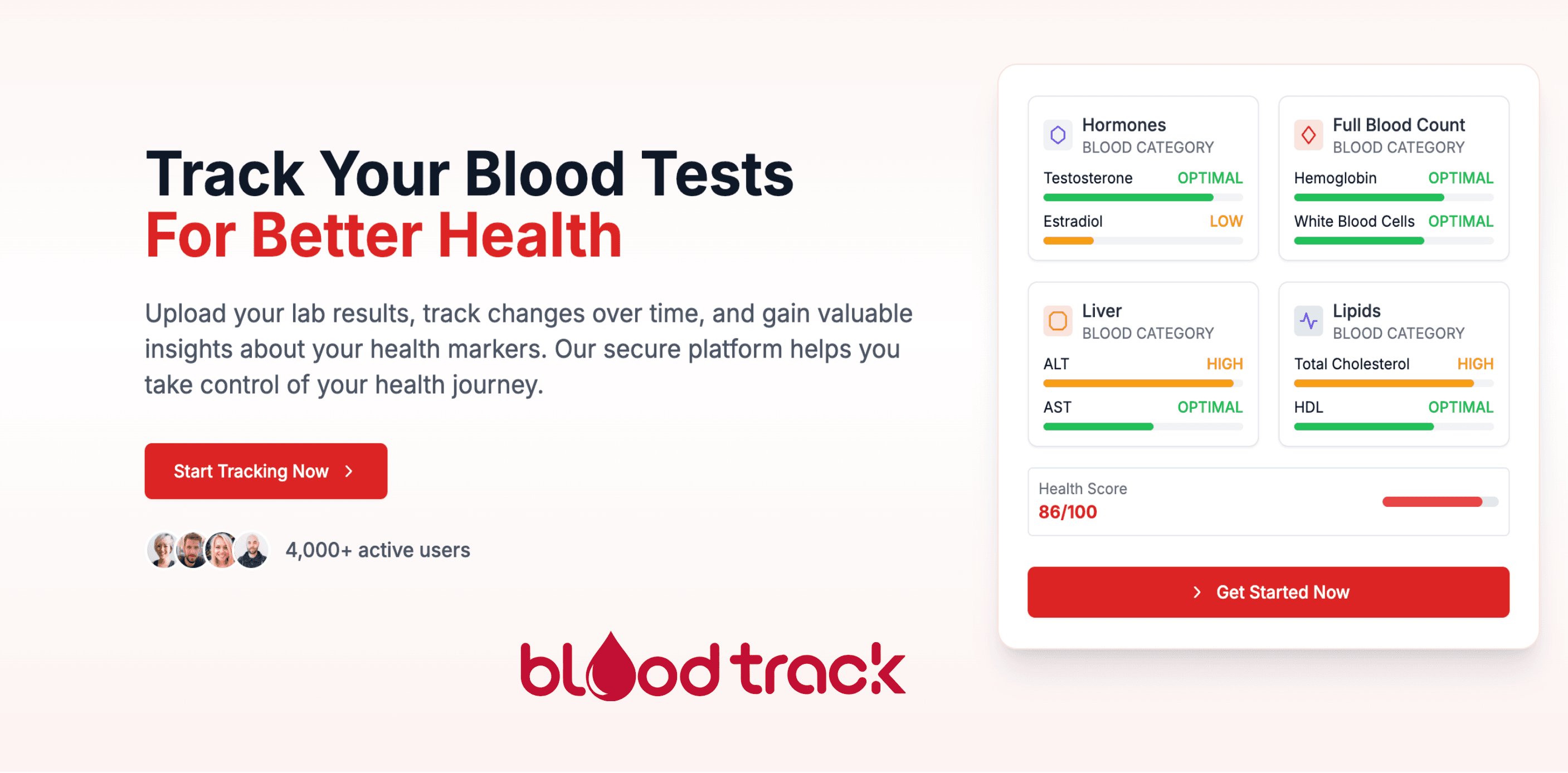
About this app
BloodTrack is a digital health tool designed for health-conscious individuals and patients managing chronic conditions. It uses AI to extract over 500 biomarkers from uploaded lab reports, compares them to reference ranges, and provides evidence-based explanations. Key features include longitudinal trend tracking for metrics like thyroid function, client-side data processing for enhanced privacy, and shareable PDF summaries for healthcare providers. While it lacks a mobile app, its web interface is user-friendly for reviewing complex health data. It targets users aged 25-55 who struggle with fragmented reports and medical jargon, offering centralized tracking and actionable insights. Alternatives include InsideTracker and Docus AI, but BloodTrack stands out with its focus on existing lab reports and trend visualization.
Key features
- 1Client-side data processing for superior privacy protection, ensuring raw health files never touch servers
- 2Intuitive three-step upload process simplifies complex data entry, making biomarker analysis accessible to non-experts
- 3AI-powered analysis of 500+ biomarkers with longitudinal trend tracking for insightful health pattern recognition
Target customer profile
Drawn from the product itself, not from a survey.
Demographic
Health-conscious individuals (25-55)
Pain points
Fragmented lab reports, difficulty interpreting medical jargon, lack of historical trend analysis
Primary needs
Centralized tracking, actionable health insights, privacy
Demographic
Chronic condition patients
Pain points
Frequent lab testing, need to monitor treatment efficacy
Primary needs
Comparative analytics, biomarker explanations, export capabilities
Demographic
Fitness/wellness enthusiasts
Pain points
Optimizing performance metrics (e.g., hormones, energy levels)
Primary needs
Science-backed recommendations, optimal range comparisons
Scout Review
Written by AI from measured evidence, scored out of 100.
BloodTrack successfully transforms static lab results into dynamic health narratives, offering genuine value to users drowning in PDF reports. Its AI-powered analysis of 500+ biomarkers provides insights that would typically require medical expertise, while the longitudinal tracking feature helps users spot patterns over time. The privacy-first architecture ensures sensitive health data remains under user control, addressing a critical concern in digital health platforms.
Measure by measure
Usability
86Smart three-step upload process simplifies complex data entry, making biomarker analysis accessible to non-experts.
Design
80Clean clinical interface with intuitive dashboards, though lacks visual customization and color-coded urgency indicators.
Speed
80Efficient PDF processing for standard reports, though performance may slow with bulk uploads of historical data.
Security
90Client-side data processing ensures raw files never hit servers, offering superior privacy protection.
Accessibility
60Critical gaps in screen reader support, high-contrast modes, and limited language options (English-only).
Growth
90Strong position in growing patient-controlled health data market with unique privacy-first approach.
Improvement areas
- Lacks accessibility features such as screen reader support, high-contrast modes, and multilingual interfaces, limiting user inclusivity
- Performance slows with bulk uploads of historical data, indicating a need for optimization in handling large datasets
- Absence of visual customization and color-coded urgency indicators in dashboards, reducing at-a-glance usability for health monitoring
Design & Usability
BloodTrack's web interface delivers a clean, clinical design that makes complex health data surprisingly approachable. The dashboard presents biomarker visualization in an intuitive layout, though it leans more functional than visually engaging. The three-step upload process—drag-and-drop, auto-extraction, and results review—effectively reduces the friction typically associated with medical data analysis. However, the absence of color-coded urgency indicators in trend charts represents a missed opportunity for at-a-glance understanding, particularly for users managing multiple health conditions.
Speed & Security
Where BloodTrack truly excels is in its security architecture. The client-side data processing means your sensitive health information never touches their servers—a privacy-first approach that sets it apart from cloud-dependent competitors. PDF extraction feels responsive for standard reports, though users with extensive historical data might experience slowdowns during bulk uploads. While the platform lacks formal ISO certifications or third-party audits mentioned, its fundamental security design provides stronger protection than many healthcare apps that store data externally.
Accessibility & Growth
Accessibility represents BloodTrack's most significant weakness, with no visible support for screen readers, high-contrast modes, or multilingual interfaces. This exclusionary approach limits its potential user base despite the otherwise excellent biomarker explanations that avoid complex medical jargon. However, the platform's growth potential remains strong as it taps into the burgeoning demand for patient-controlled health data tools. Its unique positioning—focusing on existing lab reports rather than proprietary testing—gives it a distinct market advantage against competitors.
Conclusion
If you're tired of fragmented lab reports and medical jargon but want to maintain control over your health data, BloodTrack offers a compelling solution. It's particularly valuable for chronic condition patients and health-conscious individuals who need to track biomarkers over time. The platform turns blood work from a confusing snapshot into an understandable health story. If you value evidence-based insights over wellness hype, this tool is worth exploring.
Suggestions for improvement
- Priority should be given to developing mobile app functionality with camera-based report scanning to increase accessibility.
- Implementing ADA-compliant features like alt-text for charts and screen reader support would make the platform inclusive.
- Integration with wearable device data (Fitbit, Oura Ring) could provide richer context for biomarker analysis.
- Adding clinician collaboration tools within the platform would bridge the gap between patient monitoring and professional care.
Alternatives comparison
Named competitors, point by point. Nobody paid to appear here or to be left out.
 BloodTrack BloodTrack |  InsideTracker InsideTracker |  Docus AI Docus AI | |
|---|---|---|---|
| Lab Report Support | Supports existing lab reports (PDF upload) | Requires proprietary testing kits | Supports existing lab reports |
| Long-term Trend Tracking | Comprehensive longitudinal tracking | Limited trend analysis | Basic tracking, lacks visualization |
| Data Privacy Approach | Client-side processing (max privacy) | Cloud-based processing | Cloud-based processing |
| Mobile Accessibility | Web-only, no mobile app | Full mobile app support | Mobile-friendly web |
InsideTracker
Offers personalized blood analysis with lifestyle recommendations but requires proprietary testing kits rather than supporting existing lab reports.
Docus AI
Provides AI-powered lab interpretation but lacks BloodTrack’s long-term tracking and trend visualization features.
Comparing options? See BloodTrack alternatives, scored side by side
More Health & Wellness apps
View all Health & Wellness
StoryPad
92Privacy-first open source journal app with a continuous t...

Pushup RPG: Fitness Quest
90Pushup RPG is a camera-based push-up counter and fitness RPG for home workouts. Real push-ups and squats become attacks as you defeat 48 foes across 8 biomes, earn XP and loot, join guilds, and battle in live 40-second duels. Free on iOS and Android.

Gryper
89Workout tracker with muscle heatmaps and volume landmarks

Snapkin: Photo Calorie Counter
88Snapkin is a calorie tracker you use by photographing your plate.

Innermost
87An AI-powered emotional support app that acts as a person...

Mantra Meditation Timer
85A minimalist, distraction-free meditation timer for mantr...

TDEE Calculator
84Free TDEE calculator that estimates maintenance calories, weight loss targets, muscle gain calories, and macro recommendations based on your body stats and activity level.

FitLifeBud
84AI meal plans for your week, with one aisle-sorted shopping list

WellWired
84AI explained simply for older adults, with safety lessons...

TheBean.ai
84Adaptive AI personal trainer that evolves with your progr...

SayLift
84Voice workout log and calorie counter for iPhone

RAADS-R Test
82Free 80-item RAADS-R autism self-assessment for adults, with instant total and domain scores, privacy-first access, and clear non-diagnostic guidance.


A platform dedicated to providing unbiased reviews of newly launched applications, analyzing everything from their features to their full potential.
info@scoutforge.net© 2026 Scoutforge. All rights reserved.
