

A platform dedicated to providing unbiased reviews of newly launched applications, analyzing everything from their features to their full potential.
info@scoutforge.net© 2026 Scoutforge. All rights reserved.
A platform dedicated to providing unbiased reviews of newly launched applications, analyzing everything from their features to their full potential.
info@scoutforge.net© 2026 Scoutforge. All rights reserved.
A platform dedicated to providing unbiased reviews of newly launched applications, analyzing everything from their features to their full potential.
info@scoutforge.net© 2026 Scoutforge. All rights reserved.
Cycling through all six. Tap any point to stop.
Measured on six things
Windows screen recorder with built-in AI-powered editor a...
Docs offer step-by-step guides and FAQ, but no free trial or live demo means users must buy before trying. Onboarding flow is unclear from the site.
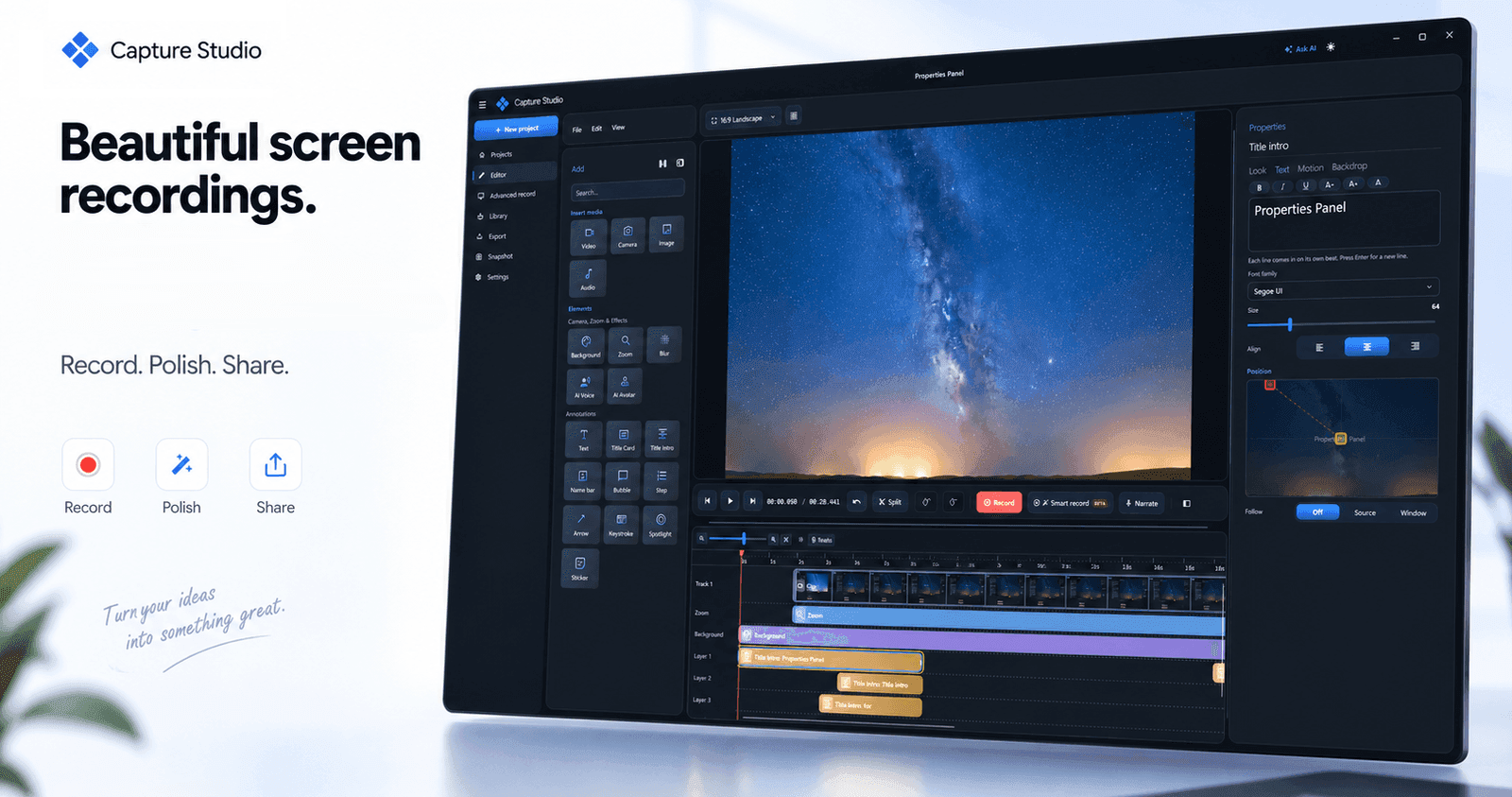
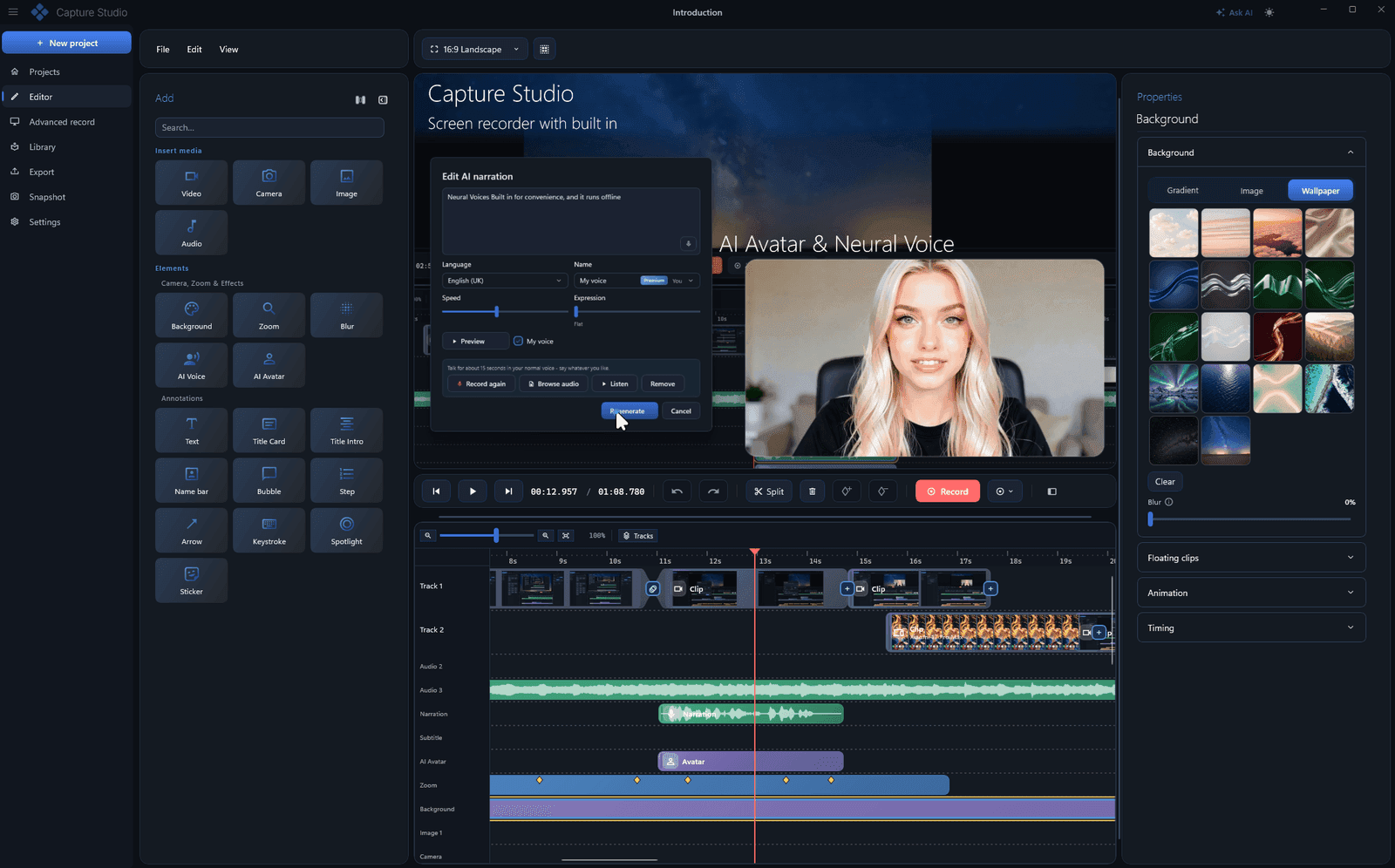
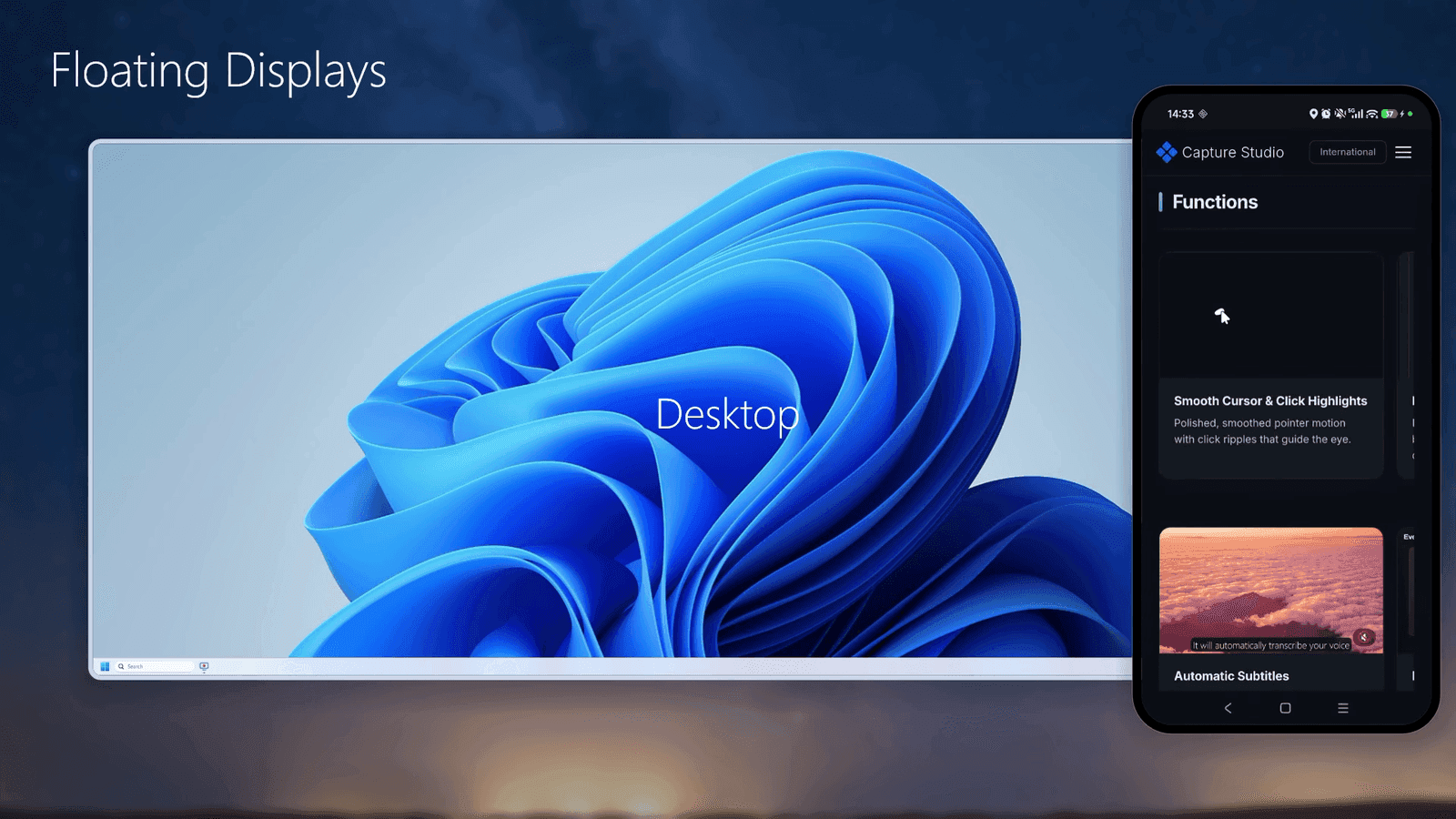
Capture Studio is a Windows screen recorder and video editor that lets you capture your screen, window, or region at up to 120 FPS, then edit the footage with a multi-track timeline, smart auto-zoom, smooth cursor effects, and click highlights. It includes on-device AI tools like automatic subtitles, AI voice-over with 85 neural voices across 22 languages, voice cloning, and AI avatars. Privacy is a key selling point: every feature runs locally on your machine, so no footage ever leaves your computer. Other features include keystroke overlays, background replacement, noise cancellation, Android screen mirroring, and click-by-click documentation export to Markdown, PDF, HTML, or PowerPoint. Priced as a lifetime license with one year of updates, currently available at an early-bird discount.
Drawn from the product itself, not from a survey.
Demographic
Software developers and IT professionals
Pain points
Creating clear bug reports and documentation takes too long
Primary needs
Quick screen capture with automated step-by-step documentation
Demographic
Content creators and educators
Pain points
Editing tutorial videos is time-consuming and requires multiple tools
Primary needs
All-in-one recorder and editor with auto-zoom, subtitles, and voice-over
Demographic
Marketing and sales teams
Pain points
Producing polished product demos without a video editor
Primary needs
Professional-looking videos with backgrounds, annotations, and AI voice
Demographic
Technical support and customer success
Pain points
Explaining solutions over text leads to misunderstandings
Primary needs
Fast, shareable video walkthroughs with privacy blur and captions
Written by AI from measured evidence, scored out of 100.
Capture Studio is a Windows screen recorder and video editor that runs entirely on-device, with AI subtitles, voice-over, avatars, and a multi-track timeline. The site is fast and modern, and the docs are helpful. But there's no free trial, no third-party reviews, and no published security audits. The lifetime license with early-bird pricing is attractive, but the lack of a demo makes it a gamble. The product targets developers, educators, and marketers who want privacy and an all-in-one tool. It competes with Camtasia, Loom, and OBS by offering local AI and a one-time purchase. The idea is solid, but execution and trust signals are still early. If you value privacy and hate subscriptions, it's worth a look — just know you're an early adopter.
Docs offer step-by-step guides and FAQ, but no free trial or live demo means users must buy before trying. Onboarding flow is unclear from the site.
Modern dark theme with clean typography and consistent spacing. Feature carousels show real editor UI, but some sections feel text-heavy and could use more visual hierarchy.
Lighthouse mobile performance 88/100 (LCP 2.9s, CLS 0, TBT 0ms), desktop 97/100. Site loads quickly with no layout shift.
HTTPS enforced with HSTS, secure cookies, frame protection, and DMARC. Missing CSP and Permissions-Policy headers; no published audits or compliance certifications.
Lighthouse accessibility score 96/100, with one failing audit for insufficient color contrast. No WCAG statement or a11y documentation found.
Real problem (privacy-first screen recording + editing) with a specific wedge: on-device AI, lifetime license, and documentation export. Category has headroom, but differentiation is incremental.
Capture Studio's site presents a polished, modern dark theme with clean typography and consistent spacing. Feature carousels show the actual editor UI, which builds confidence. However, the homepage is text-heavy and lacks visual hierarchy — every feature gets equal weight, making it hard to scan. Usability is a mixed bag: the docs page offers step-by-step guides and an FAQ covering licensing, updates, and audio, which is genuinely helpful. But there's no free trial or live demo, and the only call-to-action is 'Buy now' with an early-bird discount. For a product with no third-party reviews, asking users to purchase before trying is a significant friction point. The onboarding flow isn't shown, so it's unclear how quickly a new user reaches value. The guide is a good start, but the lack of a trial or demo keeps usability in the middle of the pack.
Speed is a clear strength: Lighthouse mobile performance scores 88/100 with an LCP of 2.9s, CLS of 0, and TBT of 0ms. Desktop performance is 97/100. The site loads quickly and feels snappy, with no layout shift. Security is solid but not exceptional. HTTPS is enforced with HSTS, secure cookies, frame protection, X-Content-Type-Options, Referrer-Policy, SPF, and DMARC. However, CSP and Permissions-Policy headers are missing, and there are no published audits, SOC 2, or ISO certifications. For a tool that records your screen, the privacy-first claim is central, but the site doesn't back it with third-party verification. The 10/13 checklist points put it in the middle of the band. Overall, speed is a genuine asset, while security is competent but unverified.
Accessibility scores well: Lighthouse gives 96/100, with only one failing audit for insufficient color contrast. The site is responsive and keyboard-navigable, but there's no accessibility statement or WCAG mention. The AI voice feature supports 22 languages, but the UI is English-only. Growth potential is moderate. Capture Studio targets a real problem — privacy-conscious screen recording and editing — with a specific wedge: on-device AI, lifetime license, and documentation export. It differentiates from Camtasia (subscription), Loom (cloud), and OBS (no editor). But the differentiation is incremental; incumbents could add local processing. The category has headroom, especially for privacy-first tools, but the product needs to execute on its promises and build trust. Domain age (0.1 years) and lack of traction signals are context, not score drivers.
Conclusion
Capture Studio has the bones of a strong product: fast site, solid docs, and a privacy-first pitch that resonates. But it's asking for money upfront with no trial, no reviews, and no compliance badges. For a tool that records your screen, trust is everything. The on-device AI and lifetime license are genuine differentiators, but they need to be proven. If the team adds a free trial, publishes security audits, and builds a community, this could grow into a serious contender. For now, it's a promising bet for early adopters who prioritize privacy over polish.
Named competitors, point by point. Nobody paid to appear here or to be left out.
 Capture Studio Capture Studio |  Camtasia Camtasia |  Loom Loom |  OBS Studio OBS Studio | |
|---|---|---|---|---|
| Pricing model | Lifetime license with one year of updates, early-bird discount | Subscription-based (annual or monthly) | Freemium with subscription tiers | Free and open-source |
| On-device AI tools | Yes: auto subtitles, AI voice-over, voice cloning, avatars | No on-device AI tools | Cloud-based AI features (requires internet) | No built-in AI tools |
| Video editing capabilities | Multi-track timeline, auto-zoom, cursor effects, backgrounds, annotations | Extensive editing features, multi-track timeline | Basic trimming and editing, no advanced timeline | No built-in editor; requires external tools |
| Privacy and data handling | All processing on-device; no footage leaves computer | Local processing, but cloud features available | Cloud-based; recordings stored on servers | Local processing; open-source |
| Documentation export | Click-by-click export to Markdown, PDF, HTML, PowerPoint | No dedicated documentation export | No documentation export | No documentation export |
Camtasia
Popular screen recorder and video editor with extensive editing features, but subscription-based and no on-device AI tools.
Loom
Cloud-based screen recording and sharing tool focused on quick communication, but requires internet and lacks advanced editing.
OBS Studio
Free and open-source screen recording and streaming software, powerful but with a steeper learning curve and no built-in editing.
Comparing options? See Capture Studio alternatives, scored side by side

An all-in-one hospitality software for restaurants and ba...

A weekly newsletter delivering curated tech jobs, intervi...

White-label reputation management software for agencies s...

Privacy-first open source journal app with a continuous t...

Puzzly is an all-in-one B2B lead generation platform that...

All-in-one AI workspace for docs, projects, and knowledge...

A free, open-source platform offering 110 AI agent skills...

Open-source desktop app for switching AI coding providers...

One verified handle for your online identity, readable by...

Frame-perfect video-to-GIF maker that runs entirely in yo...

White-label website audits that close deals for digital a...

Automated quote follow-up for trades and service businesses.
A platform dedicated to providing unbiased reviews of newly launched applications, analyzing everything from their features to their full potential.
info@scoutforge.net© 2026 Scoutforge. All rights reserved.
