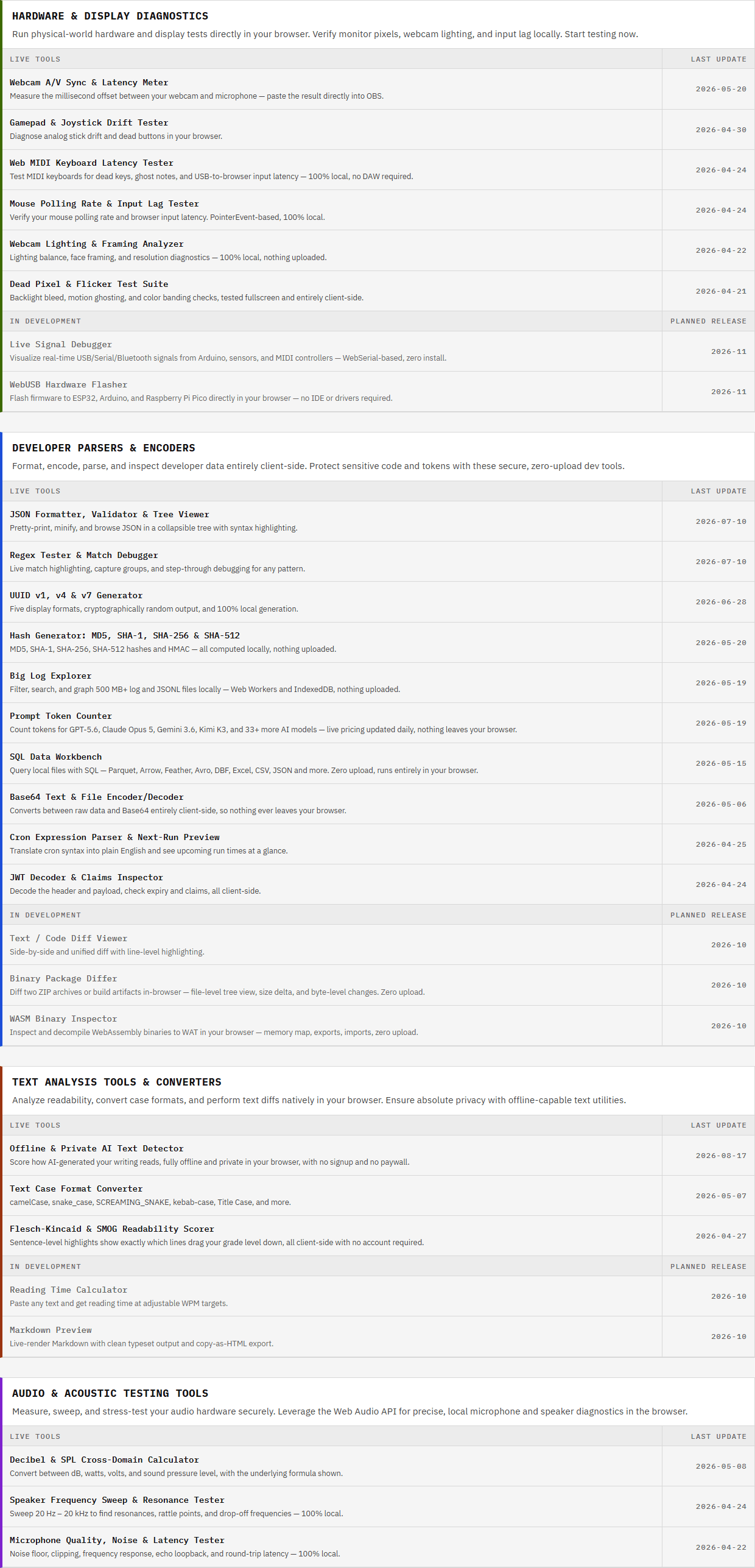
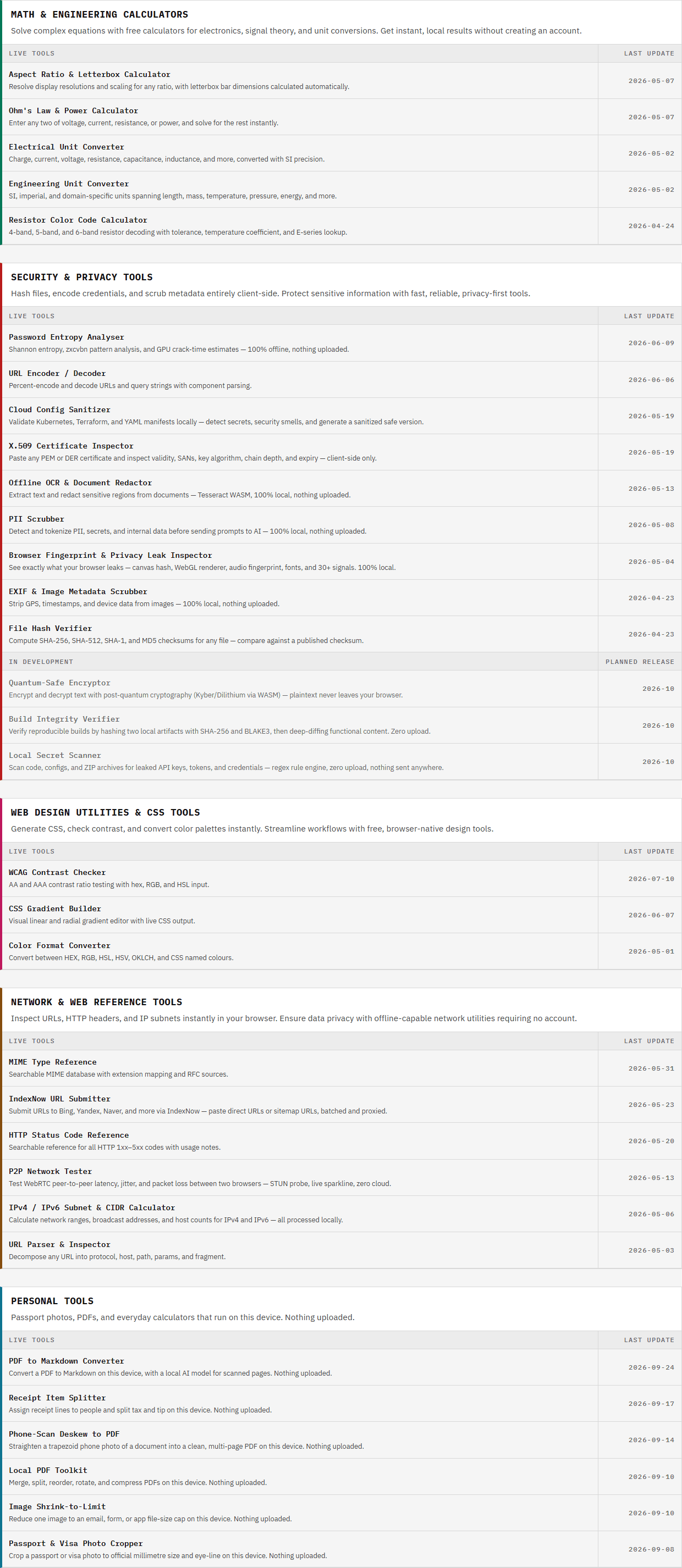
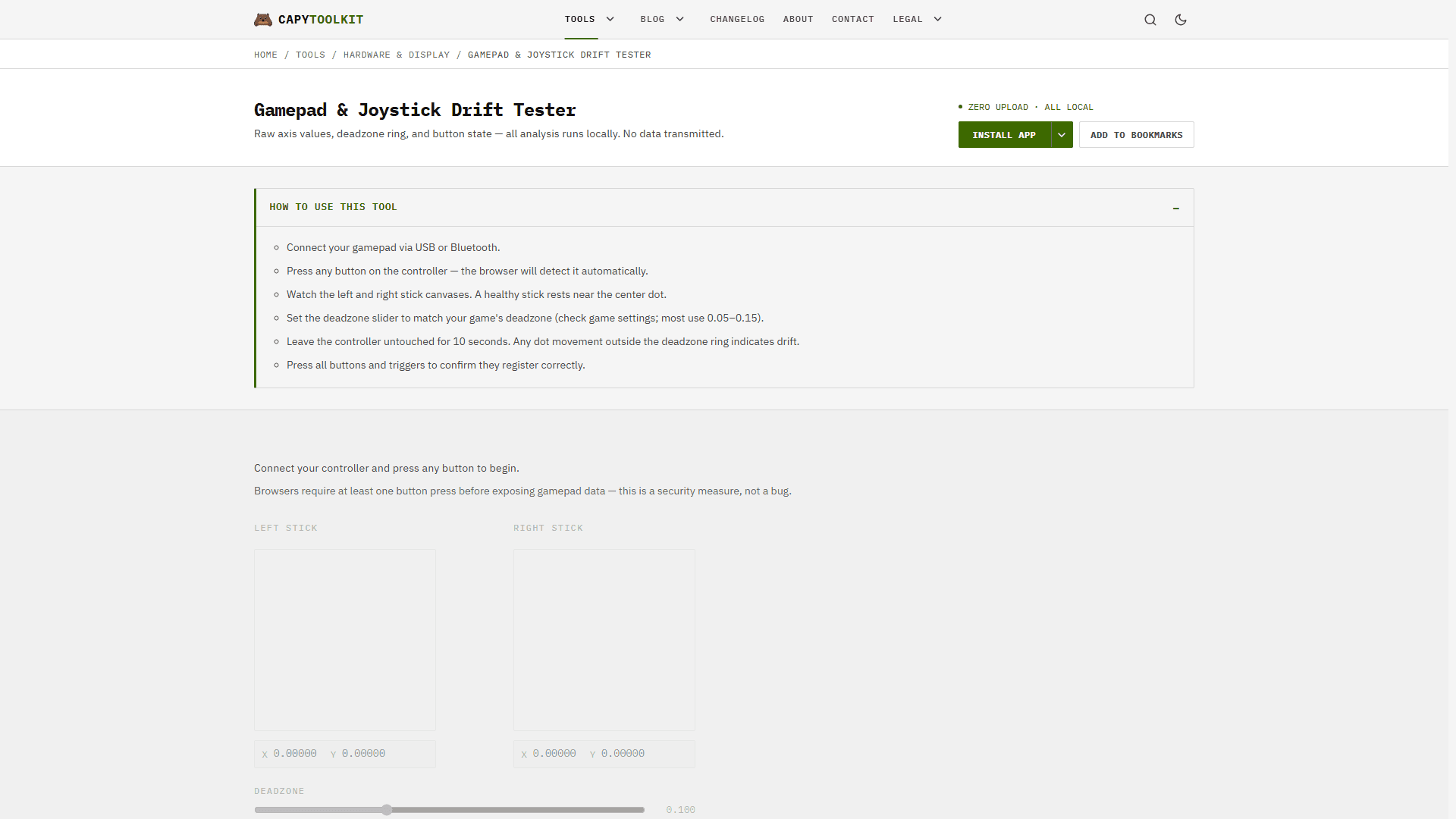
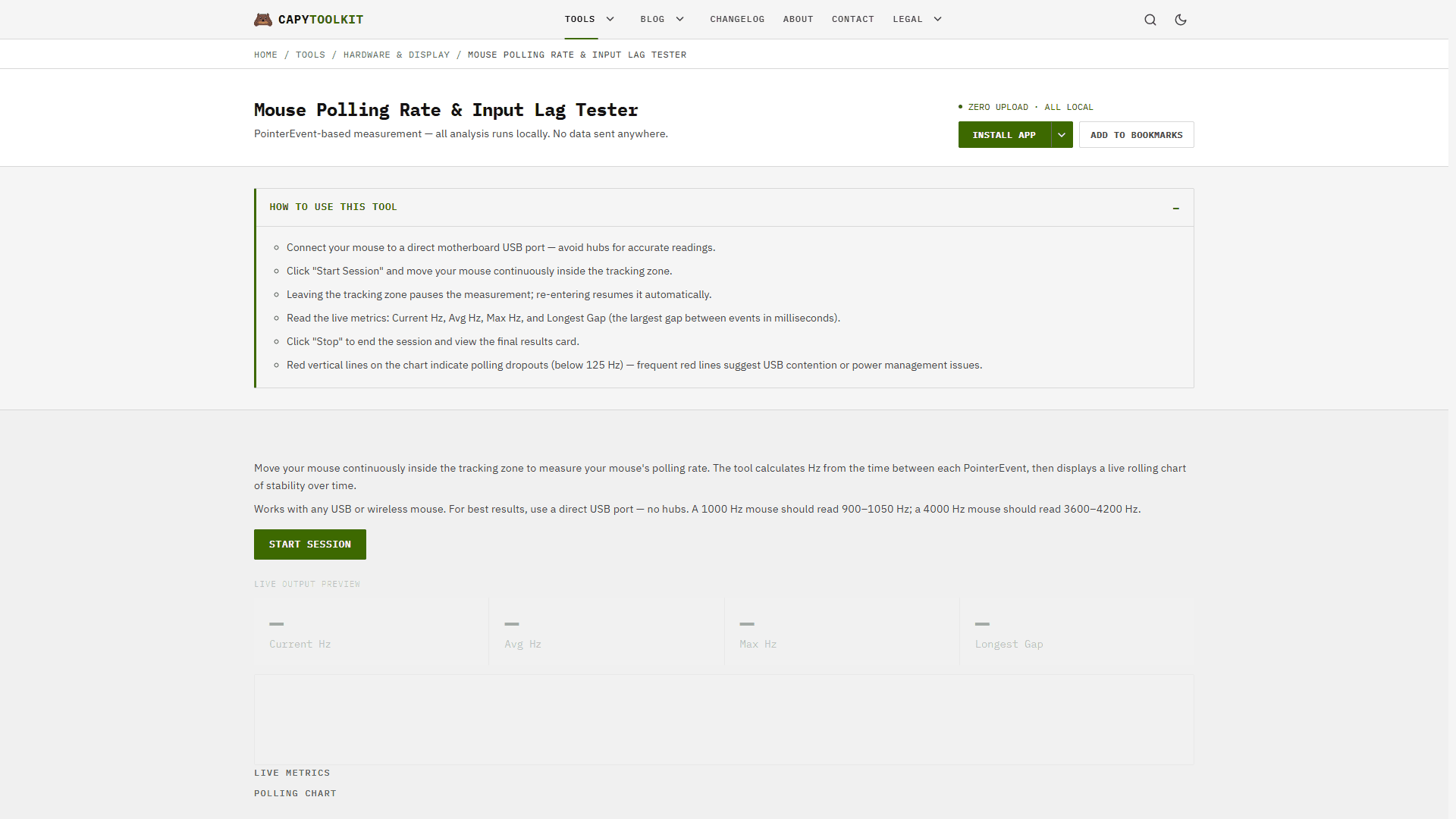
Cycling through all six. Tap any point to stop.
Measured on six things
A growing collection of free, privacy-first browser tools. Test gamepad drift, mouse polling rate, dead pixels, mics, and speakers. No install needed.
Design
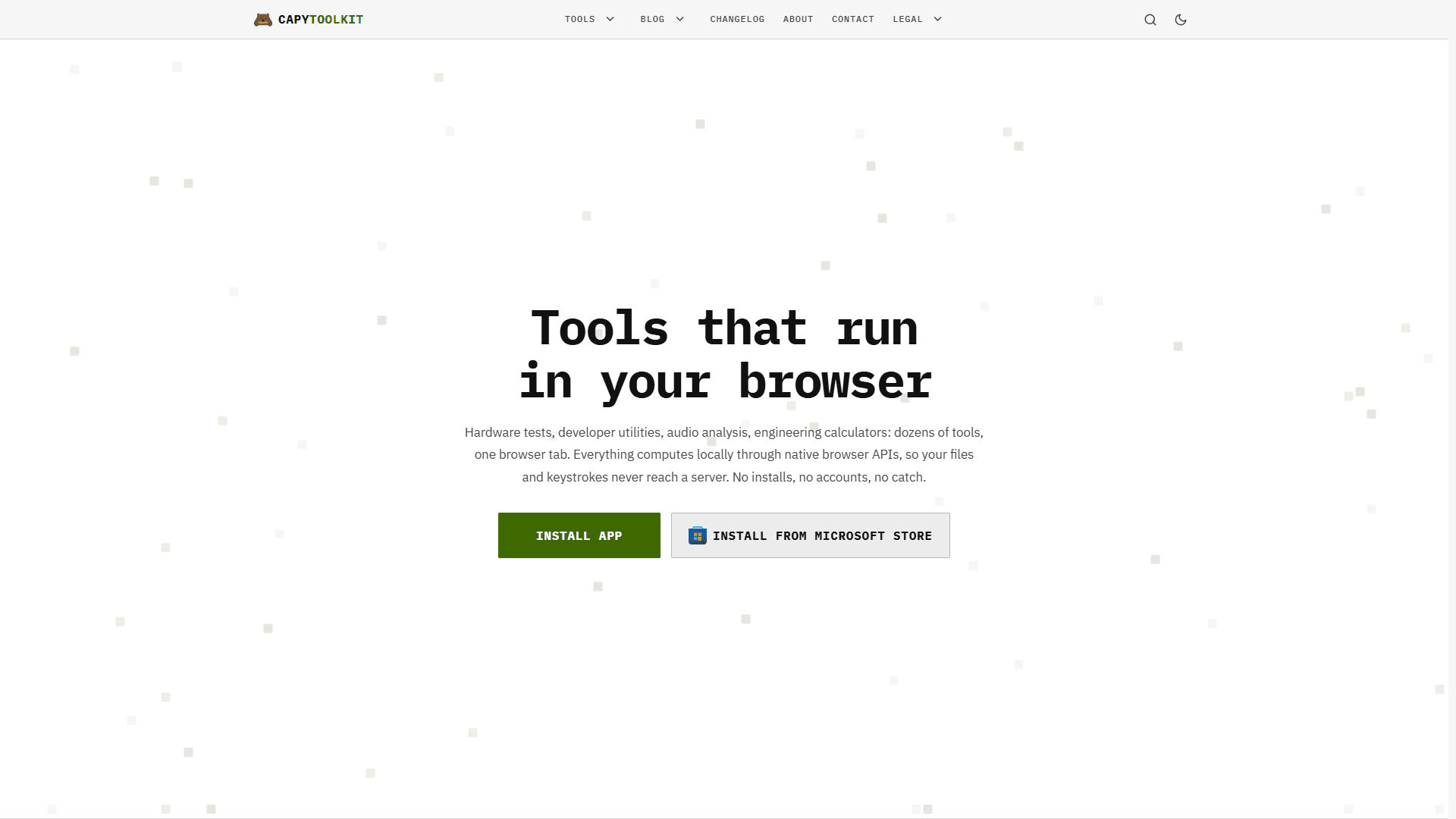
62Clean, dense, category-organized tool directory with live-count badges and a clear wordmark. Functional and scannable, but text-heavy with no screenshots or visual showcase of the tools themselves.
Screenshots
1 / 5


About this app
CapyToolkit is a growing collection of free, privacy-first browser tools. Among its 50+ tools is a set of hardware testers for anyone who just bought a controller, a mouse, a monitor, or a microphone and wants to know it works as advertised. The gamepad tester shows stick drift and dead zones, the mouse tester measures polling rate and input lag, and the display suite checks dead pixels and flicker. Webcam tools analyze lighting, framing, and A/V sync, the microphone tester measures noise floor and latency, the speaker sweep finds resonances, and a MIDI tester times keyboard latency. Everything runs in the browser with no driver or install, and camera and microphone data stay on your device. The same site also offers developer, security, audio, math, and personal tools. It installs as an app, ships on the Microsoft Store, and works offline once installed. Always free, no account.
Key features
- 150+ free browser tools spanning hardware diagnostics, developer utilities, security/privacy, audio, math and personal tasks
- 2Hardware testers for gamepad drift, mouse polling rate, dead pixels, webcam A/V sync, mic noise floor and MIDI latency — no install
- 3Local-first architecture: files, keystrokes, camera and mic data stay on-device; installable as a PWA or via Microsoft Store
Target customer profile
Drawn from the product itself, not from a survey.
Demographic
PC builders and hardware enthusiasts
Pain points
No easy way to test monitors, input lag, or webcams without installs
Primary needs
Instant browser-based diagnostics for displays and peripherals
Demographic
Streamers and musicians
Pain points
Checking a new mic or speaker before a stream or a session
Primary needs
Local noise floor, frequency sweep, and latency checks
Demographic
Privacy-conscious professionals and security researchers
Pain points
Pasting sensitive tokens or JSON into sketchy online tools
Primary needs
Fast, offline-safe formatters, decoders, and debuggers
Scout Review
Written by AI from measured evidence, scored out of 100.
CapyToolkit is a free, no-account collection of 50+ browser tools with a genuinely differentiated core: hardware and peripheral diagnostics that normally require an install. The gamepad drift tester, mouse polling-rate meter, dead-pixel suite, mic noise-floor analyzer and speaker sweep all run client-side, so nothing is uploaded — a real advantage for the privacy-conscious and for anyone pasting sensitive tokens into a formatter. The measured numbers back the pitch: Lighthouse 100/100 on mobile and desktop, accessibility 100/100, and 11 of 12 security headers present. Design is the weak spot — a dense text menu with no visual previews of the tools. Against its listed peers, it's clearly broader than Gamepad Tester and more approachable than CyberChef, though it lacks CyberChef's depth for hardcore crypto work.
Measure by measure
Usability
68No account, no install required, tools run instantly in-tab, plus PWA and Microsoft Store install paths. Category pages and a guides blog aid discovery, though the mega-menu is dense.
Design
62Clean, dense, category-organized tool directory with live-count badges and a clear wordmark. Functional and scannable, but text-heavy with no screenshots or visual showcase of the tools themselves.
Speed
88Lighthouse 100/100 on both mobile and desktop, LCP 1.7s, CLS 0, TBT 0ms. Client-side computation means tool output never waits on a server. Genuinely fast.
Security
76HTTPS with HSTS, CSP, frame protection, Referrer-Policy, SPF and DMARC all present (11/12 headers). Local-only data handling is a real privacy win. No SOC 2 or audit claims.
Accessibility
78Lighthouse accessibility 100/100, responsive across mobile and desktop, and the site ships its own WCAG contrast checker. No published a11y statement or multi-language support.
Growth
64Real, specific wedge: browser-based hardware diagnostics with no install and no upload. Spans gamepad, mouse, display, mic, speaker and MIDI — a niche the listed alternatives don't cover together.
Improvement areas
- No screenshots or visual previews of tools on the homepage — users choose from one-line descriptions only
- No accessibility statement, VPAT or multi-language support despite a 100/100 automated a11y score
- Missing Permissions-Policy header; no published SOC 2, ISO, pen-test or bug-bounty disclosure
Design & Usability
CapyToolkit's design is a functional directory rather than a showcase: nine named categories, live-count badges ('6 live', '10 live'), and a header mega-menu listing all 50+ tools by name. It's scannable and honest, but the fetched homepage contains no screenshots or visual previews of the tools themselves, so you're choosing from one-line descriptions. Usability is where it earns its keep — there is no account, no install, and no signup wall; you land and the tool runs. PWA install and a Microsoft Store listing give it an app-like path for repeat users, and category pages plus a Guides/Buying Guides blog help discovery. The tradeoff is density: a header menu with fifty links is a lot to navigate, and finding the same tool twice relies on memory or search rather than a visual grid.
Speed & Security
Speed is the standout measured result: Lighthouse 100/100 on both mobile and desktop, LCP 1.7s, CLS 0, TBT 0ms, FCP 1.2s. Because every tool computes client-side through native browser APIs, there are no server round-trips for output — the page loads fast and the tools respond without network latency. Security is solid for the stage: HTTPS enforced with HSTS, plus CSP, frame protection, X-Content-Type-Options, Referrer-Policy, SPF and DMARC (11 of 12 checklist points; Permissions-Policy is the gap). The privacy architecture is the real story — files, keystrokes, camera and microphone data are claimed to stay on-device, which matters for the security-tool audience pasting tokens and JSON. There is no SOC 2, ISO, pen-test or bug-bounty disclosure, which is normal for an indie tool but caps the ceiling here.
Accessibility & Growth
Accessibility scores 100/100 on the Lighthouse axe-core audit, the layout is responsive across mobile and desktop, and the site ships its own WCAG Contrast Checker — a signal that a11y is a genuine concern rather than an afterthought. What's missing is the paperwork: no accessibility statement, no VPAT, and no multi-language support, so non-English users and procurement-minded buyers get nothing to point at. Growth is a judgement on the idea, not the traction. The wedge is specific and real: browser-based hardware diagnostics — gamepad drift, mouse polling rate, dead pixels, mic noise floor, speaker resonance, MIDI latency — with no driver install and nothing uploaded. The listed alternatives are narrow (Gamepad Tester does one thing) or developer-focused (CyberChef has no hardware testing), so CapyToolkit's breadth plus local-first privacy is a concrete reason to pick it. The limit is that this is a broad utility collection rather than a single defensible product; the moat is convenience and privacy, not lock-in.
Conclusion
If you just bought a controller, a monitor, or a mic and want to know whether it's actually working as advertised, CapyToolkit is the fastest path — open a tab, run the test, close the tab. No install, no account, no upload. The developer and security tools are a bonus that happens to be genuinely useful for the same reason: your data never leaves the browser. It won't replace CyberChef for serious encoding work, and the design won't win awards, but as a free, fast, private utility belt it does exactly what it says. Worth bookmarking, and worth installing as a PWA if you test hardware more than once.
Suggestions for improvement
- Add screenshots or short GIFs of the hardware testers so users can see the output before clicking in.
- Publish an accessibility statement and consider multi-language support to match the 100/100 a11y score.
- Add a Permissions-Policy header to close the last gap in the security header checklist.
- Surface a search or command palette in the header — 50+ links in a mega-menu is a lot to scan.
Alternatives comparison
Named competitors, point by point. Nobody paid to appear here or to be left out.
| Hardware diagnostics (gamepad, mouse, display, mic, speaker, MIDI) | Yes — six dedicated hardware testers plus audio/acoustic tools | Partial — gamepad stick and dead zone check only | No — encoding and crypto operations only |
|---|---|---|---|
| Developer / encoding tools (JSON, Base64, hash, regex, JWT) | Yes — 10 developer parsers and encoders | No | Yes — extensive, with deep crypto and encoding operations |
| Account required / signup friction | No account, no install, always free | No account required | No account required |
| Local-only data handling (nothing uploaded) | Yes — client-side computation, camera/mic data stays on device | Yes — browser-based gamepad API, no upload | Yes — runs entirely in the browser |
| Learning curve / approachability | Low — one-line tool descriptions, no setup | Very low — single-purpose tool | Steeper — recipe-based workflow aimed at power users |
| Installable as an app / offline use | Yes — PWA install and Microsoft Store listing, works offline | No — web page only | No — web page only |
Gamepad Tester
A single-purpose stick and dead zone check; CapyToolkit covers gamepad, mouse, display, webcam, mic, speaker, and MIDI in one place.
CyberChef
A powerful browser-based cyber swiss army knife for encoding and crypto operations, but with a steeper learning curve and no hardware testing.
Comparing options? See CapyToolkit alternatives, scored side by side
More Productivity apps
View all Productivity
StoryPad
92Privacy-first open source journal app with a continuous t...

Puzzly – B2B Lead Generation & Sales Intelligence Platform
92Puzzly is an all-in-one B2B lead generation platform that...

Qamarero
92An all-in-one hospitality software for restaurants and ba...

Notion
92All-in-one AI workspace for docs, projects, and knowledge...

EmbedMyReviews
92White-label reputation management software for agencies s...

The Stack Newsletter
92A weekly newsletter delivering curated tech jobs, intervi...

Vibe Coding Agent Skills
92A free, open-source platform offering 110 AI agent skills...

CC Switch
91Open-source desktop app for switching AI coding providers...

username.md
90One verified handle for your online identity, readable by...

What the GIF
89Frame-perfect video-to-GIF maker that runs entirely in yo...

AuditCloser
89White-label website audits that close deals for digital a...

NudgeWin
89Automated quote follow-up for trades and service businesses.
A platform dedicated to providing unbiased reviews of newly launched applications, analyzing everything from their features to their full potential.
info@scoutforge.net© 2026 Scoutforge. All rights reserved.