

A platform dedicated to providing unbiased reviews of newly launched applications, analyzing everything from their features to their full potential.
info@scoutforge.net© 2026 Scoutforge. All rights reserved.
A platform dedicated to providing unbiased reviews of newly launched applications, analyzing everything from their features to their full potential.
info@scoutforge.net© 2026 Scoutforge. All rights reserved.
A platform dedicated to providing unbiased reviews of newly launched applications, analyzing everything from their features to their full potential.
info@scoutforge.net© 2026 Scoutforge. All rights reserved.
Cycling through all six. Tap any point to stop.
Measured on six things
AI group greeting cards for teams and Slack
HTTPS enforced with HSTS and DMARC present, but SPF is missing and there's no CSP, frame protection, or other hardening headers. Security checklist 5/12. No SOC 2, ISO, or bug bounty mentioned. Typical for an early-stage indie tool.
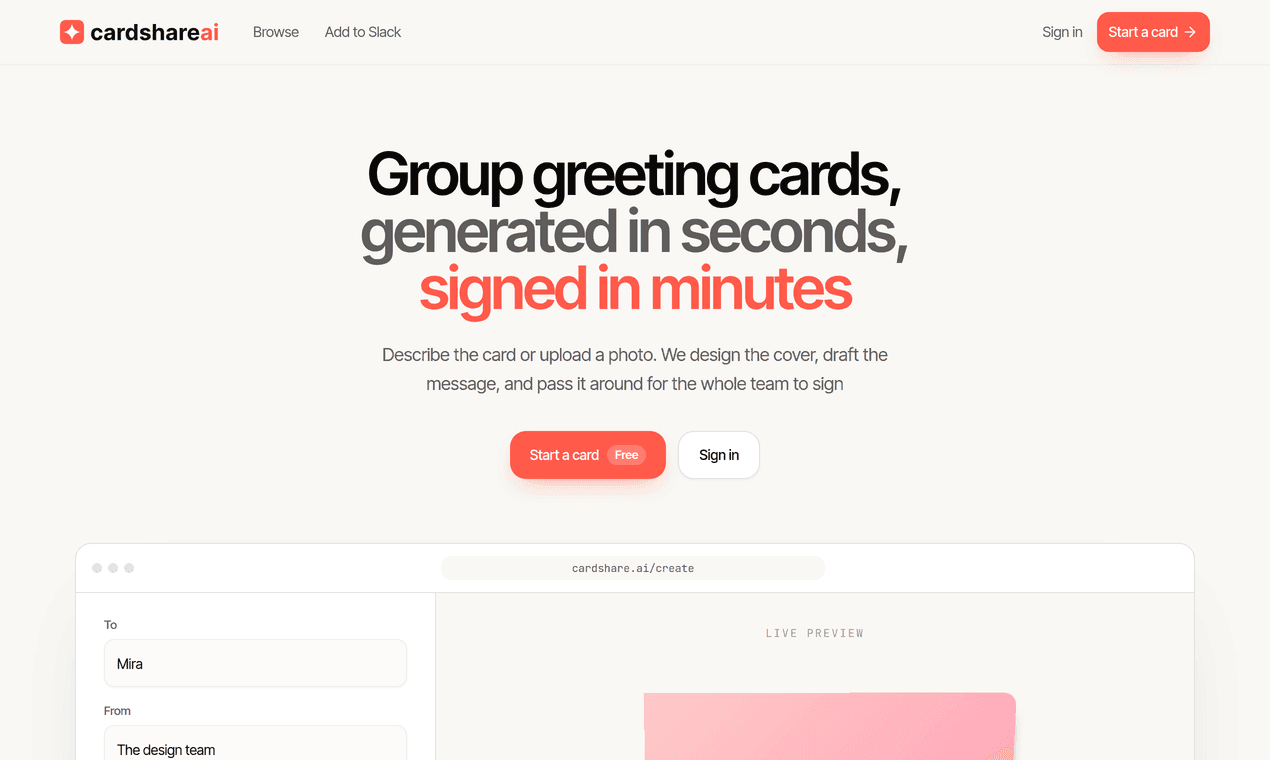
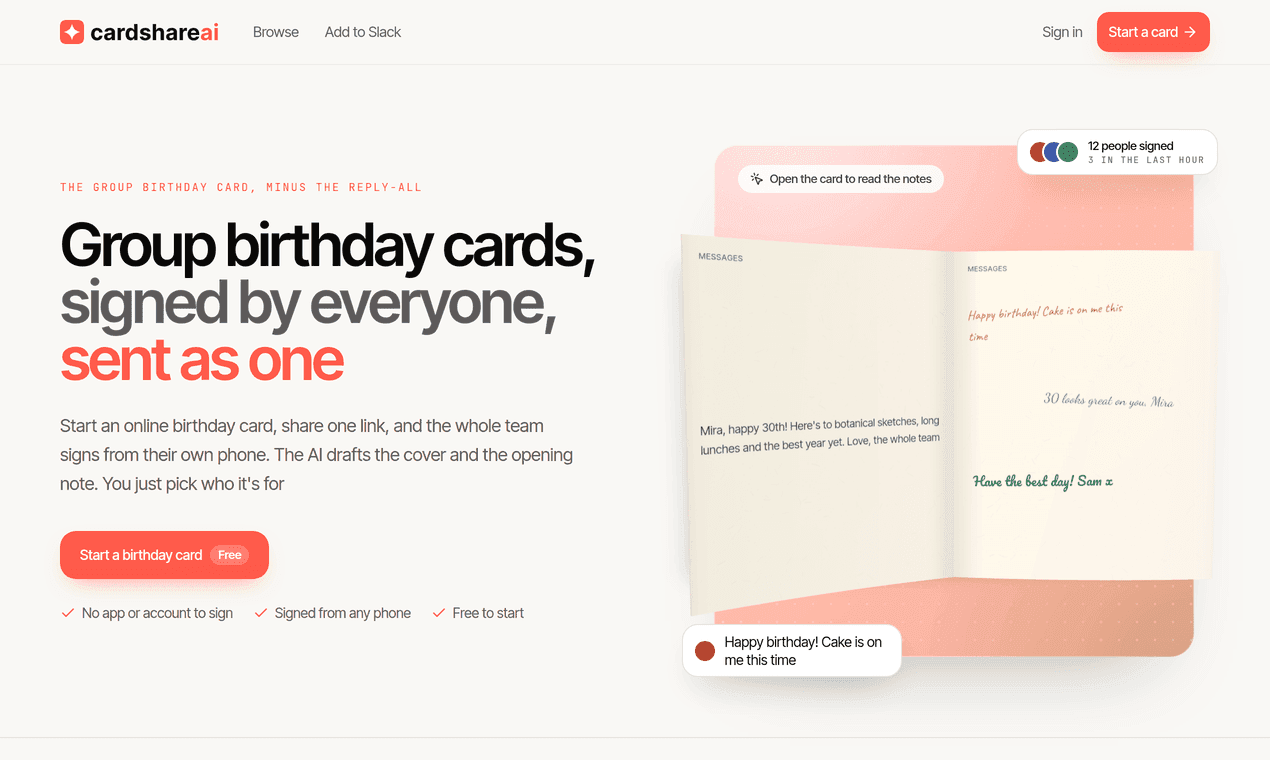
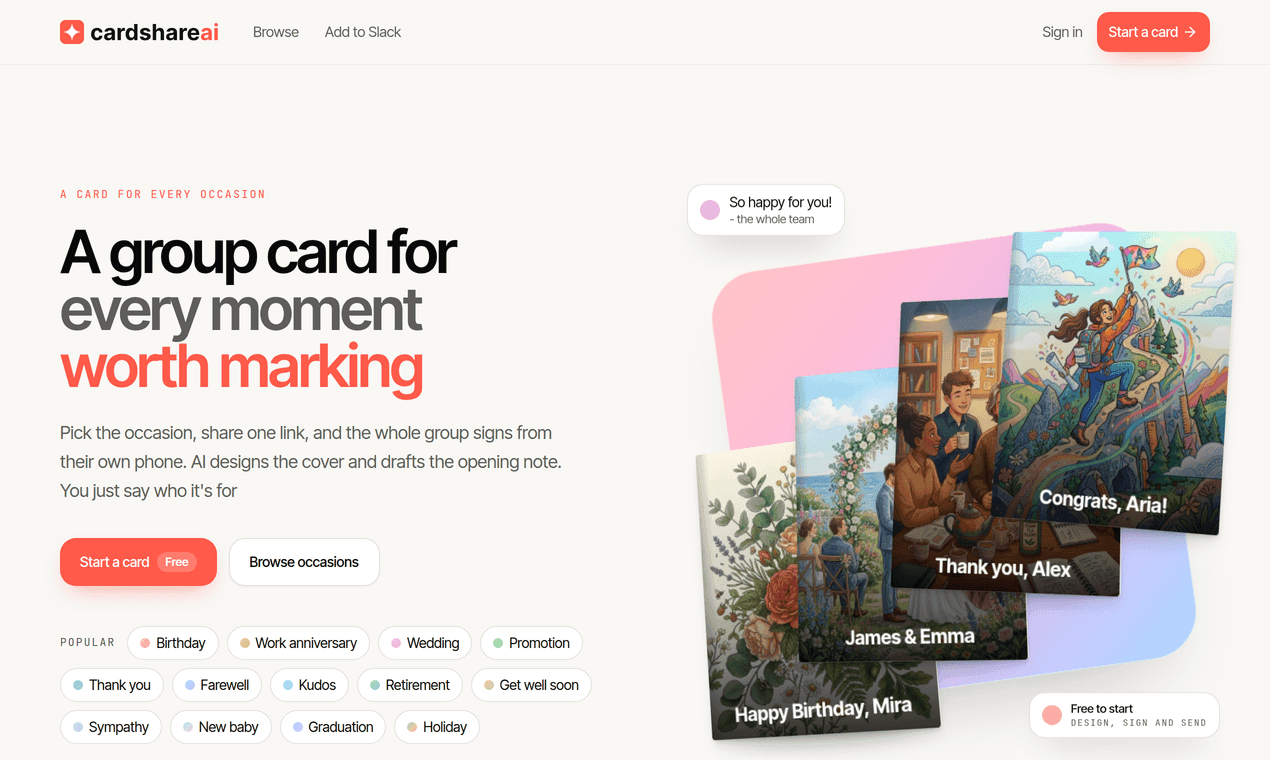
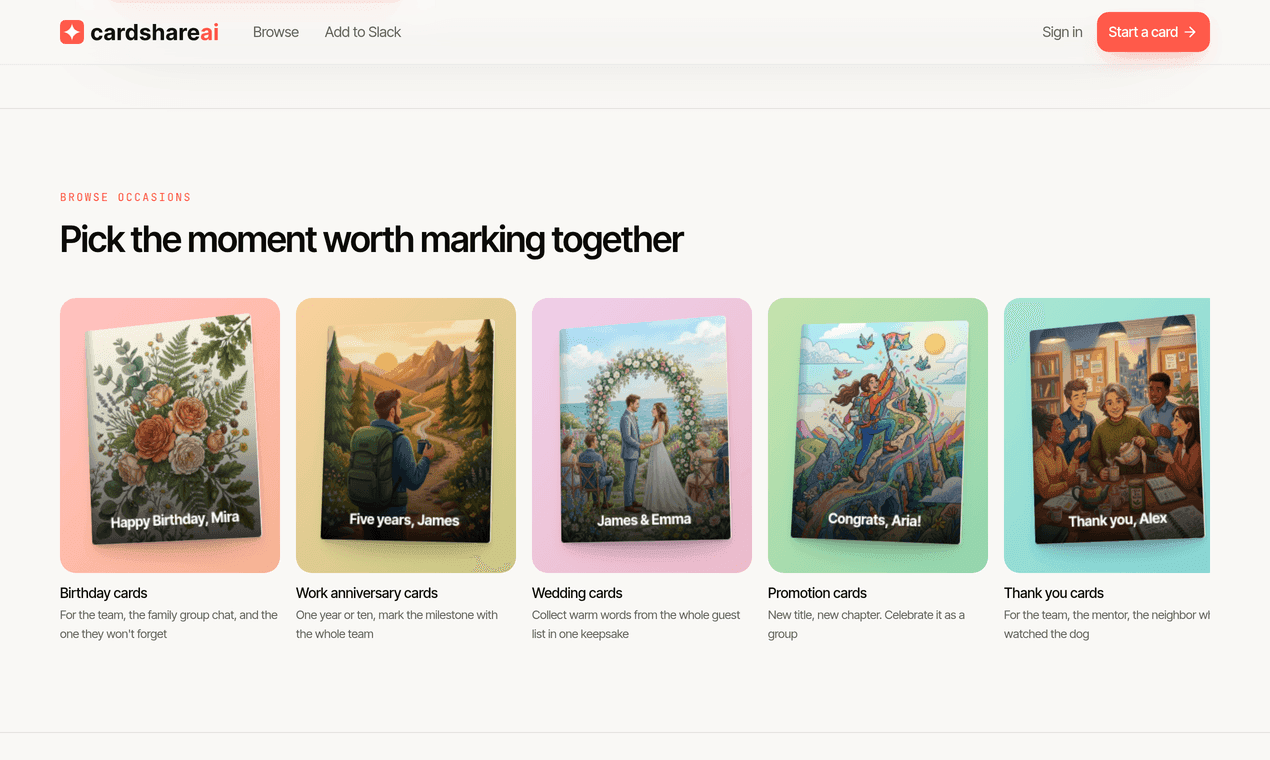
I work on a remote team, and whenever someone had a birthday or was leaving, the "card" was usually a link to a doc that half of us never saw. It always felt a bit sad to me, like the thought was there but the thing itself wasn't. So I started building something on evenings and weekends, and this is it. You say who the card's for, or upload a photo of them, and it makes a cover and a first message. Then you send one link around, everyone adds a note from their phone (no accounts, which I was stubborn about), and the person gets something that actually opens like a card. It's free, and it's just me working on it, so I'd really like to hear what's missing, or what would put you off using it for your own team's next card.
Drawn from the product itself, not from a survey.
Demographic
Remote and hybrid team managers in tech companies
Pain points
Coordinating group cards across time zones, endless follow-up emails, scattered signatures
Primary needs
Streamlined team celebrations, easy Slack integration, professional yet personal touch
Demographic
HR professionals and office administrators
Pain points
Managing multiple employee milestones, maintaining workplace culture remotely, time-consuming card coordination
Primary needs
Efficient milestone recognition, consistent workplace traditions, scalable solution for large teams
Demographic
Family members and friend groups organizing special occasions
Pain points
Gathering messages from distant relatives, coordinating across different communication platforms
Primary needs
Easy group participation, no-app-required access, beautiful keepsake for recipients
Written by AI from measured evidence, scored out of 100.
CardShare.ai is a competent, well-designed group card tool with a genuinely smart no-account signing flow and a fast, polished site. The AI cover generation and Slack integration are real differentiators in a crowded category. Speed is excellent, design is good, usability is strong on the core flow but thin on documentation. Security and accessibility are the weak spots — no hardening headers, no accessibility statement, and a missing main landmark. Growth potential is moderate: the problem is real and the wedge is specific, but the product is interchangeable with Kudoboard and GroupGreeting on the core promise. For a solo side project, it's impressive. For a team tool competing with established players, it needs more depth.
No-account signing removes the biggest friction point in group cards. Slack slash command setup is claimed at ~2 minutes. Free tier covers the full flow. Docs are thin — just an FAQ, no help center or video walkthrough.
Clean, modern landing page with live card preview and a well-organized occasion grid. Branding is tight and the card builder looks polished. No app store presence, so the site and in-browser builder are the design surface.
Lighthouse desktop performance 91/100 with LCP 1.2s, CLS 0, and FCP 441ms. The site is snappy and well-optimized. No user complaints about lag found in the collected evidence.
HTTPS enforced with HSTS and DMARC present, but SPF is missing and there's no CSP, frame protection, or other hardening headers. Security checklist 5/12. No SOC 2, ISO, or bug bounty mentioned. Typical for an early-stage indie tool.
Lighthouse accessibility 95/100 with two failing audits: insufficient color contrast and no main landmark. No accessibility statement or WCAG mention on site. English-only. Solid automated score but real gaps remain.
Real problem (group cards are a genuine coordination pain), specific wedge (AI covers + no-account signing + Slack), and a category with headroom. But it's interchangeable with Kudoboard and GroupGreeting on the core promise. Early stage — domain is 0.4 years old.
CardShare.ai presents a clean, modern landing page with a live card preview widget and a well-organized occasion grid covering twelve card types. The design is tight and the branding is consistent. Usability is where the product makes its strongest case: no-account signing removes the single biggest friction point in group cards, and the Slack slash command promises setup in about two minutes. The free tier covers the full flow from design to send. The weakness is documentation — there's an FAQ with four questions and no help center, no video walkthrough, and no onboarding guide. For a product targeting team managers who need to coordinate across time zones, the lack of deeper docs is a real gap. The core flow is simple enough that it may not matter, but it's a gap nonetheless.
Speed is a genuine strength. Lighthouse desktop performance scores 91/100 with an LCP of 1.2 seconds, CLS of 0, and FCP of 441ms. The site loads fast and feels snappy. Security is the weakest dimension. HTTPS is enforced with HSTS and DMARC is present, but SPF is missing and there's no CSP, frame protection, X-Content-Type-Options, Referrer-Policy, or Permissions-Policy. The security checklist lands at 5/12. There's no SOC 2, ISO certification, or bug bounty mentioned anywhere. For an early-stage indie tool handling user-uploaded photos and personal messages, this is typical but not reassuring. The privacy claim that photos are only used to draw the cover and not kept is a good start, but it's a claim, not a verified policy.
Accessibility scores 95/100 on Lighthouse with two failing audits: insufficient color contrast and no main landmark. There's no accessibility statement, no WCAG mention, and no multi-language support. The automated score is strong but the gaps are real — a missing main landmark is a basic structural issue that affects screen reader navigation. Growth potential is moderate. The problem CardShare.ai names is real: group cards are a genuine coordination pain, especially for remote teams across time zones. The wedge is specific — AI-generated covers, no-account signing, and a Slack slash command. But the core promise is interchangeable with Kudoboard and GroupGreeting. The AI cover generation and Slack integration are the differentiators, but neither is a structural moat. The category has headroom, but CardShare.ai needs to lean harder into what makes it different.
Conclusion
CardShare.ai is a solid first version of a product that solves a real problem. The no-account signing flow is the standout feature — it removes the single biggest friction point in group cards, and it's executed well. The AI cover generation is a nice touch that gives the product a reason to exist beyond 'another Kudoboard.' But the security posture is thin, the accessibility gaps are real, and the documentation is barely there. If you're a remote team manager looking for a free, fast way to coordinate a card, this works. If you need compliance, deep integrations, or enterprise-grade reliability, look elsewhere. The foundation is good. The execution needs more time.
Named competitors, point by point. Nobody paid to appear here or to be left out.
 CardShare.ai CardShare.ai |  Kudoboard Kudoboard |  GroupGreeting GroupGreeting |  Padlet Padlet | |
|---|---|---|---|---|
| Free tier available | Yes — design, collect signatures, and send for free | Yes — free boards with limited features | Yes — free cards with basic templates | Yes — free tier with limited boards |
| No-account signing for contributors | Yes — signers just open the link, no signup | Yes — contributors can add without an account | Yes — signers add name and message without account | No — contributors typically need an account |
| AI-generated card covers | Yes — AI designs cover from description or photo | No — manual template selection | No — pre-designed template library | No — blank canvas, user creates content |
| Slack integration | Yes — /cardshareai slash command | Yes — Slack app for board creation | Limited — no native Slack slash command | Yes — Slack integration available |
| Funny photo templates / face-in-scene | Yes — 34 scenes, AI redraws face into scene | No — standard templates only | No — standard greeting card templates | No — canvas-based, no photo manipulation |
| Multi-media support (GIFs, images) | Yes — GIFs, drag/resize/rotate notes | Yes — GIFs, images, videos | Limited — text and images | Yes — images, videos, links, files |
Kudoboard
A group card and appreciation platform that allows teams to create collaborative boards for celebrations, milestones, and recognition with multimedia support.
GroupGreeting
An online group greeting card service where multiple people can sign a digital card for various occasions, with a library of pre-designed templates.
Padlet
A collaborative platform that can be used for group boards and messages, offering a canvas-style approach where multiple users can contribute content simultaneously.
Comparing options? See CardShare.ai alternatives, scored side by side

An all-in-one hospitality software for restaurants and ba...

A weekly newsletter delivering curated tech jobs, intervi...

White-label reputation management software for agencies s...

Privacy-first open source journal app with a continuous t...

Puzzly is an all-in-one B2B lead generation platform that...

All-in-one AI workspace for docs, projects, and knowledge...

A free, open-source platform offering 110 AI agent skills...

Open-source desktop app for switching AI coding providers...

One verified handle for your online identity, readable by...

Frame-perfect video-to-GIF maker that runs entirely in yo...

White-label website audits that close deals for digital a...

Automated quote follow-up for trades and service businesses.
A platform dedicated to providing unbiased reviews of newly launched applications, analyzing everything from their features to their full potential.
info@scoutforge.net© 2026 Scoutforge. All rights reserved.
