

A platform dedicated to providing unbiased reviews of newly launched applications, analyzing everything from their features to their full potential.
info@scoutforge.net© 2026 Scoutforge. All rights reserved.
A platform dedicated to providing unbiased reviews of newly launched applications, analyzing everything from their features to their full potential.
info@scoutforge.net© 2026 Scoutforge. All rights reserved.
A platform dedicated to providing unbiased reviews of newly launched applications, analyzing everything from their features to their full potential.
info@scoutforge.net© 2026 Scoutforge. All rights reserved.
Cycling through all six. Tap any point to stop.
Measured on six things
A free, offline Android finance app that tracks cash, inv...
HTTPS enforced, SPF and DMARC present, privacy-first architecture means no cloud data to breach. But no HSTS, no CSP, no frame protection, and no published audits. 6/12 on security headers.
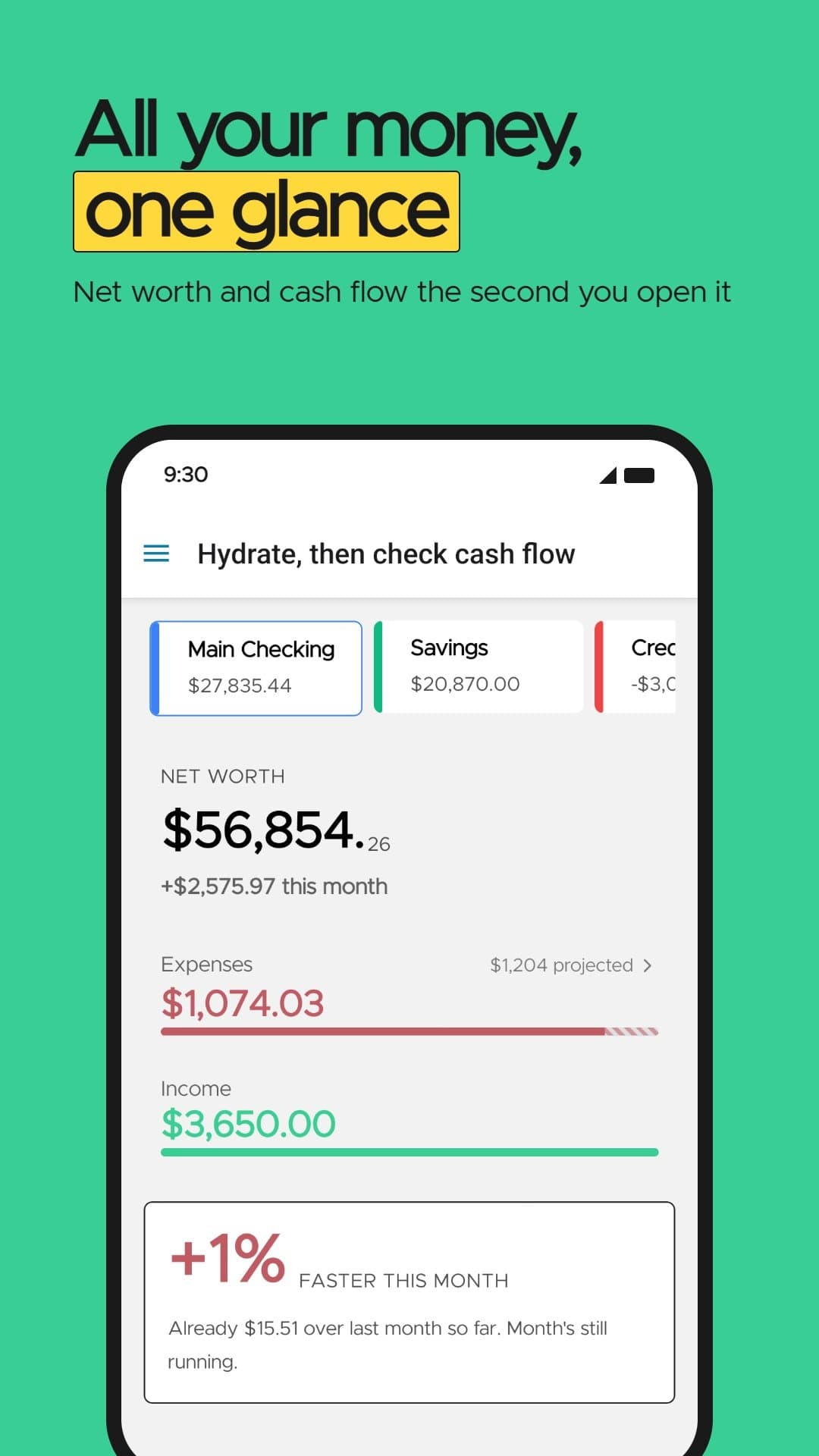
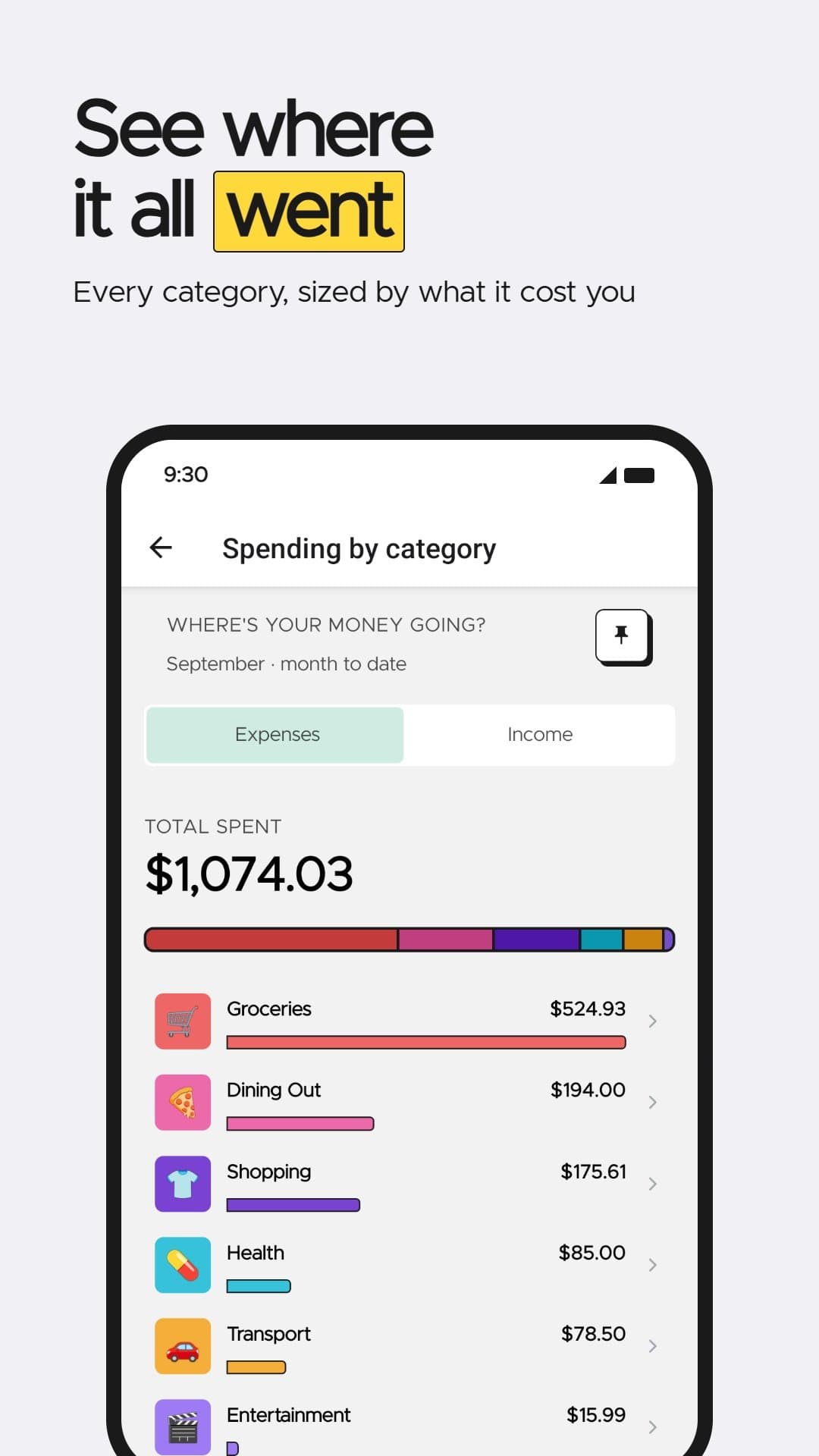
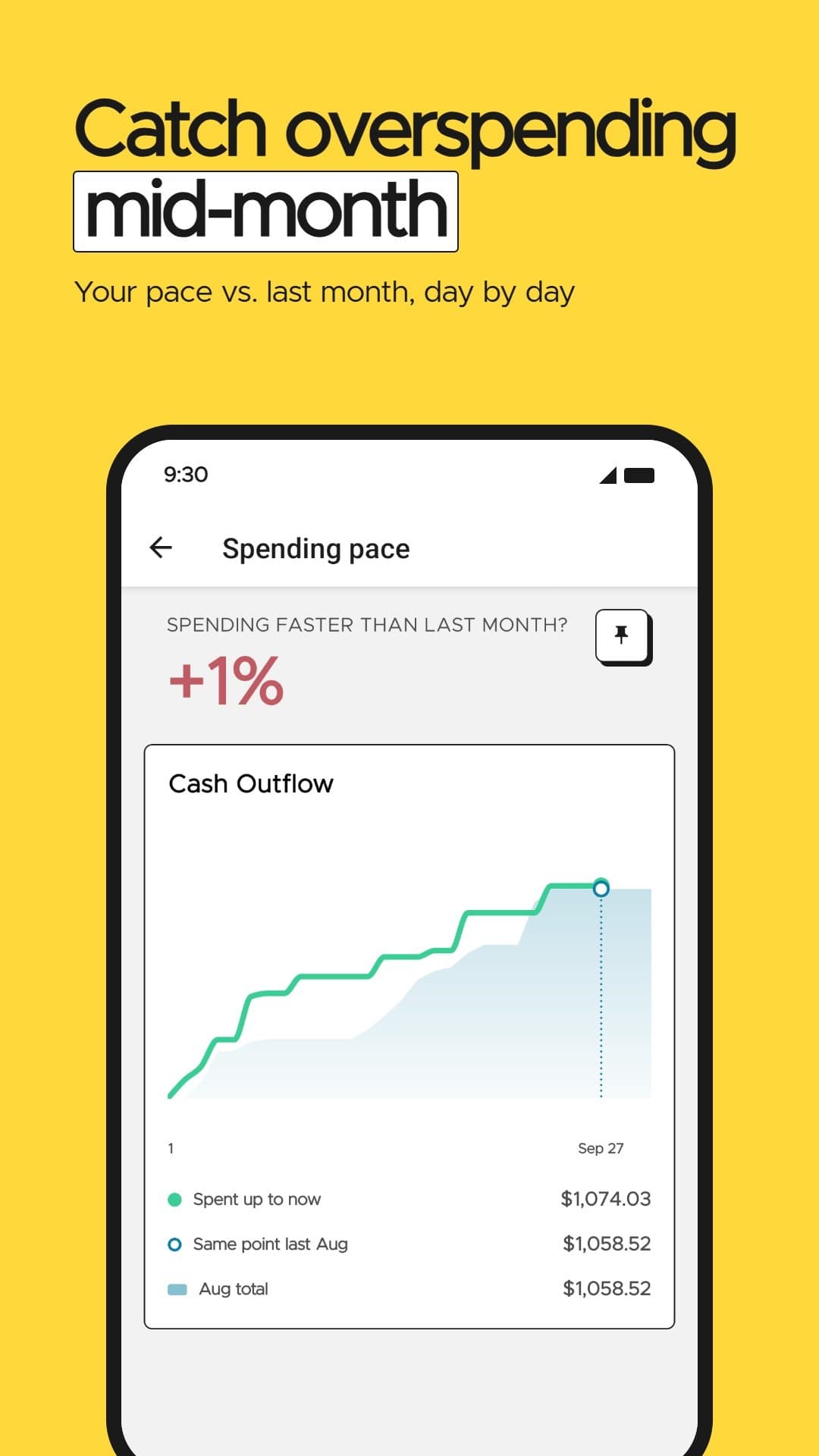
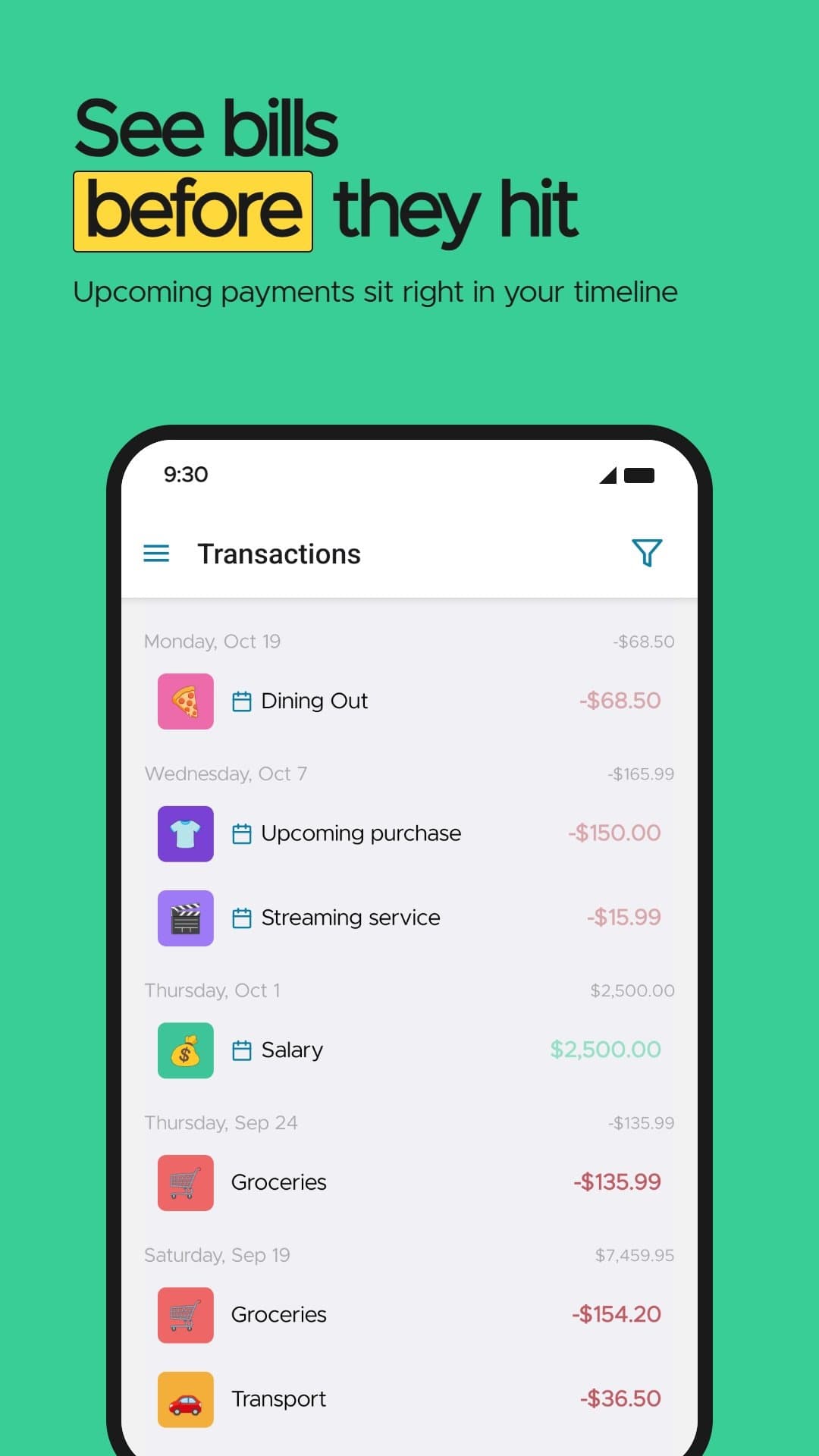
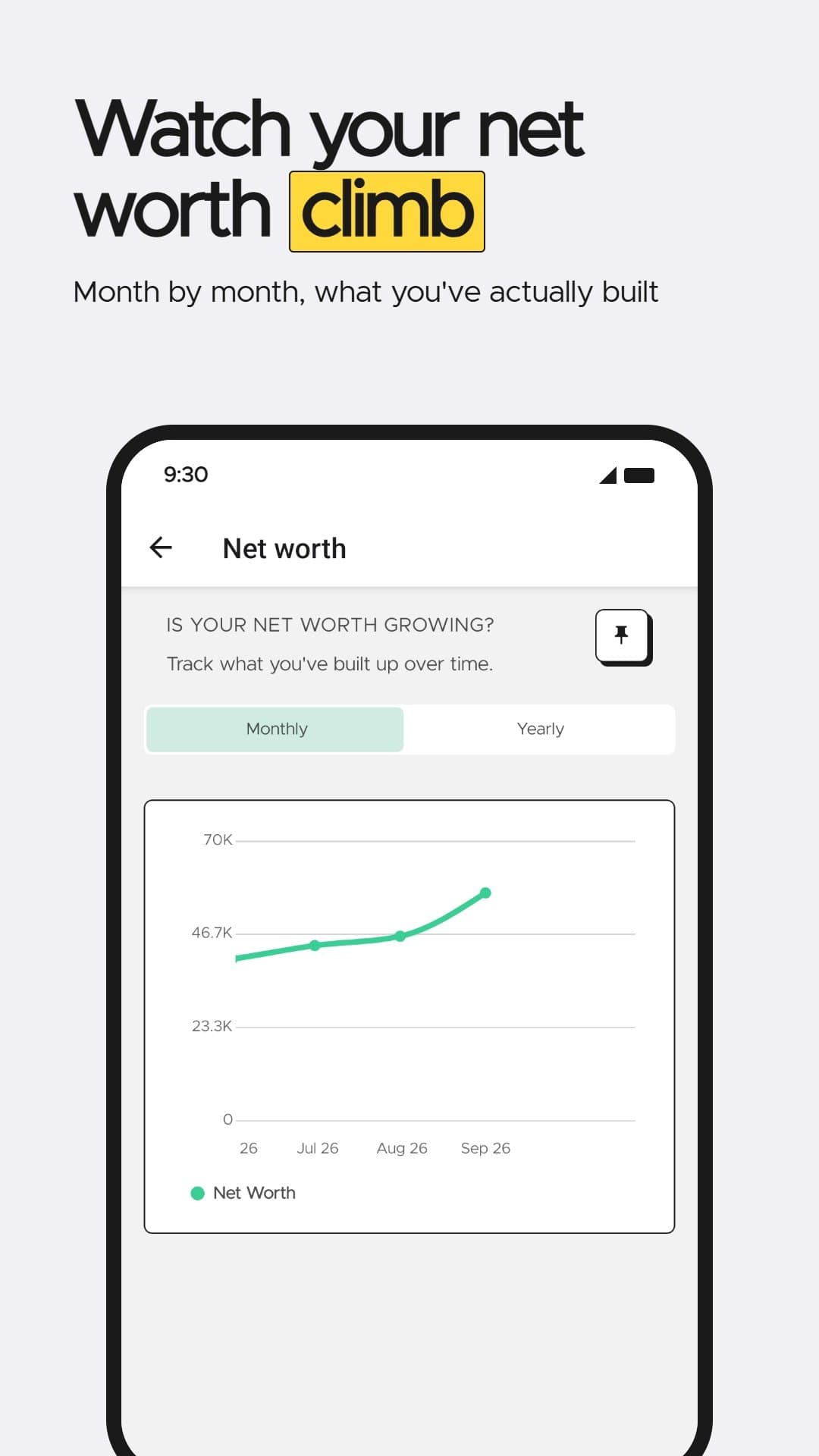
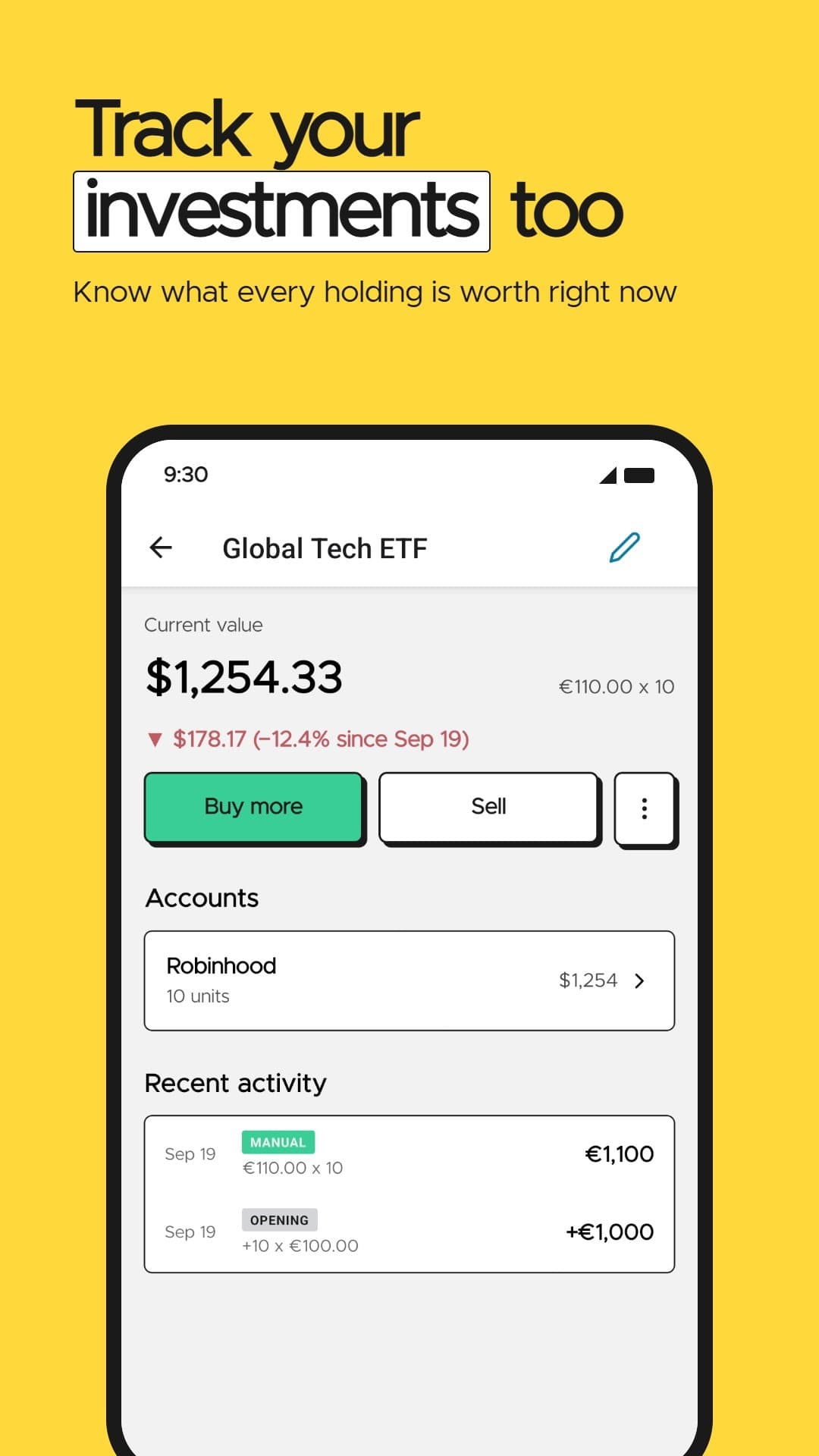
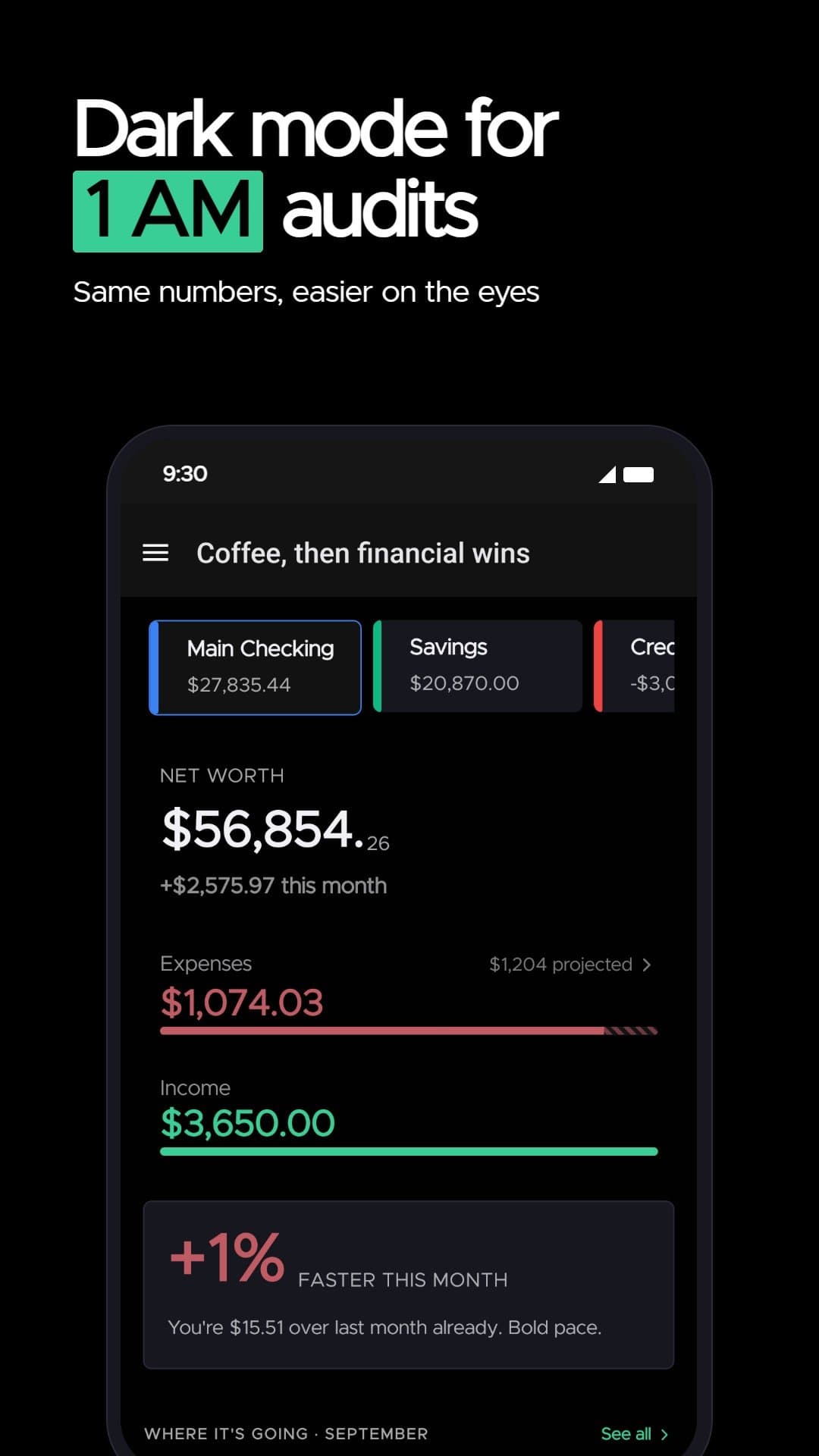
Cashzilla is a free, privacy-first personal finance app for Android that brings your entire financial picture into a single net worth number. Unlike budgeting apps that nag you about targets, Cashzilla simply shows you where your money goes - spending by category, monthly spending pace, scheduled bills, and month-by-month net worth trends. You can track cash, stocks, funds, and even collectibles like trading cards, moving money from savings into investments without losing sight of cost basis or gains. There's no sign-up, no bank login, and no cloud sync: everything lives on your device, works fully offline, and never reaches the developer. Built by an independent developer for people who aren't spreadsheet people, Cashzilla includes multi-currency support, CSV import/export, and dark mode. It's completely free - no ads, no subscription, no upsell. iOS is listed as coming soon, pending demand.
Drawn from the product itself, not from a survey.
Demographic
Privacy-conscious Android users (25–45) who avoid linking bank accounts to apps
Pain points
Distrust of cloud finance apps; fear of data breaches and data selling
Primary needs
Offline tracking with no account, no bank login, and full local data ownership
Demographic
Young professionals and investors who hold cash, stocks, funds, and collectibles
Pain points
Financial picture scattered across bank apps, brokers, and spreadsheets
Primary needs
One net worth number with month-by-month tracking and investment cost basis
Demographic
Budget-averse adults who dislike rigid budgeting tools and guilt-driven apps
Pain points
Traditional budgeting apps feel like a second job and set users up to fail
Primary needs
Non-judgmental spending visibility, pace tracking, and gentle nudges
Written by AI from measured evidence, scored out of 100.
Cashzilla is a free, privacy-first Android finance app that puts your entire net worth in one number without asking for a bank login or a cloud account. The pitch is clean: no sign-up, no sync, no data leaving your phone. The app UI is polished, the site is blazing fast, and the privacy architecture is genuinely differentiated. But the support surface is thin — no docs, no help center, just a five-question FAQ — and the security headers are incomplete for a product whose entire value proposition is privacy. Growth potential is real but the wedge is a feature, not a fortress. It's a solid indie tool for privacy-conscious Android users who want clarity without the guilt trip.
Zero onboarding friction — no sign-up, no bank login, works offline. FAQ handles the real objections. But there's no help center, no docs page, no tutorial. You're on your own once you install it.
Judging the Android app UI via store screenshots and homepage mockups: clean net-worth screens, consistent green accent, playful monster motif. Real screenshots beat stock imagery. FAQ borders and uneven card heights are minor flaws.
Lighthouse mobile 99/100, desktop 100/100. LCP 1.7s, CLS 0, TBT 0ms. The site is genuinely fast — static, lightweight, no bloat. No user complaints about lag found.
HTTPS enforced, SPF and DMARC present, privacy-first architecture means no cloud data to breach. But no HSTS, no CSP, no frame protection, and no published audits. 6/12 on security headers.
Lighthouse accessibility 100/100. Dark mode, multi-currency, responsive layout. No a11y statement or WCAG mention, and no multi-language support. Automated checks pass; manual verification unknown.
Real problem — privacy-conscious Android users tired of bank-linking apps. Specific wedge: no account, no cloud, no bank login. But the category is crowded and the differentiator is a feature, not a moat.
Cashzilla's design is judged on the Android app UI, not the landing page — and the app screenshots show a clean, readable net-worth view with consistent green branding and a monster mascot that keeps things from feeling like a bank statement. The homepage integrates real app screenshots instead of stock imagery, which builds trust. Usability is where it gets thin: the zero-friction onboarding (no sign-up, no bank login, works offline) is genuinely excellent, but there's no help center, no docs, no tutorial. The FAQ answers five questions and that's your entire support surface. For a finance app where users need to understand CSV import, multi-currency, and cost basis tracking, that's a gap. The product is easy to start but hard to master without external help.
Speed is Cashzilla's strongest measured dimension: Lighthouse mobile 99/100, desktop 100/100, LCP 1.7s, CLS 0, TBT 0ms. The site is static, lightweight, and genuinely snappy. Security is more complicated. The privacy-first architecture is real — no account, no bank login, no cloud sync means there's no centralized database to breach. But the website itself scores 6/12 on security headers: HTTPS is enforced, SPF and DMARC are present, but HSTS, CSP, frame protection, and Permissions-Policy are all missing. No SOC 2, no ISO, no pen-test, no bug bounty. For a privacy-first product, the security posture is adequate but not exceptional.
Accessibility scores 100/100 on Lighthouse automated checks, which is a strong signal but not the whole story. There's no WCAG statement, no accessibility page, and no multi-language support mentioned. Dark mode and responsive layout are present. The automated audit passes; manual verification is unknown. Growth potential is moderate. The problem is real — privacy-conscious Android users who distrust bank-linking apps — and the wedge is specific: no account, no cloud, no bank login. But the alternatives (Bluecoins, Money Manager, Wallet by BudgetBakers) already offer offline tracking, and 'we don't want your data' is a feature, not a moat. The category has room, but Cashzilla needs to prove why it wins beyond privacy.
Conclusion
Cashzilla does one thing well: it shows you your money without asking for your soul in return. No account, no bank login, no cloud sync — just a local app that works offline and never phones home. For privacy-conscious Android users tired of budgeting apps that nag and bank-linking apps that leak, that's a genuinely appealing pitch. The execution is competent: fast site, clean app UI, real screenshots. But the gaps are real too — no documentation, incomplete security headers, and a differentiator that competitors can copy. If you're on Android and you want a no-nonsense net worth tracker that respects your data, Cashzilla is worth a download. Just don't expect a help center when you get stuck.
Named competitors, point by point. Nobody paid to appear here or to be left out.
 Cashzilla Cashzilla |  Bluecoins Bluecoins | Money Manager Expense & Budget |  Wallet by BudgetBakers Wallet by BudgetBakers | |
|---|---|---|---|---|
| Privacy model | No account, no bank login, no cloud sync; data never leaves device | Offline support but optional cloud sync and bank connection features | Offline expense tracking; no bank sync required | Cloud-based with optional bank sync; account required for full features |
| Net worth tracking | Single net worth number with month-by-month trends across cash, stocks, funds, collectibles | Account balances and reports; net worth tracking available | Expense tracking focus; net worth not primary feature | Net worth tracking with bank sync for automatic balance updates |
| Pricing | Free — no ads, no subscription, no upsell | Free with premium upgrade for advanced features | Free with ads; premium version available | Freemium with subscription for bank sync and advanced features |
| Platform | Android only; iOS listed as coming soon pending demand | Android only | Android only | Cross-platform: iOS, Android, web |
| Bank sync | No bank connection; manual transaction entry only | Optional bank sync available | No bank sync; manual entry | Bank sync is core feature with automatic transaction import |
Bluecoins
A popular Android-only personal finance and budget tracker with offline support and detailed reporting.
Money Manager Expense & Budget
A widely used offline expense tracking app for Android with budgeting and category insights.
Wallet by BudgetBakers
A cross-platform personal finance app offering budgeting, bank sync options, and net worth tracking.
Comparing options? See Cashzilla alternatives, scored side by side

A free, comprehensive financial calculator platform with ...

A no-code Solana token creator that deploys SPL tokens in...

Automated bookkeeping software that extracts data from re...

AI invoice follow-up that drafts reminders and tracks next steps.

A top-rated virtual assistant agency that matches busines...

Connect your bank to AI for real answers about your money.

A developer-first financial data API providing structured...

Stripdo is a smart invoicing tool that automatically gene...

Real-time monetization infrastructure for AI products tha...

A Windows Excel add-in that pulls your ledger data into the workbook, reconciles it, and drafts the reports - all in plain English, inside Excel.

Screen stocks using 30+ value disciplines. Receive an email when your investment thesis breaks.

Business workspace for solo founders and small teams.
A platform dedicated to providing unbiased reviews of newly launched applications, analyzing everything from their features to their full potential.
info@scoutforge.net© 2026 Scoutforge. All rights reserved.
