Cycling through all six. Tap any point to stop.
Measured on six things
Free online toolbox: AI, converters, code tools, image ed...
Growth
32Small GitHub presence (7 followers), regular tool additions, but zero reviews or community traction found.
Screenshots
1 / 1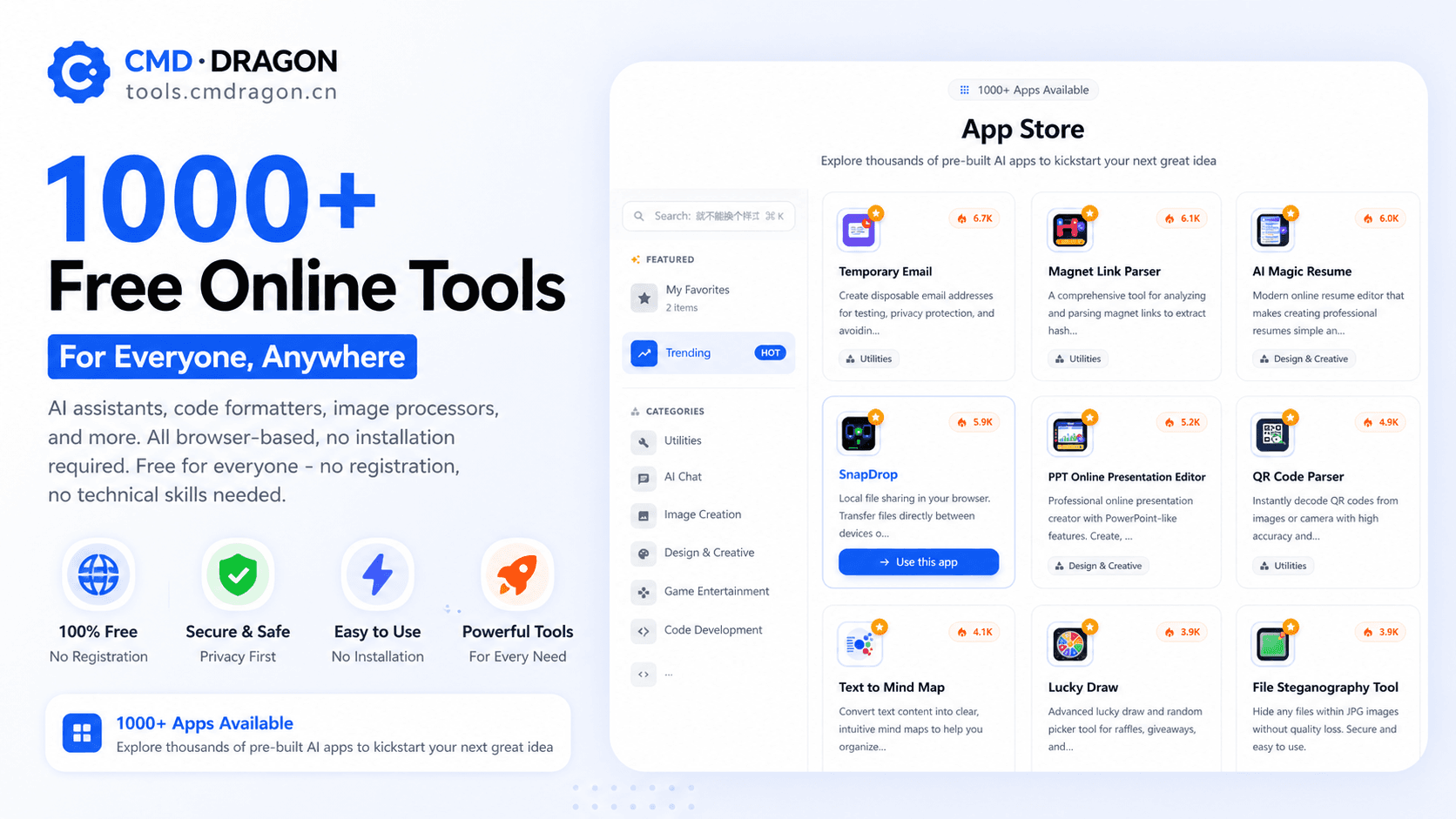
About this app
I've been digging into CMDragon Tools lately, and honestly, it's a goldmine for anyone who needs quick, browser-based utilities. Think of it as a Swiss Army knife for digital tasks: over 1000 free tools covering AI chat, code formatting, image editing, file conversion, barcode scanning, PDF manipulation, and even an online piano. What really stands out is the privacy-first approach—most processing happens locally in your browser, so your data never hits a server. No sign-ups, no downloads, just pure productivity. Whether you're a developer wanting a Docker Compose generator, a designer needing a color picker, or just someone who needs a temp email, this site has you covered. And it's completely free with no usage caps. I've been using the barcode scanner and EPUB reader myself, and they work flawlessly. Definitely worth bookmarking.
Key features
- 11000+ free browser-based tools with local processing (no uploads).
- 2Privacy-first: data never leaves your device for most utilities.
- 3Instant access—no sign-ups, downloads, or limits.
Target customer profile
Drawn from the product itself, not from a survey.
Demographic
Developers and IT professionals
Pain points
Need quick code formatters, Docker compose generators, and Unicode viewers without local setup
Primary needs
Reliable, privacy-respecting developer utilities that work instantly in the browser
Demographic
Designers and content creators
Pain points
Require color extraction from images, SVG optimization, and code screenshot generation without heavy software
Primary needs
Fast, accurate design tools with export options for various formats
Demographic
General users and small business owners
Pain points
Need common utilities like PDF merging, barcode generation, and file conversion without paying for subscriptions
Primary needs
Free, easy-to-use tools with no registration required, working on any device
Scout Review
Written by AI from measured evidence, scored out of 100.
A free, privacy-centric Swiss Army knife of browser tools with strong usability for quick tasks. It excels in accessibility to features without barriers but needs more visibility and polish in security/accessibility documentation to stand out.
Measure by measure
Usability
72Zero friction onboarding, instant access, no accounts. Excellent for quick tasks; detailed docs per tool.
Design
68Polished, modern landing page with consistent branding, categorized tools, and visual previews. Responsive and professional.
Speed
65Client-side processing keeps things local and potentially fast. Site loads smoothly with real-time previews.
Security
55Strong privacy via local-only processing and no uploads. Basic HTTPS and no data collection.
Accessibility
52Responsive mobile support and some keyboard mentions. No WCAG claims or detailed a11y features found.
Growth
32Small GitHub presence (7 followers), regular tool additions, but zero reviews or community traction found.
Improvement areas
- Lack of independent reviews or community traction.
- No formal security audits or detailed accessibility docs.
- Overwhelming tool volume without advanced search.
Design & Usability
CMDragon Tools delivers a clean, modern interface that's easy to navigate with categorized sections and instant tool access. The no-signup model shines for quick productivity, making it highly usable for developers and designers needing instant utilities like code formatters or color pickers. Evidence from the homepage shows consistent visual polish and responsive design across devices.
Speed & Security
Speed benefits from fully local browser processing, avoiding server delays, though no independent benchmarks confirm performance under load. Security is privacy-focused with zero data transmission, but lacks formal audits or advanced protections. This positions it solidly for casual use but behind enterprise peers on compliance.
Accessibility & Growth
Accessibility gets basic points for mobile responsiveness and occasional keyboard support, but lacks explicit WCAG compliance details. Growth is the weakest area—minimal GitHub activity and no discoverable reviews or community signals indicate it's still flying under the radar despite regular updates.
Conclusion
Bookmark it for those one-off tasks, but don't expect a polished community experience yet.
Suggestions for improvement
- Add a robust search/filter system across 1000+ tools.
- Publish a security or privacy policy page with details.
- Implement basic WCAG audits and alt text improvements.
- Launch on Product Hunt or collect user testimonials.
Alternatives comparison
Named competitors, point by point. Nobody paid to appear here or to be left out.
 CMDragon Tools |  Zamzar | |
|---|---|---|
| File conversion without limits or sign-up | Unlimited local browser conversions (PDF, images, EPUB, etc.) | Cloud-based with file size limits and potential fees |
| Privacy and data handling | Local processing, zero server transmission | Files uploaded to servers for processing |
| Cost model | Completely free, no caps or tiers | Free tier with limits; paid plans for more |
Comparing options? See CMDragon Tools alternatives, scored side by side
Sources
What the review was written against. A verdict with no sources is an opinion.
More Productivity apps
View all Productivity
Puzzly – B2B Lead Generation & Sales Intelligence Platform
92Puzzly is an all-in-one B2B lead generation platform that...

Qamarero
92An all-in-one hospitality software for restaurants and ba...

EmbedMyReviews
92White-label reputation management software for agencies s...

StoryPad
92Privacy-first open source journal app with a continuous t...

Notion
92All-in-one AI workspace for docs, projects, and knowledge...

The Stack Newsletter
92A weekly newsletter delivering curated tech jobs, intervi...

Vibe Coding Agent Skills
92A free, open-source platform offering 110 AI agent skills...

QRBliss
91Branded QR codes with AI Brand Sync, 15 free dynamic code...

Gerty
91Private, local AI assistant for Mac that runs offline

Strukchad Property Management
91Property management for Kenyan letting agents: rent invoices raised every month, M-Pesa rent prompts to tenants, arrears tracking and landlord statements.

CC Switch
91Open-source desktop app for switching AI coding providers...

PitchWhip
90AI cold call scripts & direct dials from LinkedIn


A platform dedicated to providing unbiased reviews of newly launched applications, analyzing everything from their features to their full potential.
info@scoutforge.net© 2026 Scoutforge. All rights reserved.
