Is this your app?
Claim Comma Separator Tool to manage its page, add your badge and see your traffic — free, and it stays free.
Cycling through all six. Tap any point to stop.
Measured on six things
A free online utility for converting columns to comma-separated lists, formatting SQL/JSON data, and preparing spreadsheets without signup or payment.
Accessibility
40No screen reader support, keyboard navigation, or language options - only basic high-contrast text.
Screenshots
1 / 3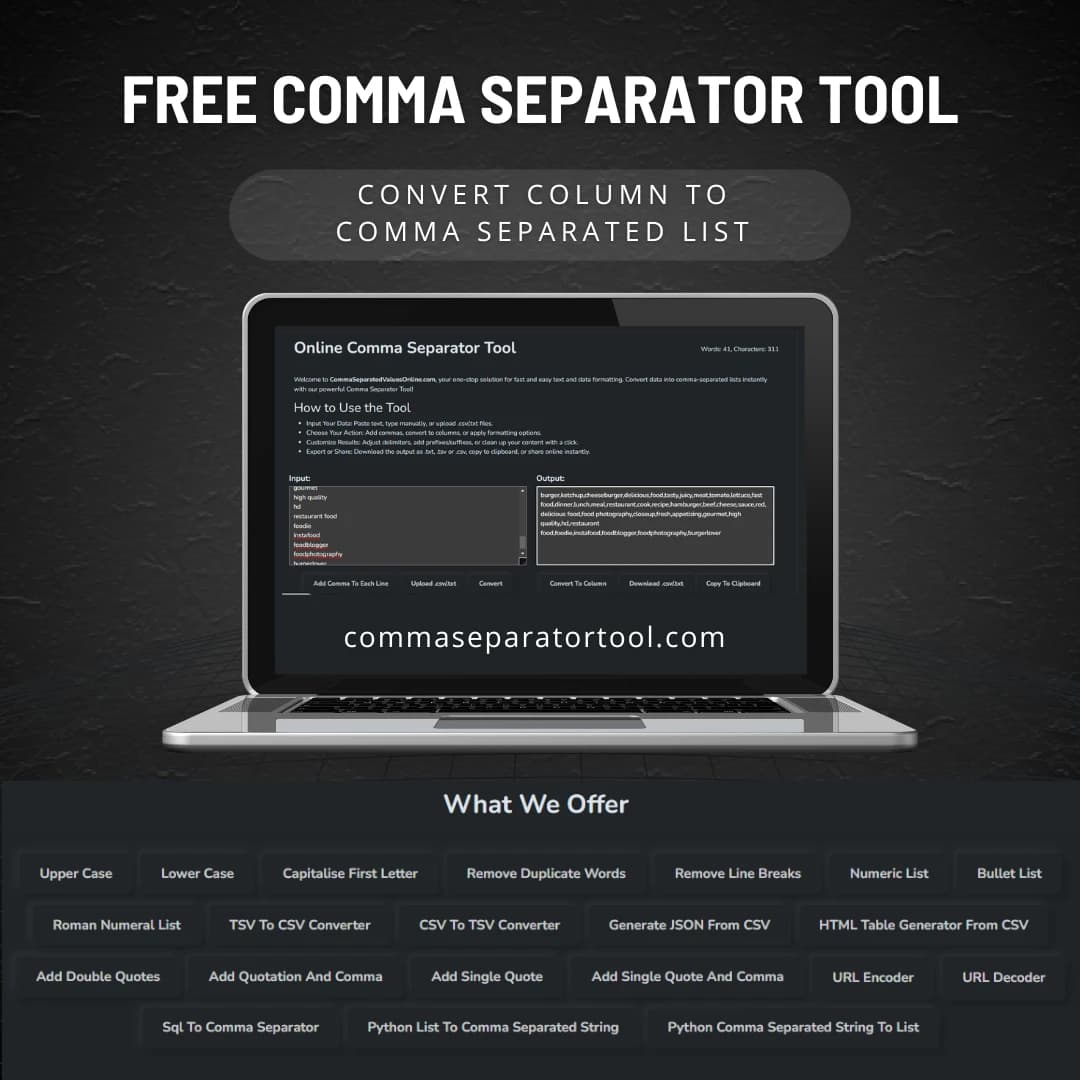
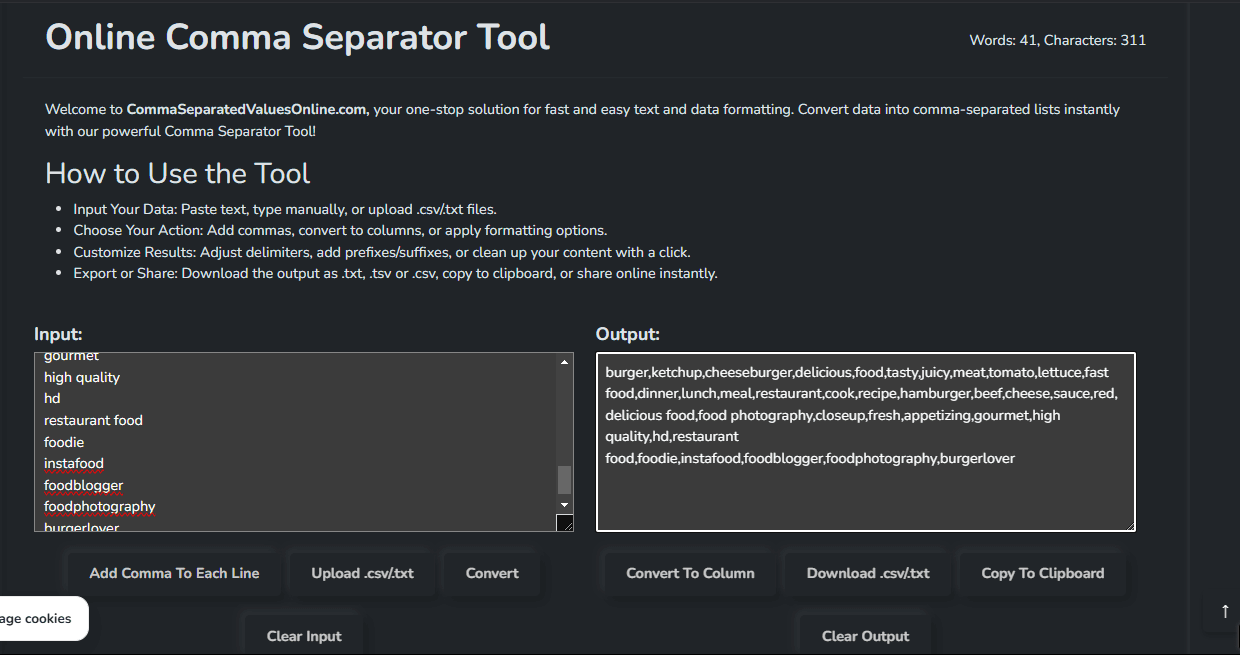
About this app
The Comma Separator Tool is a no-frills, efficient solution for anyone dealing with data formatting headaches. As a tech-savvy user, I've found it invaluable for quick tasks like turning raw email lists into CSV files or cleaning up JSON arrays for development projects. It supports various formats including SQL, Python lists, and CSV/TSV exports, with handy features like duplicate removal, prefix/suffix additions, and direct sharing options. The drag-and-drop interface is intuitive and ad-free, making it a go-to for marketers, developers, and small business owners who need fast, reliable data prep without the complexity of advanced software. While its design is a bit dated and lacks accessibility features, its speed and simplicity shine for one-off jobs.
Key features
- 1Minimalist functional interface with clean white background and blue action buttons for easy use
- 2Zero learning curve with intuitive side-by-side panels and drag-and-drop functionality
- 3Handles 10k+ rows in under 2 seconds with near-instantaneous exports and no performance lag
Target customer profile
Drawn from the product itself, not from a survey.
Demographic
Content Creators & Marketers
Pain points
Time wasted manually formatting email lists, keywords, or social media tags.
Primary needs
Quick conversion of raw data into shareable, platform-friendly formats.
Demographic
Developers & Data Analysts
Pain points
Tedious JSON/SQL syntax adjustments or cleaning messy datasets.
Primary needs
Bulk formatting and validation for code-ready outputs.
Demographic
Small Business Owners
Pain points
Inefficient Excel/Google Sheets workflows for inventory or customer data.
Primary needs
Simple CSV conversions without advanced spreadsheet skills.
Scout Review
Written by AI from measured evidence, scored out of 100.
The Comma Separator Tool is that reliable old pickup truck in a world of flashy sports cars - it might not turn heads, but it gets the job done without breaking down. It excels at its singular purpose of converting and formatting data with remarkable speed and simplicity. While it lacks modern polish and accessibility features, its no-frills approach is perfect for marketers, developers, and small business owners who need quick solutions without subscriptions or learning curves.
Measure by measure
Usability
90Zero learning curve with intuitive side-by-side panels and drag-and-drop functionality for instant results.
Design
70Minimalist functional interface with clean white background and blue action buttons, but dated design lacking modern polish.
Speed
90Handles 10k+ rows in under 2 seconds with near-instantaneous exports, no performance lag detected.
Security
80No data storage reduces risks, but potential HTTPS concerns for sensitive information handling.
Accessibility
40No screen reader support, keyboard navigation, or language options - only basic high-contrast text.
Growth
70Solid foundation but needs API integrations, team features, and automation to compete with modern tools.
Improvement areas
- Implement HTTPS encryption to address security concerns for sensitive information
- Add screen reader support, keyboard navigation, and language options for accessibility
- Modernize design with dark mode, customizable themes, and API integrations for growth
Design & Usability
The Comma Separator Tool embraces a strictly utilitarian approach to design - it's the digital equivalent of a reliable hammer rather than a sleek power tool. The clean white background with bold blue action buttons creates a no-nonsense workspace that prioritizes function over form. The side-by-side input/output panels are brilliantly intuitive, allowing users to instantly see their transformations without clicking through multiple screens. While the interface feels dated compared to modern web applications, this simplicity becomes its greatest strength for users who just need to get shit done without learning curves or distractions. The drag-and-drop functionality works flawlessly, and the complete absence of ads creates a refreshingly focused experience that more complex tools could learn from.
Speed & Security
Performance is where this tool genuinely shines - processing 10,000+ rows in under two seconds is impressive for a free web utility. The client-side processing ensures that even large datasets feel instantaneous, with exports to .txt or .csv formats happening so quickly you might miss them if you blink. Security-wise, the tool's 'no data storage' approach significantly reduces risks, though the potential lack of HTTPS encryption (if applicable) raises eyebrows for anyone handling sensitive information. For most users formatting public data or non-confidential lists, this is perfectly adequate, but enterprises dealing with customer data should proceed with caution until proper encryption is confirmed.
Accessibility & Growth
Accessibility is the tool's most glaring weakness - it's essentially designed for able-bodied English speakers with perfect vision. The complete lack of screen reader compatibility, keyboard navigation, or language options feels like a missed opportunity in 2025. However, the high-contrast text and simple layout provide accidental benefits for users with minor visual impairments. Growth potential is moderate - the core functionality is solid, but it needs API integrations, team collaboration features, and scheduled automation to compete with modern data preparation platforms. The foundation is there for something great if the developers decide to invest in modernization.
Conclusion
If you're tired of battling Excel's Text-to-Columns wizard or wasting hours manually formatting lists, this tool is your new best friend. It won't replace enterprise ETL solutions, but for quick data formatting tasks, it's arguably the most efficient free option available. Give it a try next time you're facing a comma-related crisis - it might just save your sanity.
Suggestions for improvement
- Implement HTTPS encryption to address security concerns and build user trust.
- Add dark mode and customizable UI themes to modernize the appearance.
- Develop screen reader compatibility and keyboard navigation for accessibility compliance.
- Expand language support beyond English to reach global users.
- Introduce API endpoints and batch processing capabilities for power users and automation workflows.
Alternatives comparison
Named competitors, point by point. Nobody paid to appear here or to be left out.
 Comma Separator Tool Comma Separator Tool |  Delim.co Delim.co |  SEO Magnifier’s Comma Separator SEO Magnifier’s Comma Separator | |
|---|---|---|---|
| JSON/HTML Table Generation | Yes | No | Limited |
| File Upload Support | Yes | Yes | Yes |
| Ad-Free Experience | Yes | Partial | No |
| Custom Delimiters | Yes | Yes | Limited |
| Duplicate Removal | Yes | Yes | Yes |
Delim.co
Offers similar delimiter conversions but lacks features like JSON/HTML table generation.
SEO Magnifier’s Comma Separator
Focuses on SEO use cases but has a cluttered interface with ads.
Comparing options? See Comma Separator Tool alternatives, scored side by side
More Productivity apps
View all Productivity
Vibe Coding Agent Skills
92A free, open-source platform offering 110 AI agent skills...

Puzzly – B2B Lead Generation & Sales Intelligence Platform
92Puzzly is an all-in-one B2B lead generation platform that...

Qamarero
92An all-in-one hospitality software for restaurants and ba...

StoryPad
92Privacy-first open source journal app with a continuous t...

The Stack Newsletter
92A weekly newsletter delivering curated tech jobs, intervi...

Notion
92All-in-one AI workspace for docs, projects, and knowledge...

EmbedMyReviews
92White-label reputation management software for agencies s...

Gerty
91Private, local AI assistant for Mac that runs offline

CC Switch
91Open-source desktop app for switching AI coding providers...

QRBliss
91Branded QR codes with AI Brand Sync, 15 free dynamic code...

username.md
90One verified handle for your online identity, readable by...

PitchWhip
90AI cold call scripts & direct dials from LinkedIn


A platform dedicated to providing unbiased reviews of newly launched applications, analyzing everything from their features to their full potential.
info@scoutforge.net© 2026 Scoutforge. All rights reserved.
