Is this your app?
Claim Companion Window | Always on Top to manage its page, add your badge and see your traffic — free, and it stays free.
Cycling through all six. Tap any point to stop.
Measured on six things
A Chrome extension that pins webpages as floating, always-on-top windows for seamless multitasking and distraction-free workflows.
Accessibility
60Basic color contrast meets standards but English-only support and no screen reader optimization. Keyboard shortcuts help but lack navigation guides.
Screenshots
1 / 4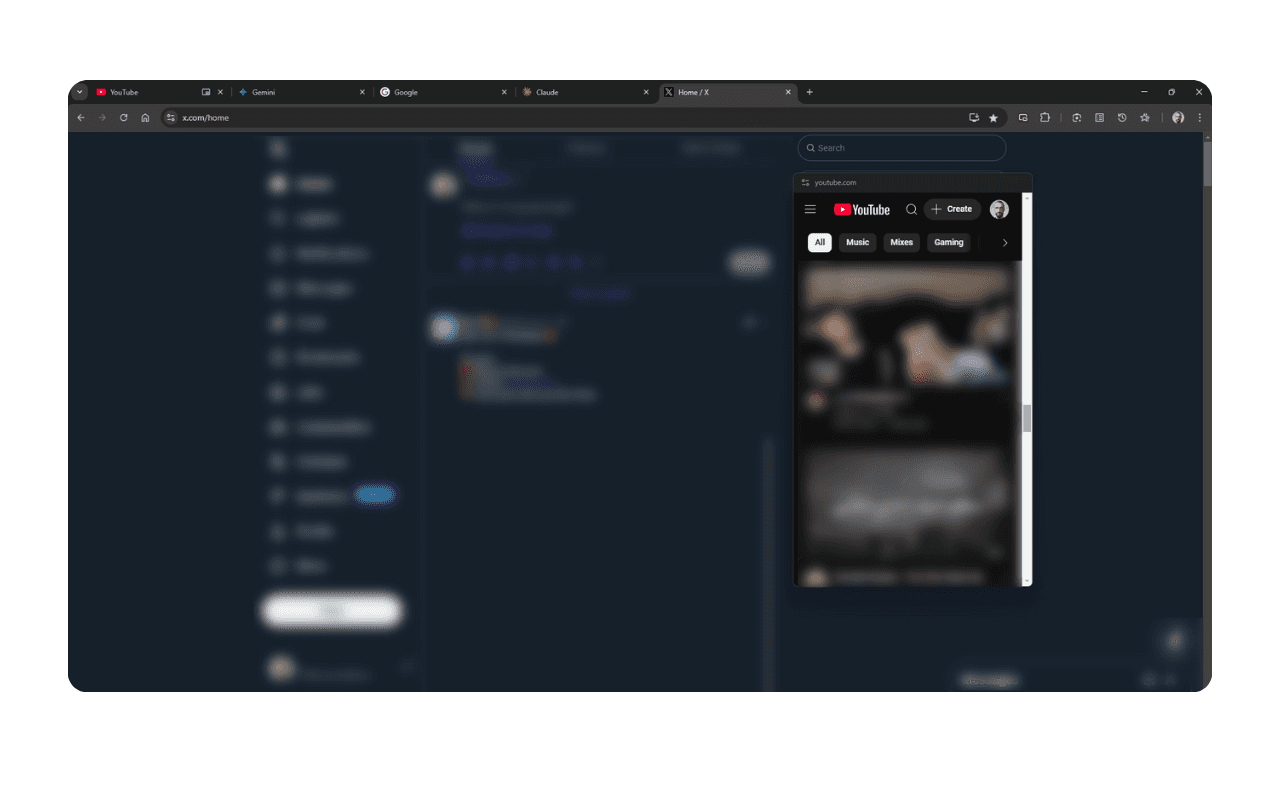
About this app
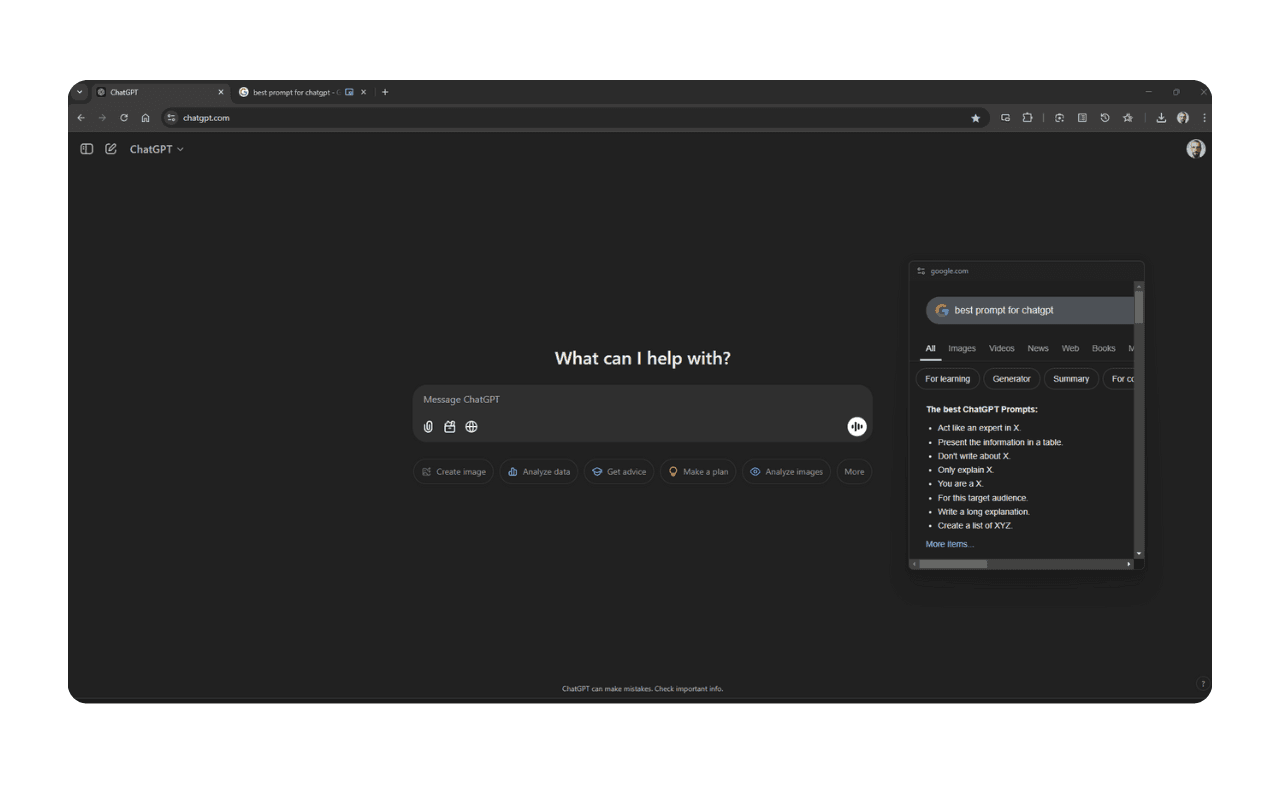
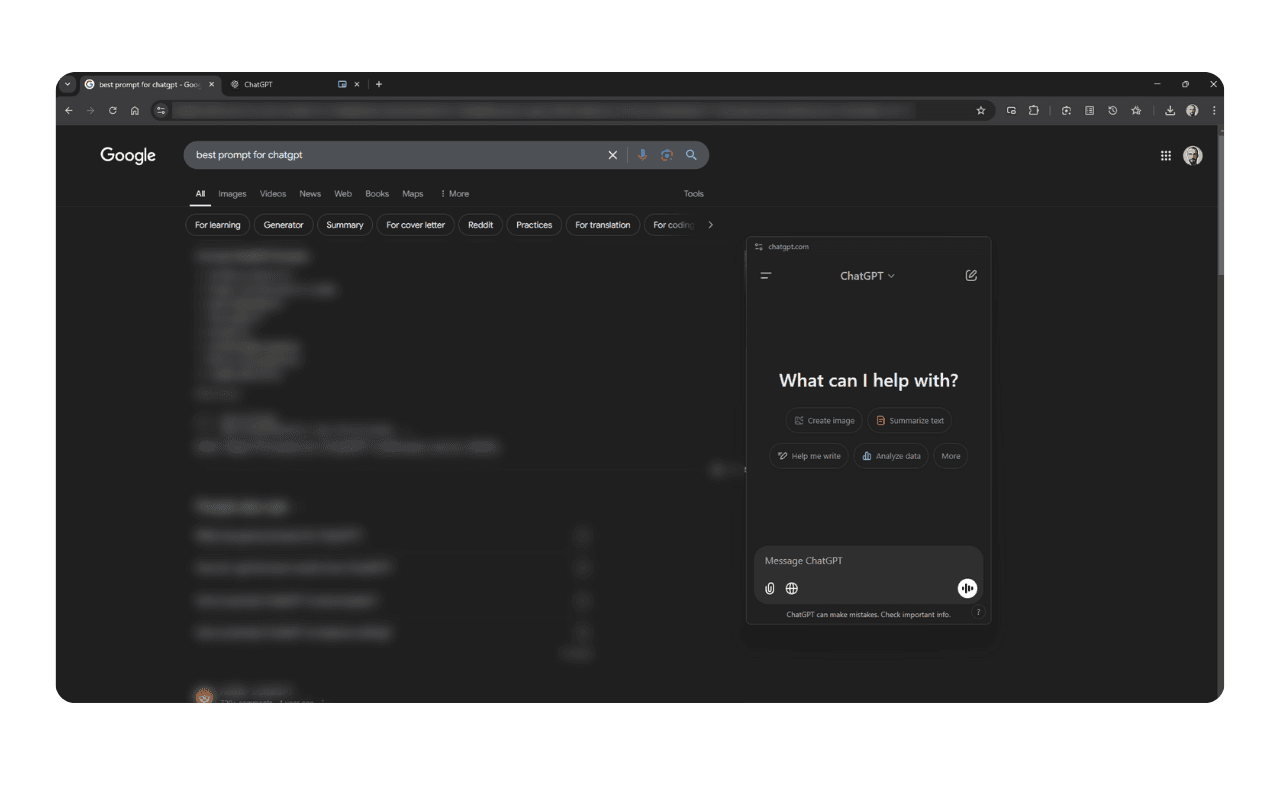
Companion Window is a lightweight, open-source Chrome extension designed to solve the common pain point of tab overload by allowing users to pin any webpage as a persistent floating window that stays visible even when switching between apps or browser tabs. It's particularly useful for keeping reference materials, AI tools like ChatGPT, calendars, or project dashboards in view, enhancing productivity for remote workers, students, and developers. With features like keyboard shortcuts (e.g., Ctrl+Shift+1) and minimal UI, it offers a snappy, efficient experience. Rated 4.1 out of 5, it excels in usability and speed but has room for improvements in accessibility and customization. This tool is ideal for anyone juggling multiple tasks in Chrome, providing a clutter-free way to maintain focus and efficiency.
Key features
- 1Minimal, functional UI with clean toolbar icon and basic controls for reducing visual clutter.
- 2Intuitive for basic use with keyboard shortcuts (Ctrl+Shift+1) and streamlined tab management workflow.
- 3Lightweight architecture with negligible load times, low memory usage, and snappy performance.
Target customer profile
Drawn from the product itself, not from a survey.
Demographic
Remote workers & professionals
Pain points
Frequent tab-switching disrupts focus; losing track of reference materials
Primary needs
Keep critical tools (e.g., ChatGPT, project trackers) visible during tasks
Demographic
Students & researchers
Pain points
Managing multiple sources/notes while writing
Primary needs
Pin study materials or AI assistants alongside main work window
Demographic
Developers & technical users
Pain points
Referencing documentation while coding
Primary needs
Lightweight, keyboard-driven window control
Scout Review
Written by AI from measured evidence, scored out of 100.
Companion Window excels at solving a specific pain point with elegant simplicity. It's not trying to be everything to everyone - it focuses on doing one thing exceptionally well: keeping your important web content visible and accessible. The combination of lightweight performance, open-source transparency, and intuitive operation makes it a valuable tool for anyone juggling multiple tasks in Chrome.
Measure by measure
Usability
90Intuitive for basic use with keyboard shortcuts (Ctrl+Shift+1). Streamlined workflow for tab management, though power features need refinement.
Design
80Minimal, functional UI with clean toolbar icon and basic controls. Utilitarian window borders lack visual polish but serve purpose well.
Speed
90Lightweight architecture with negligible load times and low memory usage even with multiple pinned windows. Snappy performance throughout.
Security
80Open-source transparency with publicly auditable code. Minimal permissions requested (only 'tabs' access), though lacks enterprise-grade safeguards.
Accessibility
60Basic color contrast meets standards but English-only support and no screen reader optimization. Keyboard shortcuts help but lack navigation guides.
Growth
80Strong foundation for remote work/AI trends with niche appeal. Open-source nature allows community contributions and customization potential.
Improvement areas
- Add multi-language support and proper screen reader compatibility to enhance accessibility for non-English users.
- Introduce a settings panel for window customization (e.g., opacity, size) without requiring CSS knowledge.
- Expand keyboard shortcut customization options and add an onboarding tutorial for non-technical users.
Design & Usability
Companion Window's design philosophy is pure function over form. The interface is refreshingly minimal - just a small toolbar icon that transforms into a floating window with basic controls. No flashy animations or settings overload here, which perfectly aligns with its purpose of reducing visual clutter. The utilitarian window borders and straightforward controls make it immediately usable, though they lack the visual polish of more refined extensions. Keyboard shortcuts like Ctrl+Shift+1 provide a snappy, efficient experience that power users will appreciate. While the design won't win any beauty contests, it excels at doing exactly what it promises without getting in your way.
Speed & Security
Performance is where Companion Window truly shines. The lightweight architecture ensures negligible load times and remarkably low memory usage, even when you've got multiple reference windows pinned. It feels responsive and snappy throughout use. Security-wise, the open-source nature is a significant advantage - the code is publicly auditable, providing transparency that closed alternatives can't match. It requests minimal permissions (just 'tabs' access), which reduces potential vulnerability points. While it doesn't offer enterprise-grade security features, the combination of transparency and minimal permission requirements makes it a safe choice for most users.
Accessibility & Growth
Accessibility is the extension's weakest area. It supports only English with no built-in screen reader optimization or navigation guides for mouse-free use. Basic color contrast meets readability standards, but advanced accessibility features are noticeably absent. However, the growth potential is substantial. As remote work and AI tool usage continue expanding, the demand for such productivity enhancers will only grow. The open-source foundation allows for community-driven improvements and customization. With some attention to accessibility and additional features, Companion Window could evolve from a niche tool to a must-have productivity extension.
Conclusion
If you're tired of tab overload and constantly switching between reference materials and your main work, Companion Window offers a beautifully simple solution. It's particularly perfect for developers, researchers, and remote workers who need to keep AI tools, documentation, or project trackers visible without clutter. Give this extension a try - it might just become your new favorite productivity secret weapon.
Suggestions for improvement
- Add multi-language support and proper screen reader compatibility to make the tool accessible to more users.
- Introduce a settings panel for window customization (opacity, size) without requiring CSS knowledge.
- Create an onboarding tutorial for non-technical users and expand keyboard shortcut customization options.
- Consider adding window management presets for different workflow scenarios.
Alternatives comparison
Named competitors, point by point. Nobody paid to appear here or to be left out.
 Companion Window | Always on Top Companion Window | Always on Top | PiP Tool Extensions |  Microsoft PowerToys Always On Top Microsoft PowerToys Always On Top | |
|---|---|---|---|
| Browser Integration | Native Chrome extension with seamless webpage pinning | Windows system tool, no browser integration | Chrome extension but limited to video content only |
| Content Type Support | Any webpage content (text, video, tools) | Any application window | Video content only |
| Customization Options | Basic with CSS tweaks possible | Moderate system-level controls | Minimal video controls only |
| Platform Availability | Chrome browser only | Windows only | Chrome browser only |
PiP Tool Extensions
Chrome extensions like Picture-in-Picture, but limited to video content and do not support general webpage pinning.
Microsoft PowerToys Always On Top
A system-wide Windows tool for pinning windows, but lacks browser integration and is not specific to web content.
Comparing options? See Companion Window | Always on Top alternatives, scored side by side
More Productivity apps
View all Productivity
Notion
92All-in-one AI workspace for docs, projects, and knowledge...

Qamarero
92An all-in-one hospitality software for restaurants and ba...

EmbedMyReviews
92White-label reputation management software for agencies s...

StoryPad
92Privacy-first open source journal app with a continuous t...

Puzzly – B2B Lead Generation & Sales Intelligence Platform
92Puzzly is an all-in-one B2B lead generation platform that...

The Stack Newsletter
92A weekly newsletter delivering curated tech jobs, intervi...

Vibe Coding Agent Skills
92A free, open-source platform offering 110 AI agent skills...

QRBliss
91Branded QR codes with AI Brand Sync, 15 free dynamic code...

Gerty
91Private, local AI assistant for Mac that runs offline

CC Switch
91Open-source desktop app for switching AI coding providers...

username.md
90One verified handle for your online identity, readable by...

PitchWhip
90AI cold call scripts & direct dials from LinkedIn


A platform dedicated to providing unbiased reviews of newly launched applications, analyzing everything from their features to their full potential.
info@scoutforge.net© 2026 Scoutforge. All rights reserved.
