Cycling through all six. Tap any point to stop.
Measured on six things
Control your Mac at the pace of your keyboard.
Security
52HTTPS enforced with basic headers, but HSTS, CSP, and frame protection missing. No SOC 2 or bug bounty mentioned. Privacy policy exists; typical for an indie app.
Screenshots
1 / 6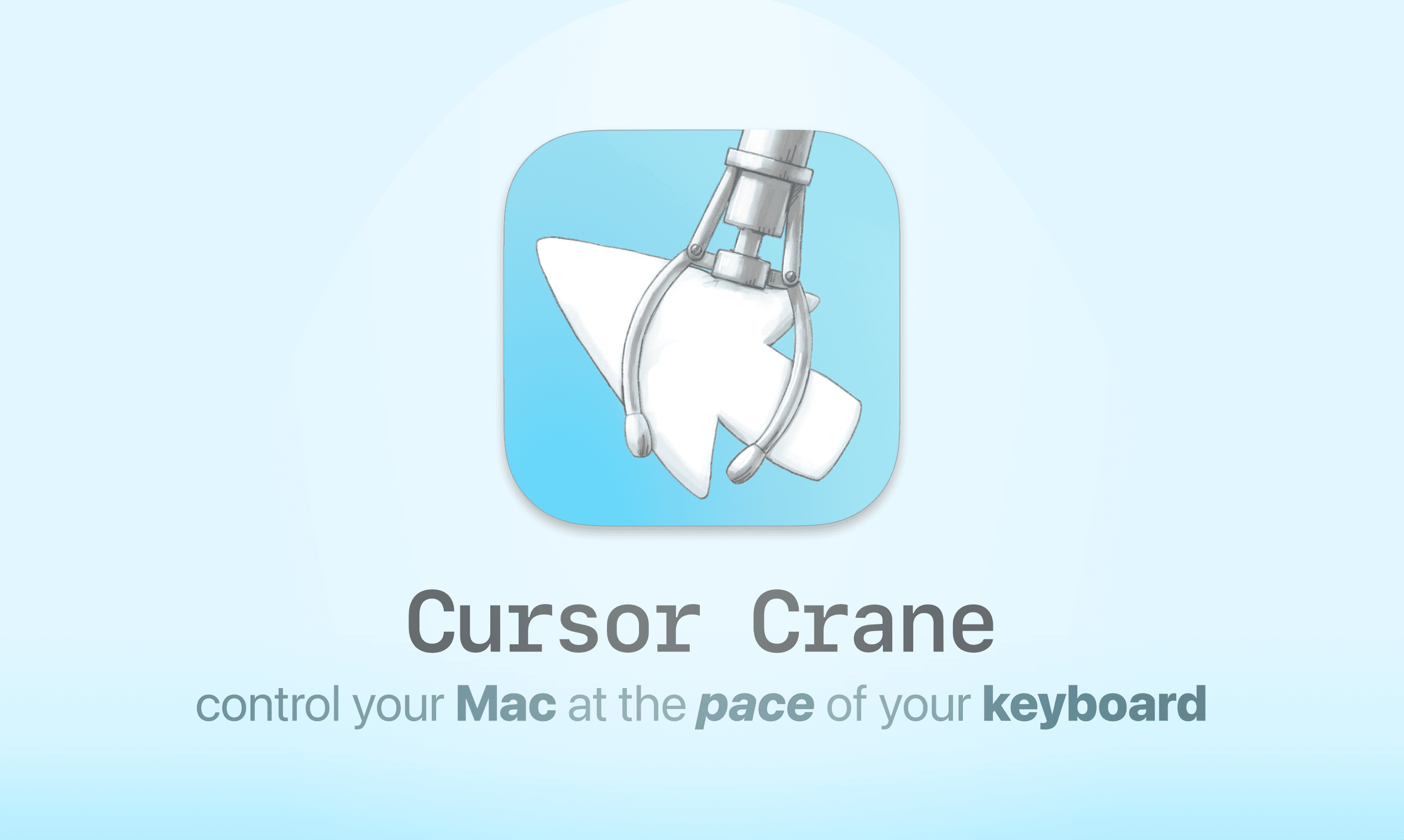
About this app
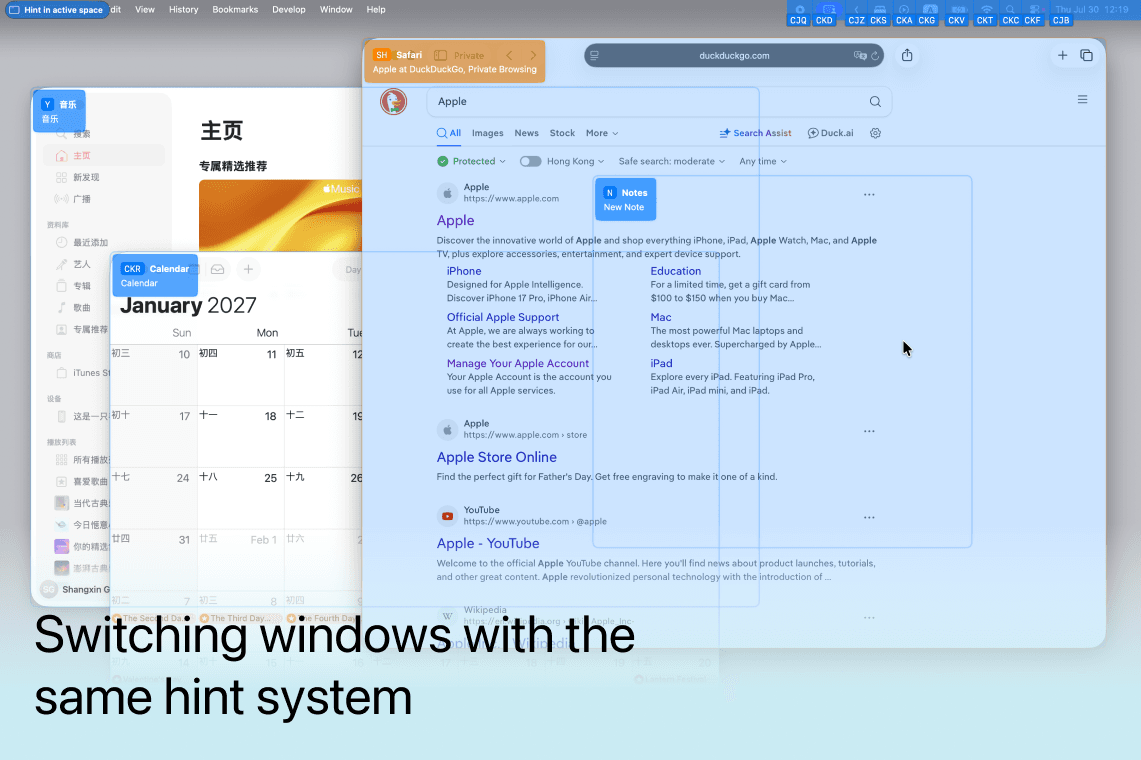
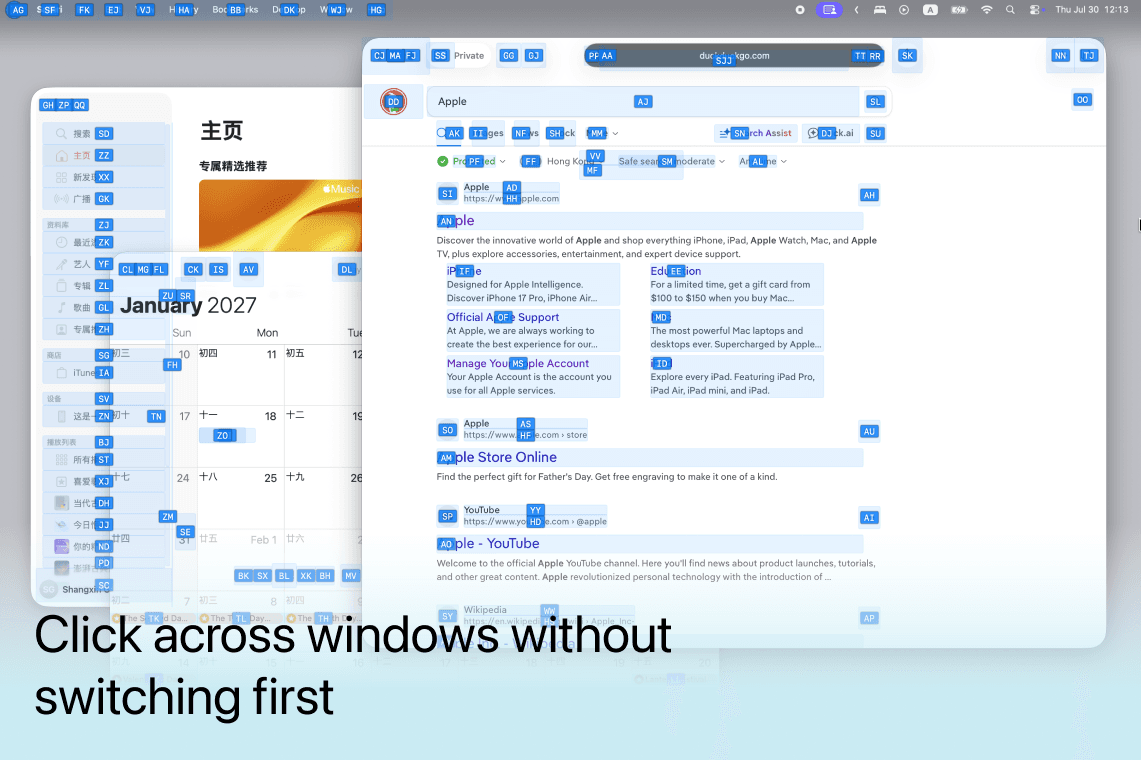
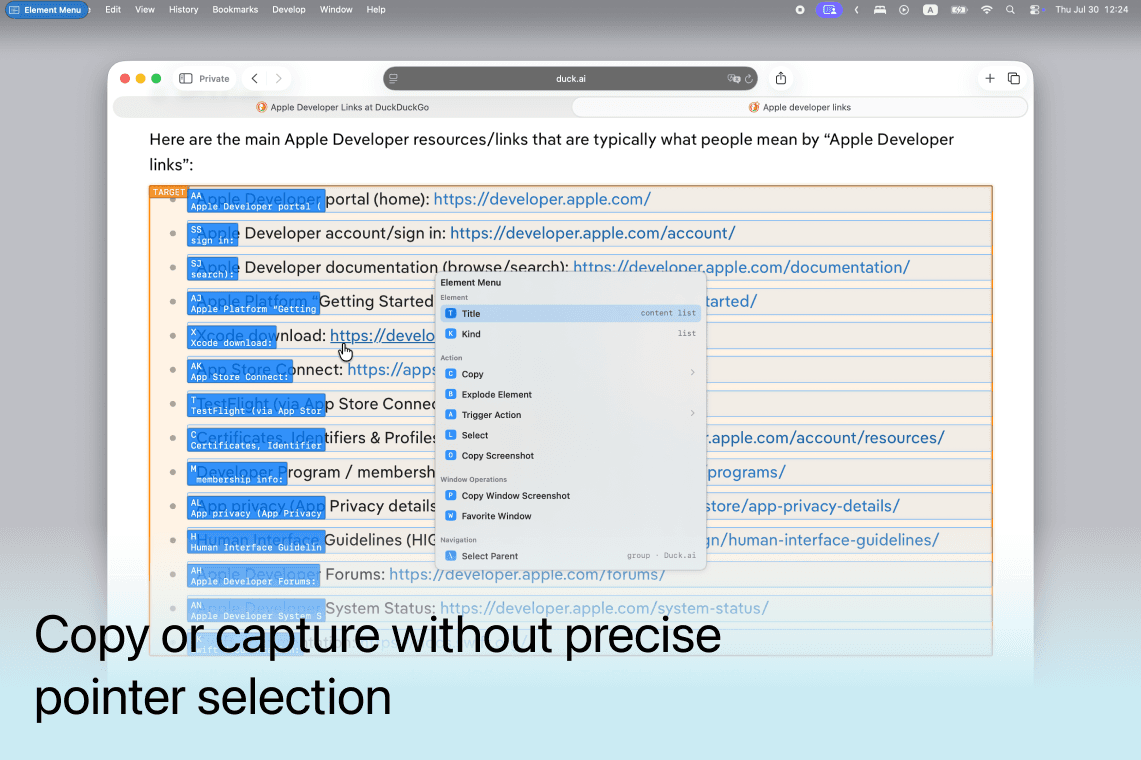
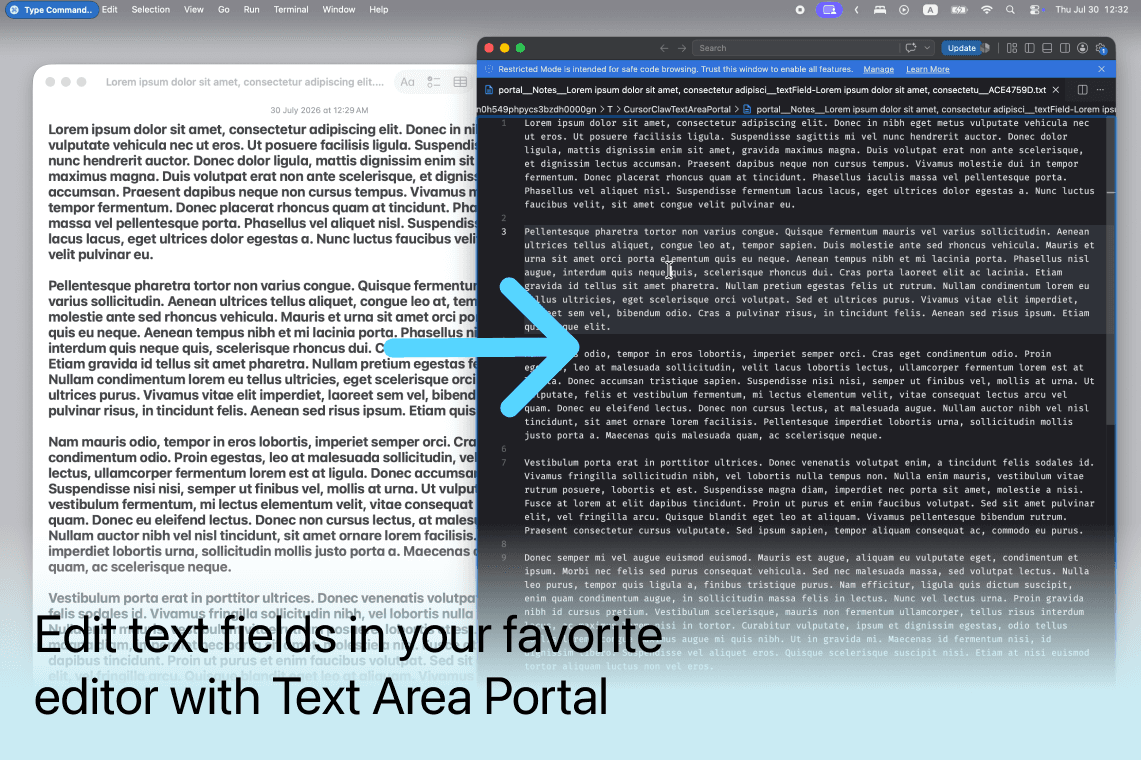
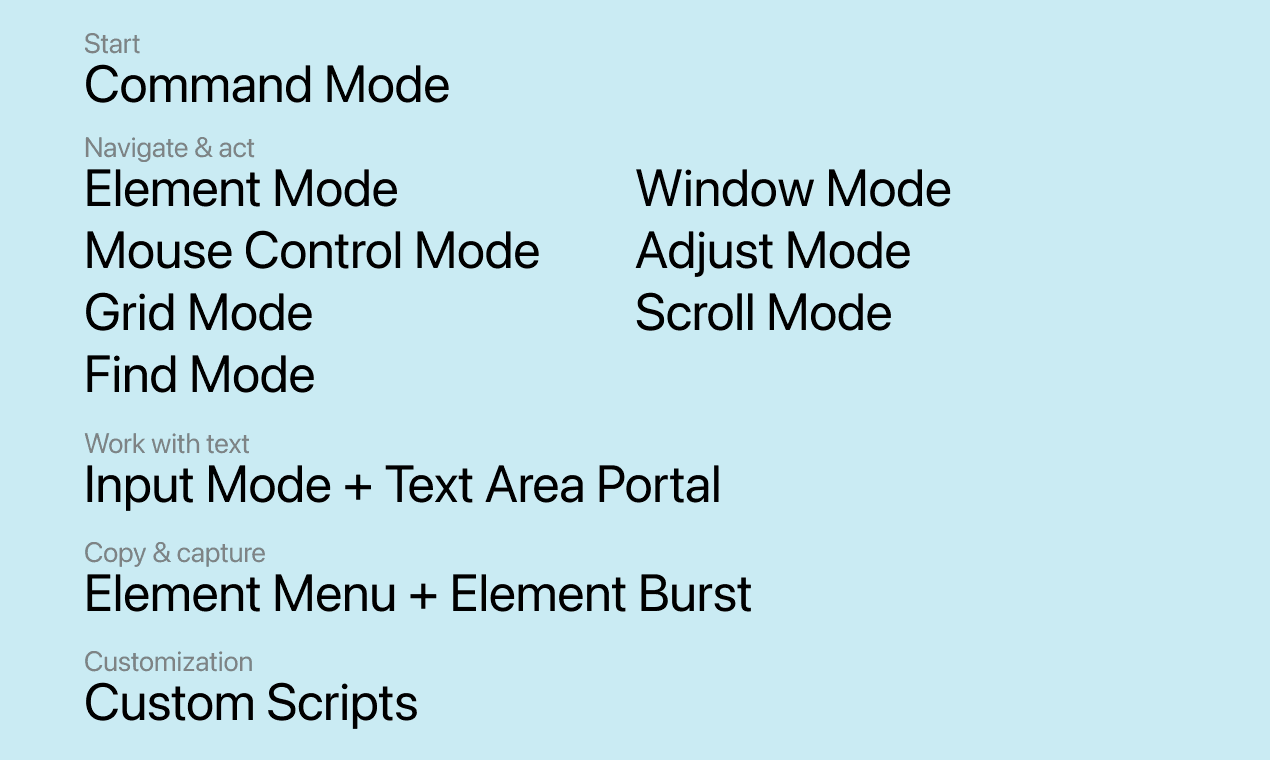
Most hint-based Mac tools focus on UI elements. Cursor Crane extends the same interaction model to windows, multi-window workflows, and text editing. Its dedicated modes use predictable rather than arbitrary hints. Enter command sequences to switch modes, perform actions, or run scripts. It also makes awkward keyboard-only tasks practical: selecting text across lines, editing focused fields in an external editor with Text Area Portal, and copying text or capturing UI through Element Menu.
Key features
- 1Hint-based targeting for windows, elements, and text
- 2Multiple modes: Command, Mouse Control, Grid, Find, Window, Scroll, Input, Adjust, Element Burst, Element Menu
- 3Text Area Portal for editing fields in external editors
- 4Scripting API with native forms
- 5Free tier with 14-day full-feature trial
Target customer profile
Drawn from the product itself, not from a survey.
Demographic
Developers and software engineers who code for hours daily
Pain points
Frequent mouse use disrupts typing flow and can lead to RSI; switching between keyboard and mouse slows down coding.
Primary needs
Keyboard-centric navigation and reduced reliance on mouse; tools that integrate with their development workflow.
Demographic
Writers and content creators who use text editors and web apps extensively
Pain points
Constant clicking and cursor precision tasks interrupt creative flow; inefficient text selection and editing.
Primary needs
Keyboard shortcuts for text manipulation, quick scrolling, and window switching to maintain momentum.
Demographic
Professionals who manage multi-window workflows (e.g., designers, analysts, project managers)
Pain points
Switching between apps and windows is time-consuming; locating specific UI elements across applications is tedious.
Primary needs
Streamlined window management and quick element targeting across multiple apps to improve efficiency.
Scout Review
Written by AI from measured evidence, scored out of 100.
Cursor Crane is a promising keyboard-first utility for macOS that extends hint-based control to windows and text editing. It's fast, well-documented, and accessible, but the landing page undersells it with sparse design and a fake calendar screenshot. Security is basic but adequate for an indie app. The growth potential is real but limited by a niche audience and strong incumbents. If you're a developer tired of mouse-induced RSI, it's worth a try—the free tier and 14-day trial make it easy. Just don't judge it by the homepage alone.
Measure by measure
Usability
72Prominent download CTA and deep documentation with guides for every mode. Free tier plus 14-day trial lowers friction, though the homepage buries feature details below the fold.
Design
58Clean but sparse landing page with a memorable claw-and-cursor icon. Weak visual hierarchy, small low-contrast text, and a demo screenshot with a fake 2027 calendar hurt polish.
Speed
78Excellent performance: 92/100 mobile, 100/100 desktop, LCP 3.1s, CLS 0, TBT 13ms. Lightweight static site with minimal JS.
Security
52HTTPS enforced with basic headers, but HSTS, CSP, and frame protection missing. No SOC 2 or bug bounty mentioned. Privacy policy exists; typical for an indie app.
Accessibility
78Lighthouse 95/100 with only contrast and heading-order issues. Keyboard navigable, skip-to-content link, and multi-language support. No explicit WCAG statement.
Growth
62Clear differentiator: keyboard-driven cursor control for windows and text, not just UI elements. Targets a real pain point for developers, but faces strong incumbents like Hammerspoon.
Improvement areas
- Homepage design is sparse and lacks visual hierarchy
- Demo screenshot contains a fake 2027 calendar
- Missing security headers (HSTS, CSP, frame protection)
- No explicit accessibility statement or WCAG compliance mention
Design & Usability
Cursor Crane's landing page is clean but underwhelming. The claw-and-cursor icon is memorable, but the page relies on it too much. The demo screenshot with a 2027 calendar is a credibility killer. Usability is stronger: the download CTA is prominent, and the docs are extensive, covering every mode with guides and a wiki. The free tier plus 14-day trial lowers the barrier to entry. However, the homepage fails to convey the app's value proposition without scrolling and reading small text. The feature list is buried below the fold, and there are no interactive demos or videos to show the tool in action. For a keyboard-centric tool, the site's own usability is decent but not exceptional.
Speed & Security
Performance is a clear win: Lighthouse scores 92/100 mobile and 100/100 desktop, with a fast LCP and zero layout shift. The site is lightweight and snappy. Security is more mixed. HTTPS is enforced, and basic headers like X-Content-Type-Options and Referrer-Policy are present, but HSTS, CSP, and frame protection are missing. There's no SOC 2 or bug bounty program, which is typical for an indie app but still a gap for enterprise users. The privacy policy and refund policy pages exist, which is good. Overall, security is adequate for a small tool but not a selling point.
Accessibility & Growth
Accessibility is above average: Lighthouse scores 95/100, with only contrast and heading-order issues. The site is keyboard navigable, has a skip-to-content link, and supports multiple languages. However, there's no explicit WCAG statement. Growth potential is solid but not explosive. The problem—keyboard-driven cursor control for windows and text—is real and underserved. The app's differentiation from Hammerspoon (no scripting required) and Rectangle (handles cursor and text, not just windows) is clear. The target audience of developers and writers is specific. But the category is niche, and incumbents like Hammerspoon have a loyal following. The app's scripting API could be a wedge, but it also risks alienating non-programmers. Overall, a competent product with a clear niche, but not a category-defining idea.
Conclusion
Cursor Crane won't replace your mouse overnight, but it's a thoughtful tool for keyboard purists. The docs are a goldmine, and the performance is flawless. If the developer fixes the landing page and adds a few more social proof signals, it could carve out a loyal following. For now, it's a solid niche tool that deserves a look from anyone who codes for hours and hates reaching for the mouse.
Suggestions for improvement
- Replace the fake 2027 calendar screenshot with a real one or a video demo.
- Add a comparison table vs. Hammerspoon and Rectangle on the homepage.
- Publish a security page with details on data handling and encryption.
- Add a changelog or roadmap to show active development.
Alternatives comparison
Named competitors, point by point. Nobody paid to appear here or to be left out.
 Cursor Crane Cursor Crane |  Hammerspoon Hammerspoon |  Rectangle Rectangle | |
|---|---|---|---|
| Cursor targeting | Hint-based targeting for elements, windows, and text | No built-in cursor targeting; requires scripting | No cursor control or element selection |
| Window management | Window Mode with hints and Favorite Windows | Scriptable window management via Lua | Keyboard shortcuts for resizing and moving windows |
| Text editing | Text shortcuts, search, and Text Area Portal | No built-in text editing features | No text editing features |
| Ease of use | No programming required; intuitive modes | Requires Lua scripting knowledge | Simple keyboard shortcuts, no scripting |
| Scripting/automation | JavaScript scripting API with native forms | Full Lua scripting for automation | No scripting support |
Hammerspoon
An automation tool for macOS that allows scripting window management and keyboard shortcuts, but it requires programming knowledge and lacks a user-friendly cursor targeting interface.
Rectangle
A window management app that provides keyboard shortcuts for resizing and moving windows, but it doesn't handle cursor control or element selection.
Comparing options? See Cursor Crane alternatives, scored side by side
More Productivity apps
View all Productivity
Notion
92All-in-one AI workspace for docs, projects, and knowledge...

Qamarero
92An all-in-one hospitality software for restaurants and ba...

EmbedMyReviews
92White-label reputation management software for agencies s...

StoryPad
92Privacy-first open source journal app with a continuous t...

Puzzly – B2B Lead Generation & Sales Intelligence Platform
92Puzzly is an all-in-one B2B lead generation platform that...

The Stack Newsletter
92A weekly newsletter delivering curated tech jobs, intervi...

Vibe Coding Agent Skills
92A free, open-source platform offering 110 AI agent skills...

QRBliss
91Branded QR codes with AI Brand Sync, 15 free dynamic code...

Gerty
91Private, local AI assistant for Mac that runs offline

CC Switch
91Open-source desktop app for switching AI coding providers...

username.md
90One verified handle for your online identity, readable by...

PitchWhip
90AI cold call scripts & direct dials from LinkedIn


A platform dedicated to providing unbiased reviews of newly launched applications, analyzing everything from their features to their full potential.
info@scoutforge.net© 2026 Scoutforge. All rights reserved.
