Cycling through all six. Tap any point to stop.
Measured on six things
Convert MBOX files to PST for Outlook quickly and accurately
Security
41HTTPS enforced and SPF present, but HSTS, CSP, frame protection, X-Content-Type-Options, Referrer-Policy, Permissions-Policy and DMARC are all missing; checklist 3/13. No SOC 2, ISO or pen-test claims found.
Screenshots
1 / 4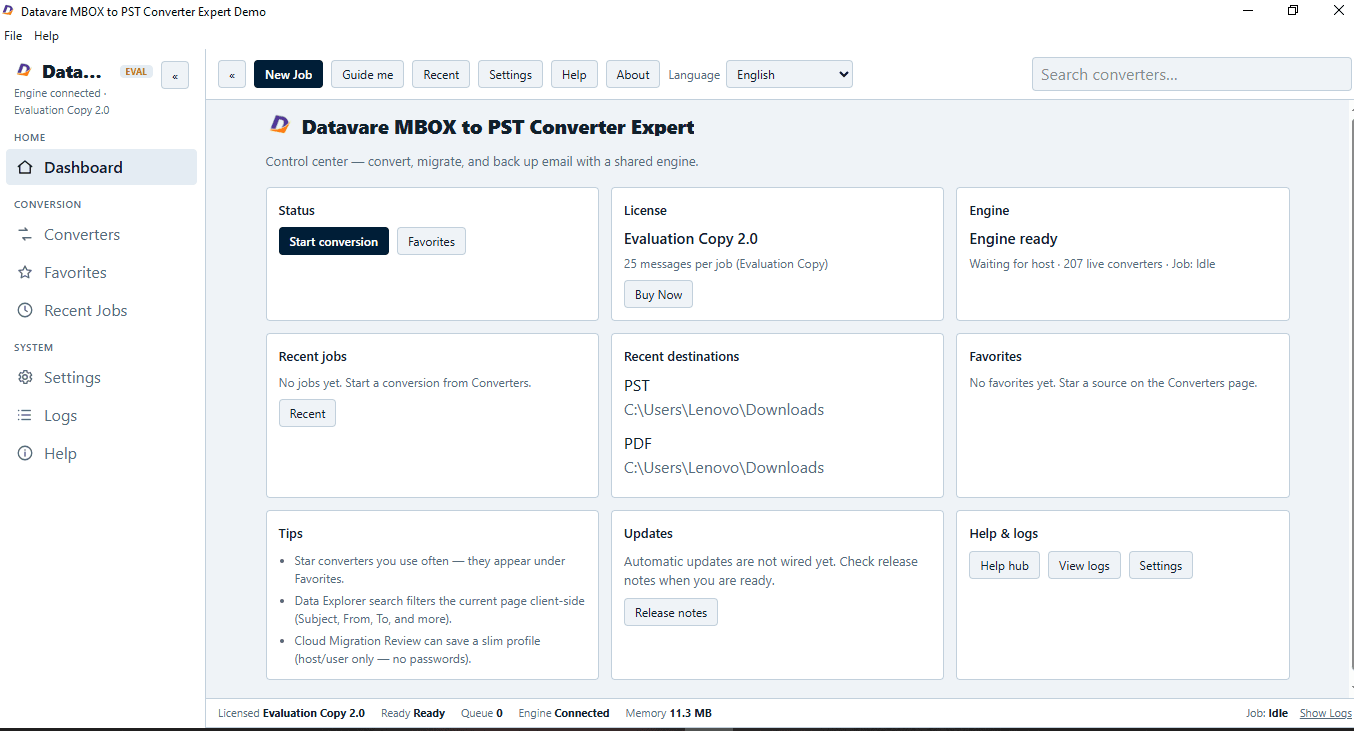
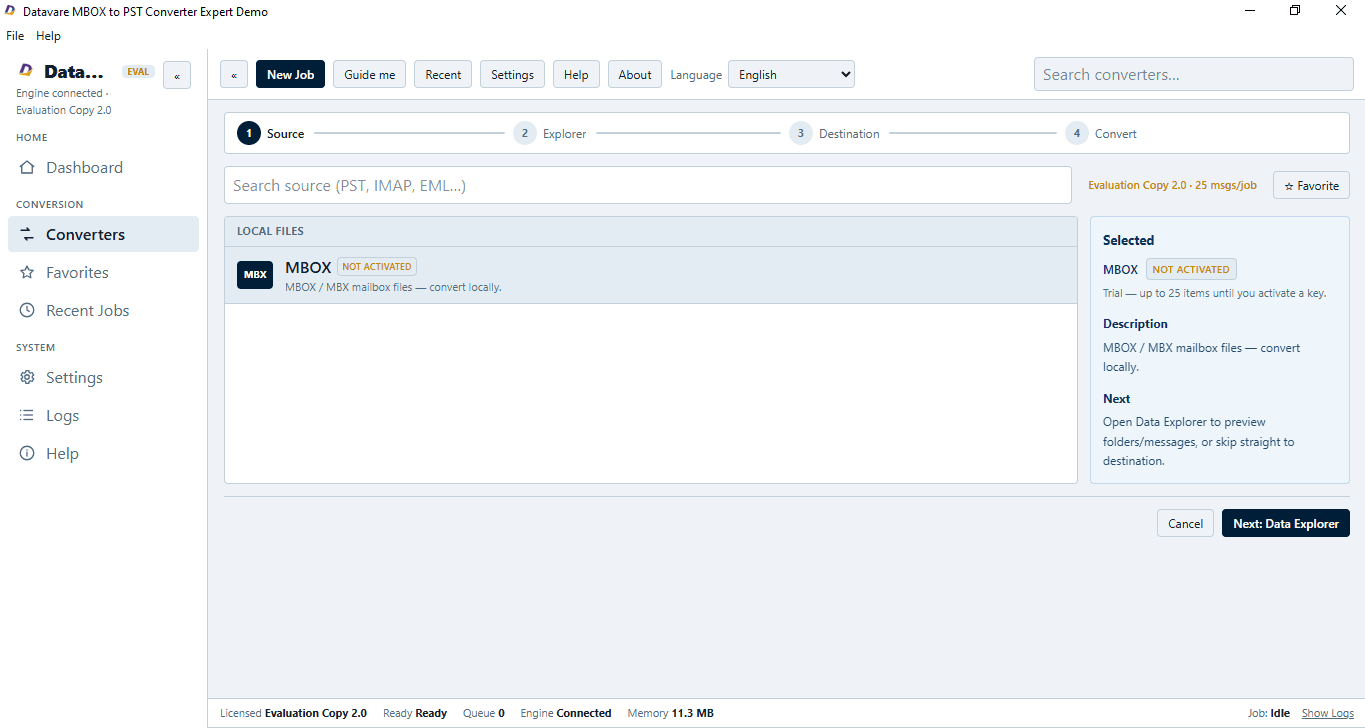
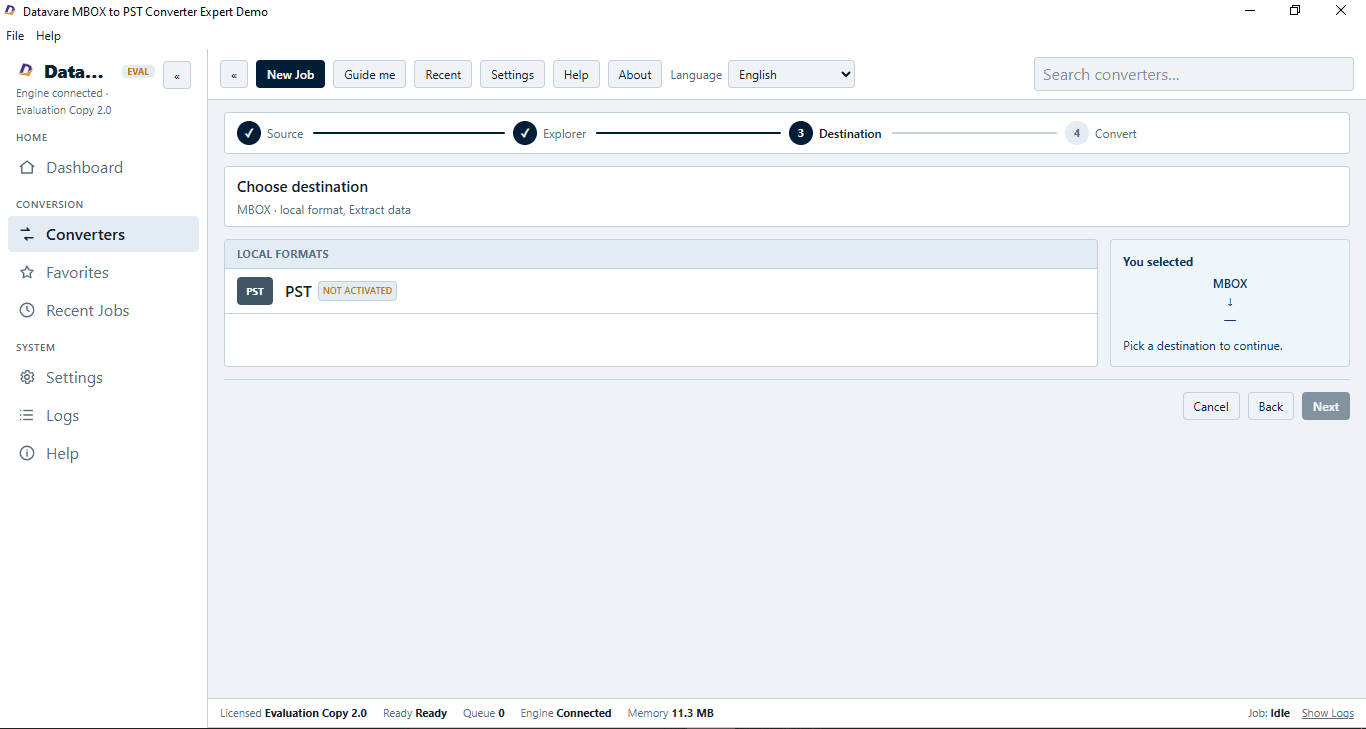
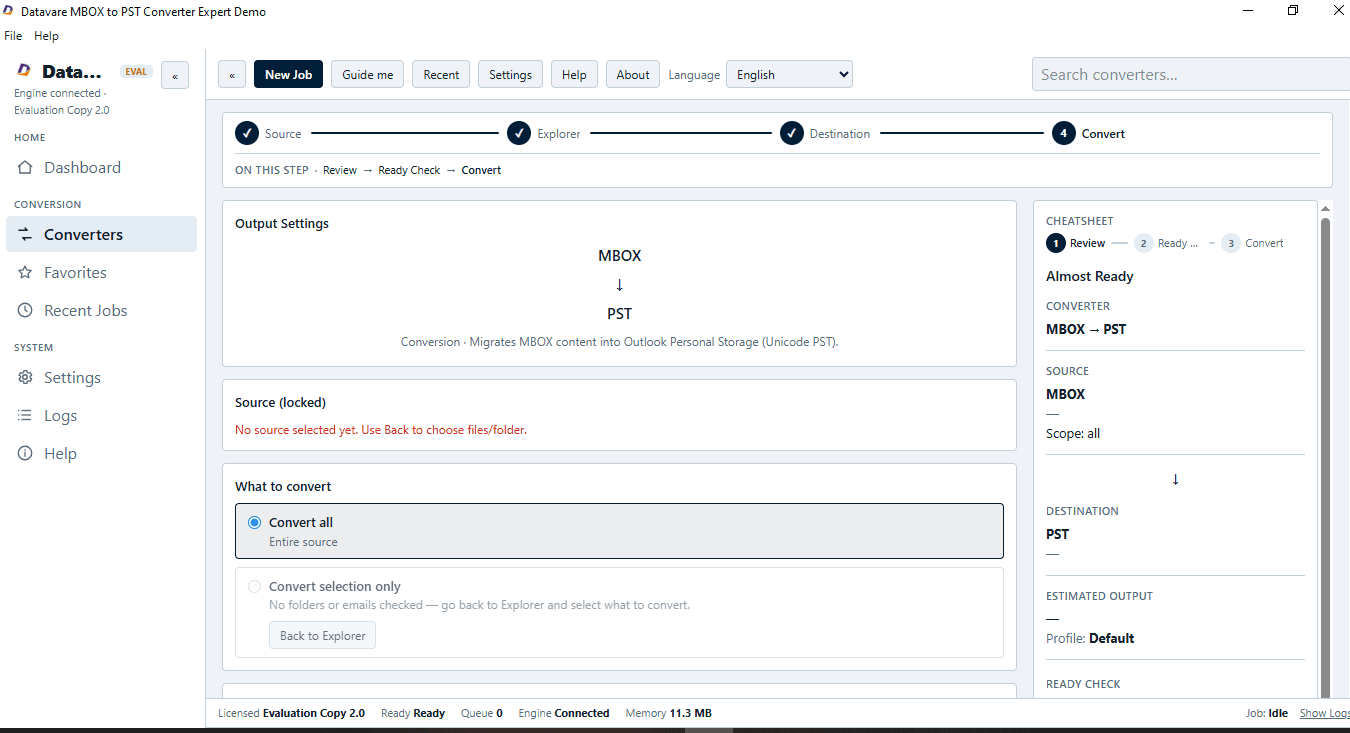
About this app
DataVare MBOX to PST Converter helps users to transfer MBOX mailbox data to Outlook PST format through a clear and step-by-step process. It supports batch processing allowing users to convert multiple MBOX files at once or choose individual files and folders for conversion. Users can preview mailbox contents before saving to ensure accuracy. The application supports MBOX files created by popular email clients such as Thunderbird, Apple Mail, Eudora, and Entourage, and creates PST files compatible with all major versions of Microsoft Outlook. Designed with a simple, user-friendly interface, it caters to users of all technical skill levels across both Windows and Mac OS platforms.
Key features
- 1Bulk MBOX to PST conversion with selective file and folder targeting.
- 2Preview mailbox contents before saving to verify accuracy.
- 3Supports MBOX from Thunderbird, Apple Mail, Eudora, Entourage, OperaMail, SeaMonkey, PocoMail.
- 4Output PST compatible with Outlook 2003 through 2021.
- 5Available for both Windows and Mac.
Target customer profile
Drawn from the product itself, not from a survey.
Demographic
IT administrators in small to medium businesses
Pain points
Migrating multiple users' email data from Thunderbird to Outlook manually is time-consuming and error-prone.
Primary needs
A reliable bulk conversion tool that preserves email integrity and supports various MBOX sources.
Demographic
Individual users switching from Mac Mail to Outlook
Pain points
Losing important emails and attachments during migration; complex manual processes.
Primary needs
A simple, one-click solution to convert MBOX files to PST without technical expertise.
Demographic
Freelancers and consultants using multiple email clients
Pain points
Consolidating emails from different clients into a single Outlook PST file for easier management.
Primary needs
Flexible conversion that can handle various MBOX formats and merge them into one PST.
Scout Review
Written by AI from measured evidence, scored out of 100.
DataVare MBOX to PST Converter Expert is a competent, narrowly-scoped migration utility with a fast marketing site and a clear feature story. The idea is sound and the pain is real, but the execution shows its age: dated landing page, near-empty documentation, no visible trial, and a security posture that stops at HTTPS. It'll likely do the job for a one-time Thunderbird-to-Outlook migration, but buyers should expect to lean on email support and take the claims on faith.
Measure by measure
Usability
55Clear feature list and a claimed step-by-step flow with preview, but the docs page is a bare video heading with no written steps, and there's no visible free trial or live demo to try before buying.
Design
58Functional legacy-utility landing page: dense feature bullets, small screenshots, star-rating widget. The app UI itself is barely shown, so design is judged mostly on marketing craft, which is dated but coherent.
Speed
82Lighthouse mobile 94/100 (LCP 3.0s, CLS 0.001, TBT 0ms) and desktop 99/100. The marketing site is genuinely fast and stable; no lag complaints surfaced in the collected evidence.
Security
41HTTPS enforced and SPF present, but HSTS, CSP, frame protection, X-Content-Type-Options, Referrer-Policy, Permissions-Policy and DMARC are all missing; checklist 3/13. No SOC 2, ISO or pen-test claims found.
Accessibility
68Lighthouse accessibility 94/100, but failing audits include buttons without accessible names and non-sequential heading order. English-only interface, no WCAG statement found.
Growth
58Real, specific pain (MBOX→PST migration for Thunderbird/Apple Mail/Eudora users) with a clear wedge: bulk conversion, selective targeting, preview, Windows + Mac. Niche but durable; no network effects.
Improvement areas
- Documentation is a single video heading with no written steps.
- No visible free trial or live demo before purchase.
- Missing security headers (HSTS, CSP, DMARC, frame protection) and no compliance claims.
- Accessibility audit failures: unnamed buttons, non-sequential headings; English-only.
Design & Usability
The page reads like a 2016 software vendor's brochure: feature bullets stacked in ALL-CAPS, a small screenshot, two testimonials, and a 4.7-star widget. It's coherent and it tells you what the tool does — bulk MBOX to PST, selective file targeting, preview before save, Windows and Mac — but the craft is dated and the app UI is barely shown. Usability is the bigger gap: the docs page is a single video heading with no written steps, and there's no visible free trial or live demo, so a buyer has to take the marketing copy on faith before paying.
Speed & Security
Speed is the standout: Lighthouse mobile 94/100 with LCP 3.0s, CLS 0.001 and TBT 0ms, and desktop 99/100. The marketing site loads fast and stays stable. Security is the opposite story — HTTPS is enforced and SPF is set, but HSTS, CSP, frame protection, X-Content-Type-Options, Referrer-Policy, Permissions-Policy and DMARC are all missing, landing the checklist at 3/13. No SOC 2, ISO or pen-test claims appear on the page. For a tool that handles email data, that's a thin public posture.
Accessibility & Growth
Accessibility scores 94/100 on Lighthouse but still fails on unnamed buttons and non-sequential heading order, and the interface is English-only with no WCAG statement. Growth is a judgment on the idea: MBOX to PST migration is a real, specific pain for Thunderbird, Apple Mail and Eudora users moving to Outlook, and the product names concrete differentiators — bulk conversion, selective targeting, preview before save, Windows and Mac. It's a niche with a durable but limited ceiling; there's no network effect or data advantage to compound.
Conclusion
If you need to move MBOX files into Outlook once and you're comfortable with a paid, no-trial utility from a long-running vendor, this will probably work. If you want to try before you buy, read written docs, or see a modern security posture, look elsewhere or budget time for support email tag.
Suggestions for improvement
- Publish written step-by-step docs instead of a single video heading.
- Offer a free trial or a limited conversion demo so buyers can verify output quality.
- Add HSTS, CSP, X-Content-Type-Options, Referrer-Policy and DMARC to the site.
- Fix unnamed buttons and heading order flagged by the accessibility audit.
Alternatives comparison
Named competitors, point by point. Nobody paid to appear here or to be left out.
 DataVare MBOX to PST Converter Expert | ||
|---|---|---|
| Bulk MBOX to PST conversion | Yes — batch conversion of multiple MBOX files | Not specified in provided details |
| Preview before saving | Yes — preview mailbox contents before export | Not specified in provided details |
| Platform support | Windows and Mac | Not specified in provided details |
| Free trial / demo | Not advertised on product page | Not specified in provided details |
| Written documentation | Docs page is a single video heading; no written steps | Not specified in provided details |
Comparing options? See DataVare MBOX to PST Converter Expert alternatives, scored side by side
More Productivity apps
View all Productivity
Notion
92All-in-one AI workspace for docs, projects, and knowledge...

Qamarero
92An all-in-one hospitality software for restaurants and ba...

EmbedMyReviews
92White-label reputation management software for agencies s...

StoryPad
92Privacy-first open source journal app with a continuous t...

Puzzly – B2B Lead Generation & Sales Intelligence Platform
92Puzzly is an all-in-one B2B lead generation platform that...

The Stack Newsletter
92A weekly newsletter delivering curated tech jobs, intervi...

Vibe Coding Agent Skills
92A free, open-source platform offering 110 AI agent skills...

QRBliss
91Branded QR codes with AI Brand Sync, 15 free dynamic code...

Gerty
91Private, local AI assistant for Mac that runs offline

CC Switch
91Open-source desktop app for switching AI coding providers...

username.md
90One verified handle for your online identity, readable by...

PitchWhip
90AI cold call scripts & direct dials from LinkedIn


A platform dedicated to providing unbiased reviews of newly launched applications, analyzing everything from their features to their full potential.
info@scoutforge.net© 2026 Scoutforge. All rights reserved.
